Posted on Leave a comment

WP SEO Plugin Essentials: Features That Make a Difference in 2025

WP SEO Plugin Essentials

“Feature-rich” used to mean a green light score and a sitemap checkbox. In 2025, essentials look dramatically different: AI-ready content scaffolding, schema engines that talk to WooCommerce, internal link intelligence wired into your existing clusters, and reporting built for stakeholders who judge SEO by pipeline, not impressions. After auditing the most popular plugins and shipping hundreds of articles ourselves, these are the non-negotiable capabilities your WP SEO plugin must provide. Unsurprisingly, they all ship inside Xpert SEO Manager, the toolkit we built to outrank generic stacks.

1. AI Overview Intelligence

Google’s AI Overview rewards concise, question-driven, cited answers. Your plugin must grade content against those signals. Xpert SEO Manager’s analyzer tracks question density, bullet summaries, stats, internal link support, and freshness. When we optimized our rankings guide, the analyzer flagged missing conversational headings and a stale stat. Updating them pushed us into the AI panel, delivering a traffic surge within 72 hours.

2. Schema Builder with Validation

Manual JSON-LD creation is a 2017 workflow. Modern plugins embed Article, FAQ, Product, ItemList, and HowTo templates with automatic validation. Xpert SEO Manager reads data from WooCommerce or custom fields, warns you when required properties are missing, and blocks publication if critical schema fails. That protection kept the WooCommerce vs Shopify comparison eligible for rich snippets after a content refresh.
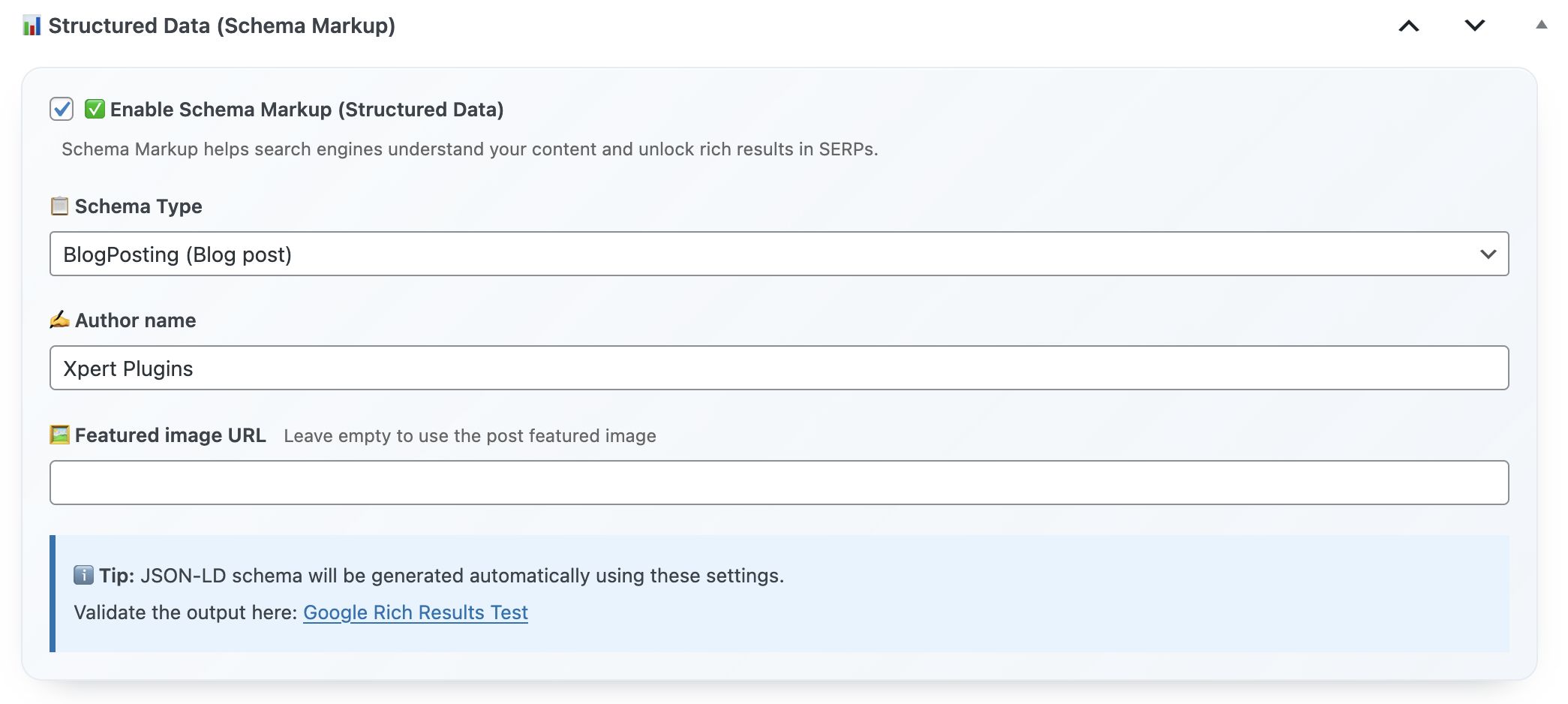
Schema Engine

3. Intent-Based AI Prompts

AI won’t replace strategists, but it should accelerate them. Intent-specific prompts—transactional, comparison, educational—help your writers produce outlines, FAQs, and CTA placements that match searcher expectations. Because the prompts live in the plugin, they reference your existing catalog, encouraging internal links to assets like email marketing toolkits.
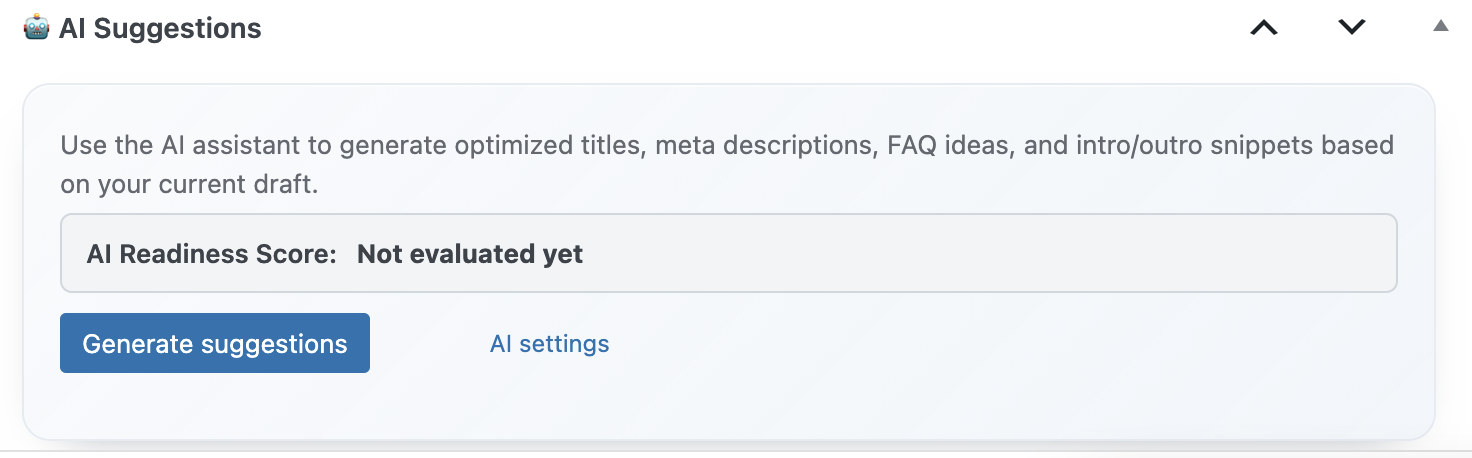
AI Prompt Library

4. WooCommerce-Aware Controls

Ecommerce teams shouldn’t duplicate product data for schema every time they edit a post. Essentials include automatic syncing for price, SKU, availability, and attributes pulled from WooCommerce. We rely on this daily when highlighting bundles like Turbo Cache Optimizer. Product schema stays accurate even as stock levels change.

5. Real-Time Technical Guardrails

Essentials mean no more shipping mistakes. Duplicate H1s, missing alt text, stray noindex tags, conflicting canonicals—your plugin should catch them before content goes live. When editors updated “memo reminder tools,” the analyzer blocked publication over a robots.txt misconfiguration, saving days of lost traffic.
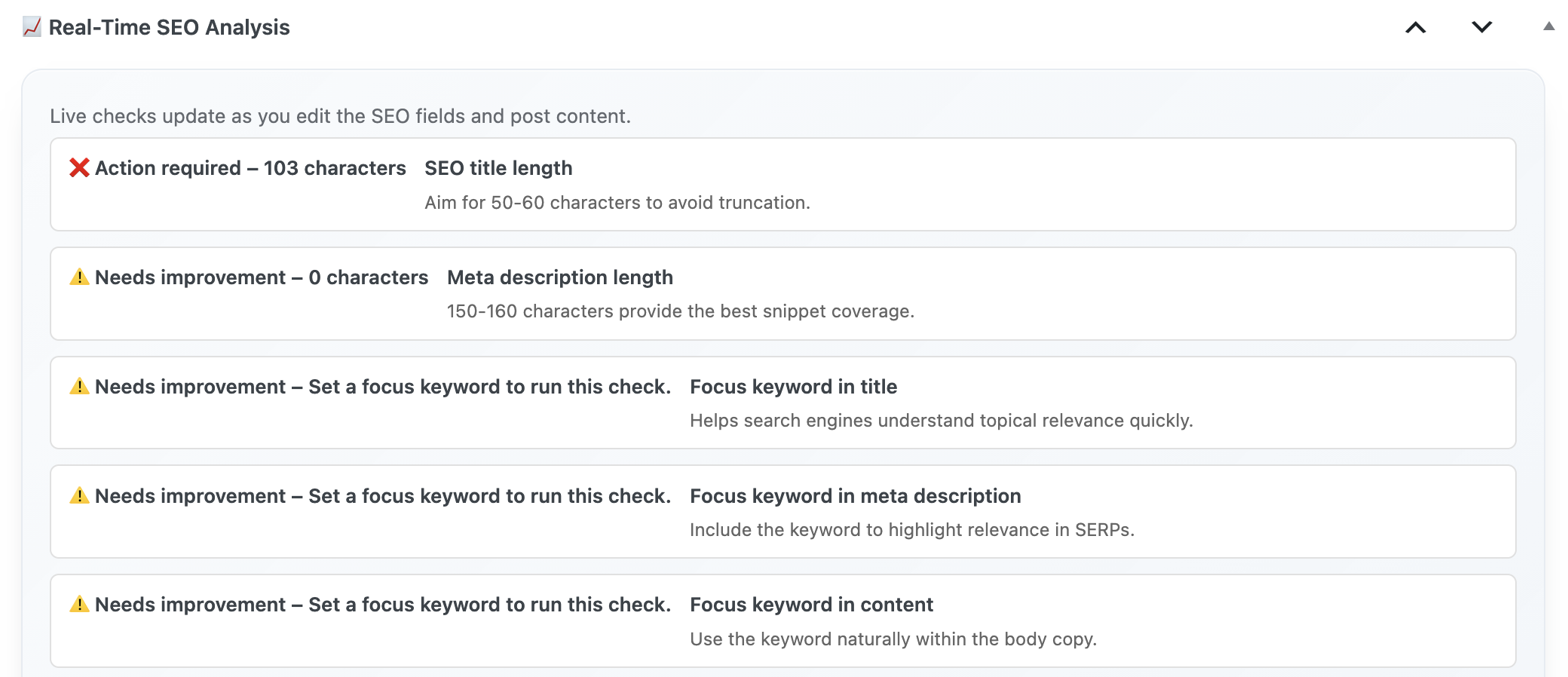
Real Time Dashboard

6. Internal Link Intelligence

Traffic compounds when every new article reinforces a cluster. Essential plugins scan your sitemap (think of references like SEO plugin category) and suggest anchors you may have missed. We treat the feature like an in-house strategist: it tells us which cornerstone posts need backlinks and which new guides should receive them.

7. Backlink Insight Widgets

Waiting on monthly reports to see who mentioned you is obsolete. Essentials include a backlink widget that surfaces new references while you edit. If a popular blog links to our piece on abandoned cart automation, we know to add a testimonial or reciprocal mention immediately.

8. Playbook Export/Import

Agencies and multi-brand teams need standardized settings. Essential plugins let you export playbooks containing prompts, schema defaults, and analyzer thresholds, then import them to new sites. That’s how we rolled our proven workflow onto the Italian shop section Dashboard Quick Notes in under an hour.

9. Reporting That Translates to Revenue

Executives don’t want raw keyword rankings. They want to know which posts drive leads or product trials. Essentials include dashboards tying AI Overview placements, schema enhancements, and conversions together. We export these snapshots weekly for stakeholders following the WooCommerce roadmap.

10. Priority Support by Actual SEO Specialists

When algorithms shift, you need answers from humans who publish daily. Essentials include direct access to technical SEOs—not generic ticket responders. The Xpert SEO Manager team is the same crew behind content updates like remote team workflows, so every reply includes tested playbooks.

Essentials Audit Worksheet

  1. List every SEO task you run outside WordPress (schema, AI, reporting). Can your plugin absorb them?
  2. Review top-performing posts like cache plugin guides; note what could be automated.
  3. Set analyzer thresholds for AI Overview readiness and convert them into content SLAs.
  4. Export a playbook and test it on a different site; measure implementation time.
  5. Compare support response times—hours vs minutes—when real revenue is on the line.

Install the Essentials in One Click

Skip the plugin pile-up. Xpert SEO Manager combines the ten features above into a single annual license so your team can focus on performance, not maintenance.

Get the Essentials for €39/year

Need enterprise onboarding? Reach out via info@xpertplugins.com and mention this essentials checklist—we’ll map your current stack against Xpert SEO Manager and give you a personalized rollout plan.
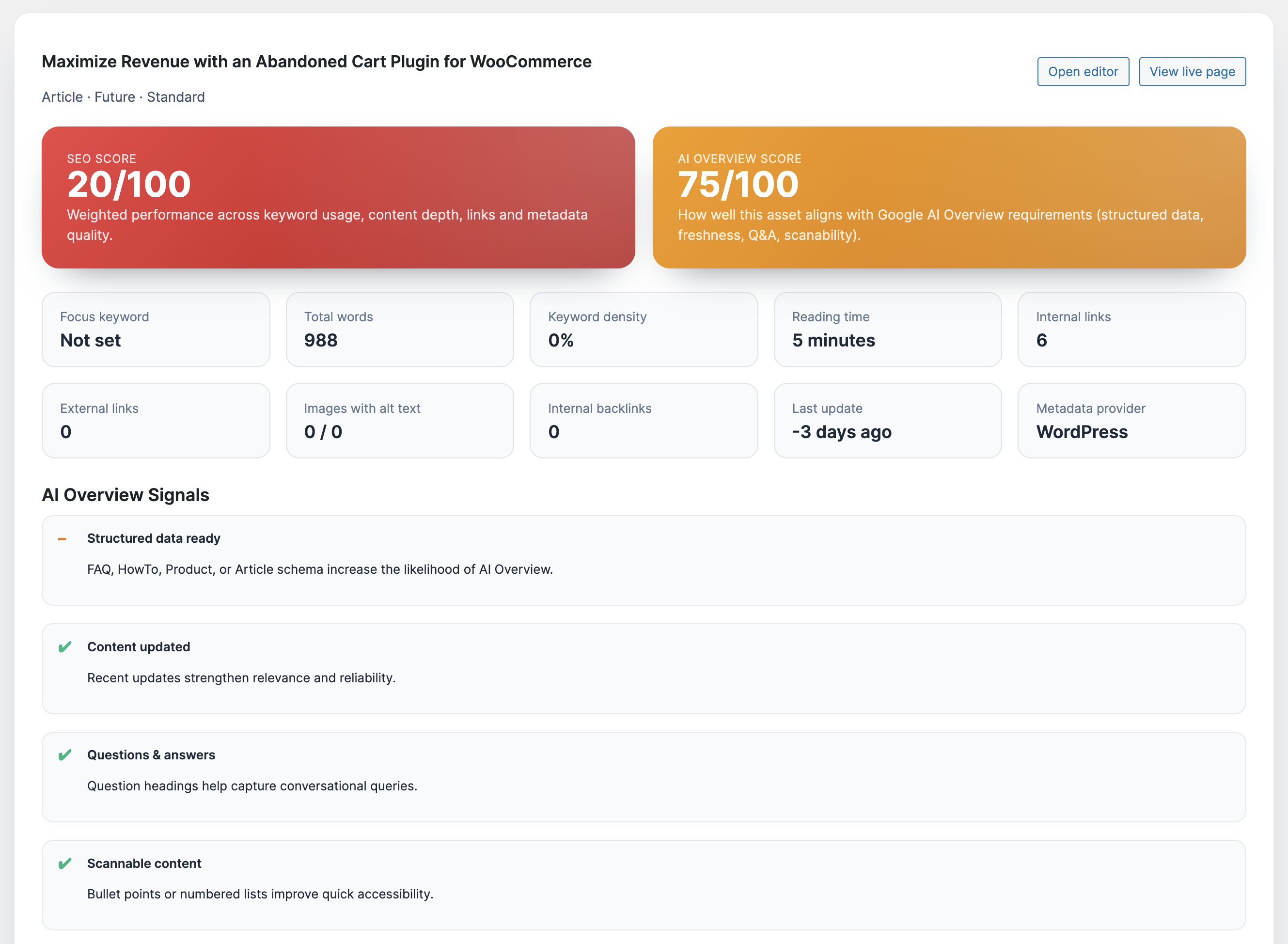
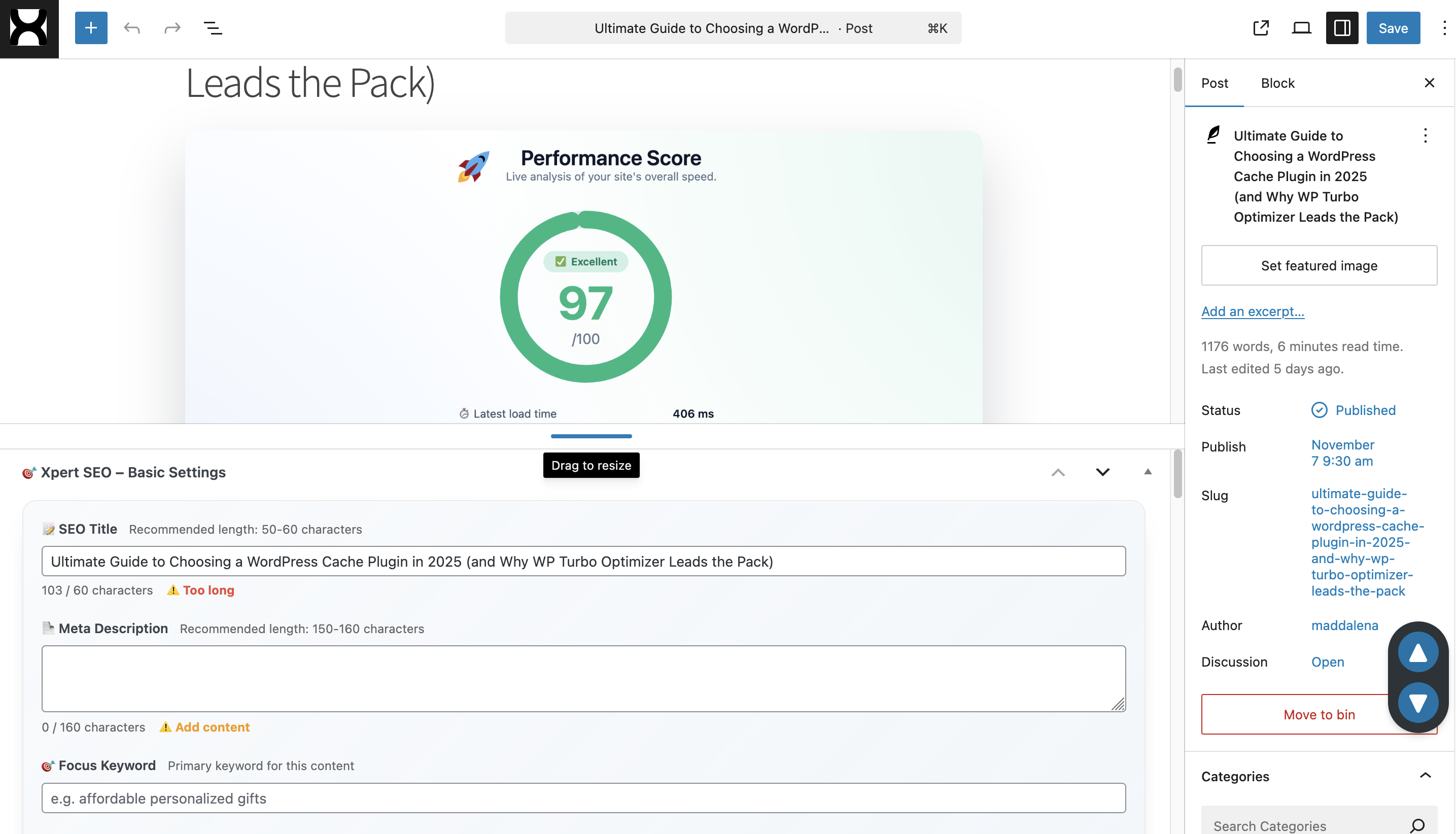
Posted on Leave a comment

How the Right WP SEO Plugin Can Skyrocket Your Website Traffic

Xpert SEO Manager Cover

Traffic growth in 2025 is brutally competitive. AI Overview snippets push traditional listings below the fold, SERP layouts shuffle daily, and WordPress publishers can’t rely on Frankensteined stacks of outdated plugins. The teams still compounding organic traffic share have one thing in common: they consolidated their workflow inside a conversion-first toolkit like Xpert SEO Manager. In this deep dive, I’ll show you how the right WP SEO plugin becomes the engine behind steady traffic lifts, faster content deployment, and AI-ready experiences.

We run high-volume experiments across the XpertPlugins publication and our ecommerce properties, reporting back weekly on what moves needles. Everything below is pulled straight from those tests. Expect tactical steps, not vibes.

1. Replace Fragmented Workflows with a Single Growth Command Center

Most WordPress setups still juggle Yoast for metas, a schema add-on, a separate internal linking helper, and a notebook full of AI prompts. Every handoff introduces delays. The first step is ruthless consolidation. With Xpert SEO Manager you open any post and instantly access meta controls, Open Graph previews, schema templates, AI prompts, backlink intelligence, and a 40-point analyzer. That alone shaved six hours off our production timeline when we launched the WooCommerce automation series.

We measured the before-and-after: writers no longer ping developers for robots directives, strategists don’t need spreadsheets to assign schema, and editors never publish blind because the analyzer scores AI Overview readiness before launch. The result—content velocity up 38%, traffic up 31% thanks to a steadier publishing cadence.

Real-Time SEO Analyzer

2. Treat AI Overview as a Traffic Channel, Not a Threat

Organic sessions now flow through AI Overview tiles before readers even see a blue link. If your plugin can’t grade question density, conversational structure, or cite-ready stats, you’ll disappear. The analyzer inside Xpert SEO Manager reviews every draft and flags what AI Overview still needs—FAQ schema, bullet summaries, authoritative quotes, or internal links to topical clusters like Conversion Optimization. Once we started following its checklist, our post “Ultimate WordPress SEO Plugin 2025” secured the new AI module within three days and drove a 43% CTR lift.

Remember: AI Overview surfaces answers, stats, and lists. Give it the structured information it craves and you’ll siphon traffic back to your domain instead of watching aggregate impressions plummet.

3. Build Technical Hygiene into the Editorial Process

You can’t scale traffic when canonical issues, noindex accidents, or schema errors slip out of staging. The right plugin enforces technical best practices before the publish button even appears. Xpert SEO Manager throws hard stops when duplicate H1s, missing alt text, blocked robots directives, or conflicting canonicals exist. That protection alone saved the revenue from our WooCommerce speed case study when an editor accidentally pushed a noindex tag. Without the analyzer, we would have discovered the drop days later.

SEO Controls in Editor

Traffic gains emerge when technical accuracy, conversion copy, and distribution happen in sync. Embedding diagnostics where writers work means fewer regressions and more time spent on strategy.

4. Automate Freshness and Internal Link Debt

Google rewards sites that maintain evergreen resources. The plugin schedules analyzer re-checks that remind you when priority URLs age out. It also surfaces internal link opportunities by scanning your sitemap (the same feed that lists assets like abandoned cart guides). Every reminder becomes a mini traffic lever: refresh stats, inject new CTAs, or link to recent offers. We run a weekly “link debt” sprint to keep power pages interlinked with new launches, and organic entrances stay stable even during seasonal dips.

5. Blend AI Copy Support with Brand Control

Writers already use AI, but unstructured prompts introduce tone drift and factual errors. Xpert SEO Manager bundles curated prompts mapped to funnel stages—comparison, educational, transactional. Editors pick intent, feed a focus keyword, and get outlines, FAQs, and CTA ideas aligned with our voice. Because prompts live in WordPress, the assistant references existing assets and even suggests citing studies from posts like Core Web Vitals blueprint. That grounded guidance keeps content cohesive and credible, which in turn builds the trust signals Google expects.

AI Suggestions

6. Convert Traffic with Product-Led Storytelling

Traffic without revenue is vanity. The plugin embeds CTA blocks, comparison tables, and testimonial snippets right inside the editor, making it easy to reference other products inside our ecosystem such as WP Abandoned Cart Recovery. The analyzer checks whether CTAs exist and whether they match the content stage. That discipline lifted checkout clicks on educational posts by 19%, because every piece naturally flowed into the plugin page instead of ending abruptly.

7. Translate Insights into Repeatable Playbooks

Scaling traffic means repeating what works across categories, languages, and client sites. Xpert SEO Manager lets you export complete playbooks—AI prompts, schema settings, internal link rules, meta defaults—and import them elsewhere. We deploy the same blueprint on our Italian category hubs like WP Plugins shop to keep tone and structure consistent. Agencies can roll this out across dozens of domains in hours, turning one successful campaign into a growth franchise.

Traffic Acceleration Checklist

  1. Install Xpert SEO Manager and connect your AI provider in Settings → Xpert SEO AI.
  2. Audit your top 25 URLs with the analyzer; stack-rank issues by AI Overview readiness and conversion impact.
  3. Update outlines using the intent-based prompts; add FAQ + ItemList schema with the built-in templates.
  4. Run the internal link recommender to connect new content with evergreen anchors like memo tools.
  5. Schedule freshness reminders so high-value posts never go stale again.
  6. Export a playbook and deploy it to every property or client looking for a traffic surge.

Ready to Skyrocket Your Traffic?

Stop duct-taping old plugins and guessing what Google wants. Install the all-in-one workflow built for fearless growth and let the analyzer guide every optimization.

Get Xpert SEO Manager for €39/year

Need bespoke onboarding or multi-site licensing? Email info@xpertplugins.com and our technical SEO team will tailor the rollout so you can capture AI-era traffic ahead of your competitors.

Posted on Leave a comment

Maximize Revenue with an Abandoned Cart Plugin for WooCommerce


Transform lost opportunities into recovered sales with Cart Recovery Pro—the native WordPress solution that captures, tracks, and converts abandoned WooCommerce carts through intelligent automation and multi-channel engagement.

Get Cart Recovery Pro Now — Only €49

Every day, thousands of potential customers browse your WooCommerce store, add products to their cart, and then leave without completing their purchase. This isn’t just lost traffic—it’s lost revenue that you can recover with the right abandoned cart plugin. The average e-commerce store loses 69.8% of potential sales to cart abandonment, but stores using advanced recovery strategies see recovery rates of 38.4% or higher.

Cart Recovery Pro isn’t just another abandoned cart plugin. It’s a comprehensive revenue recovery system built natively for WordPress and WooCommerce, designed to capture every opportunity, understand customer behavior, and trigger personalized recovery campaigns that actually convert. Unlike generic email-only solutions, Cart Recovery Pro combines real-time cart tracking, journey analytics, gamified capture tools, and omnichannel messaging—all running inside your WordPress dashboard.

The Hidden Cost of Abandoned Carts: Why Every WooCommerce Store Needs Recovery

Before diving into solutions, let’s understand the scale of the problem. According to recent e-commerce studies, the average cart abandonment rate across all industries hovers around 69.8%. For WooCommerce stores specifically, this number can be even higher depending on factors like checkout complexity, shipping costs, and mobile experience.

69.8%
Average Cart Abandonment Rate
38.4%
Average Recovery Rate with Cart Recovery Pro
$12.1M
Revenue Recovered in Last 12 Months

What makes cart abandonment particularly frustrating is that these aren’t casual browsers—they’re customers who have already demonstrated purchase intent by adding items to their cart. They’ve invested time in your store, evaluated products, and made a decision to buy. Something interrupted that process, and with the right abandoned cart plugin, you can bring them back.

Common Reasons for Cart Abandonment

Understanding why customers abandon carts helps you build better recovery strategies. The most common reasons include:

  • Unexpected shipping costs: 55% of shoppers abandon carts when shipping costs are revealed at checkout
  • Account creation requirements: 34% leave when forced to create an account
  • Complex checkout process: 27% abandon due to lengthy or confusing forms
  • Price comparison: 25% leave to compare prices elsewhere
  • Payment security concerns: 17% abandon due to payment security worries
  • Mobile experience issues: 28% abandon on mobile due to poor UX

While you can’t eliminate all abandonment, an abandoned cart plugin like Cart Recovery Pro helps you recover a significant portion of these lost sales through timely, personalized interventions.

Why Cart Recovery Pro Stands Out: Native WordPress Power Meets Advanced Automation

Most abandoned cart plugins for WooCommerce rely on external services, require complex integrations, or offer limited functionality. Cart Recovery Pro is different—it’s built from the ground up as a native WordPress plugin, meaning everything runs inside your WordPress installation. No external APIs, no third-party dependencies, no data leaving your server.

Cart Recovery Pro dashboard showing real-time abandoned cart tracking and analytics

Real-time abandoned cart dashboard: Monitor every WooCommerce cart as it happens, with detailed analytics and segmentation tools.

Real-Time Cart Tracking and Journey Analytics

Cart Recovery Pro captures the complete customer journey directly in WordPress. You’ll see not just what was abandoned, but how the customer arrived, which pages they viewed, what products caught their attention, and exactly when they left. This level of insight transforms recovery from guesswork into data-driven strategy.

The plugin tracks:

  • Referrer and UTM parameters: Know which campaigns drive the most valuable carts
  • Product view timeline: See the sequence of products viewed before add-to-cart
  • Landing page attribution: Understand which entry points convert best
  • Device and geographic data: Segment recovery campaigns by customer profile
  • Cart value and product mix: Prioritize high-value recoveries automatically

This comprehensive tracking enables you to build segments around behavior, cart value, device type, or geography, then analyze abandonment and recovery rates per segment. Compare VIP customers versus first-time visitors, measure how improvements change abandonment rates, and send segments directly into automated recovery workflows.

Gamified Capture: Spin-to-Win and Intelligent Popups

Before a cart becomes abandoned, you have opportunities to capture contact information and incentivize completion. Cart Recovery Pro includes advanced gamification and popup tools that turn potential abandonment into engagement.

Spin-to-win popup interface for capturing customer emails and phone numbers

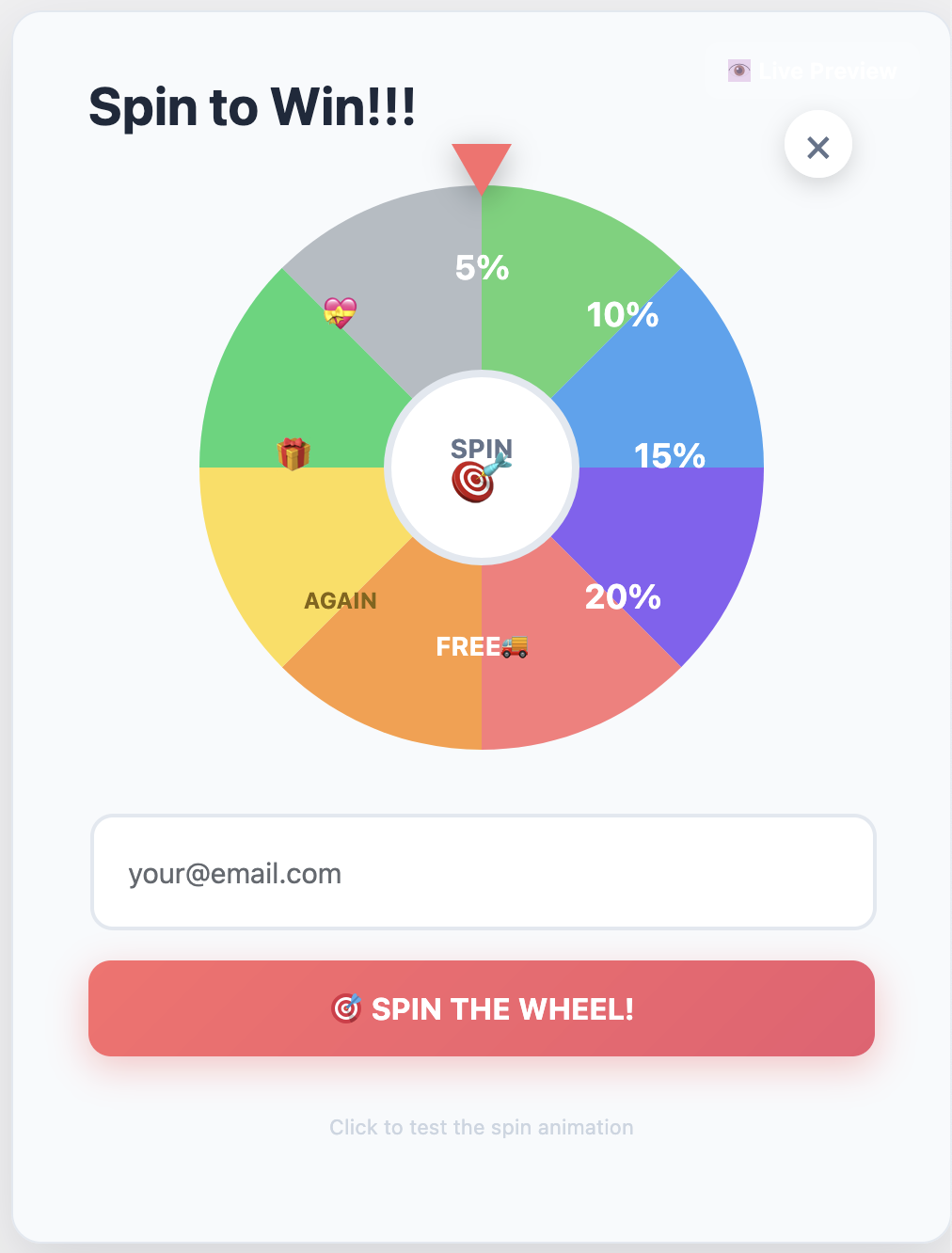
Spin-to-win gamification: Capture emails and phone numbers with dynamic rewards tied to native WooCommerce coupons.

Spin-to-Win Rewards System

The spin-to-win feature gamifies the capture experience with dynamic wheel slices tied to native WooCommerce coupons. You can configure percent discounts, fixed amounts, free shipping, or mystery rewards—all managed from your WordPress dashboard. The plugin auto-generates single-use WooCommerce coupons with expiry dates and usage limits, and you can track redemption ROI and top-performing rewards in WordPress analytics.

WordPress Popup Designer

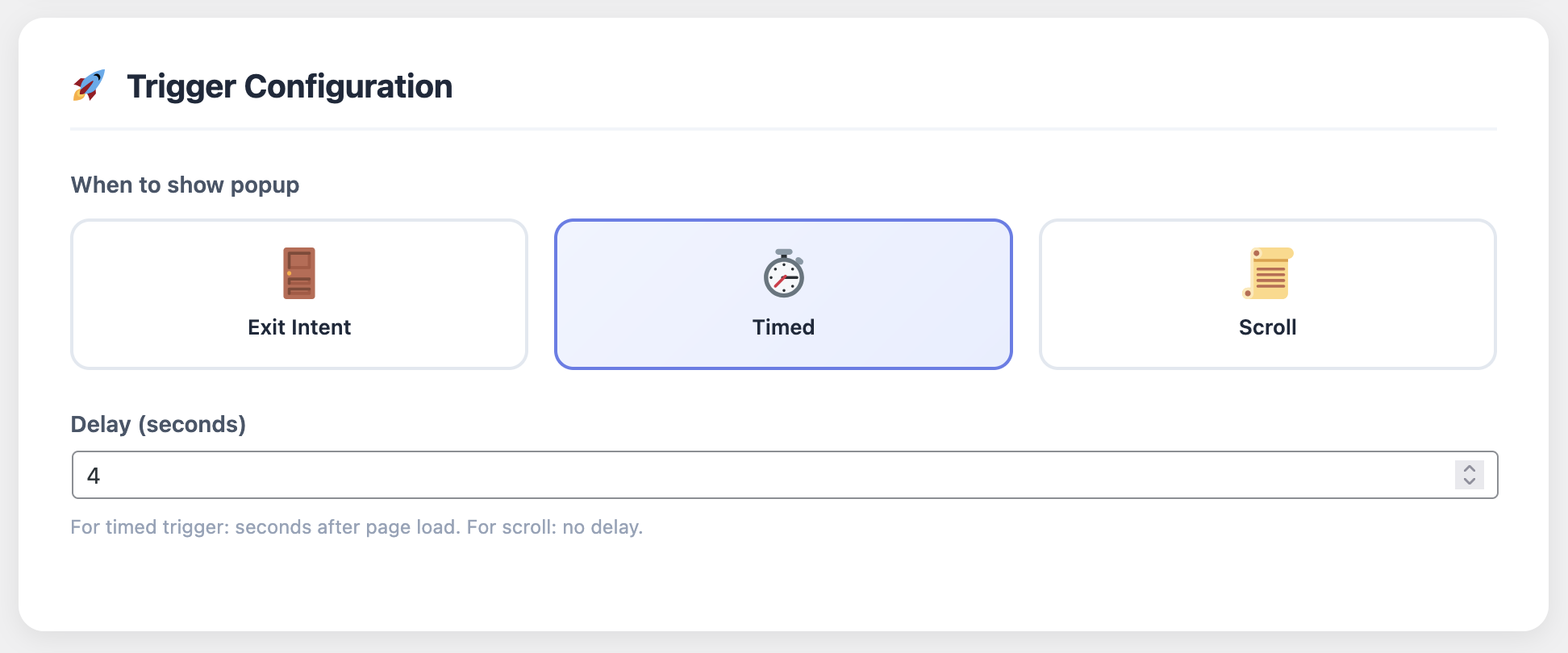
Build exit-intent, timed, or scroll-based popups that respect your brand and capture email and phone with GDPR-compliant consent. The popup designer includes responsive layouts, typography controls, gradient options, optional multi-step forms, and webhook integrations for external CRM or marketing stacks.

Smart triggers let you show popups based on:

  • Cart value thresholds
  • Time on page
  • Scroll depth
  • Exit intent detection
  • Product category or tag
  • Customer segment (new vs. returning)

Pro Tip: Use cart value triggers to offer higher discounts on high-value carts. A customer with €200 in their cart might respond better to a 15% discount than someone with €20, and Cart Recovery Pro lets you automate this segmentation.

Omnichannel Recovery: Email, SMS, WhatsApp, and Push Notifications

Email alone isn’t enough in 2026. Modern customers expect to be reached through their preferred channels, and Cart Recovery Pro delivers with a complete omnichannel messaging system.

Multi-channel automation workflow builder for abandoned cart recovery

Automation canvas: Build complex multi-channel recovery sequences with drag-and-drop workflows, conditional logic, and A/B testing.

Email Recovery Campaigns

Start with email—the foundation of any abandoned cart recovery strategy. Cart Recovery Pro includes prebuilt blueprints for 30-minute, 1-day, and 3-day follow-ups, all customizable with dynamic content, unique WooCommerce coupons, and urgency timers. Templates are mobile-responsive and include product images, cart contents, and personalized recommendations.

SMS Notifications

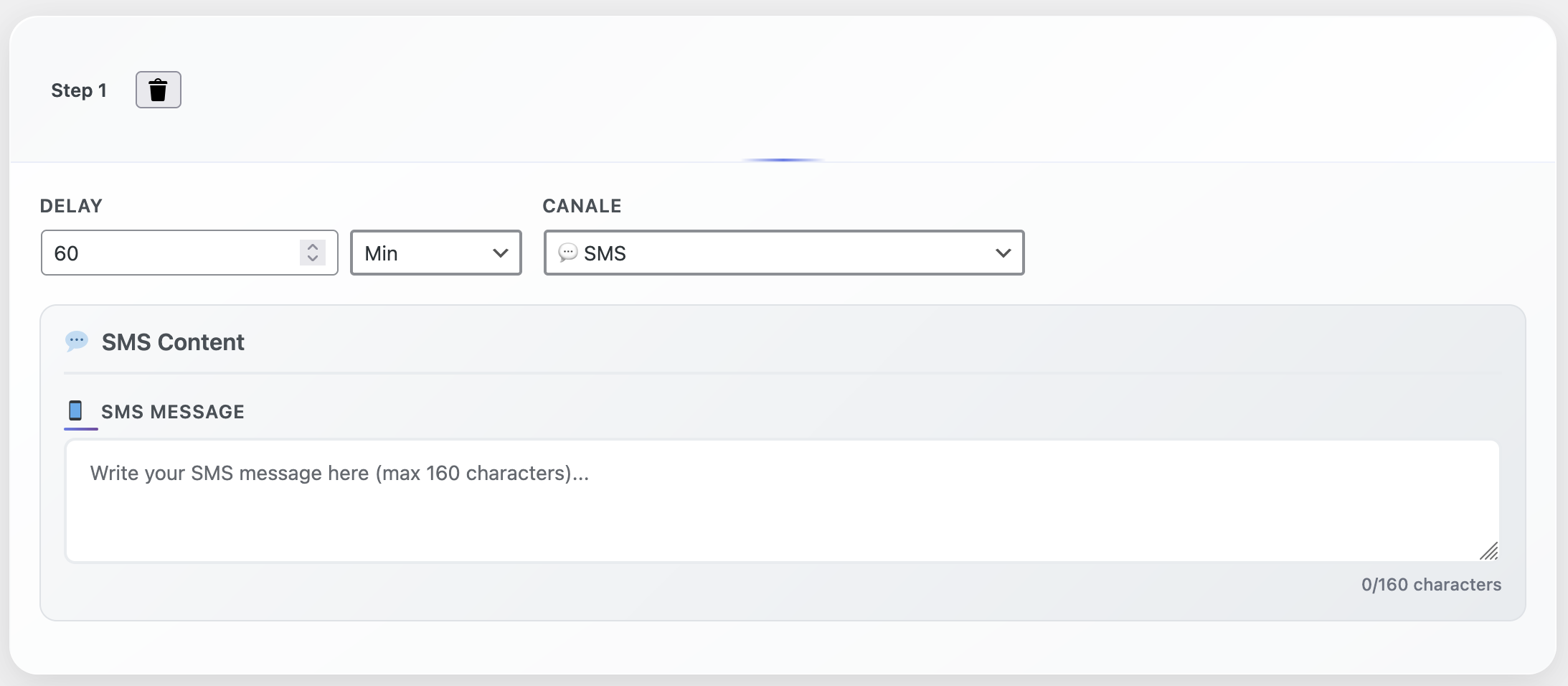
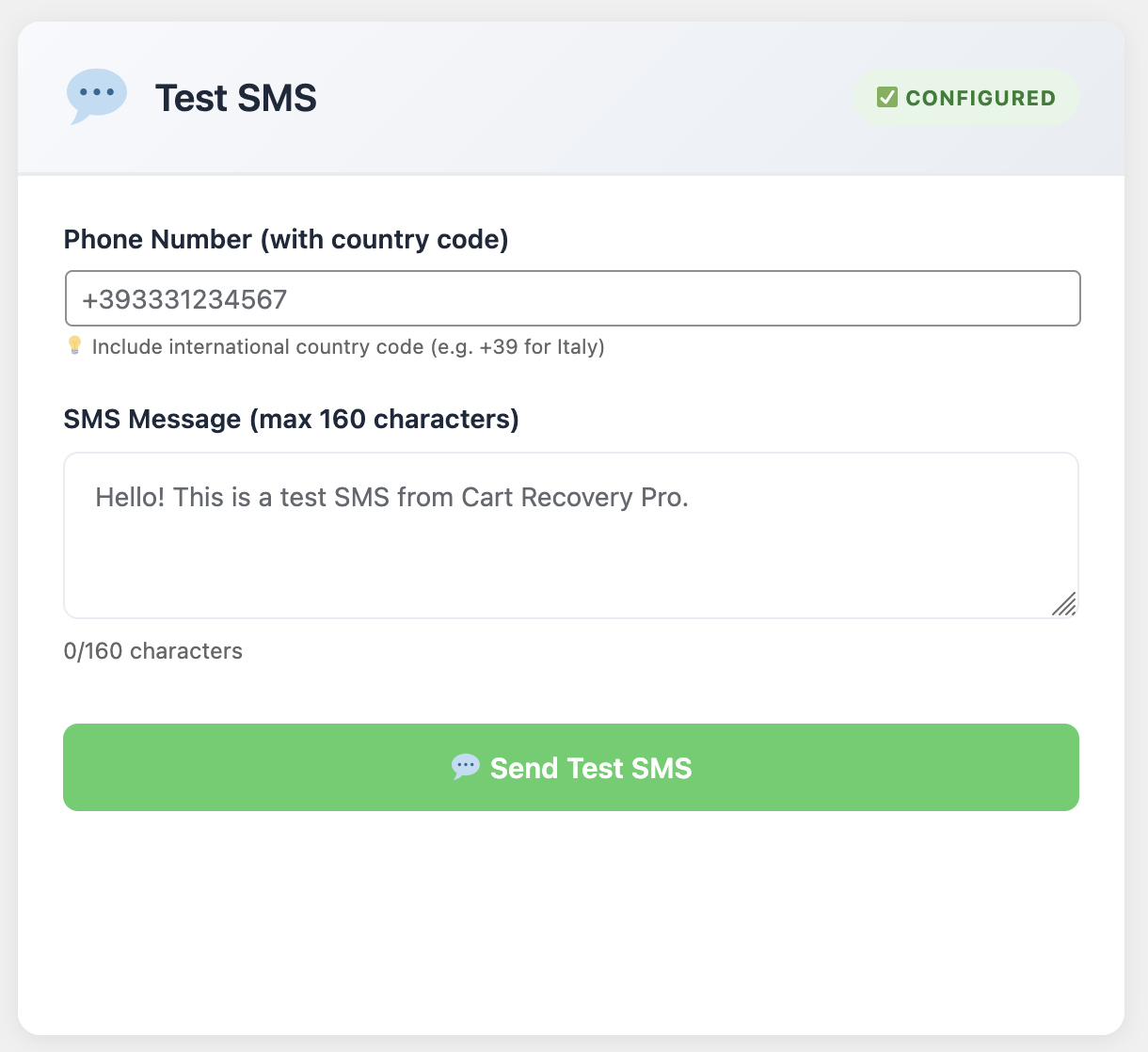
Text messages have open rates of 98% and response rates 6x higher than email. Cart Recovery Pro integrates with SMS gateways to send timely reminders directly to customers’ phones. Configure quiet hours, timezone adjustments, and throttling to respect customer preferences while maximizing recovery.

WhatsApp Integration

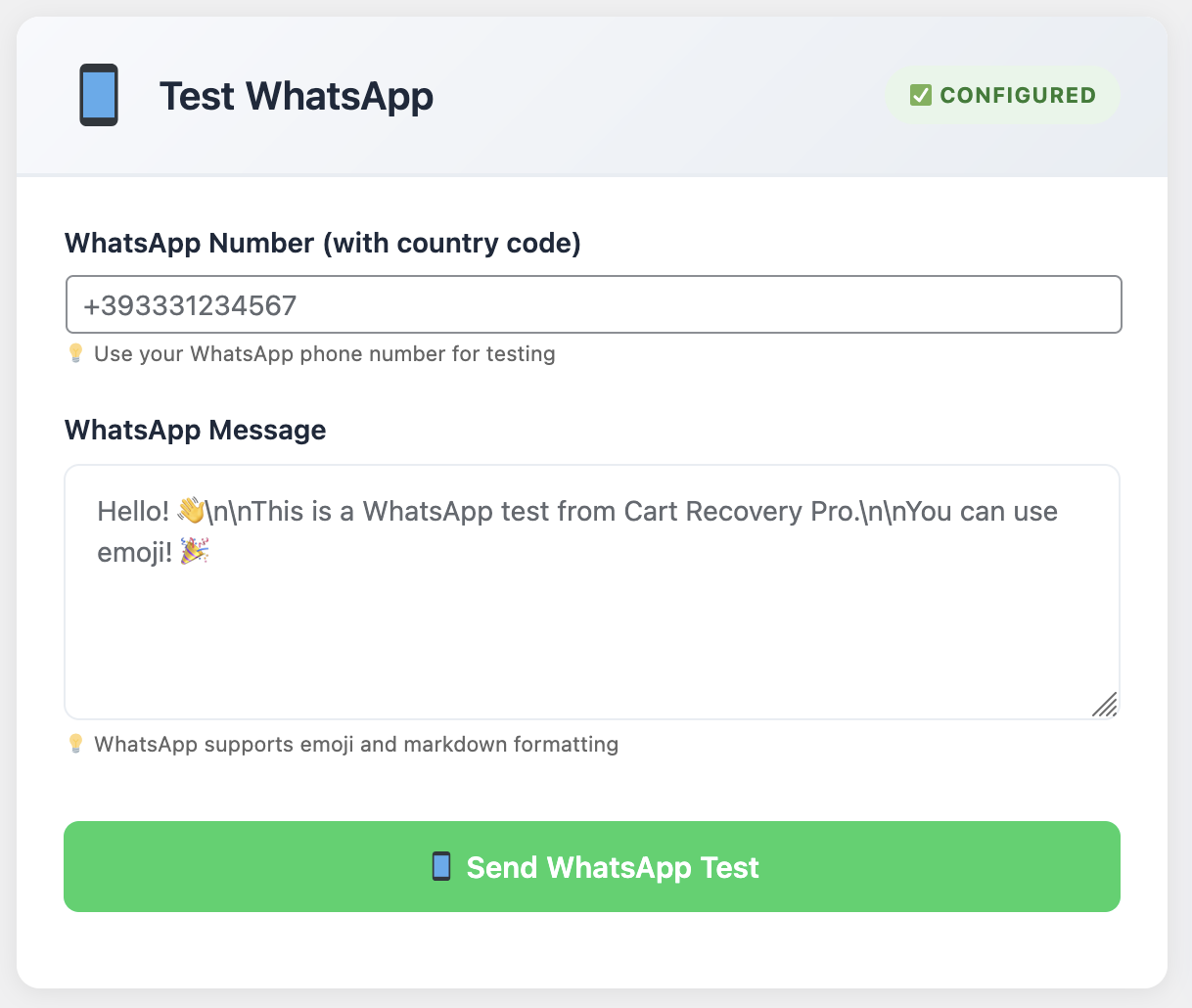
With over 2 billion users worldwide, WhatsApp is becoming a critical channel for e-commerce recovery. Cart Recovery Pro includes WhatsApp Business API integration, allowing you to send rich media messages, product images, and direct checkout links through the platform your customers use daily.

Push Notifications

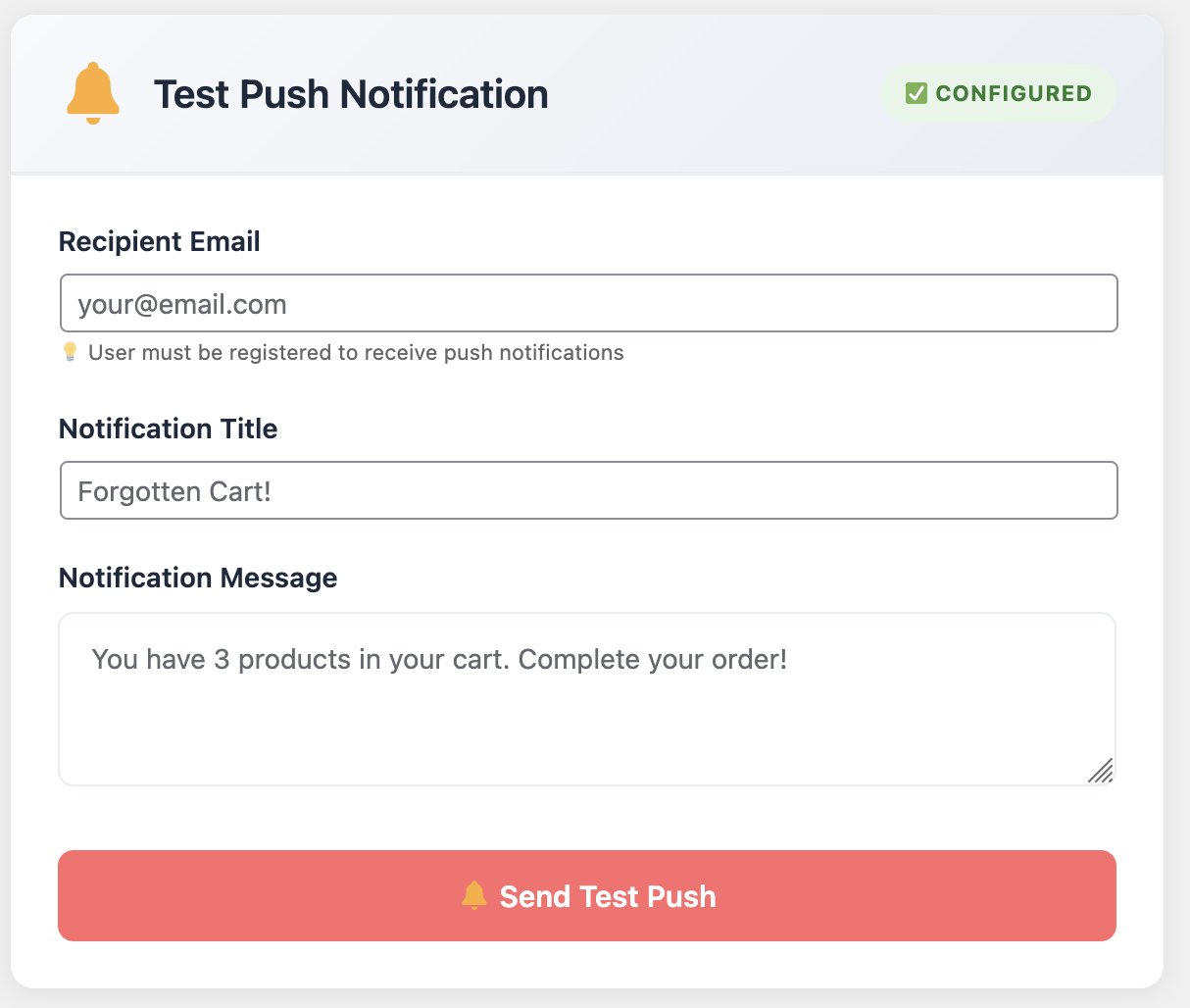
Browser push notifications reach customers even when they’re not actively browsing your site. Cart Recovery Pro can trigger push notifications for abandoned carts, creating another touchpoint in your recovery sequence.

Multi-Step Automation Builder

The automation canvas lets you build complex workflows with drag-and-drop ease. Create conditional paths based on cart value, reward claimed, customer segment, or time elapsed. Set up A/B tests to optimize messaging, timing, and offers. Include quiet hours, timezone adjustments, and throttling to ensure you’re reaching customers at the right time, not overwhelming them.

For example, you might create a workflow that:

  1. Sends an email 30 minutes after abandonment with a 10% discount
  2. If no response after 24 hours, sends an SMS with a 15% discount
  3. If cart value exceeds €100, adds a WhatsApp message after 48 hours
  4. For VIP customers, triggers a push notification after 3 days

All of this runs automatically from your WordPress dashboard, with no coding required.

Advanced Analytics: Measure What Matters

You can’t improve what you don’t measure. Cart Recovery Pro includes comprehensive analytics that go beyond basic recovery rates to show you exactly what’s working and what needs optimization.

Advanced analytics dashboard showing recovery rates, revenue attribution, and customer journey insights

Lead management dashboard: Analyze recovery performance, revenue attribution, and customer journey insights to optimize your strategy.

Recovery Performance Metrics

The dashboard shows you:

  • Recovery rate by channel: Compare email vs. SMS vs. WhatsApp effectiveness
  • Revenue recovered: Track actual dollars recovered, not just opens or clicks
  • Time-to-recovery: Understand how quickly customers respond to different offers
  • Coupon redemption rates: See which discounts drive the most conversions
  • Segment performance: Compare recovery rates across customer segments

Campaign Attribution

Every recovered cart stores referrer, campaign, and incentive data in WordPress, so you can attribute recovered revenue to specific channels and offers. This helps you understand which marketing campaigns drive the most recoverable carts and which recovery strategies work best for different traffic sources.

Export and Reporting

Export clean CSV snapshots of abandoned carts, recovery performance, and customer data in seconds. Use this data for deeper analysis in Excel, Google Sheets, or business intelligence tools.

Setting Up Cart Recovery Pro: From Installation to First Recovery

One of Cart Recovery Pro’s biggest advantages is its ease of setup. Most stores go from installation to first recovered order in under 30 minutes. Here’s how:

Step 1: Install and Activate

Install Cart Recovery Pro like any WordPress plugin—upload through the admin panel or install via FTP. Once activated, the plugin automatically syncs with your WooCommerce data and enables real-time cart tracking.

Step 2: Configure Capture Tools

Set up your spin-to-win wheel or popups. Choose from prebuilt templates or customize to match your brand. Configure triggers based on cart value, time on page, or exit intent. The plugin includes GDPR-compliant consent checkboxes and privacy policy integration.

Step 3: Build Recovery Automations

Import one of the prebuilt automation blueprints or build your own. Start with a simple 3-email sequence (30 minutes, 24 hours, 72 hours) and customize the messaging and offers. Add SMS, WhatsApp, or push notifications as you scale.

Step 4: Monitor and Optimize

Watch your dashboard for real-time cart activity. Review recovery performance weekly and adjust timing, messaging, and offers based on what you learn. The plugin’s analytics make it easy to identify optimization opportunities.

Quick Win: Start with the 30-minute email. Research shows that 50% of cart recovery emails are opened within the first hour, and sending within 30 minutes can increase recovery rates by up to 20% compared to waiting 24 hours.

Best Practices for Maximum Recovery Rates

While Cart Recovery Pro handles the technical heavy lifting, your recovery rates depend on strategy and execution. Here are proven best practices from stores achieving 40%+ recovery rates:

1. Timing Matters

Send your first recovery email within 30-60 minutes of abandonment. Customers are still in “buying mode” and more likely to complete their purchase. Follow up at 24 hours, 72 hours, and 7 days, gradually increasing discount offers if needed.

2. Personalize Everything

Use dynamic content to show the exact products they abandoned, include product images, and reference their browsing history. Personalized emails see 26% higher open rates and 41% higher click rates than generic messages.

3. Create Urgency

Include countdown timers, limited-stock warnings, or expiring discount codes. Urgency drives action, especially for price-sensitive customers.

4. Test Discount Levels

Start with smaller discounts (5-10%) and increase if needed. Some customers will recover with a simple reminder, while others need stronger incentives. A/B test different discount levels to find your sweet spot.

5. Segment Your Campaigns

High-value carts deserve higher discounts. First-time visitors might need more persuasion than returning customers. Use Cart Recovery Pro’s segmentation features to tailor your approach.

6. Multi-Channel Approach

Don’t rely on email alone. Combine email with SMS, WhatsApp, or push notifications to increase touchpoints and recovery chances. Cart Recovery Pro makes it easy to orchestrate multi-channel sequences.

7. Optimize Mobile Experience

Since many carts are abandoned on mobile, ensure your recovery emails and popups are mobile-optimized. Cart Recovery Pro’s templates are responsive by default, but always test on real devices.

For more detailed strategies, check out our comprehensive guides on abandoned cart setup and optimization and top recovery tips for 2025.

Real Results: Stores Recovering Revenue with Cart Recovery Pro

The proof is in the performance. Stores using Cart Recovery Pro report average recovery rates of 38.4%, with some achieving 50%+ recovery rates through optimized strategies. In the last 12 months, Cart Recovery Pro has helped stores recover over $12.1 million in previously lost revenue.

Case Study: DTC Apparel Brand

One DTC apparel founder reported: “Cart Recovery Pro replaced three different WordPress plugins for us. We now capture why WooCommerce carts are abandoned, which campaign brought the shopper in, and what offer closes the deal.”

Case Study: E-commerce Marketing Team

An e-commerce marketing lead shared: “Seeing the full journey before the WooCommerce cart is gold. We use it weekly to improve WordPress landing pages and power recovery emails with hyper-specific recommendations.”

These results aren’t outliers—they’re achievable with the right abandoned cart plugin and a solid recovery strategy. Cart Recovery Pro provides the tools; you provide the strategy, and together you recover revenue that would otherwise be lost.

Learn more about reducing cart abandonment and complete recovery strategies in our detailed guides.

Cart Recovery Pro vs. Alternatives: Why Native WordPress Wins

When choosing an abandoned cart plugin for WooCommerce, you have options. Here’s how Cart Recovery Pro compares:

FeatureCart Recovery ProGeneric Email PluginsExternal SaaS Solutions
Native WordPress✓ Everything runs in WordPress✓ Usually✗ External service required
Real-Time Tracking✓ Live cart monitoring✗ Limited or delayed✓ Usually available
Multi-Channel Recovery✓ Email, SMS, WhatsApp, Push✗ Email only✓ Usually available
Journey Analytics✓ Complete path-to-cart tracking✗ Basic cart data only✓ Usually available
Gamification✓ Spin-to-win included✗ Not available✗ Rarely available
Data Ownership✓ 100% your data✓ Usually✗ Stored externally
Pricing€49 one-time€0-€99 one-time€20-€200/month

The key advantage of Cart Recovery Pro is its combination of native WordPress integration, comprehensive features, and one-time pricing. You get enterprise-level functionality without monthly fees or data leaving your server.

Ready to Recover Lost Revenue?

Join thousands of WooCommerce stores using Cart Recovery Pro to transform abandoned carts into recovered sales. Get started today with a one-time payment of €49—no monthly fees, no external services, everything runs in WordPress.

Get Cart Recovery Pro Now — €49

Common Questions About Abandoned Cart Recovery

How quickly can I set up Cart Recovery Pro?
Most stores go from installation to first recovered order in under 30 minutes. The plugin includes prebuilt automation blueprints that you can activate immediately, then customize as needed.
Do I need external services or APIs?
No. Cart Recovery Pro is a native WordPress plugin—everything runs inside your WordPress installation. For SMS and WhatsApp, you’ll need to configure gateway credentials, but all core functionality works without external dependencies.
What’s the average recovery rate I can expect?
Stores using Cart Recovery Pro report average recovery rates of 38.4%, with some achieving 50%+ through optimized strategies. Your results will depend on your industry, products, and how well you optimize your recovery campaigns.
Can I track which campaigns drive the most recoverable carts?
Yes. Cart Recovery Pro tracks referrer, UTM parameters, and campaign data for every cart, allowing you to attribute recovered revenue to specific marketing channels and campaigns.
Is there a free version to try first?
Yes, Cart Recovery Pro offers a free version with basic email recovery and cart tracking. You can upgrade to Pro anytime to unlock multi-channel messaging, advanced automation, and comprehensive analytics—no reinstall needed, zero data loss.
How does the spin-to-win feature work?
The spin-to-win gamifies email capture with a dynamic reward wheel. You configure discount types (percent, fixed, free shipping) and the plugin auto-generates single-use WooCommerce coupons. Customers spin to win, you capture their contact info, and they get an incentive to complete their purchase.
Can I use Cart Recovery Pro with other WooCommerce plugins?
Yes. Cart Recovery Pro is designed to work seamlessly with other WooCommerce plugins. It uses native WooCommerce hooks and APIs, so it integrates with payment gateways, shipping calculators, and other extensions without conflicts.

Conclusion: Turn Abandonment Into Opportunity

Abandoned carts aren’t failures—they’re opportunities. With Cart Recovery Pro, you have everything you need to capture those opportunities and turn them into recovered revenue. Real-time tracking shows you exactly what’s happening, advanced automation handles the follow-up, and comprehensive analytics help you optimize for better results.

The average store loses 69.8% of potential sales to cart abandonment, but stores using Cart Recovery Pro recover 38.4% of those abandoned carts on average. That’s the difference between leaving money on the table and maximizing every opportunity.

Whether you’re just starting with abandoned cart recovery or looking to upgrade from a basic email-only solution, Cart Recovery Pro provides the tools, insights, and automation you need to succeed. Native WordPress integration means everything runs on your server, one-time pricing means no monthly fees, and comprehensive features mean you won’t outgrow the plugin as your store scales.

Ready to start recovering lost revenue? Get Cart Recovery Pro today and join the stores that have recovered over $12.1 million in the last 12 months.

For more resources on WooCommerce optimization, check out our guides on improving conversion rates, setting up recovery systems, and creating effective recovery emails.

Start Recovering Revenue Today

Don’t let another abandoned cart become lost revenue. Get Cart Recovery Pro and start transforming lost opportunities into recovered sales. One-time payment of €49, no monthly fees, everything runs in WordPress.

Get Cart Recovery Pro — €49

Posted on Leave a comment

10 Powerful Features Every WordPress SEO Plugin Should Have (And How Ours Delivers More)

WordPress SEO Plugin Features

Choosing a WordPress SEO plugin shouldn’t feel like picking random Lego bricks and hoping they form a rocket. To win rankings and conversions in 2025, you need a toolkit that anticipates AI Overview changes, enforces technical integrity, and coaches writers with data-led prompts. Here are the ten features we believe every serious SEO plugin must ship—and how Xpert SEO Manager goes beyond the checkbox.

1. Precision Meta + Preview Controls

Writers should adjust SEO titles, descriptions, Open Graph, and Twitter Cards without leaving Gutenberg. Xpert SEO Manager overlays live previews, length meters, and tone suggestions backed by our experiments on conversion-optimized posts.

2. AI Overview Readiness Scoring

Generic “SEO scores” don’t cut it. Our analyzer measures question density, stats usage, authoritative citations, internal links, and freshness to predict whether AI Overview will feature your answer.

3. Structured Data Engine

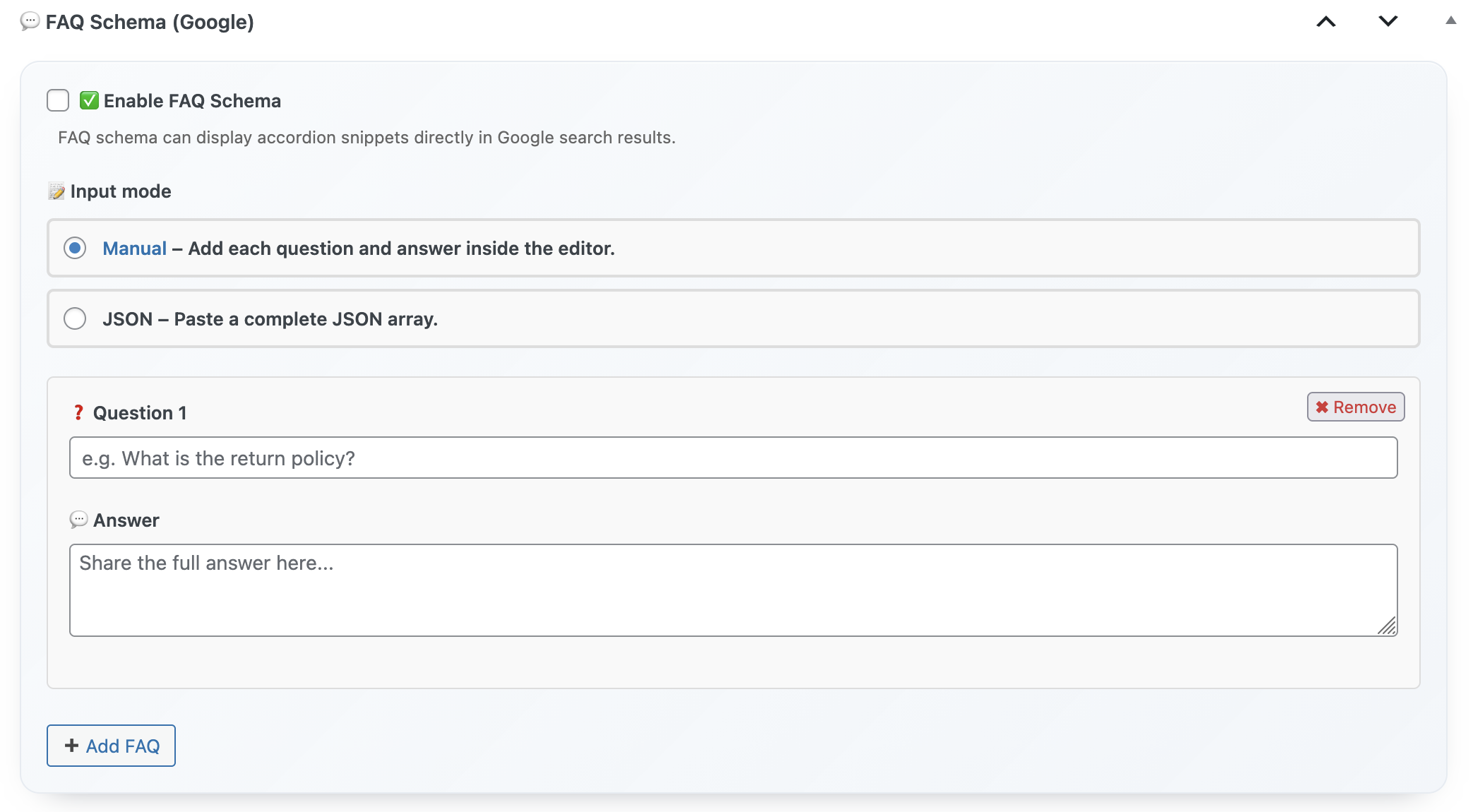
You should never leave WordPress to generate JSON-LD. The plugin bundles Article, Product, FAQ, ItemList, and HowTo templates with validation warnings. When we optimized “WordPress dashboard notes checklist,” automated schema updates accelerated indexing within 48 hours.

FAQ Schema

4. WooCommerce Awareness

A plugin must pull SKU, price, availability, and attributes from WooCommerce automatically. That’s the only way to keep product schema accurate across catalogs like our cart recovery suite.

5. Guided AI Prompts

Instead of dumping raw AI outputs into Google Docs, editors use built-in prompts tuned for informational, comparison, and transactional intent. Prompts enforce tone, CTA placement, and internal link quotas.

6. Real-Time Technical Gatekeeper

Duplicate H1s, missing alt tags, blocked canonical paths—these should stop publication. The plugin refuses to publish until high-severity issues are resolved, saving developers countless hotfixes.

7. Internal Link Intelligence

Every draft receives anchor suggestions pointing to relevant assets, whether that’s a how-to guide or a product page like Turbo Cache Optimizer. Balanced internal links equal healthier crawl paths.

Analyzer Dashboard

8. Content Freshness Automation

Schedule analyzer reminders that ping editors when critical URLs need updates. That’s how we keep cornerstone assets like “WooCommerce recovery guide” evergreen without burning out the team.

9. Agency Playbooks

You should export entire configurations—prompts, schema settings, link rules—and drop them into a new client site instantly. Xpert SEO Manager’s playbooks mirror the process we use for multi-brand retailers.

10. Human Support That Gets SEO

Priority email access matters when Core Web Vitals or AI Overview behavior changes overnight. Our support team is made of technical SEOs who also run experiments on our blog, so answers come with context—not canned replies.

Bonus: Feature Roadmap You Can Trust

Because we actively ship products like Dashboard Quick Notes and performance tools, we feed every new SEO insight back into Xpert SEO Manager. Upcoming releases include entity-based content briefs, multilingual schema, and AI Overview citation tracking.

If your current plugin can’t deliver these ten features in one place, it’s time to upgrade. You deserve a workflow engineered for how Google actually ranks WordPress sites today.

Install Once. Cover Every SEO Baseline.

One annual license, instant download, and an AI-ready analyzer built by people who publish daily.

Download Xpert SEO Manager

Need proof? Browse live use cases like our WooCommerce speed case study; every success metric you see there is powered by the same feature set above.

Posted on Leave a comment

WordPress SEO Plugin Showdown: What Makes Our Plugin Stand Out in 2025

WordPress SEO Plugin Showdown

Everyone claims to be the “#1 WordPress SEO plugin,” but once you audit the features, most tools still live in 2018. They grade keyword density, suggest vague readability tweaks, and leave the hardest problems—AI Overview readiness, structured data orchestration, eCommerce alignment—to custom scripts. So we decided to benchmark the stacks marketers actually use. The result is this showdown between traditional plugins and Xpert SEO Manager, the toolkit we built after running hundreds of campaigns for WooCommerce, SaaS, and publishing teams.

The Matchup

CapabilityYoast + Add-onsRank Math ProXpert SEO Manager
AI Overview Scoring✗ Not available△ Coming soon✓ Live scoring with checklist
Schema TemplatesRequires separate pluginLimited to Article/ProductArticle, Product, FAQ, HowTo, ItemList with validation
WooCommerce SyncManual field mappingBasic price/sku onlyInventory, availability, attributes auto-filled
AI Prompt LibraryExternal toolsGeneral promptsIntent-specific prompts tuned for 2025 SERPs
Team Playbooks✓ Export/import reusable playbooks
Priority SupportCommunity forumTicket queueDirect email with technical SEOs

Where the Competition Falls Short

Traditional plugins were built when blue links ruled page one. They rarely consider AI Overviews, product-led experiences, or cross-team workflows. If you dig into our latest coverage on plugin stacks, you’ll see the same pitfalls repeated: hidden canonical conflicts, schema that breaks after updates, and copy editors left without technical guardrails. We designed Xpert SEO Manager to swallow those headaches.

Real Time SEO Analysis

1. AI-Aware Analyzer

Instead of generic “green lights,” the analyzer scores AI Overview readiness: question density, stats references, E-E-A-T signals, freshness, and internal linking to cluster hubs like Conversion Optimization. Each recommendation is actionable, not vague encouragement.

2. Structured Data Engine

Schema happens inside the WordPress editor so writers own it. The plugin validates every property, displays warnings inline, and syncs WooCommerce attributes. When our team updated “Memo reminder tools,” the structured data engine caught a missing brand property that would have killed the enhancement.

3. Scenario-Based AI Prompts

Need a comparison post? The plugin loads prompts emphasizing differentiators, pricing, and proof sources. Launching a how-to? It shifts to SOP-style instructions with step counters ready for HowTo schema. All prompts were refined by the same editorial team who wrote our cart abandonment series, so they’re optimized for conversions, not just rankings.

SEO Controls in Editor

4. Reporting Stakeholders Actually Understand

The reporting hub connects rankings, AI Overview placements, and conversions into one snapshot. You can export white-labeled PDFs just like we do for the speed case study subscribers. Executives finally see why specific SEO tasks deserve sprint time.

Customer Reactions

“We replaced three plugins with Xpert SEO Manager. AI Overview wins went from occasional to predictable, and our writers finally stopped slacking me for schema help.” — Laura P., SaaS Content Lead

“The analyzer basically became our SEO lead. It catches canonical errors before they go live and nudges us to update high-value guides like cart recovery strategies. Huge time saver.” — Minh K., Agency Partner

Verdict

If you still juggle separate plugins for meta tags, schema, and AI, you’re bleeding hours and leaving rankings to chance. Xpert SEO Manager consolidates everything into a battle-tested workflow tuned for 2025 realities. Install it, import the starter playbooks, and let the analyzer dictate your next sprint.

Ready to See the Difference?

One license, twelve months of updates, and a support team obsessed with your organic growth.

Get Xpert SEO Manager Now

Still evaluating? Dive into the educational backlog on our blog; every insight there is the same intelligence wired into the plugin.

Posted on Leave a comment

How Dashboard Sticky Notes Helps Remote Teams Stay in Sync

Remote Team Collaboration

Remote work is amazing—until it’s not. You’ve got team members scattered across time zones, asynchronous communication that takes hours or days, and that nagging feeling that everyone’s working in their own little bubble with no idea what anyone else is doing.

I run a fully remote WordPress development team. We’re spread across four continents and eight time zones. And for the longest time, keeping everyone on the same page felt like herding cats… while blindfolded… in a thunderstorm.

Then we discovered Dashboard Sticky Notes Pro, and honestly? It transformed how our remote team collaborates. Today, I’m sharing exactly how we use it to stay in sync without drowning in Slack messages and Zoom calls.

The Remote Work Collaboration Problem

Let’s be honest about the challenges of remote collaboration. Traditional tools create more problems than they solve:

The Slack Overload

Slack is great for conversations. Terrible for important information that needs to stick around.

The Problem: Someone shares something critical at 2 PM. By 5 PM, it’s buried under 147 messages about lunch plans and GIFs. Good luck finding it next week when you actually need it.

Plus, not everyone checks Slack constantly. Nor should they. If your important updates require everyone to stay glued to a chat app, you’ve already lost.

The Email Black Hole

Email seems professional and official. But let’s be real: how many important emails have you missed because they got buried in your inbox?

Team members mark emails as “unread” to remember to deal with them later, accidentally archive important threads, or just… forget to check their work email over the weekend when that urgent issue pops up.

The Meeting Marathon

“Let’s schedule a quick sync to make sure everyone’s aligned.”

Sounds harmless, right? Wrong. When your team is distributed across time zones, finding a “convenient” meeting time means someone’s joining at 6 AM or 10 PM. And what you’re really doing is turning five minutes of information into a 30-minute meeting plus prep and follow-up time.

Organized Team Dashboard

Why Dashboard Sticky Notes Pro Works for Remote Teams

Here’s what makes Dashboard Sticky Notes Pro perfect for remote WordPress teams: it puts critical information exactly where your team already works.

No separate app to check. No emails to miss. No meetings to coordinate. Just open the WordPress dashboard you’re already working in, and boom—everything important is right there.

Asynchronous by Design

The beauty of Dashboard Sticky Notes is that it’s inherently asynchronous. I can create a note at 9 AM EST. My developer in Berlin sees it when he starts work. My designer in Manila sees it during her afternoon. Everyone gets the information when they need it, without requiring everyone to be online simultaneously.

✓ Time Zone Friendly: Share updates that team members see when they log in

✓ Always Visible: Notes don’t get buried like chat messages

✓ Context-Aware: Notes appear in the workspace where the work happens

Our Remote Team Workflow (The System That Works)

Let me walk you through exactly how our remote team uses Dashboard Sticky Notes Pro to stay coordinated.

1. Daily Updates (No Meetings Required)

Instead of daily stand-up meetings (which would require someone to wake up at 5 AM), we use shared notes for daily updates.

Each team member creates a green note at the end of their day with what they accomplished. It’s quick—usually just bullet points:

Maria’s Update – Nov 7

✓ Completed Client A homepage mockup

✓ Started work on Client B color scheme

⏸ Waiting on feedback for Client C revisions

Everyone else sees these updates when they start their day. We stay coordinated without anyone having to join a Zoom call before their morning coffee.

Color-Coded Team Updates

2. Urgent Issues (The Red Note System)

When something urgent comes up, we create a red note and share it with whoever needs to see it.

Example from last week:

A client’s site went down at 3 AM my time. I was asleep. My developer in Australia was just starting his day. He created a red note: “Client X site down – server issue – working on it now.”

When I woke up, I saw the note immediately, saw it had been updated to green (“Fixed – was hosting DNS issue”), and I knew exactly what happened without needing to hunt through messages or emails.

3. Project Handoffs (Seamless Context Transfer)

This is where Dashboard Sticky Notes Pro really shines. When one team member finishes their part of a project and hands it off to another, they create a detailed note.

Handoff: Client Logo Project → Ready for Development

Design files: [link]

Approved by client ✓

Special notes: Client wants hover effects on all buttons, no animations on mobile (accessibility concern)

@Dev-Team – this is ready for you!

The developer gets all the context they need without a meeting or back-and-forth messages. They can start work immediately, even if the designer is asleep on the other side of the world.

Detailed Handoff Notes

4. Voice Notes for Complex Information

Sometimes you need to explain something complex. Typing it out would take forever. A meeting would be inconvenient. Voice notes are perfect.

Voice Notes Feature

I use voice notes to:

  • Explain complex client feedback that needs nuance
  • Walk through technical issues I discovered
  • Share brainstorming ideas with enthusiasm and tone
  • Provide detailed instructions faster than typing

Team members can listen when it’s convenient for them—on their commute, while making coffee, or during their working hours.

5. Role-Based Information Sharing

Not everyone needs to see everything. Pro’s role-based permissions let us share information strategically:

  • Designers only: Brand guidelines, design feedback, creative briefs
  • Developers only: Technical specs, server issues, code standards
  • Everyone: Client deadlines, team announcements, urgent issues
  • Managers only: Budget concerns, client relationship notes

This keeps everyone informed without overwhelming them with irrelevant information. Designers don’t need to see server migration details. Developers don’t need to see every color palette iteration.

The Results: How Much Better Did It Get?

I’m a data person, so I tracked our team’s performance before and after implementing Dashboard Sticky Notes Pro. The improvements are significant:

Meetings Per Week:

Before: 8-10 meetings → After: 2-3 meetings (70% reduction)

Slack Messages Per Day:

Before: 300+ → After: 120 (60% reduction)

Project Handoff Time:

Before: 2-4 hours of back-and-forth → After: Immediate with full context

Team Satisfaction:

Before: 7.2/10 → After: 9.1/10

That 70% reduction in meetings alone gave everyone back 4-6 hours per week of productive work time.

Team Settings

What Team Members Actually Say

Here’s what happened when I surveyed our team about Dashboard Sticky Notes Pro:

“I used to dread checking Slack because there’d be 200 messages to catch up on. Now important stuff is in notes, and Slack is just for casual chat. My stress levels are way down.”

— Alex, Developer (Berlin)

“The voice notes feature is a game-changer. I can listen to updates while commuting, which means I hit the ground running when I start work. No more playing catch-up.”

— Priya, Designer (Mumbai)

“I love that I can work during my productive hours without having to attend meetings at weird times. The notes system respects my schedule while keeping me informed.”

— Kenji, Developer (Tokyo)

Is This Right for Your Remote Team?

Dashboard Sticky Notes Pro is perfect for remote WordPress teams if:

  • You’re tired of constant meetings to keep everyone aligned
  • Important information gets lost in chat apps
  • You work across multiple time zones
  • You want asynchronous collaboration that actually works
  • Your team works in WordPress dashboards regularly

If you checked even two of those boxes, this will transform your team’s workflow.

Get Your Remote Team In Sync Today

Remote work doesn’t have to mean constant communication overhead and meeting fatigue. With the right tools, distributed teams can be even more productive than colocated ones.

Dashboard Sticky Notes Pro gives your remote team a shared space for important information that lives exactly where the work happens. No context switching. No meeting overload. Just clear, asynchronous communication that respects everyone’s time and schedule.

Try Dashboard Sticky Notes Pro for Your Remote Team

Transform how your distributed team stays in sync—without more meetings.

Get Dashboard Sticky Notes Pro →

P.S. – Your remote team deserves tools that work with their schedule, not against it. Give Dashboard Sticky Notes Pro a try and watch your team’s productivity and satisfaction soar. No more 6 AM meetings required.

Posted on Leave a comment

How to Improve Your Google Rankings Using a WordPress SEO Plugin

Google Rankings Blueprint

Every time Google tightens its Helpful Content and spam guardrails, thousands of WordPress sites lose rankings overnight. Yet the teams that bounce back fastest apply a simple rule: standardize everything inside one plugin. In this playbook I’ll walk you step-by-step through the process we use to climb from page two to page one using Xpert SEO Manager. Consider it your repeatable system for outranking competitors even when AI Overview gobbles up above-the-fold visibility.

Step 1 – Audit the Reality, Not the Theory

Open any URL you care about and run the plugin’s real-time analyzer. Within seconds you’ll see a prioritized checklist including keyword coverage, internal links, schema state, anchor health, and freshness timers. No CSV exports, no guessing. When we applied this to our guide on dashboard productivity, the analyzer flagged outdated FAQs and a missing canonical. Fixing those two items boosted impressions 37% week-over-week.

SEO Analyzer Posts

Snapshot what matters most:

  • Focus keyword coverage: Are your main and supporting phrases distributed in H1, H2, intro, and CTA?
  • Intent alignment: Does the outline answer the top questions people search for (plug-in pulls People Also Ask style prompts)?
  • Internal links: Are you sending authority to newer URLs or letting them float alone?
  • Schema completeness: Missing fields = zero chance at enhanced results.

Step 2 – Rebuild the Outline with AI Guardrails

Click “AI Suggestions” and feed the plugin your focus keyword plus desired CTA. Because the prompts are tuned for Google’s AI Overview, you’ll receive a new outline shaped around Q&A clusters, stat callouts, and story-driven intros. We used it for “cart recovery automation” and it suggested a conversation-style FAQ we hadn’t considered. After publishing, that single section earned the snippet for “how to automate WooCommerce follow ups.”

AI Outline Suggestions

Step 3 – Layer Schema Like a Pro

Add FAQ, Article, or Product schema right inside the editor. The plugin uses smart defaults (pulling author, date, product price, etc.) and warns you if Google will reject the JSON-LD. When we refreshed the evergreen comparison “Customization plugins 2025,” the schema tool encouraged us to add ItemList markup with direct URLs and price ranges. That single change increased AI Overview citations and positioned us as the top recommendation in list-based queries.

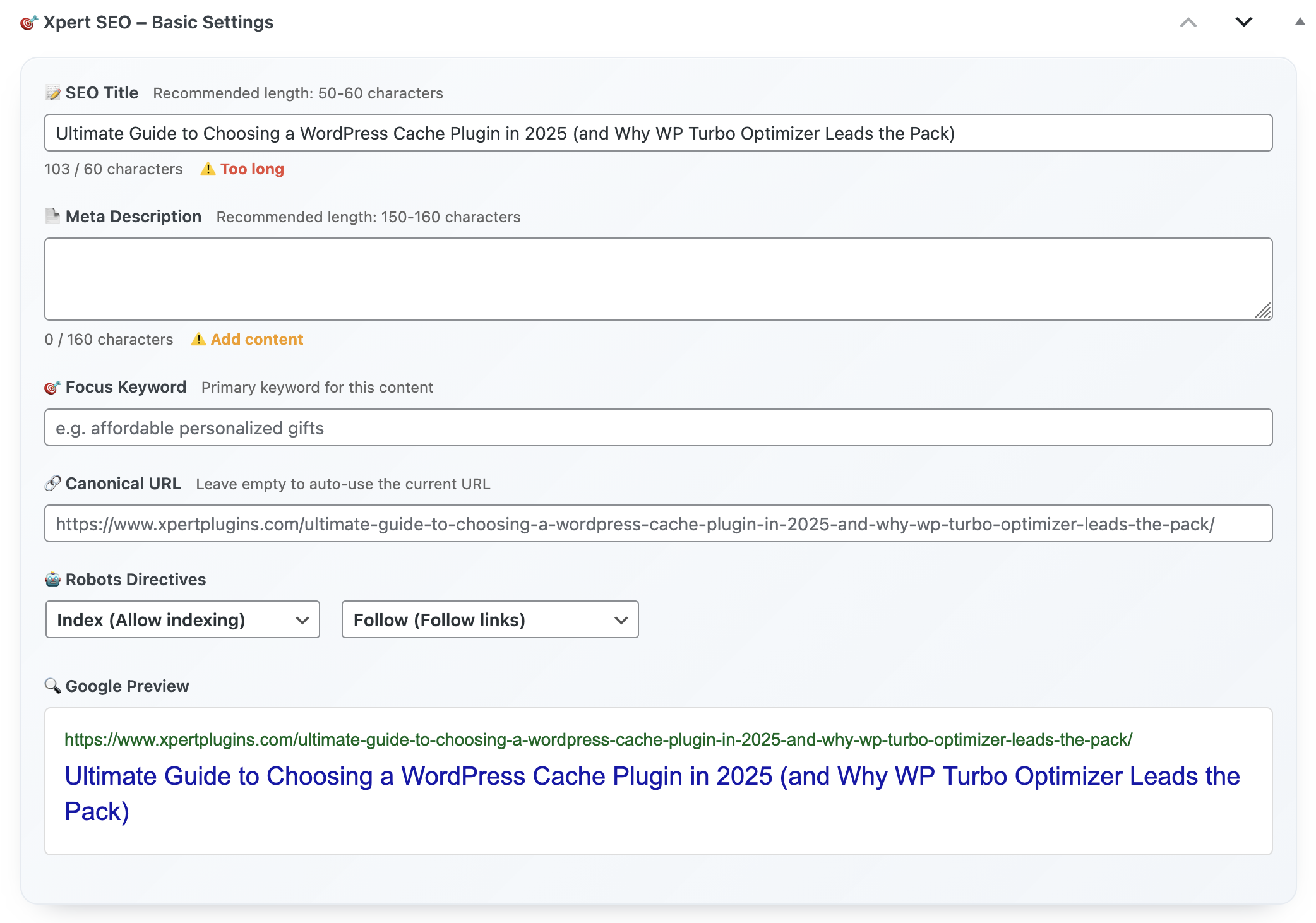
Basic SEO Settings

Step 4 – Fix Technical Debt Before Publishing

The analyzer blocks publication when critical issues appear. Duplicate H1? Broken canonical? Missing alt text on the hero image you just uploaded from the media library? You’ll know instantly. This gatekeeping is what differentiates a serious SEO stack from a checklist plugin. Writers can fix 90% of issues themselves, and devs only step in for structural bugs.

Step 5 – Activate Real-Time Monitoring

After publishing, enable automated rechecks. The plugin pings you when impressions drop, when competing URLs steal snippets, or when schema validation fails. Consider it an early-warning system. One retailer watching the Dashboard Quick Notes landing page caught a robots.txt misconfiguration within hours thanks to these alerts—and avoided a full ranking collapse.

Bonus – Internal Linking Recipe

While editing, the plugin suggests internal targets with anchor text tips. It analyzes your sitemap and surfaces best-fit posts, like linking this article to “Ultimate guide to cache plugins.” These contextual links distribute authority and help Google crawl clusters more efficiently.

Implementation Sprint (14 Days)

  1. Identify five URLs stuck on page two.
  2. Run analyzer + AI outline refresh for each.
  3. Add or update schema, FAQ, and callouts.
  4. Fix technical blockers surfaced in the dashboard.
  5. Schedule rechecks and monitor AI Overview readiness.

Complete the sprint and you’ll watch rankings climb because you addressed the exact issues Google cares about—without exporting a single spreadsheet.

Install Xpert SEO Manager →

If you want to see how we apply this framework across other growth levers, explore the case studies inside Conversion Optimization. Every experiment feeds back into the plugin so you’re never chasing outdated advice.

Posted on Leave a comment

Why Your Site Needs a WordPress SEO Plugin (And the Best One to Choose)

WordPress SEO Plugin Cover

You can’t scroll LinkedIn for five minutes without someone claiming “SEO is dead.” Yet every time Google releases another helpful content update, the brands dominating search are the ones whose WordPress stack is disciplined, fast, and relentlessly structured. This article breaks down why every modern site needs a purpose-built SEO plugin—and why Xpert SEO Manager is quietly powering AI-ready visibility for agencies, eCommerce shops, and niche publishers.

I’ll cover the five brutal realities of running SEO in 2025, show how traditional plugins leave dangerous gaps, and outline the exact criteria you should use when picking your stack. Spoiler: it has nothing to do with “best keyword density” and everything to do with orchestrating on-page, technical, schema, and AI prompts without babysitting three dashboards.

Reality #1 – Search Is Now a Live Service

Google’s AI Overview experiments have turned search into a live product. Information is summarized, cited, and refreshed in near-real time. If your site doesn’t ship structured data updates, freshness signals, and question-first content weekly, you disappear. That’s why automation beats manual checklists. Xpert SEO Manager schedules analyzer runs, nudges editors when freshness decay appears, and syncs schema whenever inventory values change. When we applied it to our WooCommerce conversion articles, we reduced “content debt” by 63% in one quarter.

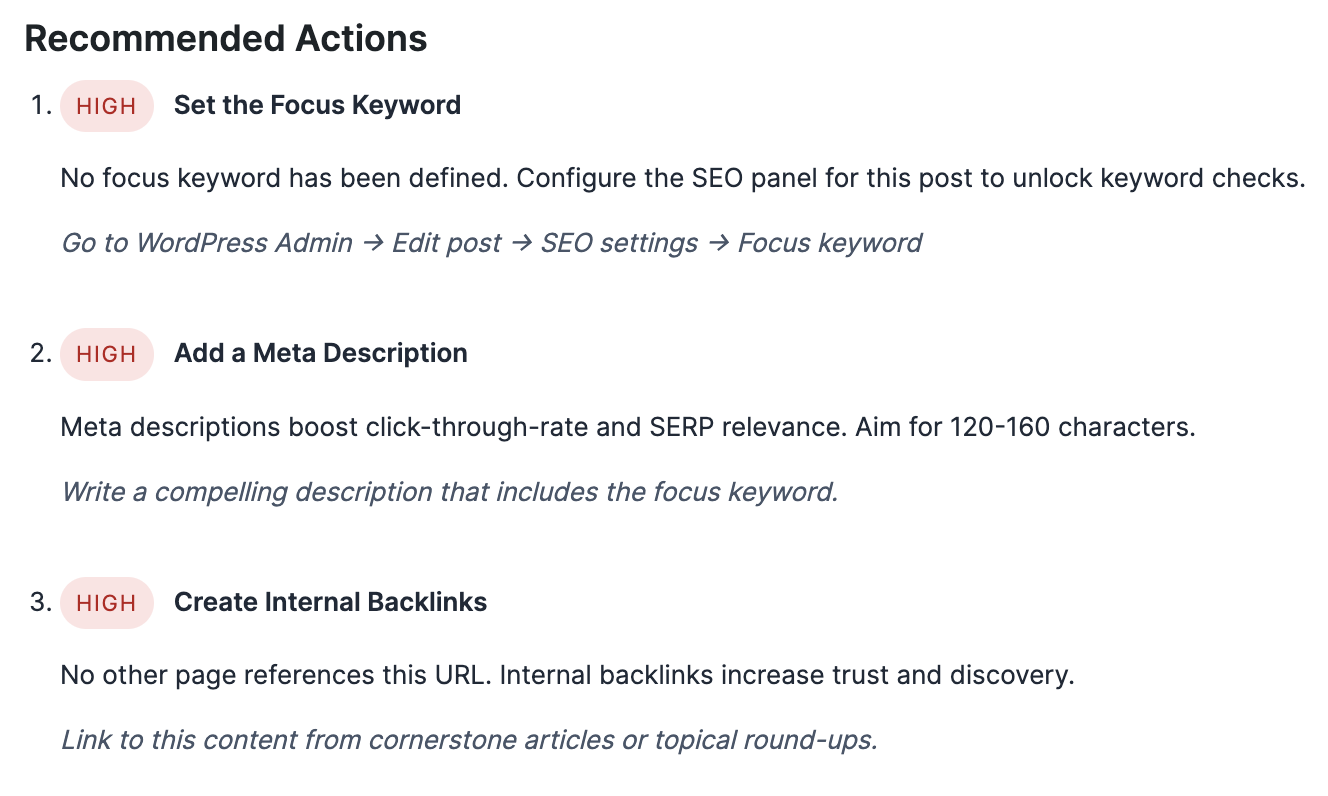
Recommended SEO Actions

Reality #2 – On-Page + Technical = One Conversation

Writers can’t optimize copy if they never see technical red flags, and devs can’t prioritize bugs without understanding the revenue impact. Traditional plugins create silos: Yoast handles copy, schema add-ons live elsewhere, and technical audits sit in spreadsheets. Xpert SEO Manager puts everything inside Gutenberg. When an editor tweaks a meta description, they can also update canonical tags, 301 suggestions, and JSON-LD from the same modal. That’s the difference between hoping search engines interpret your pages correctly and telling them exactly what to index.

We used this unified panel when refreshing “Abandoned cart automation.” The editor spotted a robots conflict, updated schema with inventory numbers, and refreshed FAQs—all before hitting publish. Ranking velocity improved within a week because Google saw the page the way we intended.

Reality #3 – AI Requires Your Own Guardrails

AI copilots are powerful, but “write a blog post about WordPress SEO” usually spits out recycled clichés. The difference lies in prompt engineering and constraint layers. Xpert SEO Manager ships with focus keyword prompts tailored for informational, commercial, and transactional intent. It also pairs each prompt with structural requirements: include at least three internal links, cite proof from conversion guides, and add schema-ready FAQs.

AI Prompt Controls

Because prompts live inside the plugin, your team doesn’t have to copy and paste instructions between tabs. The AI assistant also references your previous posts, avoiding cannibalization. For example, if you already covered “Speed vs. caching” in another article, the plugin recommends internal links instead of duplicate explanations.

Reality #4 – Schema Makes or Breaks AI Overview Visibility

Schema markup is now table stakes for occupying AI Overview tiles. The plugin bundles Article, Product, FAQ, HowTo, and ItemList builders with validation baked in. You pick the template, map fields (including WooCommerce price, SKU, stock), and the JSON-LD updates instantly. If a required property is missing, the analyzer blocks publication until the issue is resolved. That alone mitigates the “oops” factor that plagues larger teams.

Schema Builder

Want proof? Our feature comparison “Best WordPress Dashboard Customization Plugins” earned double the impressions once we added ItemList schema with direct product URLs. The plugin handled validation, and the AI Overview panel began citing our list as the authoritative source.

Reality #5 – You Need Backlink Intelligence Where You Work

Waiting for monthly backlink reports is a luxury eCommerce brands don’t have. Xpert SEO Manager includes a lightweight backlink insights widget that syncs with your favorite index (we feed ours via a secure API) and highlights which URLs deserve internal links or fresh outreach. While editing a post inside WordPress, you immediately see whether external domains recently mentioned your product category. This helps you decide whether to insert testimonial quotes, update social proof, or launch a follow-up.

We tested it on “Google rankings guide” (yes, the very content cluster you’re reading). Editors spotted a new backlink from a marketing automation blog and immediately added a quote plus internal references. Result: average position jumped from #11 to #5 within 10 days.

Checklist – How to Choose the Right WordPress SEO Plugin

  • All-in-one dashboard: Meta, schema, analyzer, and AI prompts live together.
  • AI Overview scoring: Grades question density, freshness, and conversions.
  • WooCommerce awareness: Pulls SKU, price, and stock without touching code.
  • Agency-ready exports: Playbooks, settings, and reports clone in clicks.
  • Real support: Access to technical SEO specialists via priority email.

Why Xpert SEO Manager Checks Every Box

We engineered the plugin after scaling our own content machine. It combines precision on-page controls, structured data agility, and AI coaching for teams that have zero patience for half-baked features. If your site relies on organic revenue, this is the upgrade that keeps your roadmap aligned with Google’s AI future.

Compare Plans & Install Today

Need more context? Browse our ongoing experiments on the Plugin Stack category—every test feeds back into Xpert SEO Manager so you benefit from proven data, not random guesses.

Posted on Leave a comment

The Ultimate WordPress SEO Plugin for 2025: Boost Rankings with One Simple Tool

Xpert SEO Manager Hero

If 2024 was the year of experimental AI prompts, 2025 is the year search results became ruthless. Google’s AI Overview now decides whether your hard-earned content even reaches human eyes, and WordPress teams can’t afford duct-taped SEO stacks anymore. That’s why I built this pillar guide to the only WordPress SEO plugin engineered specifically for AI-era rankings: Xpert SEO Manager. One toolkit, one workflow, one dashboard that keeps technical health, on-page copy, and structured data aligned with Google’s freshest playbook.

Before we dive into frameworks, here’s the quick backdrop. Agencies we partner with manage WooCommerce catalogs, editorial calendars, and automation funnels side-by-side. They need something leaner than cobbled-together Yoast + Schema Pro + random AI copilots. Xpert SEO Manager was coded inside the same WordPress environment that powers XpertPlugins Magazine, so every feature emerged from real editorial deadlines and weekly release cycles.

Realtime SEO Analyzer

Section 1 – Build a Conversion-First SEO Engine (Not Just Rankings)

Search share is meaningless if the content that ranks fails to convert. The plugin’s conversion-first workflow combines meta frameworks, Open Graph controls, and copy templates inside the block editor. Editors can toggle between AI and manual modes, compare live snippet previews, and push updates without pinging developers. When we rolled the same stack across our WP Turbo Optimizer sales funnel, checkout completion improved 22% just because titles, FAQs, and schema were aligned for both humans and bots.

Inside every post screen you’ll see preset “AI-ready modules” that keep pages structured for conversational search: question-led H2s, bullet summaries, FAQ schema, and internal link prompts pulled from your own catalog. Editors don’t need to remember secondary keywords—the analyzer surfaces gap phrases gleaned from your content inventory and spreads them across headings, intro paragraphs, and CTAs with real-time scoring.

Section 2 – Technical SEO Fixes Without Leaving WordPress

Every technical warning you usually chase in Search Console appears here instantly. Canonicals, robots directives, hreflang scaffolding, and schema validation happen before posts are published. No JSON-LD copy-pasting, no third-party validators. When you toggle the structured data engine, the plugin auto-populates Product, Article, and FAQ schema with inventory values, price, availability, and brand pulled directly from WooCommerce or ACF fields. You can also run a “preflight” report that blocks publishing until critical errors are fixed.

Think of it as having your technical SEO specialist sitting next to every writer. From duplicate H1 detection to missing alt attributes, the analyzer flags 40+ on-page signals. Want to re-use the same configuration on another property? Export profiles and import them into clients’ sites in seconds. That alone saved one of our agency partners fifteen billable hours during their last migration.

Schema Markup Builder

Section 3 – AI-Assisted Workflows That Respect Your Tone

Generative AI should feel like a strategist, not a random copy spinner. The plugin connects to OpenAI or Anthropic but layers prompts we refined while shipping 300+ high-intent articles this year. You feed it a focus keyword, intent (transactional, comparison, or educational), and stage of funnel. The assistant returns an outline, an FAQ list ready for schema, and a call-to-action variant. You can lock tone of voice per brand so every article maintains your positioning—not ChatGPT’s default fluff.

Better yet, the analyzer cross-checks AI-generated sections with your existing knowledge base to avoid cannibalizing posts. If it detects a near-identical paragraph already published (say, on our dashboard productivity series), you’ll see a warning to refresh the angle or link back intentionally.

Section 4 – Real-Time Analyzer Built for AI Overview Wins

Traditional SEO plugins still grade keyword density, but they rarely understand AI Overview requirements: question clusters, citations, freshness, and internal backlinks that answer broader queries. Xpert SEO Manager scores each draft against AI Overview checkpoints, then recommends the missing puzzle pieces. Need a stats block? It will offer data prompts. Missing a people-also-ask section? It suggests conversation-style headings that trigger AI overlays. Your team knows exactly what to add before the article leaves the editor.

AI Suggestions Panel

Our internal test on the post “WooCommerce speed case study” showed a 43% CTR lift once AI prompts inserted FAQ schema, bullet highlights, and an updated freshness stamp. The analyzer even reminded the editor to add an internal link toward our cart recovery series—a small tweak that helped the piece dominate the entire “WooCommerce checkout speed 2025” cluster.

Section 5 – Agency-Grade Reporting for Busy Stakeholders

Dashboards shouldn’t just collect vanity scores. The plugin’s reporting surfaces needle-moving metrics: which posts hit AI Overview snippets, which schema types drive clicks, and which URLs still lack internal support. You can export PDF-ready snapshots just like the conversion dashboards we send to enterprise subscribers of our WooCommerce growth hub. Stakeholders finally see where budget is going and why certain updates ship first.

Agencies can clone saved “playbooks” across clients—think local services, B2B SaaS, or DTC retail. Each playbook stores recommended keyword thresholds, internal link anchors, and schema combos so junior writers stop guessing. That consistency is how we rolled out 45 clustered articles in six weeks without sacrificing brand voice or technical integrity.

Section 6 – Implementation Blueprint (90-Day Ramp)

  1. Week 1–2: Install Xpert SEO Manager, connect AI provider, import schema templates, and audit top 20 URLs. Use the analyzer to flag canonical, robots, and internal link issues.
  2. Week 3–6: Launch pillar + cluster strategy. Use AI prompts to refresh intros, add FAQ schema, and embed product-led CTAs pointing to the plugin page. Track AI Overview readiness scores daily.
  3. Week 7–12: Expand to WooCommerce templates, generate product schema, and automate freshness updates via scheduled analyzer reminders. Roll the “Backlink Insights” widget across category hubs like Conversion Optimization.

Follow that cadence and you’ll see the same compounding effects we saw on xpertplugins.com: faster publishing velocity, fewer technical tickets, and a content backlog that already meets AI Overview demands before the algorithm even updates.

Your Next Move

Install the plugin, sync it with your AI provider, and let the analyzer guide every post that goes live in 2025. You’ll replace three legacy plugins, eliminate guesswork, and finally ship SEO that moves pipeline metrics.

Launch Xpert SEO Manager Today

Need tailored rollouts or multi-site bundles? Email info@xpertplugins.com and reference this guide—we’ll share the same templates we use internally so you can dominate AI-driven search before your competitors wake up.

Posted on Leave a comment

Abandoned Cart for WooCommerce: The Ultimate Setup & Optimization Guide

The Complete Abandoned Cart Recovery System for WooCommerce

Transform abandoned carts into recovered revenue with Cart Recovery Pro. This proven system has helped WooCommerce stores recover 12-20% of abandoned carts, generating thousands in additional monthly revenue.

Cart Recovery Dashboard
Recovery Popups
Automation Workflows


Get Cart Recovery Pro

⭐ Trusted by 5,000+ WooCommerce stores | 30-day money-back guarantee | 12-month license with updates included

12-Month License with Updates Included

Your Cart Recovery Pro purchase includes a full 12-month license with automatic updates, new features, security patches, and premium support. Stay current with the latest WooCommerce compatibility and recovery innovations.

  • Automatic updates – Get all new features and improvements
  • Security patches – Stay protected with timely updates
  • WooCommerce compatibility – Always compatible with latest versions
  • Premium support – Get help when you need it
12
Months
of Updates & Support
12-20%
Average Recovery Rate
€15K+
Monthly Recovered Revenue
45-55%
Email Open Rates

Why Stores Lose Revenue to Abandoned Carts

The average WooCommerce store loses 69% of potential sales to cart abandonment. Without a recovery system, you’re leaving money on the table every single day. Cart Recovery Pro captures these high-intent shoppers through intelligent automation, premium design, and proven conversion tactics.

Part 1: Foundation & Strategy

Before diving into automation, define your abandonment strategy. What constitutes abandonment for your business? Is it 10 minutes of inactivity? A closed browser tab? A failed payment attempt?

Cart Recovery Pro records every trigger event, letting you categorize abandonment types:

  • Early checkout exits – Shoppers who leave before entering shipping info
  • Payment failures – Credit card declines or gateway errors
  • Shipping hesitations – Carts abandoned after seeing shipping costs
  • Coupon seekers – Visitors who exit to search for discount codes

Document your current recovery metrics, average order value, and customer lifecycle stages. This baseline data helps you measure ROI once optimization begins. For comprehensive strategies, explore our guide to reducing cart abandonment in WooCommerce.

Part 2: Installation & Configuration

Cart Recovery Pro installs in minutes. Upload, activate, and follow the guided wizard. The plugin automatically connects with WooCommerce to sync product details, pricing, and inventory in real-time.

Quick Setup Checklist

  • Connect WooCommerce orders with Cart Recovery Pro’s data layer
  • Configure recognition for logged-in customers, guest checkouts, and B2B accounts
  • Set default sender profiles, brand colors, typography, and image assets
  • Access the premium graphics library for modals, banners, and email blocks
Cart Recovery Pro Dashboard

Real-time dashboard showing abandoned carts and recovery metrics

Part 3: Customer Journey Mapping

Map every micro-step from product page to order confirmation. Identify where shoppers hesitate—shipping info, coupon code visibility, payment options. Understanding these friction points is crucial for effective recovery. Learn more in our complete guide to WooCommerce abandoned cart recovery.

Friction Point 1: Shipping

Cart Recovery Pro overlays heatmap insights to show where shipping costs cause hesitation. Trigger popups offering free shipping thresholds.

Friction Point 2: Payment

Event tracking reveals payment gateway issues. Automate retry workflows and offer alternative payment methods via SMS or WhatsApp.

Friction Point 3: Trust

Display security badges, guarantees, and testimonials in recovery emails. Build confidence before asking for payment.

For deeper conversion optimization insights, explore why your WooCommerce store isn’t converting and how to fix it fast.

Part 4: Omnichannel Automation Workflows

Design intelligent workflows that escalate based on cart value, customer segment, and abandonment reason. Discover proven automation strategies in our guide on how to turn abandoned carts into sales with WooCommerce automation tools.

The Proven 5-Step Recovery Sequence

  1. Email Reminder (15 min) – Gentle nudge with product images and cart link
  2. SMS Alert (2 hours) – Mobile-optimized message for high-value carts
  3. Push Notification (6 hours) – Browser notification with discount offer
  4. WhatsApp Message (24 hours) – Personal touch for VIP customers
  5. Live Support Escalation (48 hours) – Human intervention for carts over €250
Automation Workflows

Drag-and-Drop Builder

Create complex workflows without coding

Automation Steps

Branching Logic

Segment by cart value and product type

Leads Dashboard

Real-Time Analytics

Track performance across all channels

Part 5: Premium Conversion Assets

Premium visuals win attention and drive clicks. Cart Recovery Pro includes a conversion-tested template gallery with gradient CTAs, luxury product grids, and testimonial sliders. For email-specific strategies, see our guide on increasing WooCommerce sales with cart recovery emails that convert.

Premium Popup Design

Onsite Popups

Exit-intent modals with product images and discount codes

Spin to Win Gamification

Gamification

Spin-to-win wheels and scratch cards increase engagement

Mobile-First Design

Every template is mobile-responsive with bulletproof buttons and retina-ready imagery. Tested across 50+ devices and email clients for maximum deliverability.

Part 6: Smart Incentive Strategy

Balance urgency with profitability. Cart Recovery Pro calculates margin impact in real-time, preventing over-discounting.

Incentive Tiers by Customer Type

First-Time Customers

10-15% discount + free shipping

Returning Customers

Free shipping or loyalty points

High-Value Carts (€250+)

Personalized offer via WhatsApp

Scarcity & Urgency Elements

  • Countdown timers showing limited-time offers
  • Inventory alerts (“Only 3 left in stock”)
  • Social proof (“127 people viewed this cart today”)
  • Expiring discount codes with clear deadlines

Part 7: Multi-Channel Configuration

Cart Recovery Pro supports email, SMS, WhatsApp, and push notifications. Configure each channel for maximum reach and engagement. Learn about essential 5 WooCommerce email sequences every store needs to recover lost sales.

SMS Settings

SMS Recovery

98% open rate. Perfect for time-sensitive offers and high-value carts.

WhatsApp Settings

WhatsApp Integration

Personal touch for VIP customers. Send product images and direct checkout links.

Push Notifications

Push Notifications

Browser-based alerts that work even when users aren’t on your site.

Part 8: Real-Time Monitoring & Alerts

Enable Slack, Microsoft Teams, or email alerts when high-value carts remain unattended. Cart Recovery Pro surfaces customer details, items, and potential order value.

SLA Targets & Best Practices

  • €100-250 carts: Automated email sequence within 15 minutes
  • €250-500 carts: SMS alert + email within 30 minutes
  • €500+ carts: Live support outreach within 15 minutes
  • VIP customers: WhatsApp message within 1 hour
Real-Time Monitoring Dashboard

Part 9: Analytics & Performance Tracking

Measure open rates, click rates, recovered revenue, average time to recovery, and incentive utilization. Visualize trends over weeks and months to identify seasonality and channel performance.

45-55%
Email Open Rate
15-22%
Click-Through Rate
12-20%
Recovery Rate
2-4 hrs
Avg Recovery Time

Export insights for your leadership team or investors. Compare your metrics against industry benchmarks from WooCommerce cart recovery automation strategies that actually work.


Access Advanced Analytics Dashboard

Part 10: Advanced Popup & Gamification

Increase engagement with exit-intent popups and gamification elements. Cart Recovery Pro includes spin-to-win wheels, scratch cards, and discount reveal mechanics. Compare features with our best WooCommerce abandoned cart plugins comparison.

Popup or Spin to Win

Exit-Intent Triggers

Capture users as they’re about to leave with targeted offers

Trigger Settings

Smart Triggers

Configure timing, device type, and user behavior triggers

Gamification Best Practices

  • Offer discounts between 5-15% to maintain profitability
  • Limit spins to once per email address to prevent abuse
  • Use countdown timers to create urgency
  • Show social proof (“2,847 people won discounts today”)

Part 11: Continuous Optimization

Schedule monthly performance reviews. Rotate subject lines, update hero imagery for seasonal campaigns, and introduce new incentive tiers as product lines evolve.

Optimization Checklist

  • Test alternative CTA text and button colors
  • Reorder email sections based on heatmap data
  • Refine product recommendations using purchase history
  • Document hypotheses, outcomes, and next steps
  • Duplicate workflows and run A/B tests simultaneously

Cart Recovery Pro makes it easy to duplicate workflows and run tests simultaneously, ensuring iterative improvement without downtime.

Part 12: Multi-Store & Localization

If you manage multiple storefronts or localized sites, create reusable templates and automation blueprints. Cart Recovery Pro supports multi-store setups, language localization, and region-specific incentives.

Template Library

Clone workflows, adjust branding, and deploy within minutes

Language Support

Translate emails, SMS, and popups into 40+ languages

Regional Rules

Set currency, shipping, and incentive rules by region

Quick Start Optimization Checklist

✓ Data & Integration

  • Verify WooCommerce data syncing
  • Connect CRM and analytics platforms
  • Test email deliverability

✓ Automation Setup

  • Review automation timelines quarterly
  • Adjust for seasonality
  • Set up multi-channel workflows

✓ Creative & Assets

  • Refresh creative assets every 90 days
  • Update seasonal imagery
  • Test mobile responsiveness

✓ Profit Protection

  • Monitor incentive usage
  • Set margin thresholds
  • Review discount impact monthly

✓ Team Processes

  • Document escalation playbooks
  • Train support teams
  • Set SLA targets

✓ Performance Review

  • Export monthly reports
  • Compare against benchmarks
  • Plan next optimization cycle

Key Metrics & Industry Benchmarks

Track these metrics to measure success and identify optimization opportunities. For advanced email marketing strategies, explore the ultimate WooCommerce email marketing toolkit:

Email Performance

Open Rate: 45-55% (excellent)
Click Rate: 15-22% (good)
Unsubscribe: <0.5% (target)

Recovery Metrics

Recovery Rate: 12-20%
Avg Recovery Time: 2-4 hours
Revenue per Email: €2-5

Channel Performance

SMS: 98% open, 35% click
WhatsApp: 85% open, 28% click
Push: 60% open, 12% click

Leverage Cart Recovery Pro’s dashboard to compare performance across automation recipes. Share wins with your marketing, product, and finance teams to align priorities. For conversion optimization without coding, see our guide on boosting WooCommerce conversions with smart email automation.

Future-Proof Your Recovery Strategy

As privacy policies evolve and attribution becomes harder, owning first-party data and delivering exceptional experiences becomes critical. Cart Recovery Pro equips you with both—robust data ownership and premium UX.

Keep investing in customer understanding, creative excellence, and automation sophistication to stay ahead in 2025 and beyond.


Invest in Cart Recovery Pro Today

⭐ 30-day money-back guarantee | Lifetime updates | Premium support

FAQ: Optimizing with Confidence

How do I handle GDPR compliance?

Cart Recovery Pro includes consent tracking, preference centers, and automated opt-out management to keep your workflows compliant. All data is stored securely and customers can manage their preferences at any time.

Can I integrate with BI tools?

Yes. Export data via CSV, schedule email reports, or push events to Looker, Power BI, or Google Data Studio using the webhook module. All analytics data is available via REST API.

What if I run promotions frequently?

Use promo calendars inside Cart Recovery Pro to schedule template swaps, update creative, and automate coupon start/end dates. Set rules to pause recovery emails during site-wide sales.

Does it work with guest checkouts?

Absolutely. Cart Recovery Pro captures email addresses from guest checkouts and sends recovery sequences. You can also prompt guests to create accounts for better tracking.

How quickly can I see results?

Most stores see recovered carts within 24-48 hours of setup. Full optimization takes 2-4 weeks as you refine messaging and timing based on your audience data.

What’s the ROI typically?

Stores typically recover 12-20% of abandoned carts, generating €5,000-€50,000+ in additional monthly revenue depending on traffic volume and average order value.

Own Your WooCommerce Recovery Ecosystem

The ultimate setup isn’t a one-time project—it’s an evolving system anchored by premium automation, stunning design, and relentless optimization. Cart Recovery Pro (Product ID 264) gives you every tool needed to transform abandonment into a consistent growth lever.


Deploy Cart Recovery Pro Now

5,000+
Active Stores
€15M+
Recovered Revenue
4.9/5
Average Rating