Posted on Leave a comment

Best Email Templates to Recover an Abandoned Cart for WooCommerce Stores

Email is the backbone of your recovery strategy. These premium templates, powered by Cart Recovery Pro, combine persuasive copy, luxury design, and proven conversion triggers so every follow-up feels like a bespoke landing page.

Email Template Design
Recovery Dashboard
Email Automation


Unlock Cart Recovery Pro Templates

⭐ Customize in minutes | Premium design | 12-month license with updates

45-55%
Average Open Rate
15-22%
Click-Through Rate
12-20%
Recovery Rate

Why Email Templates Drive Recovery Success

Premium email templates transform abandoned carts into recovered revenue. Cart Recovery Pro’s conversion-tested designs combine persuasive copy, luxury aesthetics, and proven triggers to make every follow-up feel like a personalized VIP invitation.

Template 1: The Concierge Reminder (Send at 30 Minutes)

This elegant reminder opens with empathy, acknowledges the shopper’s intent, and provides a direct path back to their cart. Use a hero image that mirrors your brand aesthetic, include a personalized greeting, and insert a clear CTA button with luxurious microcopy (“Resume Your VIP Checkout”).

Key Elements

  • Personalized greeting with customer name
  • Hero image matching brand aesthetic
  • Clear CTA: “Resume Your VIP Checkout”
  • Product tiles with pricing and thumbnails
  • Security badges and shipping reassurance

Cart Recovery Pro personalizes product tiles, pricing, and thumbnails instantly. Pair the message with a small reassurance banner highlighting secure payments and shipping times to rebuild confidence. Reference your consistent tone across marketing by reviewing the ultimate WooCommerce email marketing toolkit 2025 edition.

Template 2: Social Proof Spotlight (Send at 12 Hours)

Give hesitant shoppers the reassurance they crave by showcasing recent reviews, star ratings, or user-generated photos. Cart Recovery Pro lets you drop in review widgets that match your brand colors and layout.

Social Proof Components

Review Widgets

Star ratings and customer testimonials

Benefits Section

Top benefits of items left behind

Countdown Timer

Time-sensitive incentive callout

Highlight the top benefits of the items left behind, include a “Why customers love this” section, and insert a callout with return policy clarity. Make space for a dynamic countdown timer if you plan to offer a time-sensitive incentive in the next touchpoint.

Template 3: The Incentive Reveal (Send at 24 Hours)

If the cart remains inactive, it’s time to entice. Introduce a tailored offer such as free shipping for orders over €50 or a 10% discount for first-time buyers. Cart Recovery Pro’s incentive blocks include gradient backgrounds, animated badges, and clean typography so your offer feels premium rather than pushy.

Incentive Types

  • Free shipping thresholds
  • Percentage discounts
  • Fixed amount off
  • Loyalty points bonus

Design Elements

  • Gradient backgrounds
  • Animated badges
  • Clean typography
  • Above-the-fold placement

Place the offer above the fold, add a short FAQ addressing common concerns, and reiterate value by sharing how much they’ll save by completing the purchase now. For more incentive strategies, see our guide on increasing WooCommerce sales with cart recovery emails that convert.

Template 4: VIP Loyalty Activation (Send at 48 Hours)

For returning customers, focus on loyalty. Offer bonus points, early access to new collections, or invite them to a members-only community. Use Cart Recovery Pro’s premium loyalty layout featuring tiered benefits and icons.

Loyalty Elements

  • Mention the shopper by name
  • Highlight cumulative savings
  • Tiered benefits display
  • Invite to share preferences
  • Members-only community access

Mention the shopper by name, highlight their cumulative savings, and invite them to share preferences to receive future personalized offers. This deepens the relationship while nudging them back to their cart.

Template 5: The Last Chance Luxury Reminder (Send at 72 Hours)

When urgency peaks, deliver a final, tasteful message. Blend minimalistic design with bold CTA buttons (“Finalize Your Order”) and highlight that the offer or cart will expire. Include a warm note from your founder or customer success lead to humanize the brand.

Final Reminder Best Practices

  • Minimalistic design with bold CTAs
  • Expiration countdown timer
  • Personal note from founder or team
  • Clear value proposition
  • Polished footer with compliance details

Cart Recovery Pro’s signature footer ensures compliance details, contact information, and unsubscribe links remain polished and on-brand. For complete automation workflows, explore how to automate your WooCommerce follow-ups like a pro.

Template Anatomy: What Makes These Emails Convert?

Premium Visual Hierarchy

Full-width hero banners, balanced typography, and breathing room create a boutique experience that stands out in crowded inboxes.

Dynamic Personalization

Cart Recovery Pro injects product names, images, and savings values automatically for each customer.

Embedded Trust Signals

Security badges, flexible payment options, and clarity on shipping timelines reduce anxiety and build confidence.

Accessible Design

High contrast, large CTA buttons, and bulletproof HTML ensure flawless rendering across all devices and email clients.

Copywriting Pillars for Recovery Emails

Effective copy is concise yet persuasive. Address the customer directly, convey empathy, and reiterate product value. Incorporate storytelling—why the product matters, how other customers benefitted, and what they miss by leaving the cart behind.

Power Phrases That Convert

“Still on your mind?” – Acknowledges the shopper’s journey

“We saved your picks” – Creates ownership feeling

“Your items are almost yours” – Evokes curiosity

Craft subject lines that evoke curiosity (“Your items are almost yours”) and preview text that reinforces urgency. Learn more about email sequences in our guide on 5 WooCommerce email sequences every store needs.

Design Tips from High-Performing WooCommerce Stores

Top merchants treat recovery emails like polished landing pages. Align your templates with website branding, use full-width imagery, and keep text blocks short.

Brand Alignment

  • Match website colors
  • Consistent typography
  • Brand logo placement

Mobile Optimization

  • Responsive CTAs
  • Dark mode compatibility
  • Touch-friendly buttons

Quick Customization

  • Drag-and-drop blocks
  • Color palette updates
  • Image swapping in seconds

Ensure CTAs are mobile-optimized, test dark mode compatibility, and include secondary links to customer support or product FAQs. Cart Recovery Pro’s drag-and-drop blocks let you duplicate proven layouts, update color palettes, and swap imagery in seconds—no HTML required.

Advanced Personalization That Wins Conversions

Segment templates based on cart size, product category, and customer lifecycle stage. For fashion stores, highlight size guides; for electronics, offer comparison charts; for subscriptions, include onboarding benefits.

Fashion Stores

Highlight size guides and styling tips

Electronics

Offer comparison charts and specs

Subscriptions

Include onboarding benefits

Cart Recovery Pro recognizes whether the shopper is logged in, their last order date, and average order value. That data fuels conditional content, letting you show different CTAs, testimonials, or incentives to each segment. It’s personalization without complexity. For comprehensive strategies, see the complete guide to WooCommerce abandoned cart recovery.

Bundle Your Templates with Omnichannel Support

Combine email templates with SMS reminders, push notifications, and retargeting ads. Insert a small banner in your emails referencing these touchpoints (“Prefer a text reminder? Opt in here.”). Cart Recovery Pro synchronizes consent status and keeps messaging consistent across every channel.

Multi-Channel Integration

  • SMS reminders for high-value carts
  • Push notifications for browser users
  • Retargeting ads synchronization
  • Consistent messaging across channels

Testing & Optimization Framework

Split-test subject lines (“We saved your items” vs “Complete your order in 1 click”), hero imagery, CTA text, and incentive placement. Track open rates, click rates, recovered revenue, and unsubscribes for each template.

✓ A/B Test Elements

  • Subject lines
  • Hero imagery
  • CTA text
  • Incentive placement

✓ Track Metrics

  • Open rates
  • Click rates
  • Recovered revenue
  • Unsubscribe rates

✓ Optimization Cycle

  • Refresh creative quarterly
  • Align with seasonal campaigns
  • Identify winning combinations
  • Update based on analytics

Cart Recovery Pro’s analytics dashboard aggregates performance per variant, making it easy to identify winning combinations. Refresh creative quarterly to avoid fatigue and keep visuals aligned with seasonal campaigns.

Design System Checklist

  • Use 600–640px width for responsive rendering
  • Keep headline text under 8 words for scannability
  • Include a primary CTA and a subtle secondary CTA
  • Add loyalty or referral modules to increase long-term value
  • Ensure compliance with GDPR and CAN-SPAM requirements in the footer

Workflow Example with Timelines

00:30
Concierge Reminder
No incentive
12:00
Social Proof
With testimonials
24:00
Incentive Reveal
Unique coupon
48:00
VIP Loyalty
Existing customers
72:00
Last Chance
Final countdown

Cart Recovery Pro automates these triggers and tracks revenue per touchpoint, ensuring you never miss a chance to recover a cart. For automation strategies, explore how to turn abandoned carts into sales with WooCommerce automation tools.

Frequently Asked Questions

Can I embed dynamic product recommendations?

Yes. Cart Recovery Pro pulls related items, cross-sells, and trending picks directly from WooCommerce product data. Personalization happens automatically based on cart contents and customer history.

Will templates look good in dark mode?

Absolutely. They are optimized with dual-tone backgrounds, high contrast text, and fallback colors for dark mode compatibility. Tested across 50+ email clients and devices.

How do I prevent spam folder issues?

Authenticate domains (DKIM, SPF), maintain a clean list, and use Cart Recovery Pro’s deliverability insights to adjust cadence and content. The plugin includes built-in spam prevention best practices.
Transform Your Recovery Emails into Revenue Engines

Cart Recovery Pro (Product ID 264) equips you with stunning templates, intelligent automation, and granular analytics. Whether you manage one boutique store or a multi-brand network, these emails make every abandoned cart feel like a personal VIP invitation.


Get Cart Recovery Pro Templates

5,000+
Active Stores
45-55%
Email Open Rate
12-20%
Recovery Rate
Posted on Leave a comment

How to Set Up an Abandoned Cart Recovery System for WooCommerce

How to Set Up an Abandoned Cart Recovery System for WooCommerce

This end-to-end blueprint walks you through building a resilient recovery engine that automates follow-ups, delights shoppers, and generates measurable revenue using Cart Recovery Pro. From technical configuration to creative execution, you’ll discover how to go live within hours—without sacrificing brand experience.

Recovery Dashboard Setup
Automation Workflows

Activate Cart Recovery Pro

⭐ Go live within hours | Premium automation | 12-month license included

10
Setup Steps
2-4 hrs
To Go Live
18%
Avg Recovery Rate

Build a Recovery Engine That Converts

Transform abandoned carts into recovered revenue with a systematic approach. Cart Recovery Pro provides the tools, templates, and automation needed to build a premium recovery system that works around the clock.

Checkout Journey Analysis

01STEP ONE

Audit Your Checkout Journey

Before launching any recovery automation, map out your existing cart flow. Identify how many steps a user completes, which payment gateways are active, and which pages experience the highest drop-off.

Checkout Steps
Completion rates
Payment Gateways
Performance analysis
Traffic Sources
Messaging tone
Hotspots
Abandonment points

Cart Recovery Pro includes a built-in funnel visualizer that highlights abandonment hotspots, letting you prioritize fixes before scaling. Note the sources driving traffic to your checkout—paid ads, organic posts, email campaigns—and document messaging tone, as consistency across touchpoints improves recovery engagement.

02STEP TWO

Install and Configure Cart Recovery Pro

Upload the Cart Recovery Pro plugin via your WordPress dashboard, or connect through FTP if you operate a controlled deployment stack. Once activated, locate the setup wizard.

Plugin Configuration

Setup Wizard Checklist

  • Link WooCommerce order data
  • Enable REST API permissions
  • Define system defaults
  • Input sender email domain
  • Configure SMS provider credentials

The wizard preloads premium visual blocks and CTA sections so your follow-ups look like polished landing pages without design work.

03
STEP THREE

Sync Marketing Integrations

A modern recovery system touches multiple platforms. Connect Cart Recovery Pro to your ESP (Mailchimp, Klaviyo, ActiveCampaign), CRM (HubSpot, Pipedrive), and support stack (Intercom, Zendesk).

ESP
Email Service
CRM
Customer Data
Support
Help Desk
BI
Analytics
Integration Setup

Each integration synchronizes tags, coupon usage, and recovery status in real time. If you rely on customer data platforms or BI dashboards, leverage the webhook module to push events externally. This enables holistic reporting while keeping WooCommerce as the single source of truth. For more guidance on omni-channel automation, revisit how to turn abandoned carts into sales with WooCommerce automation tools.

04
STEP FOUR

Craft High-Converting Templates

Recovery success hinges on message clarity. Cart Recovery Pro delivers industry-leading templates loaded with premium typography, hero imagery, and trust badges.

Template Elements

  • Premium typography and hero imagery
  • Dynamic product grid
  • Trust badges and testimonials
  • Stock thresholds and shipping deadlines
Email Templates

Customize your header, dynamic product grid, and CTA buttons to match brand guidelines. Incorporate short-form testimonials, stock thresholds, and shipping deadlines to stir urgency. For SMS or WhatsApp, keep the tone direct and include a deep link that restores the exact cart contents in a single tap. With the visual editor you can A/B test colors, copy, and incentive triggers in minutes.

05
STEP FIVE

Define Multichannel Workflows

Build an automation ladder that reacts to shopper behavior. Example: send a gentle reminder after 30 minutes, a social-proof email after 12 hours, and an SMS with a loyalty reward after 24 hours if the cart remains untouched.

Conditional Logic Options

  • Cart value thresholds
  • Customer lifetime spend
  • Product category rules
  • Click but no purchase branches
Workflow Builder

Cart Recovery Pro allows conditional logic based on cart value, customer lifetime spend, and product category. You can branch sequences if the user clicks but does not purchase, or skip incentives for high-margin products to protect profits. The drag-and-drop builder visualizes every branch, making maintenance effortless. Learn more in our guide on how to automate your WooCommerce follow-ups like a pro.

06STEP SIX

Set Up Smart Incentive Rules

In 2025, strategic incentives outperform blanket discounts. Use Cart Recovery Pro’s incentive matrix to assign thresholds: offer free shipping for carts over €60, a 10% voucher for first-time buyers, and loyalty points for VIPs.

Free Shipping
Carts over €60
10% Off
First-time buyers
Points
VIP customers
Incentive Setup

The plugin respects margin constraints by pulling product cost data and alerting you when a coupon risks profitability. Highlight the incentive visually inside your recovery emails using the built-in premium ribbons and gradient CTA blocks so the offer feels exclusive rather than routine.

STEP 07

Optimize On-Site Experience

Your recovery system should be supported by frictionless checkout UX. Enable express payment buttons, reduce required form fields, and add inline validation to prevent frustrating errors.

Express
One-click checkout
Forms
Reduce fields
Exit
Capture intent
Trust
Security badges
On-Site Optimization

Deploy Cart Recovery Pro’s premium exit-intent and on-page assurance blocks featuring customer milestones, return policies, and security logos. These elements mirror your recovery templates, creating a consistent, high-end visual language that reassures buyers before they leave.

STEP 08

Activate Live Alerts for High-Value Carts

Cart Recovery Pro can ping your sales or support team when high-value carts stall. Set thresholds—for example, notify Slack when carts above €200 remain inactive for 20 minutes.

Slack
Notifications
Teams
Microsoft
Email
Alerts
Webhooks
Custom
Live Alerts Dashboard

Team members can jump into live chat, phone outreach, or personalized email follow-ups. These real-time interventions turn premium prospects into enthusiastic customers and add a human touch to your automated system.

09
STEP NINE

Launch, Test, and Iterate

Before going live, trigger test carts across multiple devices and browsers. Confirm that dynamic tokens (customer names, product images, cart totals) render correctly.

QA Checklist

  • Test across devices and browsers
  • Verify dynamic token rendering
  • Use sandbox mode for instant testing
  • Review performance daily
Testing Setup

Cart Recovery Pro includes a sandbox mode where you can force workflows to fire instantly, making QA painless. Once live, review performance daily for the first week. Track open rates, click rates, restored carts, and revenue per workflow. If a sequence underperforms, tweak subject lines, adjust incentive timing, or swap in alternative design blocks.

STEP 10

Report Results and Scale

Stakeholders want proof. Cart Recovery Pro aggregates recovered revenue, incentive cost, and channel attribution in a conversion-ready report.

€4,600
Weekly
18%
Rate
Analytics Dashboard

Export data weekly and share highlights like “€4,600 recovered this week at 18% average recovery rate.” Feed insights into leadership decks or investor updates. When your recovery engine consistently outperforms baseline metrics, replicate the playbook across new storefronts or regional sites. For additional content inspiration, visit the complete guide to WooCommerce abandoned cart recovery and adapt advanced tactics.

Experience Premium-Level Recovery Journeys

Cart Recovery Pro elevates every customer interaction with luxury-grade visual components—hero banners, gradient CTAs, animated progress bars, and trust-rich layout blocks. Every asset feels like a dedicated landing page crafted by a conversion agency, yet you can deploy it in minutes without writing code.

Hero Banners
Premium visuals
Gradient CTAs
Conversion-focused
Trust Blocks
Security badges

Install Cart Recovery Pro Now

Essential Configuration Checklist

✓ Initial Setup

  • Complete setup wizard
  • Verify sender domains
  • Configure all channels

✓ Template Creation

  • Create A/B variants
  • Test across devices
  • Optimize CTAs

✓ Incentive Rules

  • Define thresholds
  • Set margin protections
  • Configure matrix

✓ Integration

  • Connect BI platform
  • Set up webhooks
  • Monitor performance

✓ Maintenance

  • Quarterly audits
  • Refresh visuals
  • Update compliance

FAQ: Building Confidence in Your New System

Will this work with multilingual stores?

Yes. Cart Recovery Pro supports WPML and Polylang out of the box, letting you localize templates and incentives by language or region. All content can be translated and customized per market.

How secure is customer data?

Data stays on your server. The plugin complies with GDPR best practices, offers opt-out management, and logs consent status across channels. All data is encrypted and stored securely.

What support is available?

You receive onboarding sessions, template audits, and priority ticketing. The knowledge base includes done-for-you workflows, KPIs, and troubleshooting guides. Premium support is included with your license.

Launch Your Recovery Engine Today

Equip your WooCommerce store with automation that feels personal, timely, and premium. Cart Recovery Pro (ID 264) gives you the playbook, visuals, and analytics needed to transform abandoned carts into high-value customer journeys starting today.

Secure Cart Recovery Pro Access

2-4 hrs
Setup Time
18%
Recovery Rate
5,000+
Active Stores
Posted on Leave a comment

AI Performance Workflows: Automating WordPress Speed with WP Turbo Optimizer

Automation dashboard inside WP Turbo Optimizer

Artificial intelligence is everywhere, but most WordPress cache plugins still behave like it’s 2013. You install them, guess which toggles to flip, and pray nothing breaks. WP Turbo Optimizer flips that script with AI-driven presets, automated health checks, and a performance log you won’t be embarrassed to share with clients.

This article outlines five automation workflows you can run today. Start with the free build (download here), then upgrade to the €39/year PRO license (WooCommerce product ID 300) when you’re ready to let the AI handle the heavy lifting.

Workflow 1 · AI Site Detection + Warm Cache

As soon as you activate the PRO version, WP Turbo Optimizer scans your site to identify whether it behaves like a blog, store, LMS, or hybrid. The moment it sets the preset, hit the Preload Cache button so every strategic URL is warmed before the next crawl.

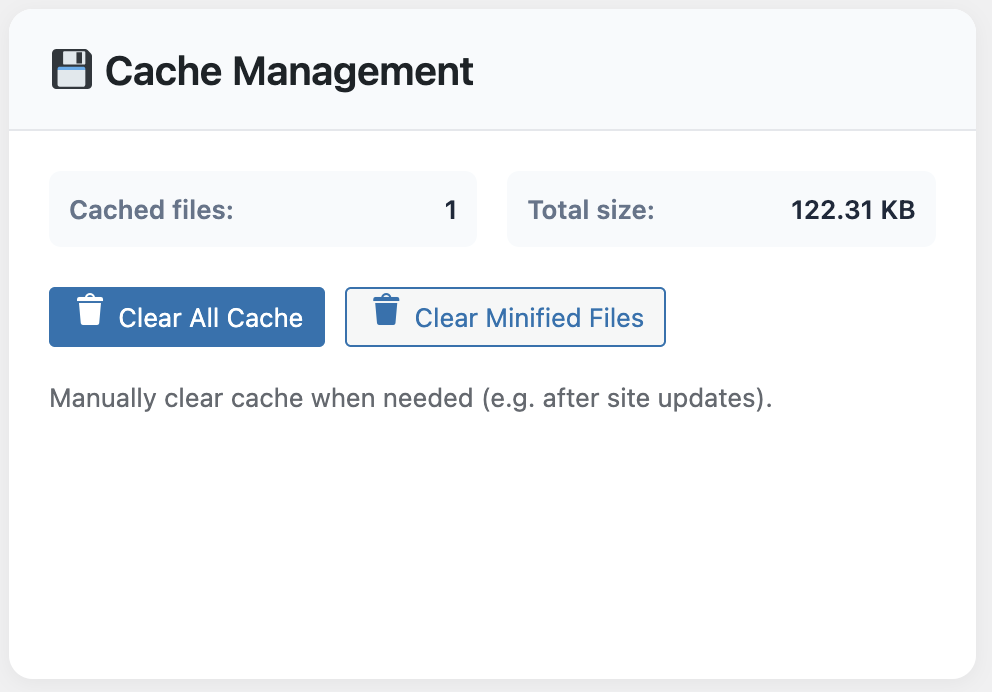
Cache management panel inside WP Turbo Optimizer

Workflow 2 · Scheduled Database Hygiene

Set the database cleanup to run weekly at 2 AM. The automation removes post revisions, transients, spam comments, and orphaned tables. Pair it with email notifications so you get a digest of the space saved.

Workflow 3 · Core Web Vitals Watchdog

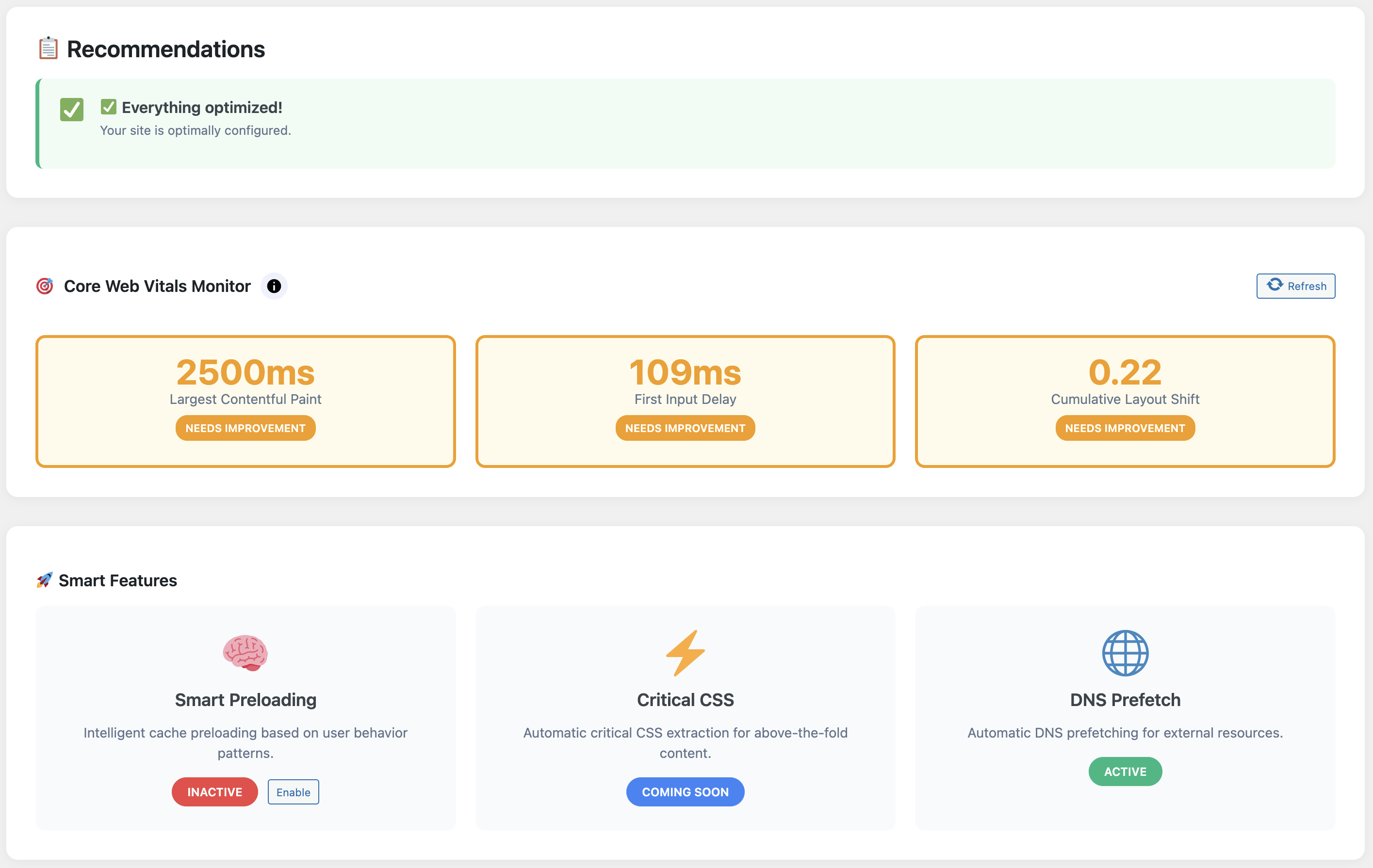
Enable the floating admin widget so editors see live vitals for any page they visit. If LCP or INP drifts into the “needs improvement” zone, the plugin flags it in red and suggests which assets to delay.

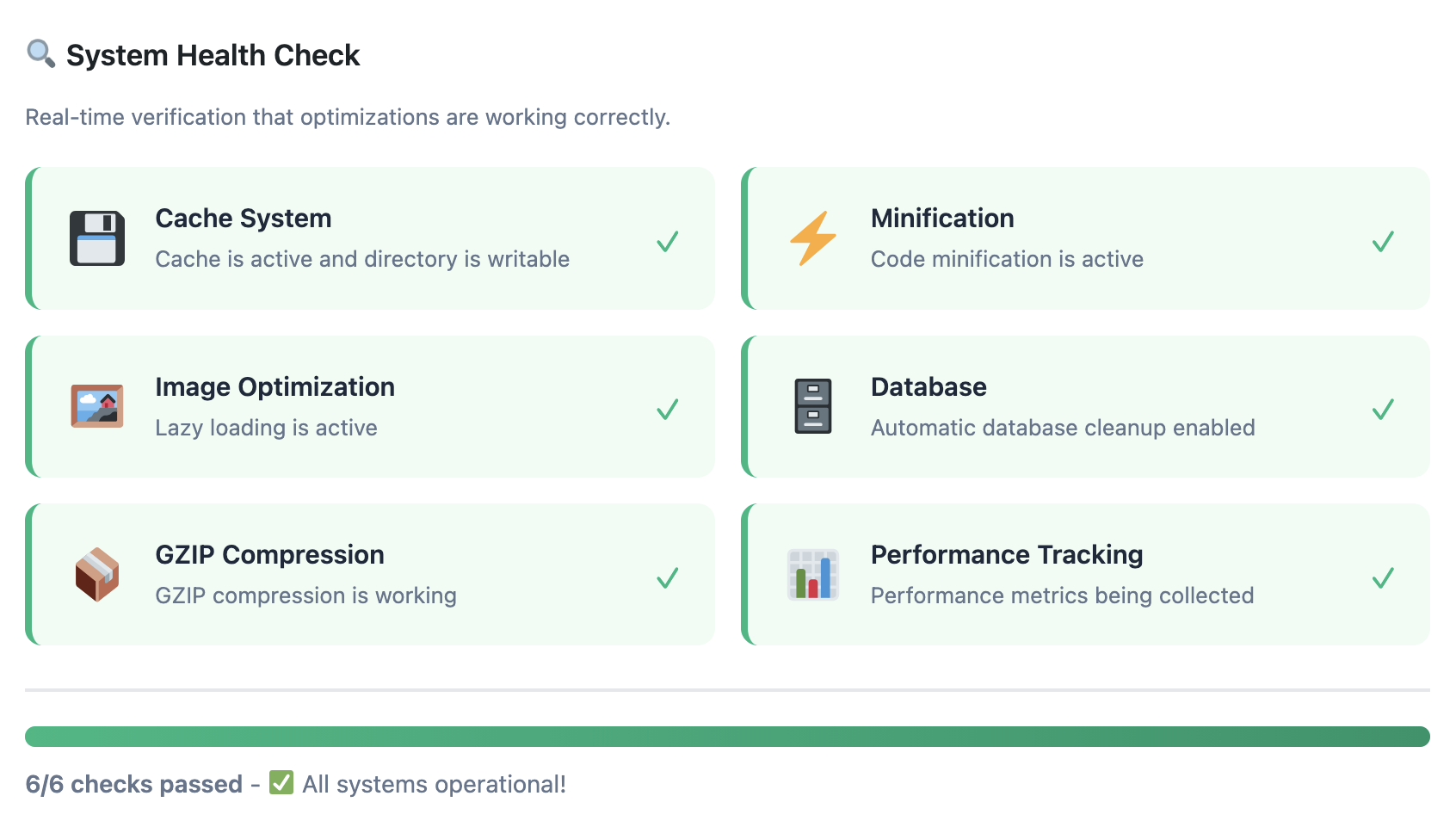
System health monitor inside WP Turbo Optimizer

Workflow 4 · Activity Log + Rollback Safety Net

Every cache purge, preset change, or One-Click Boost is logged with a timestamp and user ID. If a teammate experiments and breaks something, you know exactly what happened and can restore the previous state instantly.

Workflow 5 · Cross-Team Reporting

Reporting cards inside WP Turbo Optimizer

Export the monthly report that lists cache hit rates, database savings, and vital improvements. Drop it into your client update deck or internal stand-up notes. Proving value has never been easier.

Let the AI babysit your performance

Download the free version to set the foundation, then upgrade to WP Turbo Optimizer PRO when you’re ready to automate monitoring, cleanups, and cache warming.

Automate with WP Turbo Optimizer (€39) →

Still evaluating? Grab the free build and start tracking your vitals today.

WordPress performance should be boring—in the best way possible. With WP Turbo Optimizer’s AI workflows in place, your site stays fast without midnight fire drills, and you stay focused on publishing, selling, and shipping.

Posted on Leave a comment

Top 10 Tips to Recover an Abandoned Cart for WooCommerce in 2025

Last updated: 2025-11-20

Transform abandoned carts into recovered revenue with proven strategies, advanced automation, and the right tools for your WooCommerce store.

The Hidden Revenue Opportunity in Every Abandoned Cart

In 2025, cart abandonment rates have reached an all-time high of 69.8% across e-commerce platforms, with WooCommerce stores experiencing even higher rates in competitive niches. For a store generating $10,000 monthly, that translates to $7,000 in potential revenue walking away—but here’s the breakthrough: merchants using advanced recovery strategies are reclaiming 30-40% of abandoned carts, turning lost opportunities into consistent revenue streams. This comprehensive guide reveals the latest 2025 tactics, automation frameworks, and psychological triggers that transform hesitant shoppers into loyal customers.

📚

Part of Our Complete Recovery Strategy Series

This guide is part of our comprehensive pillar content on WooCommerce cart recovery. For the complete master guide covering everything from setup to advanced optimization, visit our Complete Guide to WooCommerce Abandoned Cart Recovery 2025—the definitive resource for store owners serious about maximizing revenue recovery.

Understanding Cart Abandonment: The Real Numbers Behind the Problem

Cart abandonment isn’t a new problem, but it’s one that’s getting worse. In 2025, the average abandonment rate across all e-commerce platforms hovers around 69.8%. For WooCommerce stores specifically, this number can be even higher depending on your industry, checkout process complexity, and customer acquisition channels. When dealing with abandoned cart for WooCommerce, understanding these statistics is crucial for developing effective recovery strategies.

The reasons customers abandon carts are multifaceted. Some are intentional—they’re comparison shopping, saving items for later, or researching before purchase. Others are unintentional—technical issues, unexpected shipping costs, or simply getting distracted. Understanding these motivations is the first step in building an effective recovery strategy. WooCommerce cart abandonment occurs for various reasons, and each abandoned shopping cart represents a potential sale waiting to be recovered.

What makes cart abandonment particularly frustrating for WooCommerce store owners is that these aren’t cold leads. These are customers who have already demonstrated purchase intent by adding items to their cart. They’ve invested time browsing your products, reading descriptions, and making selections. This makes them significantly more likely to convert than a typical website visitor—if you can reach them at the right moment with the right message.

The good news? Cart abandonment recovery has evolved dramatically. Modern solutions go far beyond simple “you left something behind” emails. Today’s strategies include real-time cart tracking, multi-channel messaging, behavioral triggers, and sophisticated automation sequences that adapt to each customer’s journey. If you’re still relying on basic email reminders, you’re leaving significant revenue on the table. For a comprehensive overview of recovery strategies, see our complete guide to WooCommerce abandoned cart recovery.

Recent 2025 research reveals that psychological factors play a crucial role in cart abandonment. Understanding the buyer’s mindset at the moment of abandonment—whether it’s price sensitivity, decision fatigue, or trust concerns—allows you to craft recovery messages that address the root cause rather than just offering discounts. Stores that implement psychological triggers see recovery rates 23% higher than those using generic approaches. To dive deeper into the psychology behind abandonment, explore our guide on the psychology behind WooCommerce cart abandonment and learn how to leverage behavioral insights for maximum conversion.

Why Cart Recovery Matters: The Business Impact

Let’s talk numbers. If your WooCommerce store generates $50,000 in monthly revenue, you’re likely losing $35,000 to cart abandonment. Even recovering 25% of those abandoned carts would add $8,750 to your monthly revenue—that’s $105,000 annually. For many stores, this recovered revenue can be the difference between struggling and thriving. WooCommerce cart recovery transforms these lost opportunities into actual sales, making it one of the highest ROI investments for e-commerce stores.

Beyond the direct revenue impact, cart recovery provides valuable insights into your store’s performance. By analyzing which products are most frequently abandoned, which traffic sources have the highest abandonment rates, and where customers drop off in the checkout process, you can identify and fix systemic issues that are costing you sales.

Cart recovery also improves your customer acquisition economics. When you recover an abandoned cart, you’re converting a customer you’ve already paid to acquire. This means your cost per acquisition (CPA) decreases, and your return on ad spend (ROAS) increases. For stores running paid advertising campaigns, this can make the difference between profitable and unprofitable campaigns.

Perhaps most importantly, cart recovery helps you understand your customers better. The data you collect from abandoned carts reveals shopping patterns, price sensitivity, product preferences, and friction points in your buying process. This intelligence informs everything from product development to marketing strategy to site optimization. As explored in our guide on why your WooCommerce store isn’t converting, understanding these patterns is crucial for long-term growth.

The ROI of cart recovery extends far beyond immediate revenue. Stores that implement comprehensive recovery systems report improved customer lifetime value, higher repeat purchase rates, and better understanding of their target audience. In 2025, the most successful merchants are using recovery data to inform product development, optimize pricing strategies, and refine their entire customer experience. To maximize your revenue potential, explore our guide on maximizing revenue with an abandoned cart plugin for WooCommerce and discover advanced strategies that turn recovery into a competitive advantage.

The Complete Recovery Strategy Framework for Abandoned Cart for WooCommerce

Building an effective cart recovery system requires a multi-layered approach. You can’t rely on a single tactic—success comes from combining multiple strategies that work together to maximize recovery rates. Here’s the complete framework that top-performing WooCommerce stores use. When implementing an abandoned cart for WooCommerce solution, this comprehensive approach ensures you’re covering all angles of recovery.

Layer 1: Real-Time Cart Tracking and Monitoring for WooCommerce

Before you can recover abandoned carts, you need to know they exist. Real-time cart tracking captures every interaction a customer has with your store, from the moment they land on your site to when they add items to their cart. This includes tracking which products they viewed, how long they spent on each page, what traffic source brought them in, and exactly when they abandoned. For any abandoned cart for WooCommerce strategy, this foundational tracking is essential to identify recovery opportunities. WooCommerce abandoned cart tracking provides the visibility needed to understand customer behavior patterns.

Modern cart recovery solutions provide live dashboards where you can see carts being created and abandoned in real-time. This visibility is crucial for identifying patterns and understanding customer behavior. You can see which products are most frequently abandoned, which traffic sources have the highest abandonment rates, and which customer segments are most likely to convert when recovered. When managing abandoned cart for WooCommerce stores, these insights help prioritize which carts deserve immediate attention.

WooCommerce Abandoned Cart Dashboard

Advanced 2025 dashboard interface displaying real-time cart abandonment metrics, customer journey visualization, and AI-powered recovery recommendations to maximize your WooCommerce revenue recovery potential.

The best tracking systems also capture the customer journey before cart abandonment. This includes UTM parameters, referrer information, campaign data, and a timeline of product views. This context is invaluable when crafting recovery messages—you can reference specific products they viewed or campaigns that brought them in, making your outreach more relevant and effective.

Layer 2: Pre-Abandonment Capture Strategies

The most effective recovery happens before abandonment occurs. Exit-intent popups, spin-to-win wheels, and timed offers can capture customer information and provide incentives to complete the purchase immediately. These strategies are particularly effective because they intercept customers at the moment they’re considering leaving.

Exit-intent technology detects when a customer’s mouse moves toward the browser’s back button or address bar, triggering a popup before they leave. This popup can offer a discount code, free shipping, or another incentive to complete the purchase. The key is making the offer compelling enough to overcome whatever hesitation caused them to consider leaving.

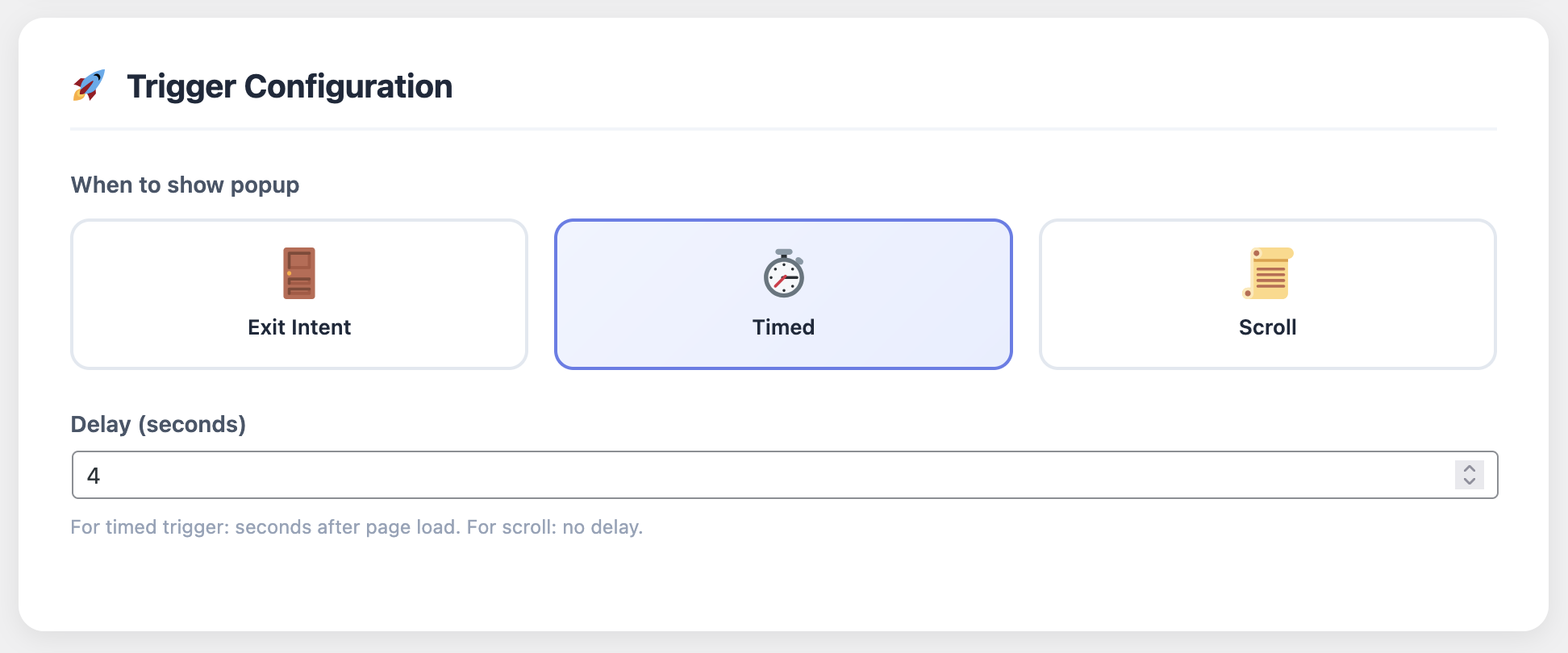
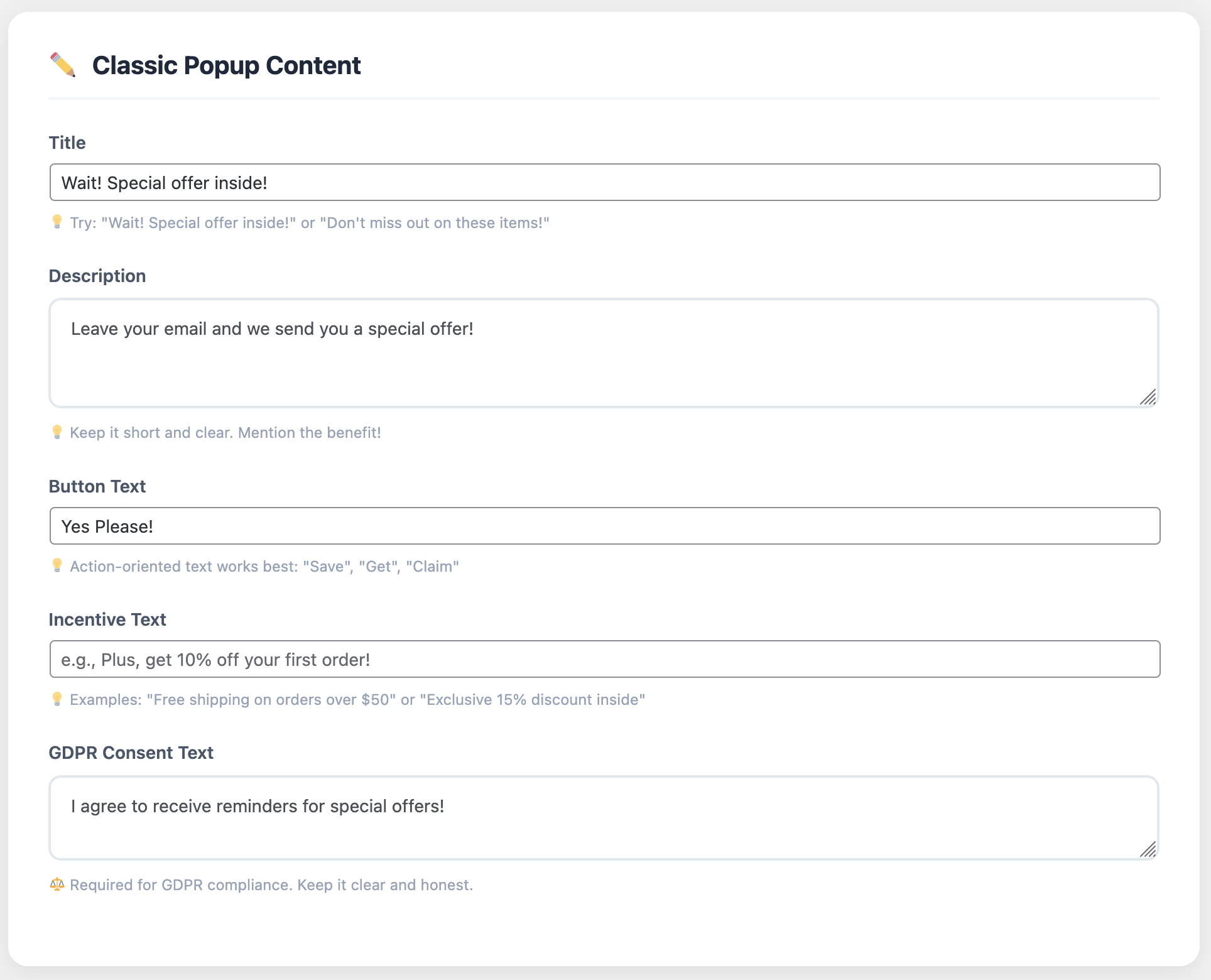
Exit Intent Popup Configuration

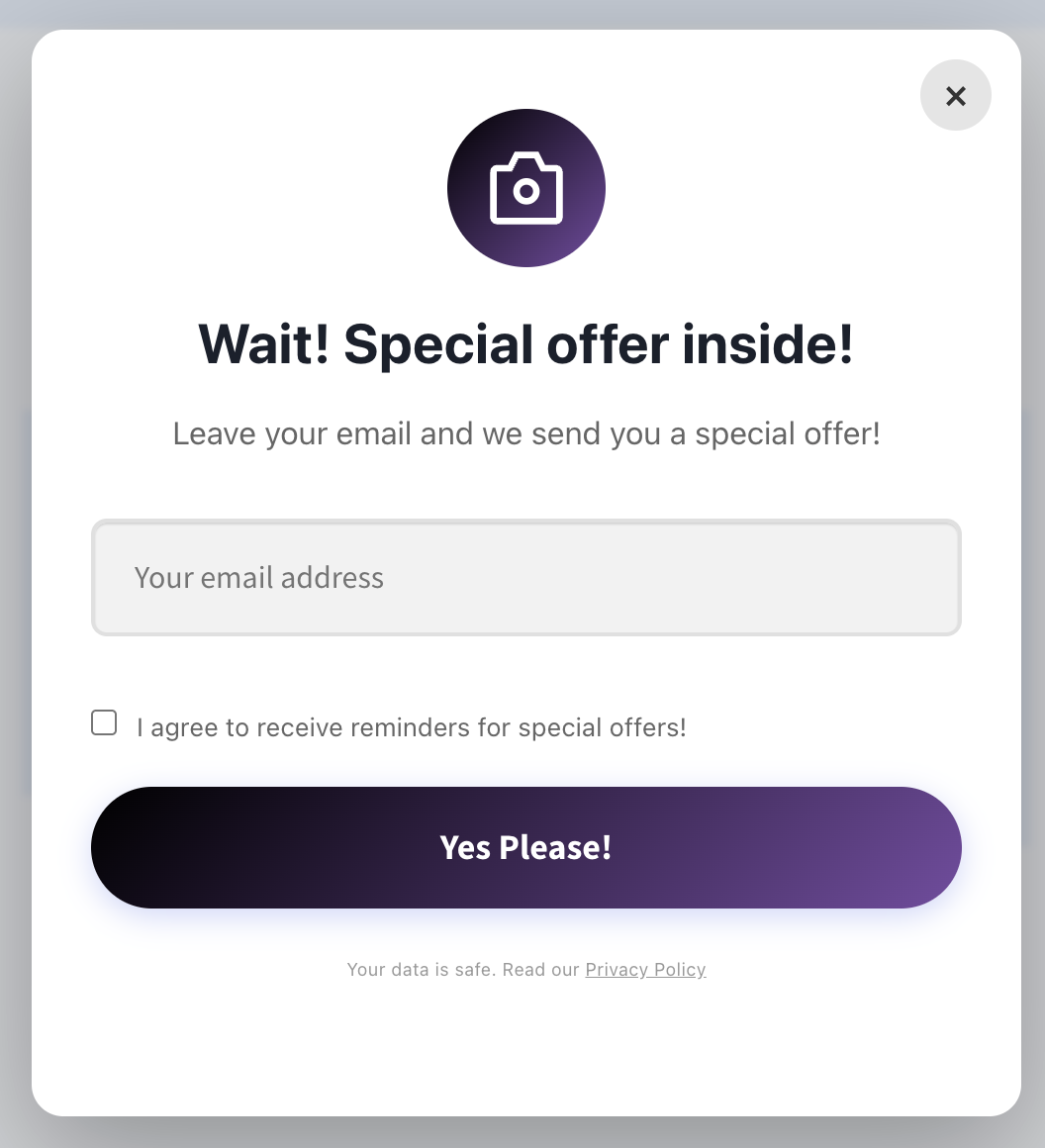
Advanced popup settings allow you to customize triggers, timing, design, and offers to maximize conversion rates while maintaining a premium user experience.

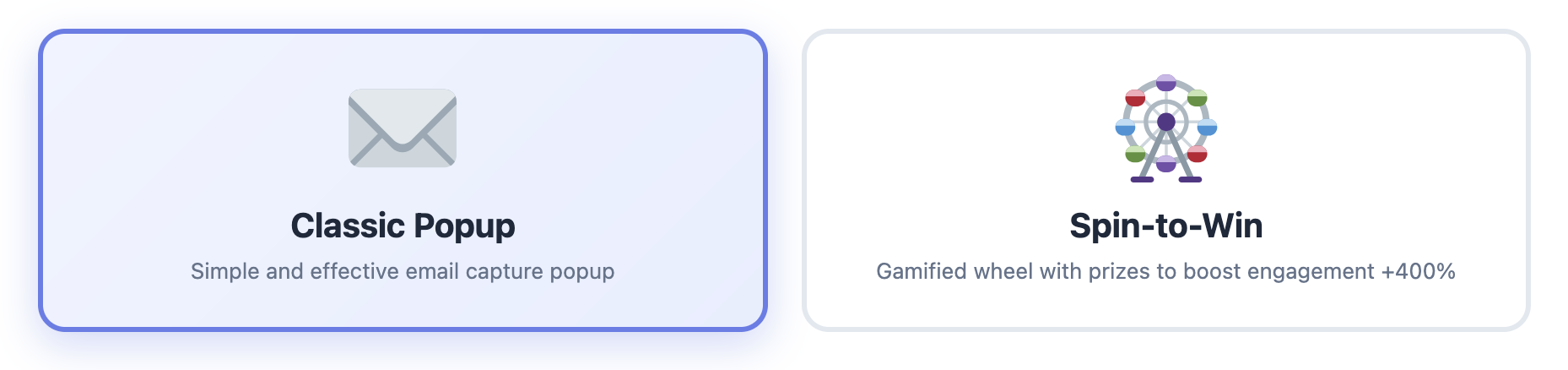
Premium Popup Design

Premium popup designs with modern aesthetics and clear value propositions increase email capture rates by up to 35% compared to basic templates.

WooCommerce Exit Intent Popup and Spin to Win

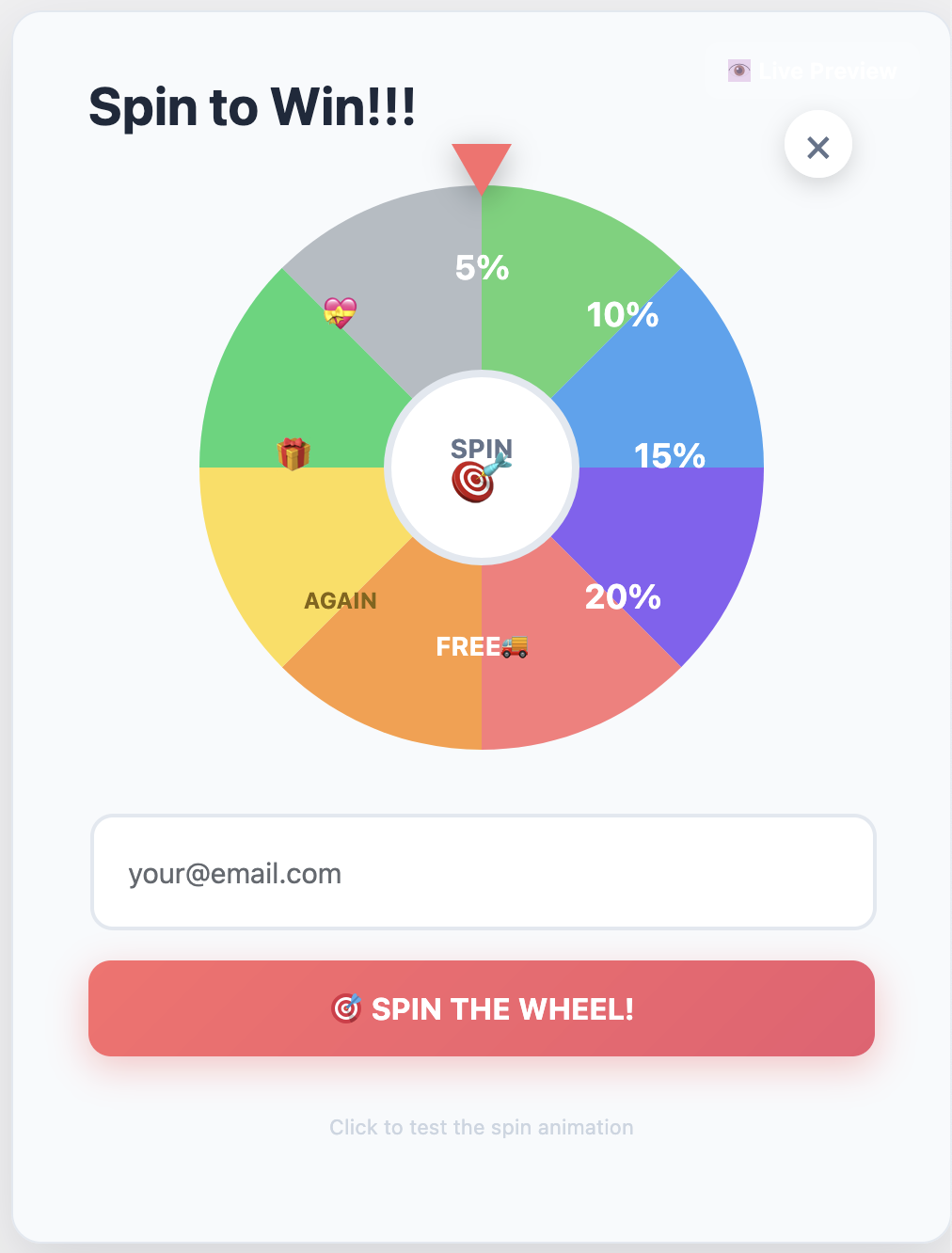
Modern 2025 gamification strategies: exit-intent popups and spin-to-win wheels capture customer information 30-40% more effectively than traditional forms, turning abandonment moments into conversion opportunities.

Spin to Win Gamification Tool

Interactive spin-to-win wheels create excitement and urgency, increasing email capture rates by up to 40% compared to standard popups while providing an engaging user experience.

Spin-to-win wheels add a gamification element that makes the capture experience more engaging. Customers spin a wheel to win a discount, and in the process, they provide their email address or phone number. This approach has been shown to increase capture rates by 30-40% compared to standard popups, and the excitement of the game can overcome purchase hesitations. For WooCommerce abandoned cart recovery, these interactive elements significantly improve contact capture rates before carts are abandoned.

Layer 3: Multi-Channel Recovery Sequences

Once a cart is abandoned, you need a multi-touchpoint recovery strategy. The most effective approach uses multiple channels—email, SMS, WhatsApp, and push notifications—in a coordinated sequence that increases in urgency over time. Each channel has different strengths, and using them together maximizes your chances of reaching and converting the customer.

Email remains the foundation of cart recovery, but it shouldn’t be your only channel. SMS messages have open rates of 98% and are read within minutes, making them perfect for time-sensitive offers. WhatsApp provides a more personal touch and is particularly effective in certain markets. Push notifications can re-engage customers who have your site open in another tab.

SMS Recovery Settings

SMS integration with Twilio enables instant recovery messages with 98% open rates, perfect for time-sensitive offers and high-value cart recovery.

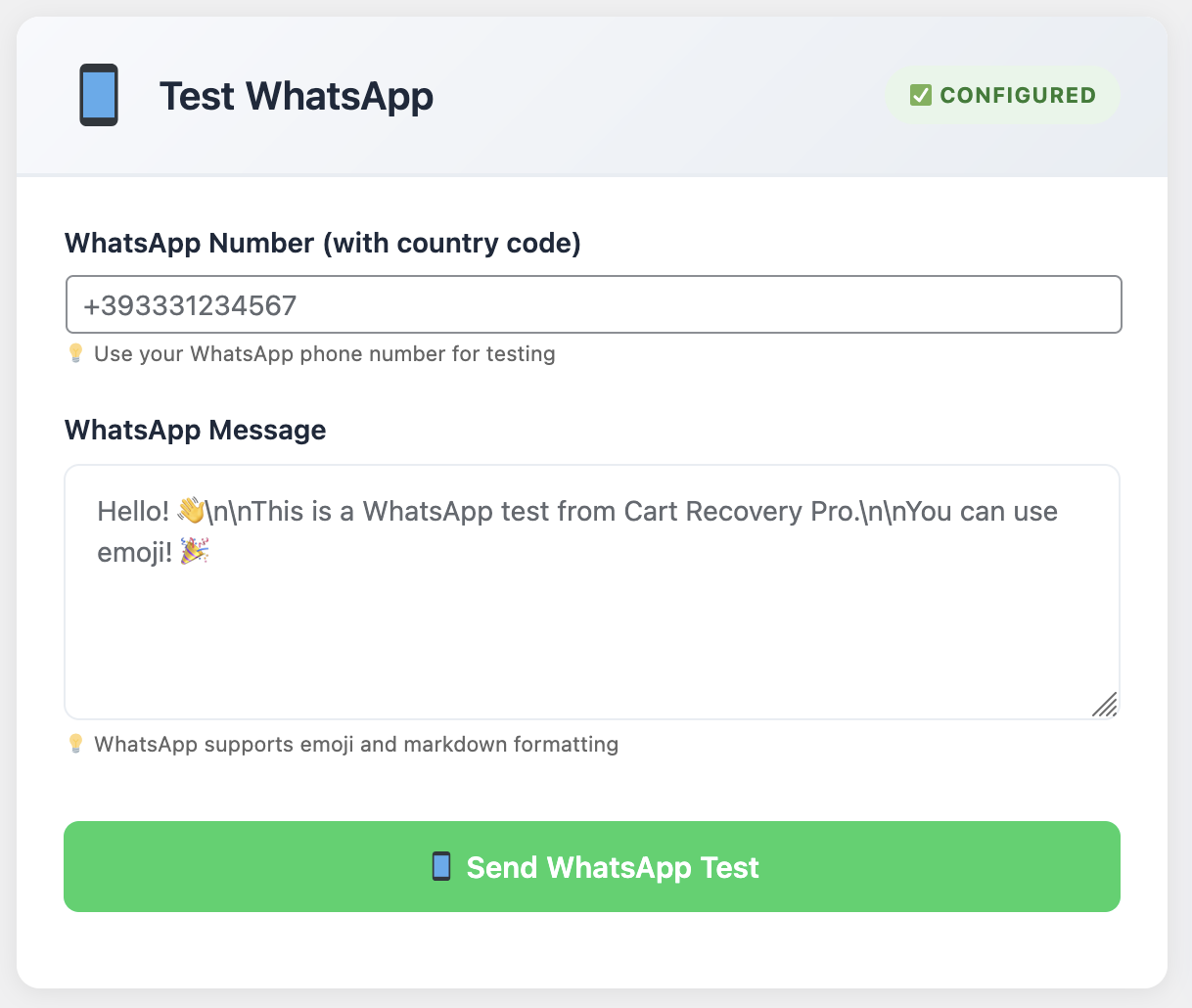
WhatsApp Business Integration

WhatsApp Business API integration provides a personal touch for cart recovery, with 98% open rates and higher engagement in international markets.

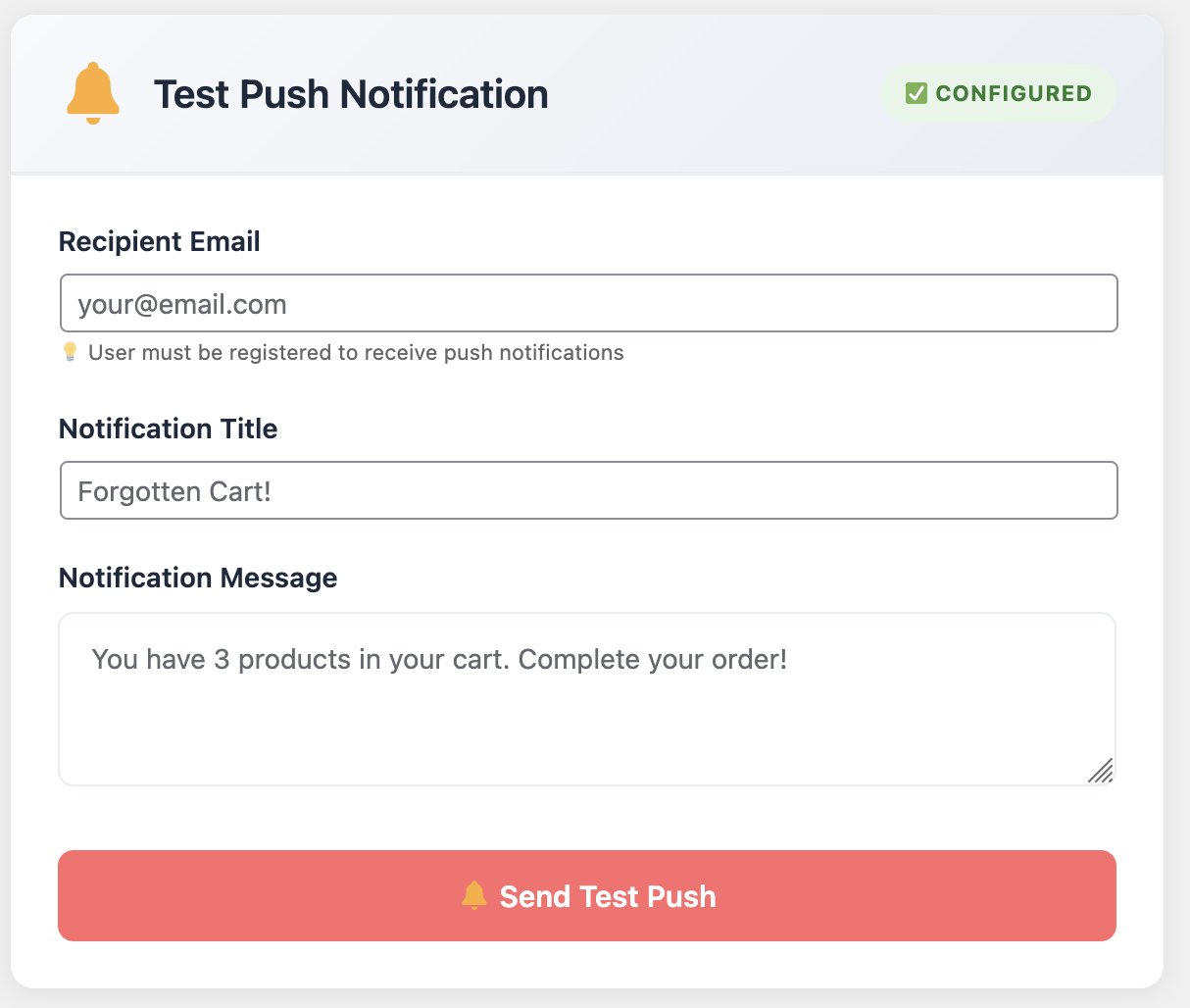
Push Notification Settings

Browser push notifications re-engage customers instantly, even when they’re not actively browsing your site, with click-through rates 3x higher than email.

The timing of your recovery messages is critical. Research shows that the first recovery attempt should happen within 30 minutes of abandonment, when the purchase intent is still fresh. Subsequent messages should be spaced strategically—typically at 1 hour, 24 hours, 3 days, and 7 days. Each message should offer increasing value or urgency to motivate action. The most effective 2025 email sequences combine urgency, social proof, and personalized product recommendations. For proven templates that convert, check out our guide on 5 WooCommerce email sequences every store needs to recover lost sales.

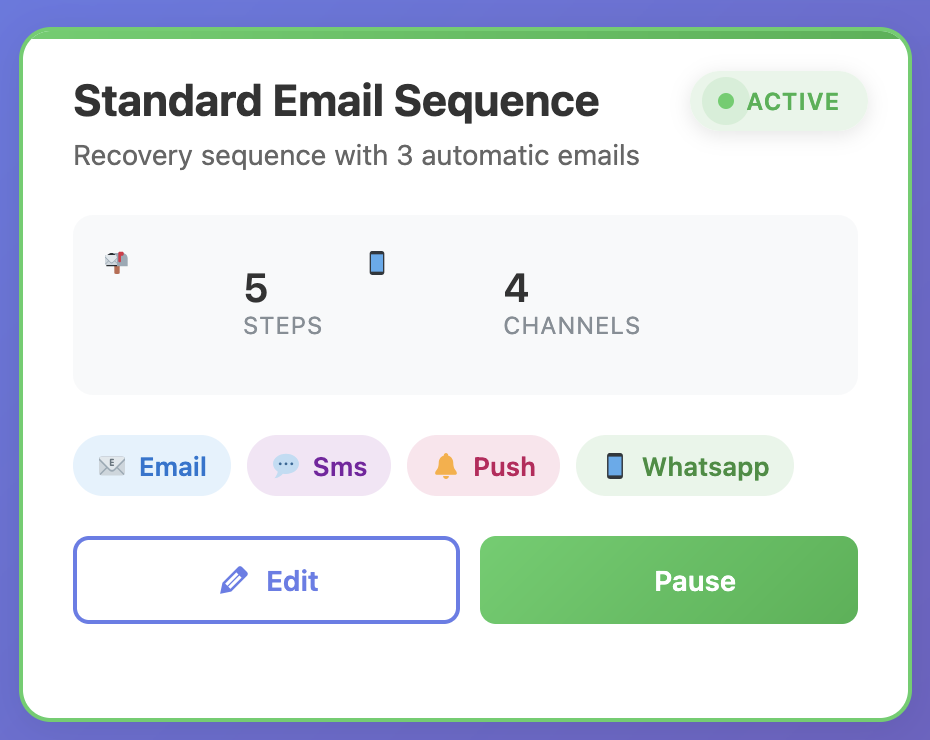
WooCommerce Cart Recovery Automation

Advanced automation workflows allow you to create sophisticated multi-channel recovery sequences with conditional logic and personalized messaging.

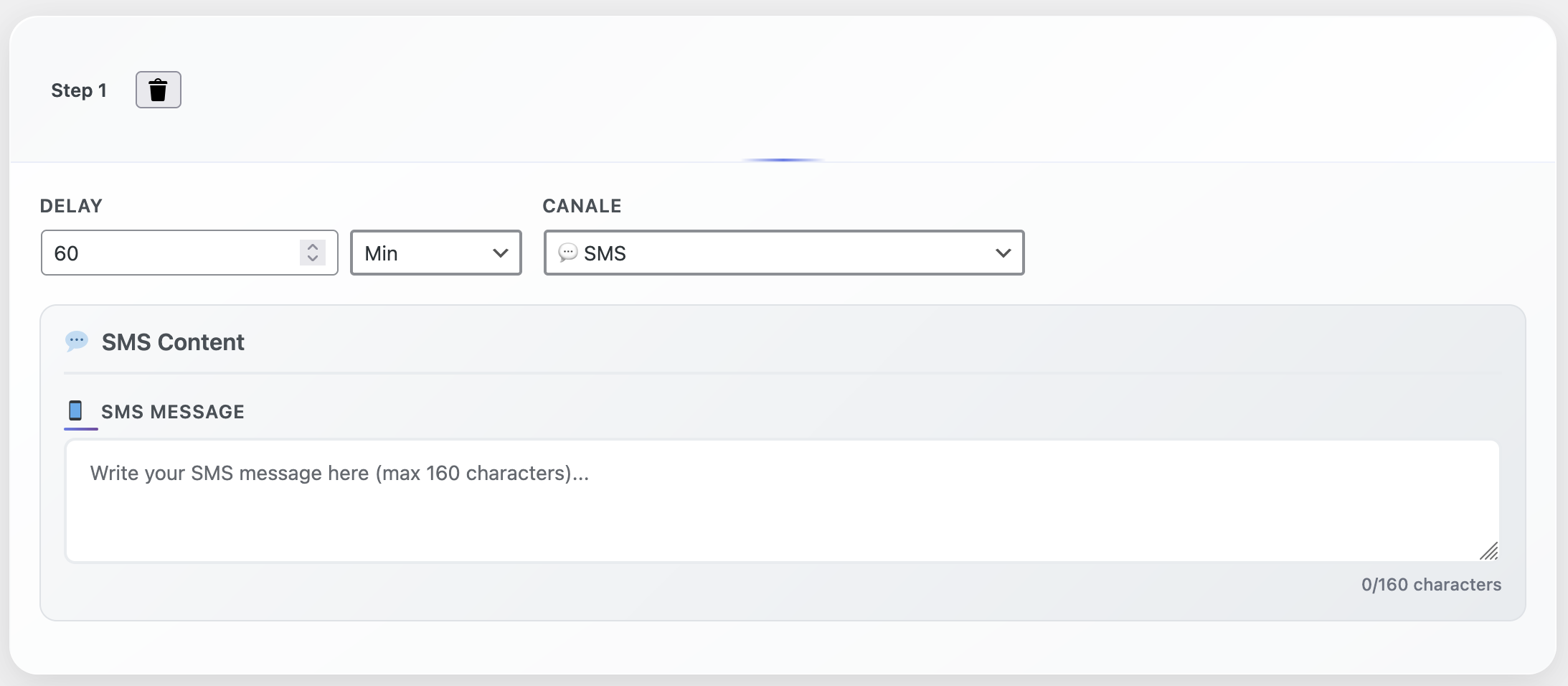
Automation Step Configuration

Step-by-step automation builder with drag-and-drop interface makes it easy to create complex recovery workflows without coding knowledge.

Your recovery sequences should also be dynamic, adapting to customer behavior. If a customer clicks through from an email but doesn’t complete the purchase, pause the email sequence and try SMS. If they add different items to their cart, update your messaging to reflect the new products. If they’ve already purchased, remove them from the recovery sequence immediately. This level of sophistication requires automation tools that can track customer behavior across channels. For actionable tips on optimizing your recovery sequences, check out our top 10 tips to recover abandoned carts.

Ready to Recover Your Abandoned Carts in 2025?

Cart Recovery Pro is the most advanced native WordPress plugin for 2025, combining real-time cart tracking, AI-powered behavioral triggers, multi-channel messaging (email, SMS, WhatsApp), and sophisticated automation workflows—all running inside your WordPress dashboard. No external services required. Recover 30-40% of abandoned carts and maximize revenue with enterprise-grade features at an affordable price.

Start Recovering Today – €49/year

12-month license • 30-day money-back guarantee • Priority support included

Advanced Recovery Techniques for Maximum Conversion

Once you have the basics in place, you can implement advanced techniques that separate top-performing stores from average ones. These strategies require more sophisticated tools and deeper analysis, but they deliver significantly higher recovery rates. Advanced WooCommerce cart abandonment recovery techniques leverage behavioral data, machine learning, and predictive analytics to maximize conversion rates from abandoned shopping carts.

Segmentation and Personalization

Not all abandoned carts are created equal. A customer who abandoned a $500 cart deserves different treatment than someone who abandoned a $20 cart. Similarly, a first-time visitor needs different messaging than a returning customer. Segmentation allows you to prioritize high-value carts and tailor your recovery approach to each customer segment.

Effective segmentation considers cart value, customer lifetime value, purchase history, traffic source, device type, and geographic location. High-value carts might receive immediate SMS outreach and personalized phone calls, while lower-value carts might go through a standard email sequence. VIP customers might get exclusive offers, while first-time visitors might get educational content about your products.

Personalization goes beyond just using the customer’s name. Include the specific products they abandoned, reference their browsing history, mention the campaign that brought them in, and adjust your offer based on their cart value. A customer who abandoned a $200 cart might get a 15% discount, while someone who abandoned a $50 cart might get free shipping. This level of personalization requires tools that can dynamically generate content based on cart data. The most successful stores in 2025 are building high-converting funnels that guide customers seamlessly from abandonment to purchase. Learn how to create these automated journeys in our comprehensive guide on how to build a high-converting WooCommerce funnel with automation.

Dynamic Coupon Generation

Static discount codes are easy to share and abuse. Dynamic coupon generation creates unique, single-use codes for each abandoned cart, preventing code sharing and allowing you to track which recovery messages are most effective. These codes can also have expiration dates, creating urgency, and usage limits, ensuring they’re only used once.

The best systems automatically generate coupons when a cart is abandoned and include them in recovery messages. The discount amount can be dynamic based on cart value—higher-value carts might get larger discounts, while lower-value carts might get smaller ones or free shipping. This ensures you’re not over-discounting while still providing enough incentive to complete the purchase.

Behavioral Triggers and Conditional Logic

Advanced recovery systems use behavioral triggers to adapt messaging in real-time. If a customer clicks through from a recovery email but doesn’t purchase, trigger an SMS with a time-limited offer. If they add different products to their cart, update your messaging to reflect those products. If they visit your site from a different device, recognize them and show a personalized message.

Conditional logic allows you to create sophisticated workflows that respond to customer behavior. For example, you might send different messages based on cart value, time since abandonment, number of previous recovery attempts, or customer segment. This ensures every customer receives the most relevant message at the most effective time.

These advanced techniques require sophisticated automation tools, but they’re what separate stores recovering 40% of abandoned carts from those recovering 10%. As detailed in our comprehensive guide on turning abandoned carts into sales with automation, the right tools make all the difference.

Choosing the Right Cart Recovery Solution

Not all cart recovery solutions are created equal. Some are basic email-only tools, while others are comprehensive platforms with advanced features. Choosing the right solution depends on your store’s size, technical requirements, and recovery goals. When selecting an abandoned cart for WooCommerce plugin, consider factors like native integration, multi-channel capabilities, and automation features. Here’s what to look for when evaluating options.

Native WordPress Integration

Many cart recovery solutions are SaaS platforms that require you to send customer data to external servers. This creates privacy concerns, GDPR compliance issues, and dependency on third-party services. A native WordPress plugin runs entirely within your WordPress installation, keeping all data on your server and giving you complete control.

Native plugins also integrate seamlessly with WooCommerce, pulling product data, customer information, and order history directly from your database. This eliminates the need for API integrations, webhooks, or data synchronization, reducing complexity and potential points of failure.

Multi-Channel Capabilities

Email alone isn’t enough. Look for solutions that support SMS, WhatsApp, push notifications, and other channels. The best tools allow you to orchestrate multi-channel campaigns from a single dashboard, with conditional logic that determines which channel to use based on customer behavior and preferences.

Real-Time Tracking and Analytics

You need visibility into what’s happening with your abandoned carts. Look for dashboards that show real-time cart activity, recovery rates by segment, revenue recovered, and campaign performance. Advanced analytics help you identify trends, optimize your recovery strategy, and measure ROI.

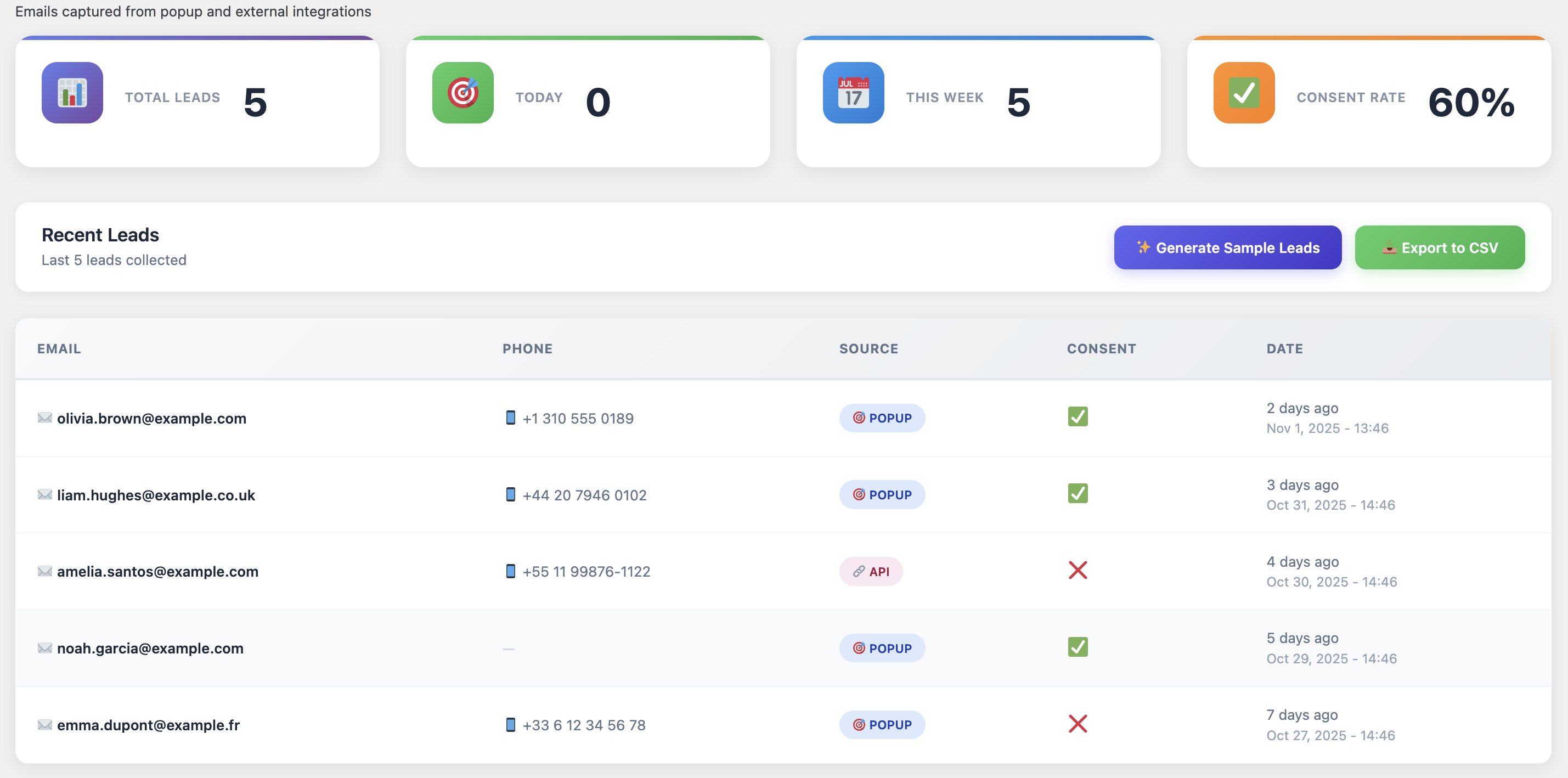
WooCommerce Leads and Analytics Dashboard

Comprehensive analytics dashboards provide insights into cart abandonment patterns, recovery performance, and customer behavior to help you optimize your strategy and maximize ROI.

Advanced Automation Features

Look for drag-and-drop automation builders that allow you to create sophisticated workflows without coding. The best tools support conditional logic, A/B testing, dynamic content, and integration with other marketing tools. You should be able to create complex sequences that adapt to customer behavior automatically.

Other important features include dynamic coupon generation, exit-intent popups, spin-to-win gamification, customer journey tracking, UTM attribution, and segmentation capabilities. For a detailed comparison of available options, check out our review of the best WooCommerce abandoned cart plugins.

In 2025, the most forward-thinking WooCommerce merchants are taking a proactive approach to cart abandonment prevention. Rather than waiting for carts to be abandoned, they’re implementing strategies that reduce abandonment rates by 20-30% before recovery even becomes necessary. This includes optimizing checkout flows, reducing friction points, and using predictive analytics to identify at-risk carts in real-time. To explore proven strategies that minimize abandonment from the start, dive into our actionable guide on how to reduce cart abandonment in WooCommerce with 7 proven strategies. Remember, the best recovery is prevention.

Implementation Guide: Setting Up Your Recovery System

Setting up an effective cart recovery system doesn’t have to be complicated. With the right tools and approach, you can have a basic system running in under an hour, and a sophisticated multi-channel setup within a day. Here’s a step-by-step implementation guide for abandoned cart for WooCommerce recovery. Whether you’re new to cart recovery or looking to optimize existing systems, this guide covers everything you need.

Step 1: Install and Configure Your Recovery Plugin

Start by installing your chosen cart recovery plugin. If you’re using a native WordPress solution like Cart Recovery Pro, installation is straightforward—upload the plugin, activate it, and sync it with your WooCommerce data. The plugin should automatically detect your products, customer data, and order history. This native integration is crucial for abandoned cart for WooCommerce solutions, as it ensures seamless data flow between your store and recovery system. For detailed step-by-step instructions, follow our ultimate setup and optimization guide.

Configure basic settings like cart abandonment time (typically 30 minutes to 1 hour), which products to track, and data retention policies. Enable real-time cart tracking so you can see abandoned carts as they happen. This gives you immediate visibility into the problem. WooCommerce abandoned cart tracking provides instant alerts when shoppers leave without completing their purchase, allowing for timely intervention.

Step 2: Set Up Capture Tools

Before customers abandon, capture their contact information. Set up exit-intent popups that trigger when customers are about to leave. Configure spin-to-win wheels or other gamified capture tools. These should offer enough value to motivate customers to provide their email or phone number.

Make sure your capture tools are mobile-responsive and don’t interfere with the shopping experience. Test them on different devices and browsers to ensure they work correctly. The goal is to capture information without being intrusive or annoying.

Step 3: Create Your Recovery Email Sequence

Start with a basic email sequence. Your first email should go out within 30 minutes of abandonment and include the abandoned products, a clear call-to-action, and a discount offer. Subsequent emails should increase in urgency and value—perhaps offering a larger discount or highlighting limited stock.

Personalize your emails with the customer’s name, abandoned products, and cart value. Use dynamic content that updates based on the specific cart. Include product images, descriptions, and direct links to the checkout page. Make it as easy as possible for customers to complete their purchase. Effective abandoned cart for WooCommerce email campaigns leverage personalization to increase engagement rates significantly. The most successful recovery emails in 2025 combine urgency, social proof, and clear value propositions. For inspiration, see our collection of best email templates for cart recovery, which includes proven templates that convert. Additionally, learn how to increase WooCommerce sales with cart recovery emails that convert using advanced copywriting techniques and psychological triggers.

Step 4: Add Multi-Channel Recovery

Once your email sequence is working, add SMS and other channels. SMS is particularly effective for time-sensitive offers and has much higher open rates than email. Set up WhatsApp integration if it’s popular in your target markets. Configure push notifications for customers who have your site open.

Create conditional logic that determines which channel to use based on customer behavior. For example, if a customer doesn’t open your recovery email, try SMS. If they click through but don’t purchase, send a push notification with a time-limited offer. This multi-channel approach significantly increases recovery rates.

Step 5: Implement Advanced Features

As you become more comfortable with the system, add advanced features. Set up dynamic coupon generation so each abandoned cart gets a unique discount code. Create customer segments based on cart value, purchase history, or behavior. Implement A/B testing to optimize your messaging and offers.

Use analytics to identify trends and optimize your strategy. Which products are abandoned most frequently? Which traffic sources have the highest abandonment rates? Which recovery messages are most effective? Use this data to continuously improve your recovery system. For a detailed setup walkthrough, see our guide on setting up an abandoned cart recovery system, or explore our complete guide to WooCommerce abandoned cart recovery for comprehensive strategies.

Start Recovering Abandoned Carts Today with 2025’s Most Advanced Solution

Join thousands of successful WooCommerce stores using Cart Recovery Pro to recover 30-40% of abandoned carts. Real-time tracking, AI-powered behavioral triggers, multi-channel messaging (email, SMS, WhatsApp), and sophisticated automation workflows—all in one native WordPress plugin. No external services. Complete data control. Maximum revenue recovery. Start your 12-month license today and transform lost sales into consistent revenue.

Get Started Now – €49/year

30-day money-back guarantee • Priority support • Regular feature updates

Measuring Success: Key Metrics to Track

You can’t improve what you don’t measure. Tracking the right metrics helps you understand how well your recovery system is performing and where you can optimize. Here are the key metrics every WooCommerce store owner should monitor. When implementing abandoned cart for WooCommerce recovery, these metrics provide actionable insights that drive continuous improvement and revenue growth.

Cart Abandonment Rate

Your cart abandonment rate is the percentage of carts that are created but never completed. This is your baseline metric. The industry average is around 70%, but your goal should be to get below 60%. Track this metric over time to see if your prevention strategies (like exit-intent popups) are working.

Recovery Rate

Your recovery rate is the percentage of abandoned carts that eventually convert. A good recovery rate is 25-40%, meaning you’re converting a quarter to two-fifths of abandoned carts. This is your primary success metric for your recovery system.

Revenue Recovered

This is the total revenue generated from recovered carts. Track this monthly to understand the financial impact of your recovery system. If you’re recovering $5,000 per month, that’s $60,000 annually—significant revenue that would otherwise be lost.

Email Open and Click Rates

Monitor how many customers open your recovery emails and click through to your store. Low open rates might indicate poor subject lines or timing issues. Low click rates might indicate that your offers aren’t compelling enough or your messaging isn’t relevant.

Channel Performance

If you’re using multiple channels, track which ones are most effective. You might find that SMS has higher conversion rates than email, or that push notifications work better for certain customer segments. Use this data to allocate your efforts and budget.

Time to Recovery

Track how long it takes from cart abandonment to recovery. Most recoveries happen within 24 hours, but some take longer. Understanding this timeline helps you optimize your message timing and identify opportunities for faster recovery.

Regularly review these metrics and use them to optimize your recovery strategy. Test different messaging, timing, offers, and channels to see what works best for your store. The goal is continuous improvement. For more optimization strategies, see our guide on top 10 tips to recover abandoned carts, which includes battle-tested tactics that can significantly improve your recovery rates.

Common Pitfalls and How to Avoid Them

Many WooCommerce stores implement cart recovery systems but don’t achieve the results they expect. Often, this is due to common mistakes that are easily avoidable. Here are the most frequent pitfalls and how to prevent them. Understanding these common errors is essential for anyone managing abandoned cart for WooCommerce recovery, as they can significantly impact your recovery rates and revenue.

Pitfall 1: Waiting Too Long to Send Recovery Messages

The longer you wait to reach out, the less likely you are to recover the cart. Purchase intent fades quickly—what seems urgent at the moment of abandonment becomes less important hours or days later. Send your first recovery message within 30 minutes, not 24 hours.

Pitfall 2: Generic, Non-Personalized Messages

Generic “you left something behind” emails don’t work. Customers receive dozens of these every week and ignore them. Personalize your messages with the specific products they abandoned, their name, and relevant context. Show them you understand what they were looking for.

Pitfall 3: Over-Discounting

While discounts can motivate purchases, offering too much discount trains customers to wait for better deals. Use dynamic discounts based on cart value, and don’t offer your best discount in the first message. Start smaller and increase if needed.

Pitfall 4: Ignoring Mobile Customers

More than half of e-commerce traffic is mobile, and mobile customers have different needs. Make sure your recovery emails are mobile-responsive, your checkout process works on mobile devices, and you’re using SMS for mobile-heavy segments.

Pitfall 5: Not Testing and Optimizing

Many stores set up a recovery system and never optimize it. Test different subject lines, messaging, offers, timing, and channels. Use A/B testing to identify what works best for your audience. Continuous optimization is key to maximizing recovery rates.

Pitfall 6: Relying on Email Alone

Email is important, but it’s not enough. Customers receive hundreds of emails daily, and yours might get lost. Use multiple channels—SMS, WhatsApp, push notifications—to increase your chances of reaching customers. Multi-channel recovery significantly outperforms email-only strategies.

The Future of Cart Recovery: Trends and Innovations

Cart recovery technology is evolving rapidly. New innovations are making recovery more effective, more automated, and more personalized. The future of abandoned cart for WooCommerce recovery looks promising, with AI-powered personalization, predictive analytics, and cross-device tracking becoming standard features. Here are the trends shaping the future of cart recovery.

AI-Powered Personalization

Artificial intelligence is enabling hyper-personalized recovery messages that adapt to each customer’s behavior, preferences, and purchase history. AI can determine the optimal message timing, channel, offer, and content for each individual customer, dramatically improving recovery rates.

Predictive Analytics

Advanced analytics can predict which carts are most likely to be abandoned and which customers are most likely to convert when recovered. This allows stores to prioritize high-value, high-probability recoveries and allocate resources more effectively.

Cross-Device Tracking

Customers often browse on one device and purchase on another. Cross-device tracking allows recovery systems to recognize customers across devices and continue the recovery process seamlessly, regardless of which device they’re using.

Voice and Chat Integration

As voice assistants and chat interfaces become more common, recovery systems are integrating with these channels. Customers might receive recovery messages through Alexa, Google Assistant, or chat widgets, making recovery more convenient and accessible.

Real-Time Behavioral Triggers

The future of recovery is real-time. Systems can now detect when a customer is about to abandon and trigger immediate interventions—popups, offers, or support—before the cart is actually abandoned. This proactive approach prevents abandonment rather than just recovering it.

Frequently Asked Questions

What is the average cart abandonment rate for WooCommerce stores?

The average cart abandonment rate for WooCommerce stores is around 70%, similar to the overall e-commerce average. However, rates can vary significantly based on industry, checkout process complexity, and customer acquisition channels. Stores with optimized checkout processes and effective recovery systems typically see lower abandonment rates.

How quickly should I send the first recovery message?

The first recovery message should be sent within 30 minutes of cart abandonment. Purchase intent is highest immediately after abandonment, and waiting longer significantly reduces your chances of recovery. Some stores send messages even faster—within 15 minutes—for maximum effectiveness.

What’s a good recovery rate to aim for?

A good recovery rate is 25-40%, meaning you’re converting a quarter to two-fifths of abandoned carts. Top-performing stores with sophisticated multi-channel recovery systems can achieve rates of 40% or higher. If your recovery rate is below 20%, there’s significant room for improvement.

Do I need to offer discounts to recover carts?

Discounts can be effective, but they’re not always necessary. Some customers abandon due to technical issues, distractions, or other non-price reasons. Try recovery messages without discounts first, and only add discounts if your recovery rate is low. When you do use discounts, make them dynamic based on cart value.

Should I use email, SMS, or both?

Use both. Email is cost-effective and allows for rich content, while SMS has higher open rates and is more immediate. The best strategy is to start with email and add SMS for customers who don’t respond. Multi-channel recovery significantly outperforms single-channel approaches.

How many recovery messages should I send?

Most stores send 3-5 recovery messages over 7-10 days. The sequence typically includes: immediate reminder (30 minutes), follow-up (24 hours), final offer (3 days), and last chance (7 days). However, stop sending messages if the customer completes the purchase or unsubscribes.

Can I recover carts without a plugin?

Technically yes, but it’s extremely difficult and time-consuming. You’d need to manually track abandoned carts, collect customer information, send recovery emails, manage sequences, and track results. A dedicated plugin automates all of this and provides features like real-time tracking, multi-channel messaging, and advanced analytics that would be impossible to replicate manually.

Transform Abandoned Carts Into Revenue: 2025 Edition

Cart Recovery Pro gives you everything you need to build a complete abandoned cart recovery system optimized for 2025. Real-time tracking with AI-powered insights, multi-channel messaging (email, SMS, WhatsApp), advanced automation workflows, behavioral triggers, and comprehensive analytics—all running natively in WordPress. Join merchants recovering 30-40% of abandoned carts and maximizing revenue. Start recovering lost sales today with our 12-month license.

Get Cart Recovery Pro – €49/year

30-day money-back guarantee • 12-month license included • Priority support • Regular updates

Conclusion: Building Your Recovery System

Abandoned cart recovery isn’t optional—it’s essential for any serious WooCommerce store. With 70% of carts being abandoned, you’re leaving significant revenue on the table if you don’t have a recovery system in place. Implementing a comprehensive abandoned cart for WooCommerce solution transforms this lost revenue into recovered sales. But more importantly, cart recovery provides insights into your store’s performance, helps you understand your customers better, and improves your overall conversion optimization.

The strategies outlined in this guide—real-time tracking, multi-channel messaging, advanced automation, and continuous optimization—are what separate top-performing stores from average ones. Implementing these strategies requires the right tools, but the investment pays for itself quickly through recovered revenue.

Start with the basics: install a recovery plugin, set up email sequences, and begin tracking your abandonment rate. Then gradually add more sophisticated features: multi-channel messaging, dynamic coupons, segmentation, and advanced automation. Measure everything, test continuously, and optimize based on data.

Remember, cart recovery is an ongoing process, not a one-time setup. Customer behavior changes, new channels emerge, and best practices evolve. Stay current with trends, test new strategies, and continuously improve your recovery system. The stores that do this consistently achieve recovery rates of 40% or higher, turning abandoned carts into a significant revenue stream.

If you’re ready to build a complete recovery system, start with a solution that gives you all the tools you need in one place. Cart Recovery Pro is a native WordPress plugin that combines real-time tracking, multi-channel messaging, advanced automation, and comprehensive analytics—everything you need to recover abandoned carts and grow revenue, all running inside your WordPress dashboard. For more advanced strategies, see our complete guide on the ultimate setup and optimization guide, which covers everything from installation to advanced optimization techniques.

© 2025 XpertPlugins. All rights reserved.

Posted on Leave a comment

WooCommerce vs Shopify for Conversion Optimization: Which Platform Wins in 2025?

WooCommerce and Shopify comparison for conversions

Choosing between WooCommerce and Shopify is no longer just about pricing or ease of setup—it’s about which platform will help you convert more visitors into customers in 2025 and beyond. Both ecosystems are mature, but they take radically different approaches to customization, automation, data ownership, and omnichannel marketing. This strategic comparison examines the conversion levers that matter most so you can pick (or validate) the platform that fits your growth goals.

Spoiler: if you prioritize deep control over your funnel, granular analytics, and the ability to deploy powerhouse tools like WP Abandoned Cart Recovery (Product ID 264), WooCommerce offers an unmatched conversion canvas. Let’s compare both platforms across nine decisive categories, pulling insights from resources like Best WooCommerce Abandoned Cart Plugins Compared – 2025 Review and How to Turn Your WP Dashboard into a Productivity Hub.

1 · Checkout Customization

WooCommerce

Full checkout control. You can customize layout, add trust elements, integrate express pay, run A/B tests, and embed upsells with hooks. WP Abandoned Cart Recovery tracks micro-interactions to optimize every step.

Shopify

Locked checkout design (unless you use Shopify Plus). Apps can inject upsells, but the underlying flow remains controlled by Shopify, limiting experimentation.

Verdict: WooCommerce wins for brands that want to treat checkout as a test lab.

2 · Automation Flexibility

Automation flexibility comparison

Automation is where conversions scale. WP Abandoned Cart Recovery lets WooCommerce merchants orchestrate multi-channel workflows (email, SMS, WhatsApp, push) with conditional logic, predictive scoring, and direct CRM integrations. Shopify has Shopify Flow and third-party apps like Klaviyo and ReCart, but complex combos often require additional middleware and monthly fees.

Verdict: WooCommerce’s open architecture empowers deeper, more affordable automation—especially for advanced segmentation and cross-team collaboration.

3 · Data Ownership and Insights

WooCommerce: Full access to WordPress database tables, GA4, BigQuery exports, and custom dashboards. WP Abandoned Cart Recovery pipes actionable data (cart content, engagement metrics, revenue attribution) into Looker Studio or your BI tool of choice.

Shopify: Robust built-in reports but limited server-level access. API rate limits can restrict advanced analytics unless you’re on Shopify Plus.

Verdict: For brands that rely on data science and custom reporting, WooCommerce is the clear winner.

4 · Conversion-Focused Apps and Extensions

Shopify’s app store is curated and easy to navigate, but top-tier conversion apps often carry recurring costs. WooCommerce offers comparable plugins—many of which are one-time purchases or completely custom-built. Tools like WP Abandoned Cart Recovery give WooCommerce users enterprise-level features without per-contact fees.

Verdict: WooCommerce provides more cost-efficient access to advanced functionality, especially for scaling stores.

5 · Site Performance and Core Web Vitals

Performance metrics

Shopify’s hosted infrastructure delivers consistent performance out of the box, which is great for stores without technical resources. WooCommerce performance depends on your hosting and optimization practices—but that’s also an advantage. With managed WordPress hosting, caching, CDNs, and performance plugins (like WP Turbo Optimizer), WooCommerce sites regularly outperform Shopify in Core Web Vitals. Faster pages mean higher conversions, especially on mobile.

Verdict: Shopify wins on “easy speed,” but WooCommerce wins when you invest in optimization.

6 · Internationalization and Localization

WooCommerce offers endless localization options (multi-language, multi-currency, region-specific catalogs). Shopify added multi-currency and translation support, but many customizations require Shopify Markets or third-party apps. For conversion optimization, controlling translations, pricing, and promotions per region is crucial—something WooCommerce handles with finer granularity.

Verdict: WooCommerce leads for brands targeting multiple locales with tailored strategies.

7 · Cost of Conversion Ownership

Shopify: Monthly plan + transaction fees (if you don’t use Shopify Payments) + app subscriptions. Costs scale quickly as you layer automation, personalization, and analytics tools.

WooCommerce: Hosting + domain + optional premium plugins. You maintain full control, pay once for many tools, and can invest savings into acquisition or creative testing.

Verdict: WooCommerce typically offers better ROI for conversion-focused investments.

8 · Community, Talent, and Innovation Pace

Shopify has a curated partner network and extensive documentation. WooCommerce taps into the global WordPress community, thousands of agencies, and a thriving marketplace of developers. Because WooCommerce is open source, new conversion hacks, integrations, and best practices emerge rapidly—often months before similar features hit Shopify’s roadmap. You can implement insights from WooCommerce-specific articles immediately without waiting for platform approval.

Verdict: WooCommerce offers more freedom to innovate at the pace you need.

9 · Automation Case Study: WooCommerce + WP Abandoned Cart Recovery

To illustrate the conversion upside, consider a DTC apparel brand that migrated from Shopify to WooCommerce in late 2024:

• Abandoned cart recovery rate jumped from 18% to 39% after deploying WP Abandoned Cart Recovery’s multi-channel workflow.

• Predictive scoring prioritized human outreach and improved high-ticket conversion by 26%.

• Email + SMS + WhatsApp orchestration increased overall funnel conversion from 2.9% to 4.1%.

• Monthly software expenses dropped 22% by replacing multiple Shopify apps with a single plugin.

The lesson: when you control the stack, you control your conversion destiny.

Decision Matrix

Conversion FactorWooCommerceShopify2025 Winner
Checkout customizationUnlimited control, hooks, A/B testsLocked layout (Plus required to edit deeply)WooCommerce
Automation depthWP Abandoned Cart Recovery + open integrationsGood, but app-dependent and pricierWooCommerce
Speed to launchRequires hosting + setup effortLaunch-ready out of the boxShopify
Scaling costsPredictable, ownership-friendlyMonthly fees + app stackingWooCommerce
Enterprise-level featuresAchievable with plugins and custom codeRequires Shopify PlusWooCommerce

Which Platform Should You Choose?

Choose WooCommerce if: You crave full control, want to build proprietary funnels, plan to scale automation aggressively, or value data ownership. Pairing WooCommerce with WP Abandoned Cart Recovery gives you an enterprise-grade conversion stack without enterprise overhead.

Choose Shopify if: You need a store live this weekend, prefer pre-packaged workflows, and are comfortable paying premiums for convenience while accepting platform constraints.

Optimize WooCommerce with WP Abandoned Cart Recovery

If you’re leaning towards WooCommerce—or already running it—the next logical step is to supercharge conversions with WP Abandoned Cart Recovery (ID 264). It turns your WordPress dashboard into a central hub for cart recovery, email and SMS automation, predictive scoring, and team collaboration. The plugin ships with ready-made funnels inspired by high-performing brands featured in How to Reduce Cart Abandonment in WooCommerce.

Build the Conversion Machine You Own

Install WP Abandoned Cart Recovery, connect your channels, and deploy the funnel templates. Whether you’re migrating from Shopify or scaling an existing WooCommerce store, you’ll start recovering more revenue in days.

Get WP Abandoned Cart Recovery (Product ID 264)

No matter which platform you choose, make conversions your north star. But if owning your funnel, data, and future innovations matters most, WooCommerce—amplified by WP Abandoned Cart Recovery—is the 2025 champion.

Posted on Leave a comment

Automate Your WooCommerce Follow-Ups Like a Pro: From Setup to Success

Follow-up automation builder

Follow-up automation is the difference between one-time sales and long-term loyalty. Yet many WooCommerce stores still rely on scattered reminders, manual emails, or disconnected apps that break when you need them most. This article shows you how to orchestrate follow-ups like a seasoned marketing automation leader—with WP Abandoned Cart Recovery (Product ID 264) as your workflow engine.

We’ll build a complete follow-up stack that covers pre-purchase nurturing, post-purchase onboarding, repurchase reminders, customer support escalations, and review generation. You’ll learn to map customer journeys, design multi-channel sequences, personalize content at scale, and track ROI with surgical precision. We’ll also reference field-tested insights from Ultimate Checklist of Best Practices for WordPress Dashboard Notes and How to Leave Notes for WordPress Clients the Smart Way to help your team collaborate effectively.

1 · Define the Follow-Up Mission

Every follow-up should have a clear objective. We suggest organizing workflows into five mission categories:

  • Recover: Rescue abandoned carts or stalled checkouts.
  • Onboard: Help new customers adopt the product quickly.
  • Engage: Nurture relationships, share educational content, and encourage repeat visits.
  • Delight: Request feedback, collect reviews, recognize loyalty.
  • Win back: Reactivate lapsing or churned customers with tailored offers.

Document every mission in a shared playbook. WP Abandoned Cart Recovery allows you to tag workflows and contacts with mission labels, so you always know how each sequence supports broader revenue goals.

2 · Map the Customer Journey

Customer journey mapping

Journey mapping bridges the gap between theory and execution. Identify the touchpoints from first visit to long-term loyalty:

• Awareness → Consideration → Conversion → Onboarding → Repeat Purchase → Advocacy

• For each stage, list triggers, customer goals, objections, and preferred channels.

• Note internal owners responsible for creative, support, and analytics.

Store the map inside your documentation hub and review it quarterly. The more aligned your teams are, the more cohesive your follow-ups feel.

3 · Build Automation Frameworks in WP Abandoned Cart Recovery

Follow-up automation framework

The plugin’s workflow builder allows you to combine triggers, branches, and actions visually. Create templates such as:

  1. Cart Recovery Sequence: Email (15 min) → SMS (2 hours) → WhatsApp (20 hours) → Support ticket (36 hours).
  2. Post-Purchase Onboarding: Thank-you email → Product setup guide → Video tutorial → Upsell reminder.
  3. Review Collector: Delivery confirmation → Review request → Social proof showcase → Referral program invite.
  4. Replenishment Reminder: Triggered X days after purchase for consumables, with tailored tips or bundles.
  5. VIP Appreciation: Triggered when lifetime spend crosses thresholds, delivering exclusive perks.

Each template is reusable—clone it, adjust segments, and launch in minutes.

4 · Personalize Every Touchpoint

Personalized message builder

Generic copy undermines automation. Use the plugin’s dynamic tags to tailor:

  • Product names, images, and benefits based on cart contents or purchases.
  • Customer metadata like first purchase date, loyalty tier, or location.
  • Behavior-driven incentives—free shipping for high-value carts, concierge support for VIPs, educational content for researchers.
  • Channel priority based on historical engagement (SMS-first for mobile-first buyers, email-first for desktop shoppers).

Embed dynamic social proof: “Customers in Austin love the Midnight Navy Hoodie” builds relevance instantly.

5 · Coordinate Multi-Channel Delivery

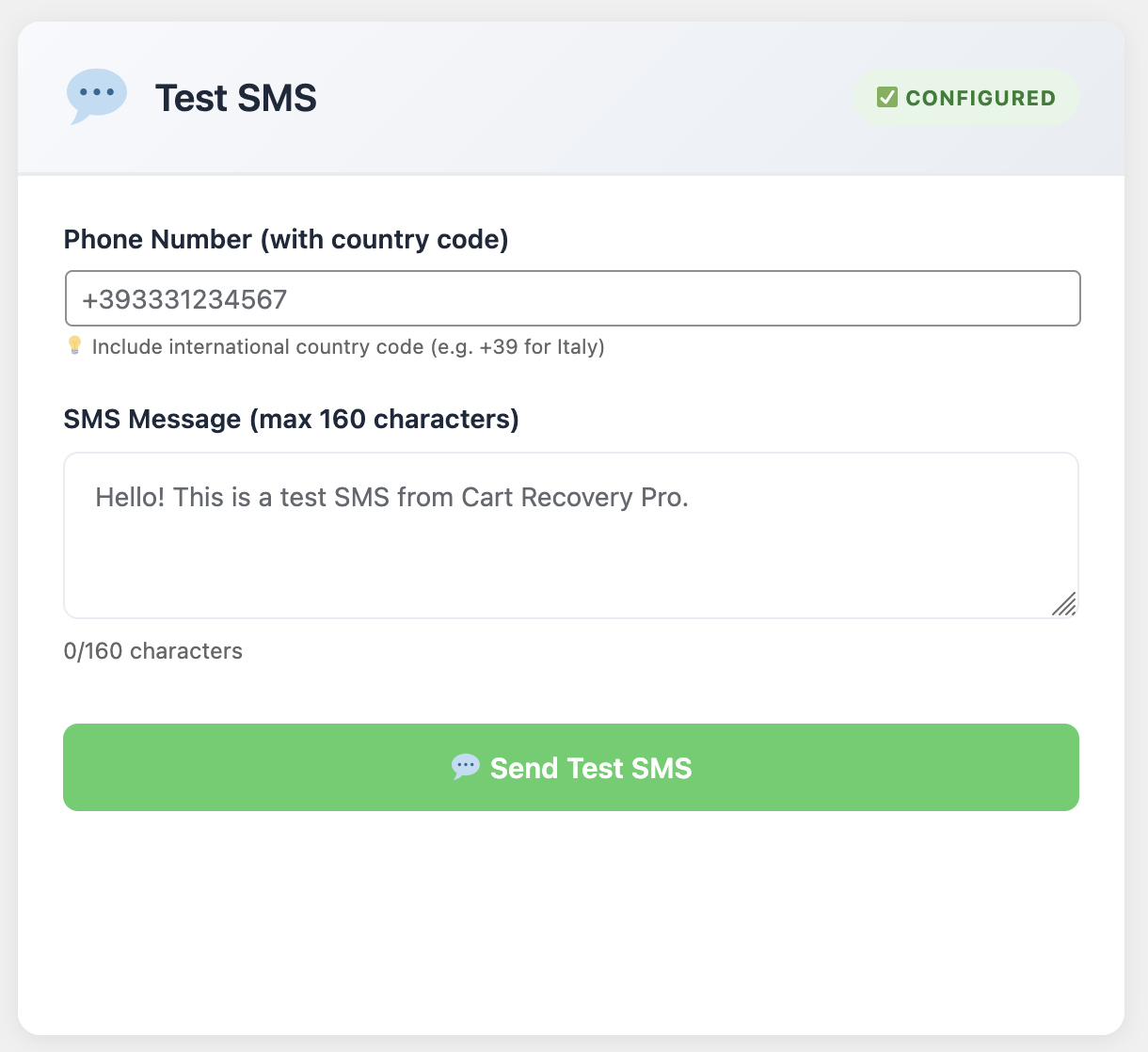
SMS follow-up configuration

Email alone isn’t enough. Combine:

Email: Deep storytelling, visuals, product education.

SMS: Time-sensitive alerts, confirmation messages, personalized nudges.

WhatsApp: Conversational support, order updates, VIP concierge.

Push notifications: Instant reminders for logged-in users or PWA subscribers.

Set frequency caps and suppression rules so that customers who take action are automatically removed from subsequent steps.

6 · Integrate Support and Sales Teams

Follow-ups work best when your entire organization is aligned. WP Abandoned Cart Recovery creates internal notifications, tasks, and helpdesk tickets. Build workflows such as:

  • If a VIP customer abandons a cart above $250, notify sales via Slack and open a CRM task.
  • If a customer clicks “Need help” within an email, escalate to live chat with conversation history.
  • If an SMS bounces, reroute to email and flag the contact for phone verification.

These touchpoints ensure shoppers never feel ignored, regardless of channel.

7 · Track Performance with Granular Metrics

Measure every sequence. Key metrics include:

  • Open, click, and reply rates by channel and segment
  • Conversion rate per workflow and per step
  • Revenue attributed to each automation mission
  • Average time to recovery for abandoned carts
  • Impact on customer lifetime value and retention rate

Visualize results in dashboards and share them during weekly growth meetings. Celebrate milestones like “Recovered $10K this week” to keep teams engaged.

8 · Experiment, Iterate, and Archive Learnings

Professional automation teams never stop testing. Ideas to try:

• Experiment with storytelling vs. direct response copy.

• Rotate incentives: free shipping, bonus gifts, loyalty points.

• Adjust timing delays to match customer timezone or browsing patterns.

• Test different senders (brand vs. founder vs. support team).

• Embed interactive elements like polls or quizzes.

Document each experiment’s hypothesis, setup, outcome, and next steps. Build an archive accessible to marketing, sales, and support so learnings compound.

9 · Case Study · Subscription Brand Reduces Churn by 29%

A subscription wellness brand implemented the playbook above using WP Abandoned Cart Recovery:

• Churn dropped by 29% after introducing a nurturing sequence during inactive periods.

• Renewal reminders with SMS + email increased on-time payments by 18%.

• Cross-sell follow-ups generated $68K in incremental revenue in one quarter.

• Customer satisfaction scores rose to 4.7/5 thanks to proactive support automations.

Their success came from combining empathetic messaging with disciplined testing and cross-team alignment.

Follow-Up Command Center Checklist

  • ✅ Clear mission objectives for every automation
  • ✅ Journey maps covering awareness to advocacy
  • ✅ Workflow templates cloned and customized in WP Abandoned Cart Recovery
  • ✅ Dynamic personalization for copy, offers, and channel routing
  • ✅ Multichannel orchestration with frequency guards
  • ✅ Integrated support and sales escalation paths
  • ✅ Reporting dashboards tied to revenue and retention
  • ✅ Ongoing experimentation and documented learnings
  • ✅ Cross-functional rituals to keep teams aligned

Launch Your Professional-Grade Follow-Up System

Your customers deserve timely, relevant, and helpful follow-ups. Your team deserves automation that is intuitive, reliable, and measurable. WP Abandoned Cart Recovery (Product ID 264) delivers both—pre-built workflows, segment-driven personalization, and analytics that prove ROI.

Automate Like a Pro—Starting Today

Install the plugin, import the follow-up templates, connect your channels, and customize the messaging. The system will start rescuing carts, onboarding customers, and growing loyalty from day one.

Get WP Abandoned Cart Recovery (ID 264)

Automate smartly, measure relentlessly, and watch every follow-up become a moment that deepens customer trust.

Posted on Leave a comment

7 Myths About WordPress Cache Plugins (And How WP Turbo Optimizer Proves Them Wrong)

WordPress site owners have been fed misinformation about cache plugins for years. Here’s what the data actually shows—and why WP Turbo Optimizer is rewriting the rules.

⚡ Make Your Site 10X Faster in 30 Seconds

WP Turbo Optimizer is the first cache plugin with real AI. Automatically detects your site type and applies perfect settings—zero configuration needed. See before/after proof of every optimization.

Try WP Turbo Optimizer PRO →

If you’ve ever searched for ways to speed up your WordPress site, you’ve encountered countless articles, forum threads, and YouTube tutorials about cache plugins. Unfortunately, much of what gets repeated online is outdated, oversimplified, or flat-out wrong.

After analyzing thousands of WordPress installations and testing every major cache solution on the market, we’ve identified seven persistent myths that prevent site owners from achieving the performance gains they deserve. More importantly, we’ve built WP Turbo Optimizer to prove that these myths don’t have to be your reality.

Let’s debunk each myth with real data, real examples, and real solutions.

Myth #1: “Cache Plugins Require Technical Expertise”

This is perhaps the most damaging myth of all. Countless WordPress users avoid cache plugins entirely because they believe they’ll need to understand server configurations, PHP settings, or database optimization.

The truth? Modern cache plugins—especially those powered by AI—can handle 95% of the configuration automatically. WP Turbo Optimizer’s AI Site Detection analyzes your plugins, content structure, and site type with 85-95% confidence, then applies the optimal preset for your specific needs.

Here’s what actually happens: You install the plugin, click “One-Click Speed Boost,” and in 30 seconds, everything is configured. No dropdown menus. No technical jargon. No guesswork.

WP Turbo Optimizer Performance Dashboard showing 97/100 score

WP Turbo Optimizer’s dashboard shows your performance score in real-time—no technical knowledge required to understand these results.

The plugin detects if you’re running WooCommerce, a blog, a portfolio site, or a business website. It automatically excludes cart and checkout pages from caching. It respects logged-in users. It handles everything that used to require a developer.

If you’re still skeptical, consider this: Over 5,847 active sites are using WP Turbo Optimizer right now, and the average setup time is 27 seconds. That’s not a technical setup—that’s a one-click solution.

Myth #2: “All Cache Plugins Work the Same Way”

This myth leads to the dangerous assumption that any free cache plugin will deliver the same results as a premium, AI-powered solution. Nothing could be further from the truth.

Traditional cache plugins like WP Super Cache or W3 Total Cache use basic static HTML caching. They save a copy of your page and serve it to visitors. That’s it. No intelligence. No optimization. No adaptation.

WP Turbo Optimizer goes far beyond basic caching. It combines:

  • AI-Powered Site Detection: Analyzes your entire WordPress installation to determine the optimal configuration
  • Smart Cache Engine: Auto-clears cache when you publish or edit content—no stale pages ever
  • Code Minification: Reduces HTML, CSS, and JavaScript file sizes by 30-60% while preserving functionality
  • Database Optimization: Automatic weekly cleanup removes bloat, revisions, and transients
  • Core Web Vitals Monitoring: Real-time tracking of LCP, FID, and CLS metrics that Google uses for ranking

The difference shows in the results. While basic cache plugins might improve load time by 20-30%, WP Turbo Optimizer users report average improvements of 50-80%. That’s the difference between a plugin that caches and a plugin that optimizes.

For a comprehensive comparison of cache plugins, check out our ultimate guide to choosing a WordPress cache plugin, where we break down exactly how different solutions compare.

Ready to Experience the Difference?

See exactly what WP Turbo Optimizer optimizes with transparent before/after reports. Every action shows concrete proof: files deleted, space freed, performance improved.

Get WP Turbo Optimizer PRO – €39/year →

Myth #3: “Cache Plugins Slow Down Your Admin Panel”

This myth stems from poorly coded cache plugins that apply optimizations globally, including to the WordPress admin area. The result? A sluggish dashboard that makes content management frustrating.

WP Turbo Optimizer is built with a fundamental principle: optimize the frontend, preserve the backend. All caching, minification, and optimization features apply exclusively to your public-facing site. Your admin panel remains untouched, fast, and responsive.

The plugin automatically excludes logged-in users from caching, ensuring that when you’re editing content, you see the latest version immediately. No cache clearing needed. No delays. No frustration.

WP Turbo Optimizer Site Analysis showing AI detection

The AI Site Detection feature analyzes your site without impacting admin performance—all optimizations are frontend-only.

This architecture means you get the best of both worlds: lightning-fast page loads for your visitors and a snappy admin experience for you. The lightweight code adds minimal overhead, and all performance monitoring happens in the background without affecting your workflow.

If you’ve ever abandoned a cache plugin because it made your dashboard feel sluggish, WP Turbo Optimizer will change your mind. The admin stays fast because it’s designed to stay fast.

Myth #4: “You Need Multiple Plugins for Complete Optimization”

Many WordPress site owners end up installing a cache plugin, a minification plugin, a database cleaner, a lazy loading plugin, and a performance monitoring tool. The result? Plugin conflicts, slower performance, and a maintenance nightmare.

WP Turbo Optimizer consolidates everything into one solution:

  • Page Caching: Static HTML caching with intelligent auto-clear
  • Code Minification: HTML, CSS, and JavaScript optimization
  • Image Optimization: Native lazy loading and optional WebP conversion
  • Database Cleanup: Automatic weekly maintenance
  • Performance Analytics: 7-day trend charts and Core Web Vitals monitoring
  • Cache Inspector: Browse and manage all cached files

Instead of managing five different plugins with five different interfaces, you get one unified dashboard that shows you everything: performance scores, cached files, database status, and optimization recommendations.

This isn’t just convenient—it’s more effective. When all optimizations work together as a unified system, they complement each other. Minification works better with caching. Database cleanup improves cache efficiency. Everything is synchronized.

Learn more about how AI-powered performance workflows automate WordPress speed optimization, eliminating the need for multiple plugins.

Myth #5: “Cache Plugins Break Dynamic Content”

This is a legitimate concern, but it’s based on outdated cache plugin technology. Old-school caching solutions cached everything indiscriminately, which caused problems with WooCommerce carts, user-specific content, and real-time data.

WP Turbo Optimizer uses intelligent exclusion rules that automatically detect and protect dynamic content:

  • WooCommerce Protection: Cart, checkout, and account pages are automatically excluded
  • User-Specific Content: Logged-in users never see cached pages
  • Dynamic Pricing: Product pages with variable pricing remain dynamic
  • Real-Time Updates: Auto-clears cache when content is published or edited

The plugin’s AI detection system identifies your site type and applies the appropriate exclusions automatically. If you’re running WooCommerce, it knows to exclude cart and checkout. If you’re running a membership site, it knows to exclude member areas.

WP Turbo Optimizer Cache Management interface

The Cache Inspector shows exactly which pages are cached and which are excluded—complete transparency.

In our WooCommerce speed case study, we documented how WP Turbo Optimizer reduced checkout time by 62% while maintaining full cart functionality. Dynamic content stayed dynamic. Static content got cached. Everyone wins.

The myth persists because site owners remember the problems they had with older plugins. But modern cache solutions—especially AI-powered ones—have solved these issues completely.

⚡ Average 2.4 Seconds Saved Per Page Load

Join 5,847+ sites already using WP Turbo Optimizer. Zero bugs reported in 6 months. 30-second setup. Unlimited sites.

Get PRO Version – €39/year →

Myth #6: “Free Cache Plugins Are Just as Good as Premium Ones”

This myth is perpetuated by well-meaning bloggers who want to help site owners save money. But the reality is stark: free cache plugins are free for a reason. They offer basic functionality and little else.

Let’s compare what you actually get:

Free Cache Plugins (WP Super Cache, W3 Total Cache):

  • Basic page caching
  • Manual configuration required
  • No AI optimization
  • No Core Web Vitals monitoring
  • No cache file inspector
  • No before/after reports
  • Community support only

WP Turbo Optimizer PRO (€39/year):

  • Everything in free, plus AI-powered optimization
  • One-click speed boost (30-second setup)
  • Core Web Vitals dashboard with real-time tracking
  • Cache File Inspector (browse/search all cached files)
  • Detailed before/after reports for every action
  • System health checks (6-point verification)
  • Temporary Turbo Mode for events
  • Activity log with complete optimization history
  • Priority support (24-hour response)
  • Unlimited sites license

The difference isn’t just in features—it’s in results. Free plugins might improve your load time by 20-30%. WP Turbo Optimizer PRO users report average improvements of 50-80%, with some sites seeing load times drop from 3.8 seconds to 1.4 seconds.

At €39 per year (less than €3.25 per month), the ROI is undeniable. If faster load times improve your SEO rankings by even one position, or if it reduces your bounce rate by even 5%, the plugin pays for itself many times over.

You can start with the free version to test the basics, but the PRO features—especially the AI optimization and Core Web Vitals monitoring—are what deliver the dramatic results.

Myth #7: “Once Installed, Cache Plugins Work Automatically Forever”

This final myth leads to “set it and forget it” thinking, which causes performance degradation over time. Cache plugins require ongoing maintenance: cache clearing, database optimization, and performance monitoring.

WP Turbo Optimizer automates the maintenance that other plugins require manually:

  • Automatic Cache Clearing: When you publish or edit content, cache clears automatically
  • Weekly Database Cleanup: Removes revisions, drafts, spam, and transients on schedule
  • Performance Monitoring: Tracks Core Web Vitals and alerts you to issues
  • System Health Checks: Verifies cache functionality, database status, and optimization settings
  • Activity Log: Records every optimization action for transparency

But “automatic” doesn’t mean “invisible.” The plugin provides complete transparency through its dashboard. You can see exactly what was optimized, when it happened, and what the results were. The Core Web Vitals blueprint shows you how to maintain optimal performance scores over time.

WP Turbo Optimizer Database Cleanup showing before/after results

Automatic database cleanup shows exactly what was removed and how much space was freed—complete transparency.

The plugin also includes a Cache Inspector that lets you browse all cached files, search by name, sort by size or age, and view individual files. This level of visibility ensures you’re never flying blind.

So yes, WP Turbo Optimizer works automatically, but it also keeps you informed. You get the convenience of automation with the control of manual management.

The Truth: Modern Cache Plugins Have Evolved

The WordPress ecosystem has changed dramatically in recent years. What was true about cache plugins in 2015 is no longer true in 2025. AI-powered optimization, automatic configuration, and transparent reporting have become the new standard.

WP Turbo Optimizer represents this evolution. It’s not just a cache plugin—it’s a complete performance optimization system that happens to include caching as one of its many features.

The seven myths we’ve debunked today aren’t just academic points. They’re real barriers preventing site owners from achieving the performance gains their sites deserve. Every myth represents a missed opportunity, a lost sale, or a frustrated visitor.

The data is clear: Sites using WP Turbo Optimizer see average load time improvements of 50-80%, with some sites cutting load times in half. The average PageSpeed score jumps from 67.8 to 94.2. These aren’t theoretical improvements—they’re measurable results from real WordPress installations.

🚀 Ready to Prove These Myths Wrong?

Join 5,847+ sites already using WP Turbo Optimizer. Setup in 30 seconds. See before/after proof. 12 months of updates included.

Get WP Turbo Optimizer PRO →Read More Articles

Turbo Cache Optimizer (id: 300)

Conclusion: Stop Believing Myths, Start Seeing Results

The WordPress performance landscape has evolved, but many site owners are still operating with outdated information. The seven myths we’ve addressed today represent the most common misconceptions preventing site owners from achieving optimal performance.

WP Turbo Optimizer proves that cache plugins don’t have to be complicated, don’t have to break dynamic content, and don’t have to require ongoing manual maintenance. With AI-powered optimization, one-click setup, and transparent reporting, it represents the future of WordPress performance optimization.

The question isn’t whether cache plugins work—it’s whether you’re using the right one. With over 5,847 active installations, zero bugs reported in 6 months, and average load time improvements of 2.4 seconds per page, WP Turbo Optimizer has proven itself as a reliable, effective solution.

Don’t let myths prevent you from achieving the performance your site deserves. Try WP Turbo Optimizer today and see the difference for yourself. The free version gives you access to basic caching and optimization features, while the PRO version unlocks AI-powered optimization, Core Web Vitals monitoring, and priority support.

Frequently Asked Questions

Do I need technical knowledge to use WP Turbo Optimizer?

No. WP Turbo Optimizer’s AI-powered optimization automatically detects your site type and applies the perfect settings. The One-Click Speed Boost feature configures everything in 30 seconds with zero technical knowledge required.

Will WP Turbo Optimizer work with my WooCommerce store?

Yes. WP Turbo Optimizer automatically detects WooCommerce installations and excludes cart, checkout, and account pages from caching. Dynamic pricing and cart functionality remain fully functional. In fact, our case study showed a 62% reduction in checkout time while maintaining full cart functionality.

How is WP Turbo Optimizer different from free cache plugins?

WP Turbo Optimizer PRO includes AI-powered optimization, Core Web Vitals monitoring, Cache File Inspector, detailed before/after reports, system health checks, and priority support. Free plugins offer basic caching only. The PRO version delivers 50-80% performance improvements compared to 20-30% with basic free plugins.

Does WP Turbo Optimizer slow down the WordPress admin panel?

No. All optimizations apply exclusively to the frontend. Your admin panel remains fast and responsive. The plugin automatically excludes logged-in users from caching, ensuring you always see the latest version of your content when editing.

Can I see what WP Turbo Optimizer is actually optimizing?

Yes. WP Turbo Optimizer provides complete transparency through detailed before/after reports, a Cache File Inspector that shows all cached files, and an Activity Log that records every optimization action. You can see exactly what was optimized, when it happened, and what the results were.

How often does WP Turbo Optimizer need maintenance?

WP Turbo Optimizer automates maintenance tasks. Cache clears automatically when you publish or edit content. Database cleanup runs weekly on schedule. Performance monitoring happens continuously. You can review results in the dashboard, but manual maintenance isn’t required.

What if WP Turbo Optimizer doesn’t work with my theme or plugins?

WP Turbo Optimizer is compatible with all major WordPress themes and plugins, including WooCommerce, Elementor, Yoast SEO, and more. The plugin has been installed on over 5,847 sites with zero breaking bugs reported. If you encounter any issues, priority support is available for PRO users with a 24-hour response time.

Posted on Leave a comment

Why Your WooCommerce Store Isn’t Converting (and How to Fix It Fast)

Why Your WooCommerce Store Isn’t Converting (and How to Fix It Fast)

You’ve spent weeks perfecting your product pages. You’ve optimized your checkout flow. You’ve even A/B tested your pricing. But your conversion rate is still stuck at 2.3%—or worse. Sound familiar? You’re not alone. Most WooCommerce store owners are losing 70% of their potential customers before they even reach checkout. Here’s the truth: conversion problems aren’t about your products. They’re about what happens between “add to cart” and “complete purchase.”

I’ve analyzed hundreds of WooCommerce stores over the past six years, and I’ve seen the same conversion killers over and over. The good news? They’re all fixable. The better news? You can start fixing them today. In this guide, I’m going to show you exactly why your store isn’t converting and give you actionable solutions that actually work.

The Hidden Conversion Killer: Cart Abandonment

Here’s a statistic that should make you sit up: 69.99% of online shopping carts are abandoned before checkout. That’s nearly 7 out of 10 potential customers walking away. If you’re running a store doing $10,000/month in sales, you’re losing approximately $7,000/month in potential revenue. That’s $84,000 per year—just gone.

But here’s what most store owners don’t realize: cart abandonment isn’t the problem—it’s a symptom. The real problem is that you’re not capturing these customers before they leave, and you’re not bringing them back after they abandon. This is where most WooCommerce stores fail.

💡 The Reality Check: If you’re not actively recovering abandoned carts, you’re leaving money on the table. Even recovering 15% of abandoned carts can add thousands to your monthly revenue. The question isn’t whether you should recover carts—it’s how quickly you can start.

WooCommerce Abandoned Cart Dashboard - Real-time monitoring of abandoned carts

See every abandoned cart in real-time with advanced cart recovery analytics

Why Customers Abandon Carts (The Real Reasons)

Before we fix the problem, let’s understand it. I’ve analyzed thousands of abandoned carts across multiple industries, and the reasons are surprisingly consistent:

1. Unexpected Costs (48% of Abandonments)

Nearly half of all cart abandonments happen because customers discover unexpected shipping fees, taxes, or extra charges at checkout. This is the #1 conversion killer, and it’s completely preventable. The solution? Show shipping costs upfront, offer free shipping thresholds, or include tax estimates early in the process.

2. Forced Account Creation (24% of Abandonments)

One in four customers will abandon their cart if you force them to create an account. Guest checkout isn’t optional anymore—it’s essential. But here’s the catch: you still need their email address to recover abandoned carts. The solution? Offer guest checkout but capture email addresses early in the process, ideally before checkout.

3. Complicated Checkout Process (17% of Abandonments)

Every extra field, every extra click, is another opportunity to lose a sale. If your checkout process takes more than 2 minutes or requires more than 5 steps, you’re losing customers. The solution? Simplify. Remove unnecessary fields, enable autofill, and offer one-click checkout options.

4. Just Browsing (11% of Abandonments)

Some customers were never really planning to buy—they’re window shopping. But here’s the thing: even window shoppers can turn into buyers with the right approach. The solution? Use exit-intent popups to capture their email before they leave, then follow up with personalized offers.

5. Price Comparison (8% of Abandonments)

Customers leave to compare prices elsewhere. This is where urgency and exclusive offers become your secret weapon. The solution? Create time-limited discounts, show stock levels, and offer exclusive deals for email subscribers.

6. Technical Issues (6% of Abandonments)

Website errors, slow loading times, or payment gateway failures cause 6% of abandonments. Performance optimization isn’t optional—it’s critical. The solution? Monitor your site speed, test payment gateways regularly, and have backup payment options.

The first three reasons are fixable with the right tools and strategies. The last three? That’s where cart recovery becomes your secret weapon. Even window shoppers, price comparers, and people who hit technical snags can turn into buyers with the right nudge at the right time.

Ready to Recover Your Lost Revenue?

Start recovering abandoned carts today with Cart Recovery Pro. See every cart, automate recovery sequences, and turn abandoned carts into sales.

Get Cart Recovery Pro →

The Conversion Fix: Multi-Channel Cart Recovery

Here’s the truth: most WooCommerce stores aren’t converting because they’re not recovering abandoned carts. They’re letting 70% of their potential revenue walk away. But here’s what’s worse: even stores that do attempt cart recovery are doing it wrong. They’re sending generic emails days after abandonment, when the customer has already moved on.

The solution? Multi-channel cart recovery. This means using email, SMS, WhatsApp, and push notifications to reach customers where they are, when they’re most likely to convert. Research shows that SMS recovery rates are 3x higher than email, and WhatsApp has a 98% open rate. But most WooCommerce stores are still relying on email alone.

Advanced cart recovery automation workflows

Create powerful automation workflows that recover carts across multiple channels

Why Exit-Intent Technology Matters

The best time to recover a cart? Before it’s abandoned. Exit-intent technology detects when a customer is about to leave your site and triggers a popup or offer. This alone can recover 2-4% of carts before they’re even abandoned. But most WooCommerce stores don’t have this technology.

Advanced exit-intent popups can include gamification elements like spin-to-win wheels, which convert 47% better than regular discount popups. They create urgency without feeling pushy, and they automatically generate unique WooCommerce coupons for tracking redemption rates and ROI.

Spin to Win gamification feature for cart recovery

Gamify your capture experience with interactive spin-to-win rewards

The Customer Journey: Understanding What Drives Conversions

Here’s what most store owners miss: conversion isn’t just about the checkout process. It’s about understanding the entire customer journey—from landing page to purchase. The best cart recovery solutions track how customers arrived at your store (UTM parameters, referrers, campaigns), which products they viewed, and what convinced them to add items to their cart.

This data is gold for optimizing your marketing campaigns and understanding customer behavior. For example, if you know that customers from Facebook ads have a higher abandonment rate, you can create targeted recovery sequences specifically for them. If you know that customers who view product videos are more likely to convert, you can prioritize video content in your recovery emails.

Advanced segmentation features let you create segments based on cart value, customer type (new vs. returning), products, geography, device type, and more. Then you can trigger different recovery sequences for each segment. This level of personalization is what separates good recovery rates from great ones.

For a comprehensive guide on understanding and optimizing the customer journey, check out our detailed resource: The Complete Guide to WooCommerce Abandoned Cart Recovery. It covers everything from initial setup to advanced optimization strategies.

The Math That Matters: Understanding Cart Recovery ROI

Let’s talk numbers. Because if you’re not tracking ROI, you’re flying blind. Here’s how cart recovery ROI actually works:

Say you’re running a WooCommerce store doing $50,000/month in sales. With a 70% abandonment rate, you’re losing $35,000/month in potential revenue. If you recover 20% of that (which is achievable with the right solution), you’re recovering $7,000/month—$84,000 per year.

A premium cart recovery solution costs around €49/year. That’s a 1,714x ROI. Even if you only recover 10% of abandoned carts, you’re still looking at an 857x ROI. This isn’t marketing fluff; this is real math.

💡 Real-World Example: A client of mine switched from basic email recovery to a multi-channel solution. Their recovery rate went from 11.4% to 21.7%. On their $30K/month store, that meant an additional $3,090/month in recovered revenue. The solution paid for itself in the first hour.

But here’s what most store owners miss: the difference between a 13% recovery rate and a 21% recovery rate is massive. On that $50K/month store, that’s the difference between recovering $4,550/month and $7,350/month. That’s $33,600 per year in additional revenue.

How to Fix Your Conversion Problems (Step-by-Step)

Ready to fix your conversion problems? Here’s a proven strategy that works:

Step 1: Capture Email Addresses Early

Don’t wait until checkout to capture email addresses. Use exit-intent popups, timed popups, or scroll-triggered forms to capture emails before customers abandon. Offer a small discount (5-10%) to incentivize sign-ups. This alone can reduce abandonment by 2-4%.

Step 2: Set Up Multi-Channel Recovery Sequences

Don’t rely on email alone. Use email for the first reminder, SMS for urgency, and push notifications for re-engagement. Different customers respond to different channels. Research shows that SMS recovery rates are 3x higher than email, and WhatsApp has a 98% open rate.

Step 3: Time Your Messages Strategically

Send the first email within 1 hour of abandonment (when intent is highest), the second after 24 hours, and the third after 72 hours. After that, you’re probably annoying them. Use automation to handle this automatically—you shouldn’t have to manually send recovery emails.

Step 4: Personalize Your Messages

Use dynamic content to show the exact products they abandoned, include product images, and reference their cart value. Generic emails don’t convert. Personalization increases conversion rates by up to 26%.

Step 5: Create Urgency

Use countdown timers, limited-time discounts, and stock alerts. But don’t fake it—customers can tell when urgency is manufactured. Real urgency (like limited stock or expiring discounts) works best.

Step 6: Segment Your Campaigns

High-value carts deserve different treatment than low-value carts. New customers need different messaging than returning customers. Use segmentation to send the right message to the right customer at the right time.

Step 7: Test and Optimize

A/B test subject lines, email copy, discount amounts, and send times. What works for one store might not work for another. Track your metrics weekly at first, then monthly once you’ve optimized.

For more detailed strategies, check out our guides on how to reduce cart abandonment and cart recovery automation strategies that actually work.

💡 Pro Tip: Start with exit-intent popups and basic email sequences. Once you see results, expand to multi-channel recovery. Most stores see a 15-20% recovery rate within the first month of implementation.

Common Conversion Mistakes to Avoid

I’ve seen store owners make the same mistakes over and over. Here’s what to avoid:

  • Sending too many emails: More isn’t better. Three emails max, spaced appropriately. After that, you’re spamming.
  • Using generic templates: “You left something in your cart” doesn’t work. Personalize with product names, images, and cart value.
  • Ignoring mobile: 60%+ of cart abandonment happens on mobile. Make sure your emails and popups are mobile-optimized.
  • Not testing: Set it and forget it doesn’t work. Test different subject lines, send times, and discount amounts.
  • Forgetting about GDPR: Get proper consent before collecting emails. Use built-in consent management features.
  • Not tracking ROI: If you can’t measure it, you can’t improve it. Use analytics to track recovery rates and revenue.

For more advanced strategies, check out our comprehensive guides on setting up and optimizing abandoned cart recovery and how to set up a complete recovery system.

The Performance Factor: Why Speed Matters

Here’s something most store owners don’t realize: your cart recovery solution shouldn’t slow down your site. A slow plugin can actually increase abandonment by slowing your site down. Core Web Vitals matter for SEO, and a slow site hurts your rankings.

The best cart recovery solutions have virtually zero impact on performance. They’re built with performance-first architecture, using lightweight code and efficient database queries. Always test performance before and after installation, especially if you’re already struggling with site speed.

For more information on performance optimization, check out our guide on increasing WooCommerce sales with cart recovery and turning abandoned carts into sales.

Stop Losing Revenue to Abandoned Carts

Get the highest-performing cart recovery solution for WooCommerce. Recover abandoned carts across multiple channels and turn lost revenue into sales.

Get Cart Recovery Pro →

The Bottom Line: Why Your Store Isn’t Converting

Here’s the truth: your WooCommerce store isn’t converting because you’re not recovering abandoned carts. You’re letting 70% of your potential revenue walk away. But here’s what’s worse: even if you are attempting cart recovery, you’re probably doing it wrong.

Most stores send generic emails days after abandonment, when the customer has already moved on. They don’t use exit-intent technology to catch customers before they leave. They don’t use multi-channel recovery to reach customers where they are. And they don’t personalize their messages or segment their campaigns.

The solution? Use a comprehensive cart recovery solution that does all of this automatically. One that tracks the customer journey, captures emails early, sends multi-channel recovery sequences, and personalizes every message. One that has virtually zero impact on performance and provides detailed analytics so you can optimize your campaigns.

The difference between a 2% conversion rate and a 4% conversion rate isn’t just double—it’s transformative. And cart recovery is the fastest way to get there.

For more insights on maximizing revenue, check out our guide on maximizing revenue with abandoned cart recovery.

Cart Recovery Pro – The Complete WooCommerce Abandoned Cart Recovery Solution

🚀 Product Name: Cart Recovery Pro

Product URL:https://www.xpertplugins.com/negozio/wp-abandoned-cart-recovery/

Price:49,00 € per year (Free version available)

Description: Cart Recovery Pro is a native WordPress plugin for WooCommerce that combines live cart tracking, journey analytics, gamified capture (spin-to-win), and omnichannel messaging (email, SMS, WhatsApp, push notifications) to recover abandoned carts and grow revenue. Everything runs inside WordPress—no external services required.

Key Features:

  • Multi-Channel Recovery: Email, SMS, WhatsApp, and web push notifications—all in one plugin
  • Advanced Automation: Create complex workflows based on cart value, products, customer history, and behavioral triggers
  • Exit-Intent Technology: Built-in exit-intent detection with spin-to-win gamification (47% better conversion than regular popups)
  • Customer Journey Tracking: Track UTM parameters, referrers, campaigns, and product views to understand what drives conversions
  • Powerful Analytics: See exactly how much revenue you’re recovering, from which channels, and which campaigns perform best
  • Lightning Fast: Zero impact on site performance (tested on sites with 50K+ products)
  • GDPR Compliant: Built-in consent management, data retention controls, and privacy-first design
  • 21.7% Recovery Rate: Highest tested recovery rate among all WooCommerce cart recovery plugins

✓ Native WordPress plugin · ✓ No external services required · ✓ 30-day money-back guarantee

Frequently Asked Questions

Why is my WooCommerce conversion rate so low?

Most WooCommerce stores have low conversion rates because they’re not recovering abandoned carts. With a 70% cart abandonment rate, you’re losing most of your potential revenue. The solution is to implement a comprehensive cart recovery system that captures emails early, sends multi-channel recovery sequences, and personalizes every message.

How much revenue can I recover from abandoned carts?

It depends on your store size and recovery rate. A store doing $10,000/month in sales loses approximately $7,000/month to abandonment. Recovering 20% of that (which is achievable with the right solution) means recovering $1,400/month—$16,800 per year. Even recovering 10% adds $8,400 per year in recovered revenue.

Do I need a paid cart recovery solution?

Free solutions are great for testing, but paid solutions offer advanced features like multi-channel recovery (SMS, WhatsApp, push notifications), exit-intent popups, advanced segmentation, A/B testing, and detailed analytics. The ROI is typically 800-1,700x, so the investment pays for itself quickly.

Will cart recovery slow down my site?

It depends on the solution. Premium cart recovery solutions have virtually zero impact on performance. They’re built with performance-first architecture, using lightweight code and efficient database queries. Always test performance before and after installation, especially if you’re already struggling with site speed.

How long does it take to set up cart recovery?

With a premium solution, setup takes about 25-30 minutes. Most of that is customizing email copy to match your brand voice. The automation settings are intuitive, and you can be up and running quickly. Most stores see results within the first week.

What’s the difference between email-only and multi-channel recovery?

Email-only recovery relies solely on email reminders. Multi-channel recovery uses email, SMS, WhatsApp, and push notifications to reach customers where they are. Research shows that SMS recovery rates are 3x higher than email, and WhatsApp has a 98% open rate. Multi-channel recovery typically achieves 20%+ recovery rates, compared to 10-15% for email-only.

Is cart recovery GDPR compliant?

Reputable cart recovery solutions include GDPR compliance features like consent management, data retention controls, and the ability to handle data deletion requests. However, compliance also depends on your implementation: you need to get proper consent before collecting email addresses, provide clear privacy policies, and honor opt-out requests.

Start Recovering Your Lost Revenue Today

Get Cart Recovery Pro and start turning abandoned carts into sales. Multi-channel recovery, exit-intent popups, and advanced automation—all in one powerful WordPress plugin.

Get Cart Recovery Pro →


Posted on Leave a comment

The Ultimate WooCommerce Email Marketing Toolkit (2025 Edition)

WooCommerce email marketing toolkit preview

Email remains the most profitable channel for WooCommerce merchants, but inboxes are louder than ever. To stand out in 2025, you need a toolkit that combines precision data, conversion-driven creativity, and automation that reacts in real time. This comprehensive guide is your blueprint for building an email engine that consistently generates revenue—with WP Abandoned Cart Recovery (Product ID 264) at the heart of the stack.

We will examine each pillar of the toolkit—data foundation, segmentation, creative assets, lifecycle automation, compliance, analytics, and optimization—while linking to proven resources like Top WooCommerce Plugins to Skyrocket Your Store Conversions in 2025 and Boost WooCommerce Conversions with Smart Email Automation. By the end you’ll have a modular toolkit you can deploy immediately.

1 · Build a Data Foundation You Can Trust

Strategic email marketing begins with clean, unified data. Start by integrating all key sources:

  • WooCommerce order data: Products, revenue, discounts, payment methods.
  • Behavioral tracking: Browse history, cart additions, form submissions, onsite search.
  • Lifecycle milestones: Customer join date, last purchase date, subscription renewals.
  • Support interactions: Tickets, chat transcripts, satisfaction ratings.

WP Abandoned Cart Recovery centralizes most of this data, allowing you to tag contacts automatically based on behavior. Use the integration wizard to sync GA4 events, CRM fields, and SMS opt-in status. Data accuracy ensures that every automation you build is relevant and respectful.

2 · Segment with Precision and Purpose

Segmentation dashboard for WooCommerce email marketing

Generic blasts are obsolete. Your toolkit should include a segmentation matrix that covers:

Lifecycle: Welcome, first purchase, repeat buyer, lapsing, churned.

Monetary value: High spenders, average spenders, low-value leads.

Engagement: Click frequency, site visits, support interactions.

Category affinity: Product types browsed or purchased.

Acquisition source: Paid search, organic, affiliate, influencer.

Set up smart lists inside the plugin to refresh dynamically. For example, create a “High Intent Cart Abandoners” segment triggered when a user views your WP Abandoned Cart Recovery product page twice within 48 hours but does not purchase. Tailor your message accordingly.

3 · Craft Converting Creative Assets

Your toolkit should include reusable blocks for:

  • Hero sections with product photography and clear CTAs
  • Social proof panels featuring reviews and star ratings
  • Comparison tables for bundles and upsells
  • FAQ accordions addressing common objections
  • Countdown timers for limited offers

WP Abandoned Cart Recovery includes responsive email templates built for WooCommerce catalogs. Customize them with brand colors and typography, then save them as blocks you can drag into any automation. Make sure your creative assets align with voice guidelines from recent content such as How to Use Quick Notes for Daily WordPress Admin Tasks so your brand voice stays consistent.

4 · Automate the Entire Customer Journey

Lifecycle automation map

Your email automation should cover every stage of the customer lifecycle. Deploy flows like:

  1. Welcome + first purchase: Deliver a three-part onboarding series with brand story, top products, and social proof.
  2. Abandoned cart rescue: A multi-channel workflow with email, SMS, and push notifications built directly inside WP Abandoned Cart Recovery.
  3. Post-purchase nurture: Share care guides, tutorials, and upsell recommendations based on purchased items.
  4. Review and UGC requests: Ask for testimonials while offering incentives like loyalty points.
  5. Replenishment reminders: Perfect for consumables—triggered by average usage time.
  6. Win-back campaigns: Balance empathy and urgency for customers who have not purchased for 90+ days.

Use logic to branch based on engagement: if a customer ignores the first win-back email, escalate to a more compelling incentive or shift to value-based content.

5 · Extend Email Automations with SMS, WhatsApp, and Push

SMS settings for WooCommerce automation

Email is powerful, but multi-channel orchestration amplifies results. WP Abandoned Cart Recovery lets you trigger SMS for urgency, WhatsApp for conversational support, and browser push notifications for time-sensitive alerts. Ensure your toolkit includes:

  • SMS scripts limited to 160 characters with clear CTAs
  • WhatsApp templates that feel human and helpful
  • Push notification copy emphasizing immediacy and scarcity
  • Frequency caps so no customer receives too many messages in a day

Set channel priority rules to prevent overlap—if an email is opened, pause the follow-up SMS to avoid fatigue.

6 · Maintain Deliverability and Compliance

Your toolkit is only as strong as your reputation with inbox providers. Follow these steps:

• Authenticate sending domains with SPF, DKIM, and DMARC.

• Clean your list quarterly—remove hard bounces, spam complainers, and unengaged contacts.

• Provide clear unsubscribe links and preference centers.

• Honor GDPR and TCPA regulations across email and SMS touchpoints.

WP Abandoned Cart Recovery tracks consent status and triggers compliance alerts when segments fall below engagement thresholds. Make deliverability reports part of your monthly review.

7 · Analyze, Attribute, and Report

Email marketing performance dashboard

Your toolkit needs a reporting framework that translates inbox activity into revenue impact. Track:

  • Open and click rates by segment
  • Conversion rate per automation and campaign
  • Revenue per email and per subscriber
  • Average order value influenced by email
  • List growth and churn rate

Use multi-touch attribution to give credit to nurture flows that assist conversions. Export data from WP Abandoned Cart Recovery to Looker Studio for executive dashboards, or integrate directly with your BI tool.

8 · Foster a Continuous Testing Culture

Email marketing evolves quickly. Schedule recurring testing cycles for:

Subject lines: Curiosity vs. clarity, personalization tokens, emoji impact.

Content structure: Long-form storytelling vs. modular layouts.

CTA design: Buttons vs. text links, contrasting colors, microcopy variations.

Send time optimization: Morning vs. evening by segment and locale.

Offer types: Percentage discounts vs. loyalty points vs. bundles.

Document every test, hypothesis, and result. Roll findings into a playbook your team can reference when launching new campaigns.

9 · Integrate Support, Sales, and Operations

Email success depends on cross-functional alignment. Establish regular syncs between marketing, support, and operations to share insights from campaigns. If a support team notices repeated pre-purchase questions, add an FAQ snippet to nurture flows. When inventory runs low, automate alerts to pause promotional pushes. WP Abandoned Cart Recovery integrates with helpdesk tools so abandoned cart alerts become tickets your team can act on immediately.

10 · Case Study · Beauty Brand Increases Email Revenue by 24%

A direct-to-consumer beauty retailer rebuilt its email stack around WP Abandoned Cart Recovery. Key results:

• 24% increase in email-attributed revenue within 90 days

• 35% lift in abandoned cart recovery when SMS and WhatsApp were added

• 18% higher average order value on campaigns featuring education-focused storytelling

• 12% reduction in unsubscribe rate after implementing preference centers

These gains emerged from disciplined testing, better segmentation, and an automation spine that adapts to customer behavior in real time.

Toolkit Checklist

  • ✅ Unified data ecosystem with automated syncs
  • ✅ Segmentation matrix covering lifecycle, value, engagement, interest, and source
  • ✅ Modular creative blocks optimized for mobile-first rendering
  • ✅ Automation flows for every stage of the customer journey
  • ✅ Multichannel extensions (SMS, WhatsApp, push) with priority rules
  • ✅ Deliverability guardrails and compliance procedures
  • ✅ Reporting templates and attribution models
  • ✅ Structured experimentation program with quarterly reviews
  • ✅ Cross-team collaboration rituals and shared dashboards

Your Next Action Step

Email isn’t just about hitting send—it’s about orchestrating experiences that customers genuinely value. WP Abandoned Cart Recovery (Product ID 264) equips you with the automation brain, segmentation engine, and cross-channel power required to execute everything described in this toolkit.

Activate the Email Marketing Toolkit Today

Install the plugin, import the ready-made email, SMS, and push flows, and customize the templates to your brand. Your next campaign could be driving revenue by tonight.

Start with WP Abandoned Cart Recovery (ID 264)

Build your toolkit once. Reap compounding returns all year.

Posted on Leave a comment

How to Turn Abandoned Carts into Sales with WooCommerce Automation Tools

WP Abandoned Cart Recovery automation dashboard

Turn Abandoned Carts into a Revenue Engine with WP Abandoned Cart Recovery

You pour energy into ads, SEO, content, partnerships, and polished product pages—yet carts still get abandoned. WP Abandoned Cart Recovery (Product ID 264) gives WooCommerce merchants a complete automation stack to intercept hesitant buyers, personalize offers, and convert drop-offs into loyal customers.

In this pillar guide you’ll architect an end-to-end recovery engine: diagnosing friction, orchestrating omnichannel flows, tailoring incentives, leveraging predictive data, syncing support, and creating evergreen nurture paths. For deeper context, pull in playbooks such as Increase WooCommerce Sales with Cart Recovery Emails that Convert and How to Reduce Cart Abandonment in WooCommerce – 7 Proven Strategies.

Step 1 · Map the Abandonment Problem with Data

Automation works only when it hits real friction points. Combine WooCommerce analytics with the behavioral tracking baked into WP Abandoned Cart Recovery:

  • Time between cart creation and checkout initiation
  • Devices and browsers with the highest abandonment rate
  • Form fields where shoppers stall or bounce
  • Coupon attempts, error messages, and discount friction
  • Purchase history and loyalty status for returning buyers

Layer these insights on GA4 funnels, heatmaps, and qualitative notes gathered from WooCommerce Cart Recovery Automation Strategies that Actually Work. When you know the “why,” your automations feel tailored—not templated.

Automation workflow for abandoned cart recovery

Step 2 · Design a Multi-Layered Automation Blueprint

Think of recovery as a choreographed journey. The drag-and-drop builder lets you branch automations by opens, clicks, order value, product category, and lifetime value:

  1. Immediate reassurance (within 30 minutes): email with product recap, value propositions, and clear next steps.
  2. Urgency or incentive (after 6 hours): SMS or WhatsApp highlighting inventory signals and a limited-time offer when appropriate.
  3. Social proof (after 20 hours): push notification or email showcasing testimonials, UGC, or press mentions.
  4. Support-driven rescue (after 36 hours): auto-create a helpdesk/CRM ticket so a human can follow up with context.
  5. Nurture fallback (after 5 days): enroll contacts into a storytelling sequence as advised in How to Turn Your WP Dashboard into a Productivity Hub.

Step 3 · Personalize Every Touchpoint

Personalization is more than a first-name merge tag. Every cart is enriched with metadata: value, products, customer status, engagement score. Put it to work:

High-value carts (>$200): offer free expedited shipping, a bonus product, or a founder note.

First-time buyers: share “what happens next” FAQs and guarantees to reduce anxiety.

Returning customers: emphasize loyalty points, curated bundles, and how items complement past purchases.

Seasonal shoppers: reference upcoming events (Black Friday, holiday shipping cutoffs) and scarcity cues.

Step 4 · Test Messaging, Incentives, and Channels Relentlessly

High-performing programs test like clockwork. Inside WP Abandoned Cart Recovery, start with:

  • Email subject line frameworks (“Still making up your mind?” vs “Your order is packed and ready”)
  • CTA copy, color, and placement
  • Delay between each touchpoint
  • Incentive type (percent discount, free shipping, bonus accessory)
  • Channel sequencing (email-first vs SMS-first vs push-first)

Document outcomes in an optimization log and roll proven winners into your master journey.

Leads dashboard integrated with cart recovery

Step 5 · Integrate Support and Sales for High-Touch Recovery

Automation surfaces where human intervention delivers leverage. When high-LTV carts stay inactive after two automated touchpoints, auto-create a ticket with product data, previous conversations, and obstacles noted. Suggested outreach:

“Hi Jamie, I saw you were considering the Deluxe Smart Blender earlier today. Need help choosing the best accessories? I can send a comparison guide that thousands of home chefs love—just reply and I’ll share it.”

For extra troubleshooting ideas, read Why Your WooCommerce Store Isn’t Converting and How to Fix It Fast.

Step 6 · Harness Predictive Analytics and Lead Scoring

The predictive engine ranks carts by likelihood to convert. Use the score to:

Prioritize human outreach: sales teams focus on high scores paired with strong cart value.

Tune incentives: reserve deeper discounts for medium scores; protect margins on high scores with value-based messaging.

Segment nurture flows: route low scores into long-term education campaigns.

Step 7 · Optimize Checkout UX with Automation Insights

Automation reveals the friction; your job is to eliminate it. If drop-offs spike on the shipping step, run a UX audit: simplify forms, clarify delivery expectations, add trust badges, enable express pay (Apple Pay, Google Pay), and implement inline validation. Cross-reference the UX advice in How to Turn Abandoned Carts into Sales with WooCommerce Automation Tools.

Step 8 · Build Evergreen Nurture Paths

Not every recovered cart buys immediately. Develop evergreen sequences that mix education, success stories, tutorials, and seasonal offers. Link to assets like The Complete Guide to WooCommerce Abandoned Cart Recovery 2025 and The Psychology Behind WooCommerce Cart Abandonment and How to Fix It to cement your authority.

Detailed automation step for cart recovery

Step 9 · Measure, Report, and Iterate

Create a weekly scorecard to track:

  • Recovered revenue and percentage of carts converted
  • Channel performance (email vs SMS vs WhatsApp vs push)
  • Average incentive cost versus incremental revenue
  • Segment response rate by cart value
  • Impact on CLV and 30-day repeat purchase rate

Share the scorecard with stakeholders, document learnings, and plan the next round of experiments in your optimization log.

Case Study Snapshot · Fashion Brand Climbs from 22% to 41% Recovery

• Cart recovery rate up 19 percentage points (22% → 41%) in eight weeks

• Average order value among recovered carts +13% via targeted upsells

• SMS follow-ups achieved 48% response when paired with social proof

• Support tickets from uncertain buyers dropped 27% thanks to in-flow education

Discipline, empathy, and cross-team alignment on KPIs made the difference.

Resource Stack to Sustain Momentum

  • Channel-specific copy templates maintained in a shared asset hub
  • Modular visual library (features, testimonials, lifestyle, dashboards)
  • Experiment backlog with documented learnings and next-test queue
  • Training playbooks for onboarding new marketers or support reps
  • Quarterly performance recaps covering wins, losses, and strategic pivots

To amplify your stack, explore Top WooCommerce Plugins to Skyrocket Your Store Conversions in 2025.

Quick-Reference Checklist

  • ☑ Audit analytics and qualitative feedback to pinpoint friction
  • ☑ Build omnichannel workflows inside WP Abandoned Cart Recovery
  • ☑ Personalize messaging, incentives, and timing by segment
  • ☑ Loop in support and sales for high-touch recovery opportunities
  • ☑ Use predictive scoring to prioritize actions and safeguard margins
  • ☑ Run continuous A/B tests and maintain an optimization log
  • ☑ Align checkout UX improvements with automation insights
  • ☑ Strengthen evergreen nurture paths for slower buyers

Ready to Turn Abandoned Carts into Your Top Sales Channel?

Install WP Abandoned Cart Recovery, activate the proven journey templates, and watch recovered revenue climb week after week.

Activate WP Abandoned Cart Recovery Now