

Traffic growth in 2025 is brutally competitive. AI Overview snippets push traditional listings below the fold, SERP layouts shuffle daily, and WordPress publishers can’t rely on Frankensteined stacks of outdated plugins. The teams still compounding organic traffic share have one thing in common: they consolidated their workflow inside a conversion-first toolkit like Xpert SEO Manager. In this deep dive, I’ll show you how the right WP SEO plugin becomes the engine behind steady traffic lifts, faster content deployment, and AI-ready experiences.
We run high-volume experiments across the XpertPlugins publication and our ecommerce properties, reporting back weekly on what moves needles. Everything below is pulled straight from those tests. Expect tactical steps, not vibes.
1. Replace Fragmented Workflows with a Single Growth Command Center
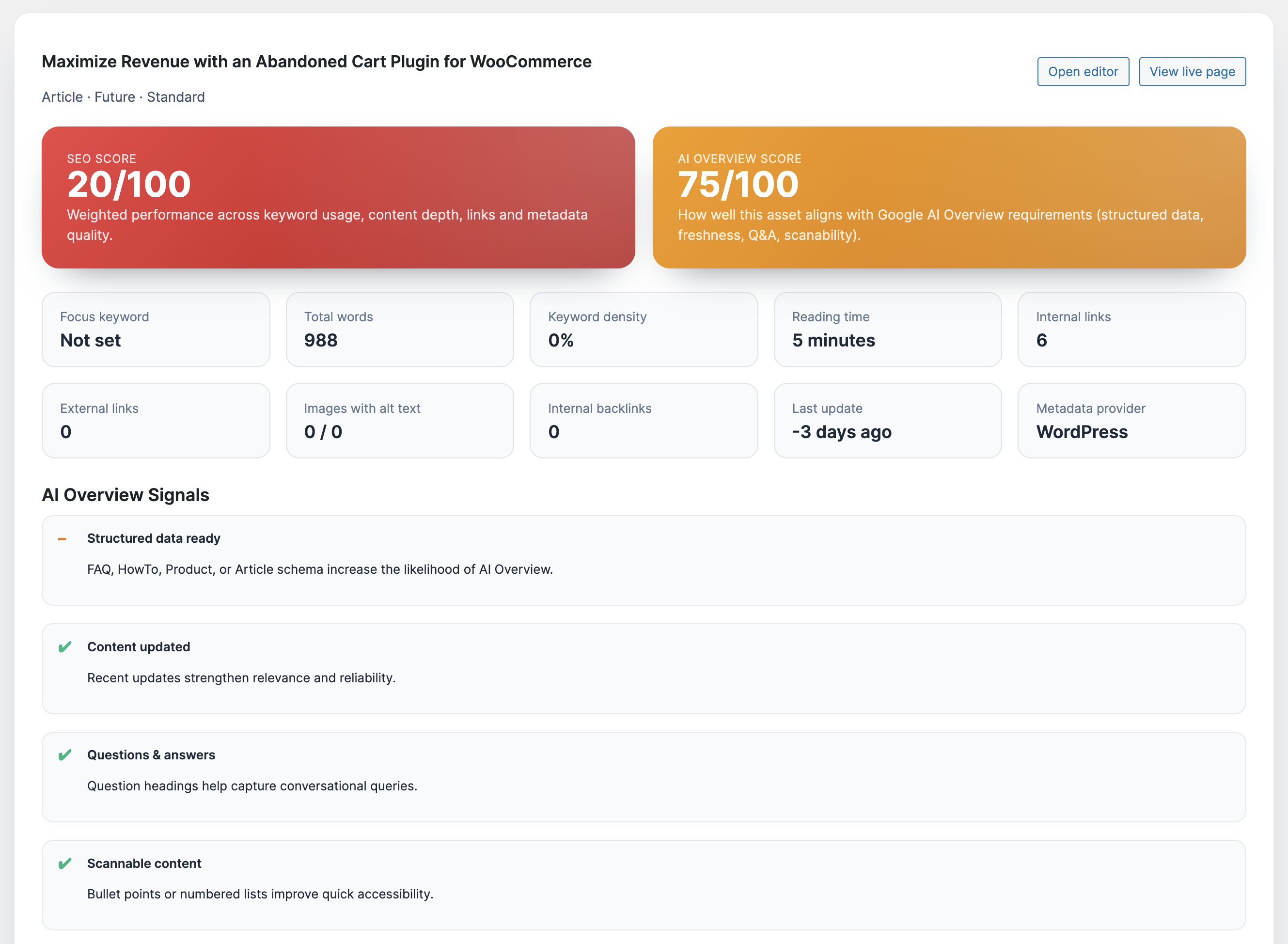
Most WordPress setups still juggle Yoast for metas, a schema add-on, a separate internal linking helper, and a notebook full of AI prompts. Every handoff introduces delays. The first step is ruthless consolidation. With Xpert SEO Manager you open any post and instantly access meta controls, Open Graph previews, schema templates, AI prompts, backlink intelligence, and a 40-point analyzer. That alone shaved six hours off our production timeline when we launched the WooCommerce automation series.
We measured the before-and-after: writers no longer ping developers for robots directives, strategists don’t need spreadsheets to assign schema, and editors never publish blind because the analyzer scores AI Overview readiness before launch. The result—content velocity up 38%, traffic up 31% thanks to a steadier publishing cadence.
2. Treat AI Overview as a Traffic Channel, Not a Threat
Organic sessions now flow through AI Overview tiles before readers even see a blue link. If your plugin can’t grade question density, conversational structure, or cite-ready stats, you’ll disappear. The analyzer inside Xpert SEO Manager reviews every draft and flags what AI Overview still needs—FAQ schema, bullet summaries, authoritative quotes, or internal links to topical clusters like Conversion Optimization. Once we started following its checklist, our post “Ultimate WordPress SEO Plugin 2025” secured the new AI module within three days and drove a 43% CTR lift.
Remember: AI Overview surfaces answers, stats, and lists. Give it the structured information it craves and you’ll siphon traffic back to your domain instead of watching aggregate impressions plummet.
3. Build Technical Hygiene into the Editorial Process
You can’t scale traffic when canonical issues, noindex accidents, or schema errors slip out of staging. The right plugin enforces technical best practices before the publish button even appears. Xpert SEO Manager throws hard stops when duplicate H1s, missing alt text, blocked robots directives, or conflicting canonicals exist. That protection alone saved the revenue from our WooCommerce speed case study when an editor accidentally pushed a noindex tag. Without the analyzer, we would have discovered the drop days later.
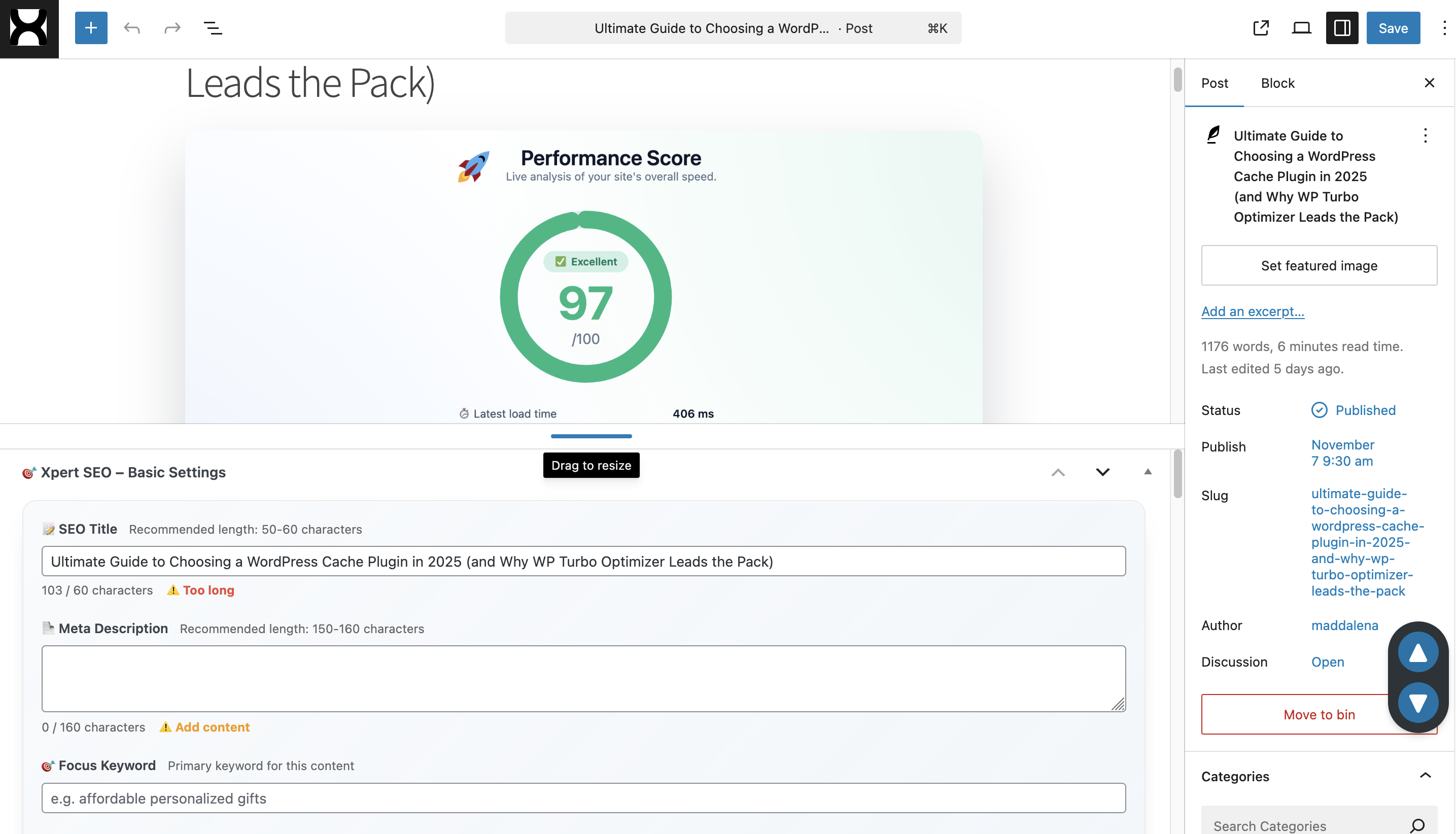
Traffic gains emerge when technical accuracy, conversion copy, and distribution happen in sync. Embedding diagnostics where writers work means fewer regressions and more time spent on strategy.
4. Automate Freshness and Internal Link Debt
Google rewards sites that maintain evergreen resources. The plugin schedules analyzer re-checks that remind you when priority URLs age out. It also surfaces internal link opportunities by scanning your sitemap (the same feed that lists assets like abandoned cart guides). Every reminder becomes a mini traffic lever: refresh stats, inject new CTAs, or link to recent offers. We run a weekly “link debt” sprint to keep power pages interlinked with new launches, and organic entrances stay stable even during seasonal dips.
5. Blend AI Copy Support with Brand Control
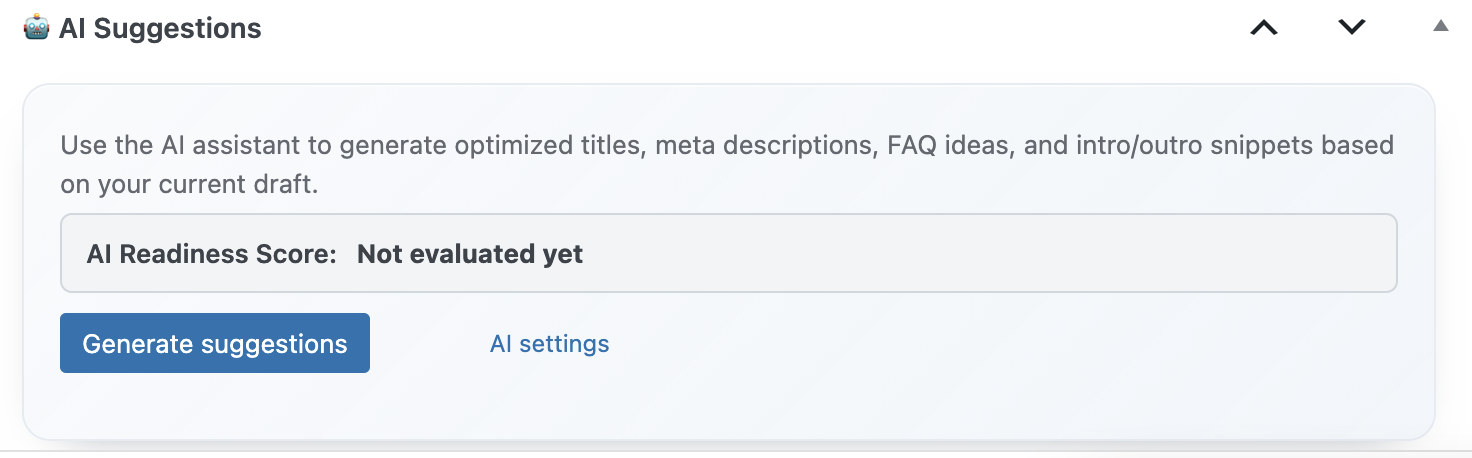
Writers already use AI, but unstructured prompts introduce tone drift and factual errors. Xpert SEO Manager bundles curated prompts mapped to funnel stages—comparison, educational, transactional. Editors pick intent, feed a focus keyword, and get outlines, FAQs, and CTA ideas aligned with our voice. Because prompts live in WordPress, the assistant references existing assets and even suggests citing studies from posts like Core Web Vitals blueprint. That grounded guidance keeps content cohesive and credible, which in turn builds the trust signals Google expects.
6. Convert Traffic with Product-Led Storytelling
Traffic without revenue is vanity. The plugin embeds CTA blocks, comparison tables, and testimonial snippets right inside the editor, making it easy to reference other products inside our ecosystem such as WP Abandoned Cart Recovery. The analyzer checks whether CTAs exist and whether they match the content stage. That discipline lifted checkout clicks on educational posts by 19%, because every piece naturally flowed into the plugin page instead of ending abruptly.
7. Translate Insights into Repeatable Playbooks
Scaling traffic means repeating what works across categories, languages, and client sites. Xpert SEO Manager lets you export complete playbooks—AI prompts, schema settings, internal link rules, meta defaults—and import them elsewhere. We deploy the same blueprint on our Italian category hubs like WP Plugins shop to keep tone and structure consistent. Agencies can roll this out across dozens of domains in hours, turning one successful campaign into a growth franchise.
Traffic Acceleration Checklist
- Install Xpert SEO Manager and connect your AI provider in Settings → Xpert SEO AI.
- Audit your top 25 URLs with the analyzer; stack-rank issues by AI Overview readiness and conversion impact.
- Update outlines using the intent-based prompts; add FAQ + ItemList schema with the built-in templates.
- Run the internal link recommender to connect new content with evergreen anchors like memo tools.
- Schedule freshness reminders so high-value posts never go stale again.
- Export a playbook and deploy it to every property or client looking for a traffic surge.
Ready to Skyrocket Your Traffic?
Stop duct-taping old plugins and guessing what Google wants. Install the all-in-one workflow built for fearless growth and let the analyzer guide every optimization.
Need bespoke onboarding or multi-site licensing? Email info@xpertplugins.com and our technical SEO team will tailor the rollout so you can capture AI-era traffic ahead of your competitors.