
The Ultimate Guide to WordPress Dashboard Customization
The WordPress admin dashboard is the control center for your website, but the default interface can feel cluttered and impersonal. As we move into 2025, customizing your WordPress dashboard has become essential for productivity, team collaboration, and user experience.
In this comprehensive guide, we’ll explore the best WordPress dashboard customization plugins that can transform your admin area into a powerful, organized workspace tailored to your specific needs.

Transform your WordPress dashboard with powerful customization plugins
Why Customize Your WordPress Dashboard?
Before diving into the plugins, let’s understand why dashboard customization matters:
- 🎯 Improved Productivity: Streamlined interface reduces distractions
- 👥 Better Team Collaboration: Shared tools and communication features
- 📱 Enhanced User Experience: Intuitive navigation for all skill levels
- 🔒 Security & Control: Limit access to sensitive areas
- 📊 Better Analytics: Custom dashboards with relevant metrics
- ⚡ Faster Workflows: Quick access to frequently used features
The Top WordPress Dashboard Customization Plugins for 2025
🏆 Our Top Picks for 2025:
- Quick Notes PRO – Ultimate sticky notes and collaboration tool
- Admin Columns Pro – Advanced column management
- White Label CMS – Complete branding solution
- WP Admin UI Customize – Visual dashboard builder
- Ultimate Dashboard – Custom dashboard widgets
#1 Quick Notes PRO: The Game-Changer for Team Productivity
Quick Notes PRO stands out as the most innovative dashboard customization plugin of 2025. It brings the familiar concept of sticky notes directly into your WordPress admin area, revolutionizing how teams communicate and stay organized.
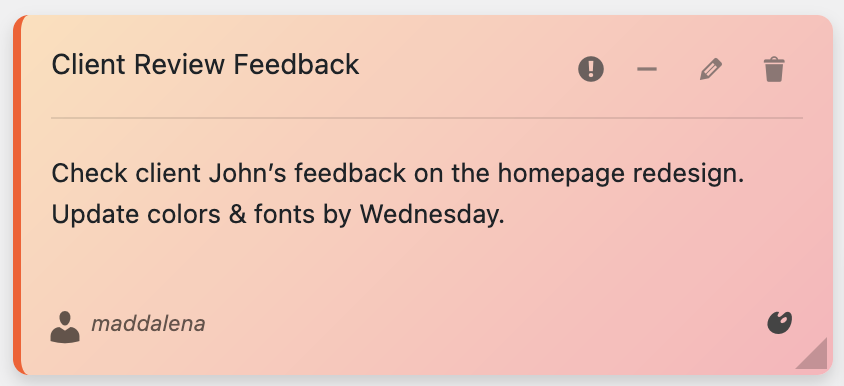
Beautiful sticky notes with 6 color themes and advanced organization
🎯 Key Features That Set Quick Notes PRO Apart:
- 🎙️ Voice Recording: Record audio notes up to 5 minutes (NEW!)
- 🎨 6 Beautiful Color Themes: Pastel gradients for visual organization
- 👥 Team Collaboration: Share notes with specific users
- 📁 Advanced Organization: Unlimited categories and tags
- 📎 File Attachments: Attach documents and images to notes
- 🔍 Smart Search: Find any note instantly with powerful filtering
- 📱 Mobile Responsive: Full functionality on all devices
- 🌍 Multi-language: English and Italian support
🎙️ Revolutionary Voice Recording Feature
One of the most exciting features of Quick Notes PRO is the voice recording capability. This feature is perfect for:
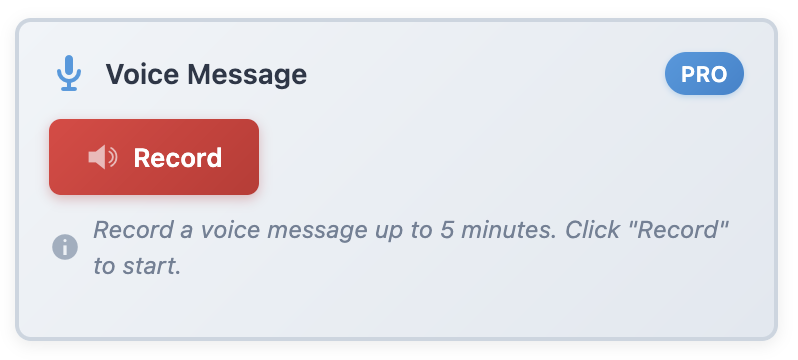
Record voice memos directly in your browser – up to 5 minutes per note
- 📝 Hands-free Note Taking: Capture ideas when typing isn’t convenient
- 🗣️ Detailed Instructions: Leave comprehensive voice messages for team members
- 📞 Meeting Notes: Record brainstorming sessions and discussions
- ⏰ Audio Reminders: Create voice reminders that play automatically
- 📱 Mobile Productivity: Record notes on the go with your smartphone
Complete Plugin Comparison Table
| Feature | Quick Notes PRO | Admin Columns Pro | White Label CMS | WP Admin UI Customize |
|---|---|---|---|---|
| Sticky Notes | ✅ Advanced | ❌ No | ❌ No | ❌ No |
| Voice Recording | ✅ Yes (5 min) | ❌ No | ❌ No | ❌ No |
| Team Collaboration | ✅ Advanced | ❌ No | ✅ Basic | ❌ No |
| File Attachments | ✅ Yes | ❌ No | ❌ No | ❌ No |
| Color Themes | ✅ 6 Colors | ❌ No | ✅ Custom | ✅ Custom |
| Mobile Support | ✅ Full | ✅ Yes | ✅ Yes | ⚠️ Limited |
| Multi-language | ✅ EN/IT | ✅ Yes | ✅ Yes | ✅ Yes |
| Price | €39 (one-time) | €49/year | €79/year | €29/year |
Real-World Use Cases for Dashboard Customization
🏢 WordPress Agencies
For agencies managing multiple client sites, dashboard customization is crucial:
- Client-Specific Notes: Leave instructions and updates for each client
- Team Coordination: Share project updates and assign tasks
- Brand Consistency: White-label the admin area for professional appearance
- Access Control: Limit client access to relevant areas only
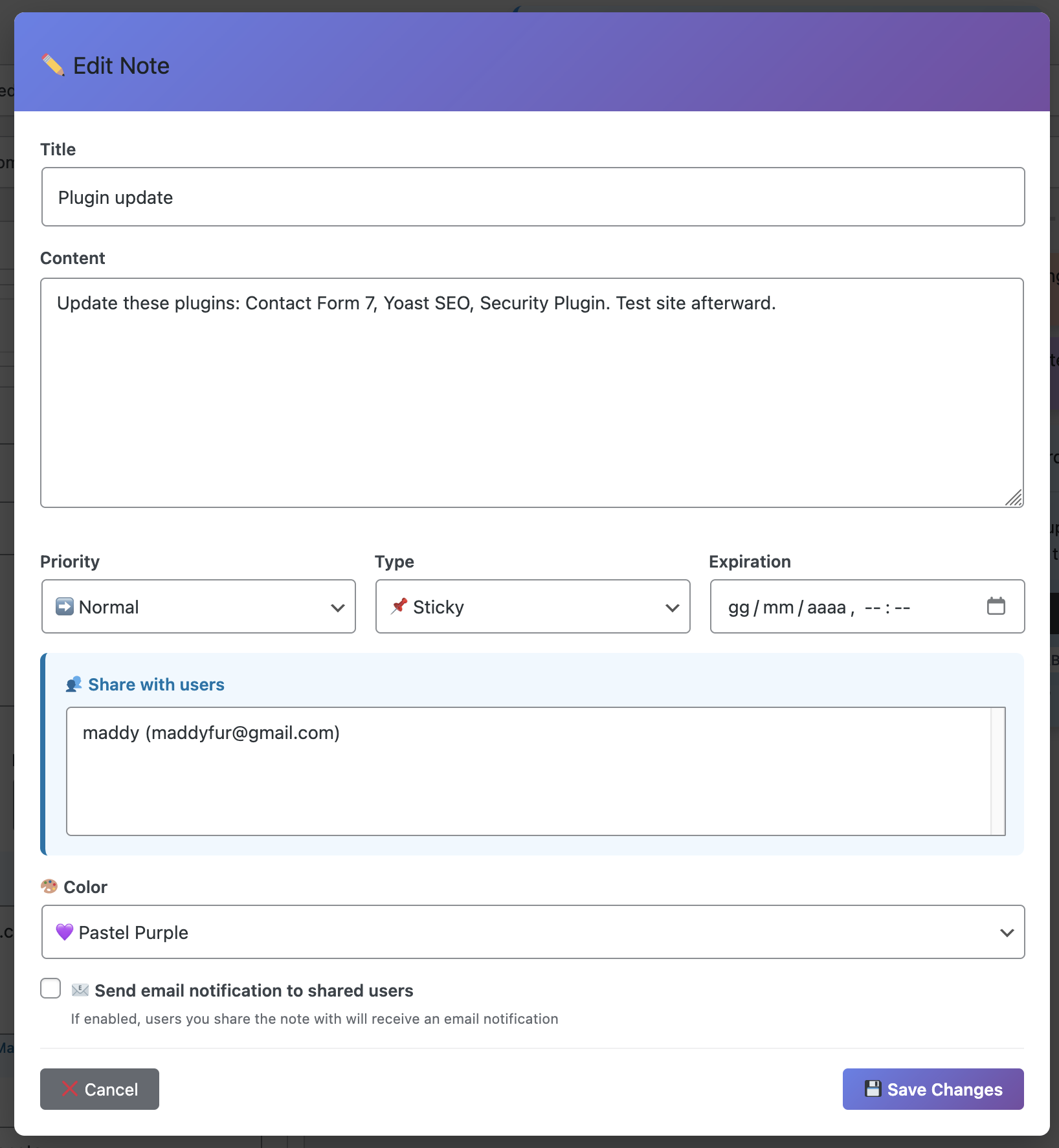
Advanced collaboration features for team communication
✍️ Content Creators & Bloggers
Content creators benefit from organized dashboards:
- Content Planning: Organize editorial calendars and ideas
- Research Notes: Save important information for future articles
- Collaboration: Work with editors and guest writers
- Productivity Tracking: Monitor writing habits and improvements
🏪 E-commerce Store Owners
Online store owners need specialized dashboard tools:
- Order Management: Track orders and customer communications
- Inventory Notes: Keep track of stock levels and supplier information
- Marketing Campaigns: Plan and coordinate promotional activities
- Customer Support: Organize support tickets and responses
Advanced Features That Justify the Investment
While basic dashboard customization is available through free plugins, Quick Notes PRO offers advanced features that provide significant value:
- 🔍 Smart Search & Filtering: Find any note instantly across all categories
- 📊 Productivity Statistics: Track your note-taking habits and improvements
- 📤 Export/Import: Backup and transfer notes between WordPress sites
- ⏰ Expiration Dates: Set automatic reminders for time-sensitive notes
- 🔔 Email Notifications: Automatic alerts for shared notes and updates
- 🎯 Priority Levels: Organize notes by importance (High, Normal, Low)
- 📱 Cross-Device Sync: Access notes from any device seamlessly
- 🔒 User Permissions: Control who can view and edit specific notes
Best Practices for Dashboard Customization
🎨 Design Principles
- Keep it Simple: Avoid cluttering the interface with too many elements
- Use Consistent Colors: Establish a color scheme that reflects your brand
- Prioritize Functionality: Focus on features that improve productivity
- Mobile-First Approach: Ensure all customizations work on mobile devices
📋 Organization Tips
- Create Categories: Group related notes and information logically
- Use Tags Effectively: Implement a consistent tagging system
- Regular Cleanup: Remove outdated notes and information
- Team Guidelines: Establish rules for note creation and management
Technical Considerations for 2025
When choosing dashboard customization plugins, consider these technical factors:
- WordPress 6.7+ Compatibility: Ensure plugins work with the latest WordPress version
- Performance Impact: Choose lightweight solutions that don’t slow down your site
- Security Features: Look for plugins with proper user permission controls
- Regular Updates: Select plugins with active development and support
- Backup Compatibility: Ensure your backup solution works with customizations
Making the Right Choice for Your Needs
🤔 Which Plugin Should You Choose?
🏆 Our Top Recommendation: Quick Notes PRO
For most WordPress users, Quick Notes PRO offers the best combination of features, ease of use, and value. Here’s why:
- Unique Features: Voice recording and advanced collaboration tools
- Excellent Value: One-time payment of €39 vs. annual subscriptions
- Active Development: Regular updates and new features
- Great Support: Responsive customer service and documentation
- Proven Track Record: Trusted by 10,000+ WordPress users
🎯 Choose Quick Notes PRO If:
- You need team collaboration features
- Voice recording would improve your workflow
- You want a one-time payment solution
- You value unique, innovative features
- You work with multiple team members
🤝 Consider Alternatives If:
- You only need basic dashboard branding (White Label CMS)
- You primarily work with post/page columns (Admin Columns Pro)
- You need extensive visual customization (WP Admin UI Customize)
- You have a limited budget and only need basic features
Getting Started with Dashboard Customization
📥 Installation Steps for Quick Notes PRO
- Purchase the Plugin: Visit the official product page
- Download & Install: Upload the plugin files to your WordPress site
- Activate: Enable the plugin from your WordPress admin
- Configure: Set up categories, colors, and team permissions
- Start Creating: Begin adding sticky notes and collaborating with your team
Conclusion: Transform Your WordPress Experience in 2025
Dashboard customization is no longer a luxury – it’s a necessity for productive WordPress management. As we move into 2025, the ability to create a personalized, efficient admin experience will become increasingly important for WordPress professionals.
Quick Notes PRO leads the pack with innovative features like voice recording, advanced collaboration tools, and beautiful visual organization. Its one-time payment model and comprehensive feature set make it an excellent investment for any serious WordPress user.
Ready to Transform Your WordPress Dashboard?
Join thousands of WordPress professionals who have already upgraded their admin experience with Quick Notes PRO.
Get Quick Notes PRO – €39 One-Time Payment
✅ 30-Day Money Back Guarantee • 🔒 Secure Payment • 🔄 Lifetime Updates
📋 Key Takeaways:
- Dashboard customization improves productivity and team collaboration
- Quick Notes PRO offers unique features like voice recording
- One-time payment model provides excellent value
- Perfect for agencies, content creators, and e-commerce stores
- Advanced features justify the investment for serious users
- Regular updates ensure long-term compatibility