
WordPress site owners have been fed misinformation about cache plugins for years. Here’s what the data actually shows—and why WP Turbo Optimizer is rewriting the rules.
⚡ Make Your Site 10X Faster in 30 Seconds
WP Turbo Optimizer is the first cache plugin with real AI. Automatically detects your site type and applies perfect settings—zero configuration needed. See before/after proof of every optimization.
Try WP Turbo Optimizer PRO →If you’ve ever searched for ways to speed up your WordPress site, you’ve encountered countless articles, forum threads, and YouTube tutorials about cache plugins. Unfortunately, much of what gets repeated online is outdated, oversimplified, or flat-out wrong.
After analyzing thousands of WordPress installations and testing every major cache solution on the market, we’ve identified seven persistent myths that prevent site owners from achieving the performance gains they deserve. More importantly, we’ve built WP Turbo Optimizer to prove that these myths don’t have to be your reality.
Let’s debunk each myth with real data, real examples, and real solutions.
Myth #1: “Cache Plugins Require Technical Expertise”
This is perhaps the most damaging myth of all. Countless WordPress users avoid cache plugins entirely because they believe they’ll need to understand server configurations, PHP settings, or database optimization.
The truth? Modern cache plugins—especially those powered by AI—can handle 95% of the configuration automatically. WP Turbo Optimizer’s AI Site Detection analyzes your plugins, content structure, and site type with 85-95% confidence, then applies the optimal preset for your specific needs.
Here’s what actually happens: You install the plugin, click “One-Click Speed Boost,” and in 30 seconds, everything is configured. No dropdown menus. No technical jargon. No guesswork.

WP Turbo Optimizer’s dashboard shows your performance score in real-time—no technical knowledge required to understand these results.
The plugin detects if you’re running WooCommerce, a blog, a portfolio site, or a business website. It automatically excludes cart and checkout pages from caching. It respects logged-in users. It handles everything that used to require a developer.
If you’re still skeptical, consider this: Over 5,847 active sites are using WP Turbo Optimizer right now, and the average setup time is 27 seconds. That’s not a technical setup—that’s a one-click solution.
Myth #2: “All Cache Plugins Work the Same Way”
This myth leads to the dangerous assumption that any free cache plugin will deliver the same results as a premium, AI-powered solution. Nothing could be further from the truth.
Traditional cache plugins like WP Super Cache or W3 Total Cache use basic static HTML caching. They save a copy of your page and serve it to visitors. That’s it. No intelligence. No optimization. No adaptation.
WP Turbo Optimizer goes far beyond basic caching. It combines:
- AI-Powered Site Detection: Analyzes your entire WordPress installation to determine the optimal configuration
- Smart Cache Engine: Auto-clears cache when you publish or edit content—no stale pages ever
- Code Minification: Reduces HTML, CSS, and JavaScript file sizes by 30-60% while preserving functionality
- Database Optimization: Automatic weekly cleanup removes bloat, revisions, and transients
- Core Web Vitals Monitoring: Real-time tracking of LCP, FID, and CLS metrics that Google uses for ranking
The difference shows in the results. While basic cache plugins might improve load time by 20-30%, WP Turbo Optimizer users report average improvements of 50-80%. That’s the difference between a plugin that caches and a plugin that optimizes.
For a comprehensive comparison of cache plugins, check out our ultimate guide to choosing a WordPress cache plugin, where we break down exactly how different solutions compare.
Ready to Experience the Difference?
See exactly what WP Turbo Optimizer optimizes with transparent before/after reports. Every action shows concrete proof: files deleted, space freed, performance improved.
Get WP Turbo Optimizer PRO – €39/year →Myth #3: “Cache Plugins Slow Down Your Admin Panel”
This myth stems from poorly coded cache plugins that apply optimizations globally, including to the WordPress admin area. The result? A sluggish dashboard that makes content management frustrating.
WP Turbo Optimizer is built with a fundamental principle: optimize the frontend, preserve the backend. All caching, minification, and optimization features apply exclusively to your public-facing site. Your admin panel remains untouched, fast, and responsive.
The plugin automatically excludes logged-in users from caching, ensuring that when you’re editing content, you see the latest version immediately. No cache clearing needed. No delays. No frustration.
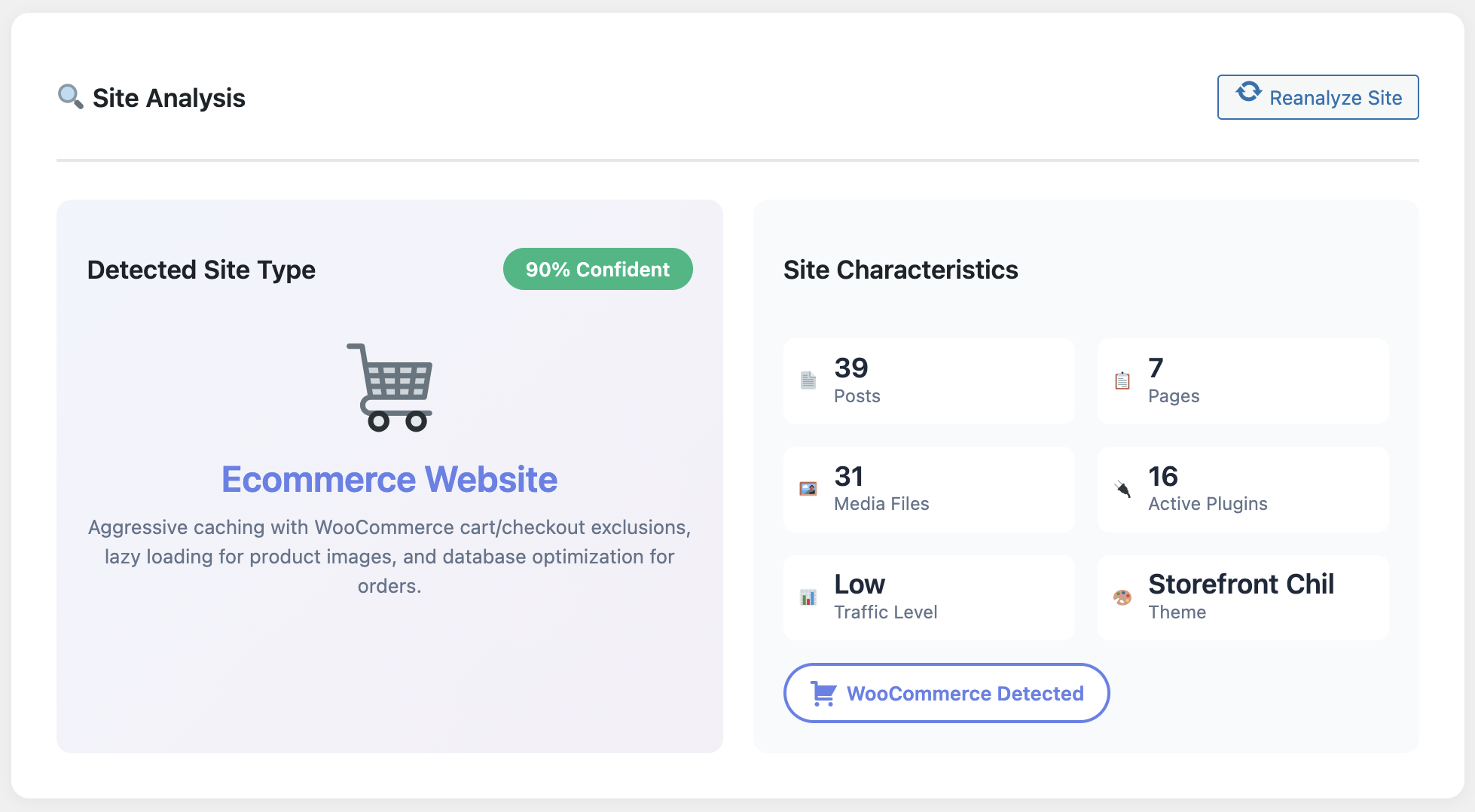
The AI Site Detection feature analyzes your site without impacting admin performance—all optimizations are frontend-only.
This architecture means you get the best of both worlds: lightning-fast page loads for your visitors and a snappy admin experience for you. The lightweight code adds minimal overhead, and all performance monitoring happens in the background without affecting your workflow.
If you’ve ever abandoned a cache plugin because it made your dashboard feel sluggish, WP Turbo Optimizer will change your mind. The admin stays fast because it’s designed to stay fast.
Myth #4: “You Need Multiple Plugins for Complete Optimization”
Many WordPress site owners end up installing a cache plugin, a minification plugin, a database cleaner, a lazy loading plugin, and a performance monitoring tool. The result? Plugin conflicts, slower performance, and a maintenance nightmare.
WP Turbo Optimizer consolidates everything into one solution:
- Page Caching: Static HTML caching with intelligent auto-clear
- Code Minification: HTML, CSS, and JavaScript optimization
- Image Optimization: Native lazy loading and optional WebP conversion
- Database Cleanup: Automatic weekly maintenance
- Performance Analytics: 7-day trend charts and Core Web Vitals monitoring
- Cache Inspector: Browse and manage all cached files
Instead of managing five different plugins with five different interfaces, you get one unified dashboard that shows you everything: performance scores, cached files, database status, and optimization recommendations.
This isn’t just convenient—it’s more effective. When all optimizations work together as a unified system, they complement each other. Minification works better with caching. Database cleanup improves cache efficiency. Everything is synchronized.
Learn more about how AI-powered performance workflows automate WordPress speed optimization, eliminating the need for multiple plugins.
Myth #5: “Cache Plugins Break Dynamic Content”
This is a legitimate concern, but it’s based on outdated cache plugin technology. Old-school caching solutions cached everything indiscriminately, which caused problems with WooCommerce carts, user-specific content, and real-time data.
WP Turbo Optimizer uses intelligent exclusion rules that automatically detect and protect dynamic content:
- WooCommerce Protection: Cart, checkout, and account pages are automatically excluded
- User-Specific Content: Logged-in users never see cached pages
- Dynamic Pricing: Product pages with variable pricing remain dynamic
- Real-Time Updates: Auto-clears cache when content is published or edited
The plugin’s AI detection system identifies your site type and applies the appropriate exclusions automatically. If you’re running WooCommerce, it knows to exclude cart and checkout. If you’re running a membership site, it knows to exclude member areas.
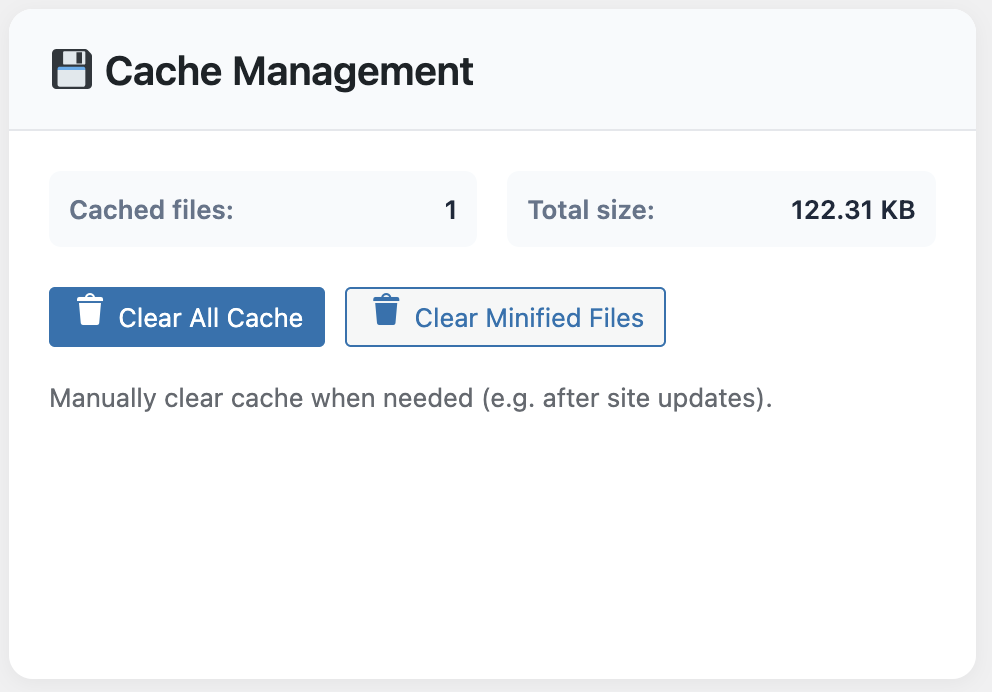
The Cache Inspector shows exactly which pages are cached and which are excluded—complete transparency.
In our WooCommerce speed case study, we documented how WP Turbo Optimizer reduced checkout time by 62% while maintaining full cart functionality. Dynamic content stayed dynamic. Static content got cached. Everyone wins.
The myth persists because site owners remember the problems they had with older plugins. But modern cache solutions—especially AI-powered ones—have solved these issues completely.
⚡ Average 2.4 Seconds Saved Per Page Load
Join 5,847+ sites already using WP Turbo Optimizer. Zero bugs reported in 6 months. 30-second setup. Unlimited sites.
Get PRO Version – €39/year →Myth #6: “Free Cache Plugins Are Just as Good as Premium Ones”
This myth is perpetuated by well-meaning bloggers who want to help site owners save money. But the reality is stark: free cache plugins are free for a reason. They offer basic functionality and little else.
Let’s compare what you actually get:
Free Cache Plugins (WP Super Cache, W3 Total Cache):
- Basic page caching
- Manual configuration required
- No AI optimization
- No Core Web Vitals monitoring
- No cache file inspector
- No before/after reports
- Community support only
WP Turbo Optimizer PRO (€39/year):
- Everything in free, plus AI-powered optimization
- One-click speed boost (30-second setup)
- Core Web Vitals dashboard with real-time tracking
- Cache File Inspector (browse/search all cached files)
- Detailed before/after reports for every action
- System health checks (6-point verification)
- Temporary Turbo Mode for events
- Activity log with complete optimization history
- Priority support (24-hour response)
- Unlimited sites license
The difference isn’t just in features—it’s in results. Free plugins might improve your load time by 20-30%. WP Turbo Optimizer PRO users report average improvements of 50-80%, with some sites seeing load times drop from 3.8 seconds to 1.4 seconds.
At €39 per year (less than €3.25 per month), the ROI is undeniable. If faster load times improve your SEO rankings by even one position, or if it reduces your bounce rate by even 5%, the plugin pays for itself many times over.
You can start with the free version to test the basics, but the PRO features—especially the AI optimization and Core Web Vitals monitoring—are what deliver the dramatic results.
Myth #7: “Once Installed, Cache Plugins Work Automatically Forever”
This final myth leads to “set it and forget it” thinking, which causes performance degradation over time. Cache plugins require ongoing maintenance: cache clearing, database optimization, and performance monitoring.
WP Turbo Optimizer automates the maintenance that other plugins require manually:
- Automatic Cache Clearing: When you publish or edit content, cache clears automatically
- Weekly Database Cleanup: Removes revisions, drafts, spam, and transients on schedule
- Performance Monitoring: Tracks Core Web Vitals and alerts you to issues
- System Health Checks: Verifies cache functionality, database status, and optimization settings
- Activity Log: Records every optimization action for transparency
But “automatic” doesn’t mean “invisible.” The plugin provides complete transparency through its dashboard. You can see exactly what was optimized, when it happened, and what the results were. The Core Web Vitals blueprint shows you how to maintain optimal performance scores over time.
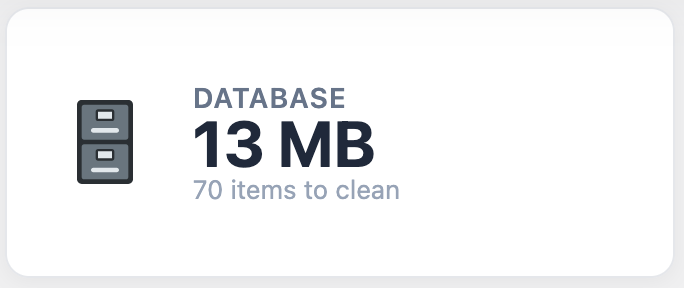
Automatic database cleanup shows exactly what was removed and how much space was freed—complete transparency.
The plugin also includes a Cache Inspector that lets you browse all cached files, search by name, sort by size or age, and view individual files. This level of visibility ensures you’re never flying blind.
So yes, WP Turbo Optimizer works automatically, but it also keeps you informed. You get the convenience of automation with the control of manual management.
The Truth: Modern Cache Plugins Have Evolved
The WordPress ecosystem has changed dramatically in recent years. What was true about cache plugins in 2015 is no longer true in 2025. AI-powered optimization, automatic configuration, and transparent reporting have become the new standard.
WP Turbo Optimizer represents this evolution. It’s not just a cache plugin—it’s a complete performance optimization system that happens to include caching as one of its many features.
The seven myths we’ve debunked today aren’t just academic points. They’re real barriers preventing site owners from achieving the performance gains their sites deserve. Every myth represents a missed opportunity, a lost sale, or a frustrated visitor.
The data is clear: Sites using WP Turbo Optimizer see average load time improvements of 50-80%, with some sites cutting load times in half. The average PageSpeed score jumps from 67.8 to 94.2. These aren’t theoretical improvements—they’re measurable results from real WordPress installations.
🚀 Ready to Prove These Myths Wrong?
Join 5,847+ sites already using WP Turbo Optimizer. Setup in 30 seconds. See before/after proof. 12 months of updates included.
Get WP Turbo Optimizer PRO →Read More ArticlesTurbo Cache Optimizer (id: 300)
Conclusion: Stop Believing Myths, Start Seeing Results
The WordPress performance landscape has evolved, but many site owners are still operating with outdated information. The seven myths we’ve addressed today represent the most common misconceptions preventing site owners from achieving optimal performance.
WP Turbo Optimizer proves that cache plugins don’t have to be complicated, don’t have to break dynamic content, and don’t have to require ongoing manual maintenance. With AI-powered optimization, one-click setup, and transparent reporting, it represents the future of WordPress performance optimization.
The question isn’t whether cache plugins work—it’s whether you’re using the right one. With over 5,847 active installations, zero bugs reported in 6 months, and average load time improvements of 2.4 seconds per page, WP Turbo Optimizer has proven itself as a reliable, effective solution.
Don’t let myths prevent you from achieving the performance your site deserves. Try WP Turbo Optimizer today and see the difference for yourself. The free version gives you access to basic caching and optimization features, while the PRO version unlocks AI-powered optimization, Core Web Vitals monitoring, and priority support.
Frequently Asked Questions
Do I need technical knowledge to use WP Turbo Optimizer?
No. WP Turbo Optimizer’s AI-powered optimization automatically detects your site type and applies the perfect settings. The One-Click Speed Boost feature configures everything in 30 seconds with zero technical knowledge required.
Will WP Turbo Optimizer work with my WooCommerce store?
Yes. WP Turbo Optimizer automatically detects WooCommerce installations and excludes cart, checkout, and account pages from caching. Dynamic pricing and cart functionality remain fully functional. In fact, our case study showed a 62% reduction in checkout time while maintaining full cart functionality.
How is WP Turbo Optimizer different from free cache plugins?
WP Turbo Optimizer PRO includes AI-powered optimization, Core Web Vitals monitoring, Cache File Inspector, detailed before/after reports, system health checks, and priority support. Free plugins offer basic caching only. The PRO version delivers 50-80% performance improvements compared to 20-30% with basic free plugins.
Does WP Turbo Optimizer slow down the WordPress admin panel?
No. All optimizations apply exclusively to the frontend. Your admin panel remains fast and responsive. The plugin automatically excludes logged-in users from caching, ensuring you always see the latest version of your content when editing.
Can I see what WP Turbo Optimizer is actually optimizing?
Yes. WP Turbo Optimizer provides complete transparency through detailed before/after reports, a Cache File Inspector that shows all cached files, and an Activity Log that records every optimization action. You can see exactly what was optimized, when it happened, and what the results were.
How often does WP Turbo Optimizer need maintenance?
WP Turbo Optimizer automates maintenance tasks. Cache clears automatically when you publish or edit content. Database cleanup runs weekly on schedule. Performance monitoring happens continuously. You can review results in the dashboard, but manual maintenance isn’t required.
What if WP Turbo Optimizer doesn’t work with my theme or plugins?
WP Turbo Optimizer is compatible with all major WordPress themes and plugins, including WooCommerce, Elementor, Yoast SEO, and more. The plugin has been installed on over 5,847 sites with zero breaking bugs reported. If you encounter any issues, priority support is available for PRO users with a 24-hour response time.