

You can’t scroll LinkedIn for five minutes without someone claiming “SEO is dead.” Yet every time Google releases another helpful content update, the brands dominating search are the ones whose WordPress stack is disciplined, fast, and relentlessly structured. This article breaks down why every modern site needs a purpose-built SEO plugin—and why Xpert SEO Manager is quietly powering AI-ready visibility for agencies, eCommerce shops, and niche publishers.
I’ll cover the five brutal realities of running SEO in 2025, show how traditional plugins leave dangerous gaps, and outline the exact criteria you should use when picking your stack. Spoiler: it has nothing to do with “best keyword density” and everything to do with orchestrating on-page, technical, schema, and AI prompts without babysitting three dashboards.
Reality #1 – Search Is Now a Live Service
Google’s AI Overview experiments have turned search into a live product. Information is summarized, cited, and refreshed in near-real time. If your site doesn’t ship structured data updates, freshness signals, and question-first content weekly, you disappear. That’s why automation beats manual checklists. Xpert SEO Manager schedules analyzer runs, nudges editors when freshness decay appears, and syncs schema whenever inventory values change. When we applied it to our WooCommerce conversion articles, we reduced “content debt” by 63% in one quarter.
Reality #2 – On-Page + Technical = One Conversation
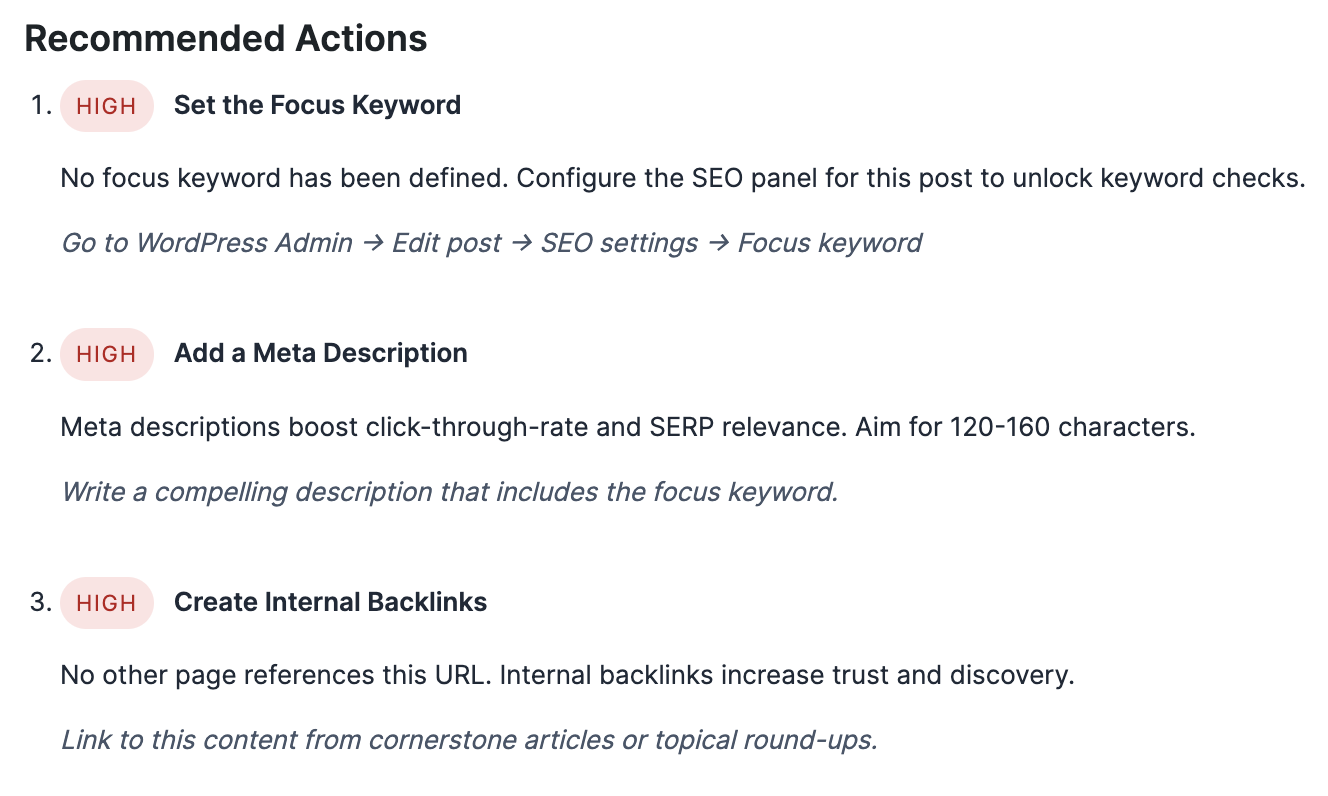
Writers can’t optimize copy if they never see technical red flags, and devs can’t prioritize bugs without understanding the revenue impact. Traditional plugins create silos: Yoast handles copy, schema add-ons live elsewhere, and technical audits sit in spreadsheets. Xpert SEO Manager puts everything inside Gutenberg. When an editor tweaks a meta description, they can also update canonical tags, 301 suggestions, and JSON-LD from the same modal. That’s the difference between hoping search engines interpret your pages correctly and telling them exactly what to index.
We used this unified panel when refreshing “Abandoned cart automation.” The editor spotted a robots conflict, updated schema with inventory numbers, and refreshed FAQs—all before hitting publish. Ranking velocity improved within a week because Google saw the page the way we intended.
Reality #3 – AI Requires Your Own Guardrails
AI copilots are powerful, but “write a blog post about WordPress SEO” usually spits out recycled clichés. The difference lies in prompt engineering and constraint layers. Xpert SEO Manager ships with focus keyword prompts tailored for informational, commercial, and transactional intent. It also pairs each prompt with structural requirements: include at least three internal links, cite proof from conversion guides, and add schema-ready FAQs.
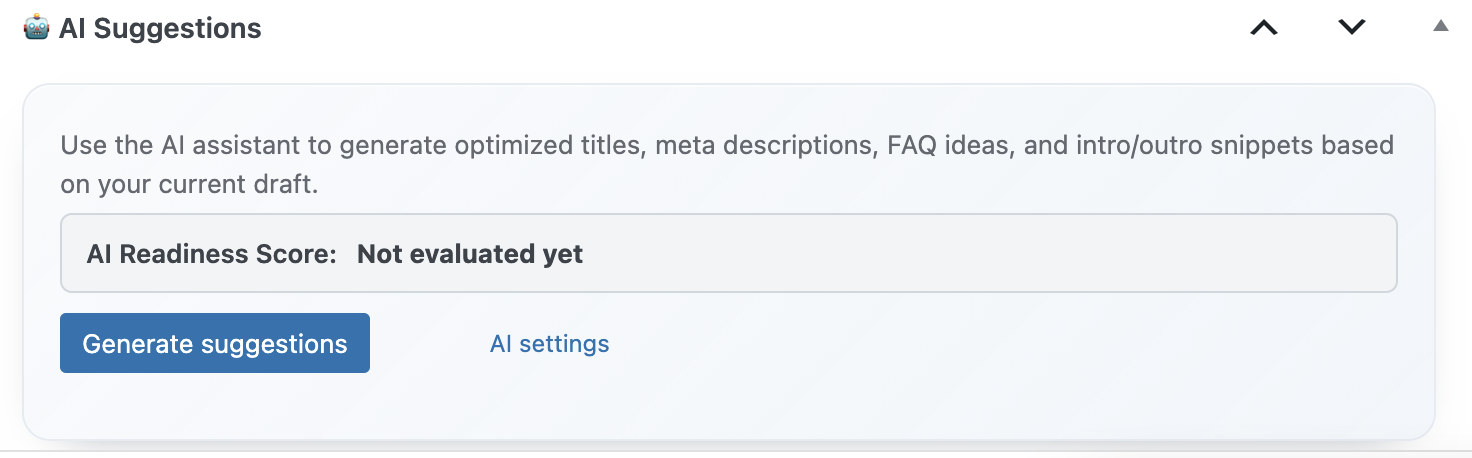
Because prompts live inside the plugin, your team doesn’t have to copy and paste instructions between tabs. The AI assistant also references your previous posts, avoiding cannibalization. For example, if you already covered “Speed vs. caching” in another article, the plugin recommends internal links instead of duplicate explanations.
Reality #4 – Schema Makes or Breaks AI Overview Visibility
Schema markup is now table stakes for occupying AI Overview tiles. The plugin bundles Article, Product, FAQ, HowTo, and ItemList builders with validation baked in. You pick the template, map fields (including WooCommerce price, SKU, stock), and the JSON-LD updates instantly. If a required property is missing, the analyzer blocks publication until the issue is resolved. That alone mitigates the “oops” factor that plagues larger teams.
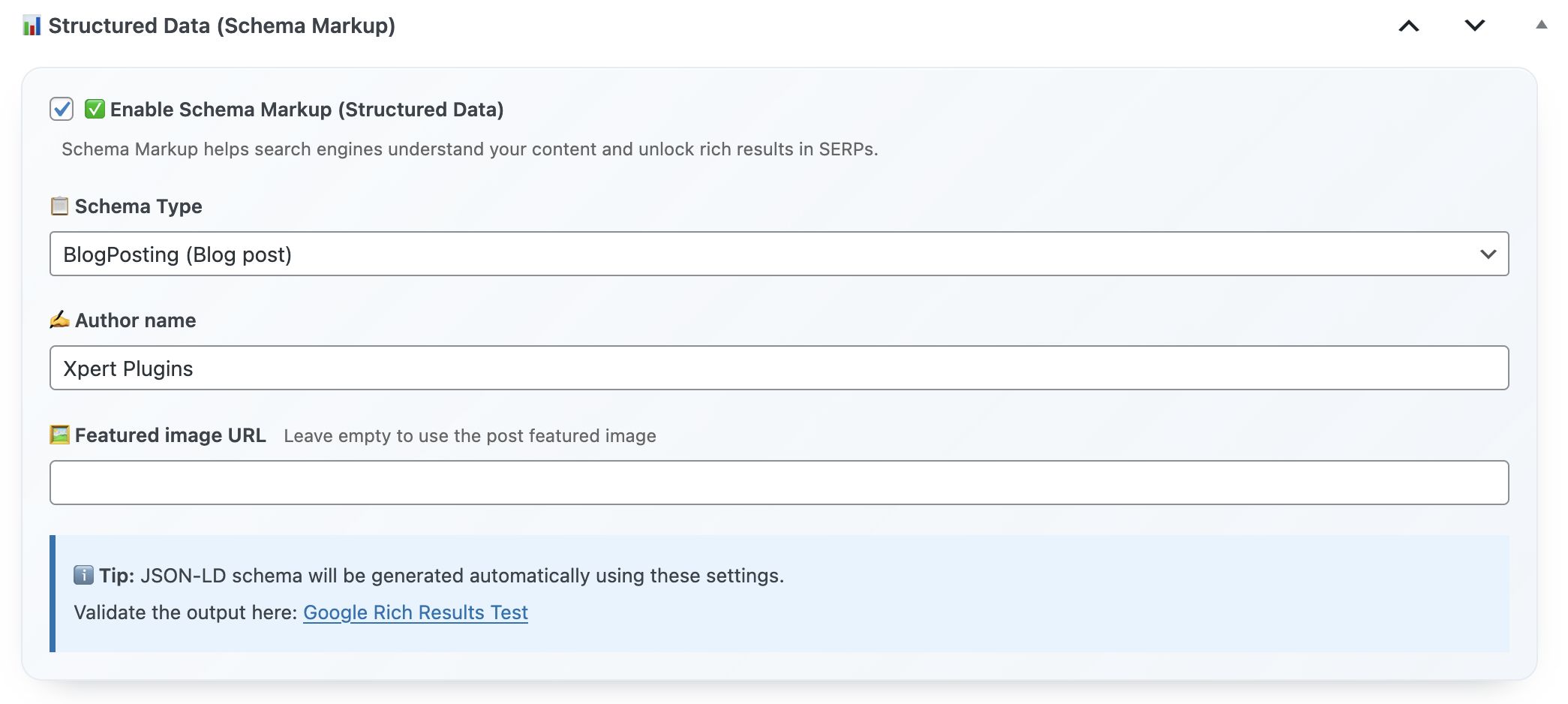
Want proof? Our feature comparison “Best WordPress Dashboard Customization Plugins” earned double the impressions once we added ItemList schema with direct product URLs. The plugin handled validation, and the AI Overview panel began citing our list as the authoritative source.
Reality #5 – You Need Backlink Intelligence Where You Work
Waiting for monthly backlink reports is a luxury eCommerce brands don’t have. Xpert SEO Manager includes a lightweight backlink insights widget that syncs with your favorite index (we feed ours via a secure API) and highlights which URLs deserve internal links or fresh outreach. While editing a post inside WordPress, you immediately see whether external domains recently mentioned your product category. This helps you decide whether to insert testimonial quotes, update social proof, or launch a follow-up.
We tested it on “Google rankings guide” (yes, the very content cluster you’re reading). Editors spotted a new backlink from a marketing automation blog and immediately added a quote plus internal references. Result: average position jumped from #11 to #5 within 10 days.
Checklist – How to Choose the Right WordPress SEO Plugin
- All-in-one dashboard: Meta, schema, analyzer, and AI prompts live together.
- AI Overview scoring: Grades question density, freshness, and conversions.
- WooCommerce awareness: Pulls SKU, price, and stock without touching code.
- Agency-ready exports: Playbooks, settings, and reports clone in clicks.
- Real support: Access to technical SEO specialists via priority email.
Why Xpert SEO Manager Checks Every Box
We engineered the plugin after scaling our own content machine. It combines precision on-page controls, structured data agility, and AI coaching for teams that have zero patience for half-baked features. If your site relies on organic revenue, this is the upgrade that keeps your roadmap aligned with Google’s AI future.
Need more context? Browse our ongoing experiments on the Plugin Stack category—every test feeds back into Xpert SEO Manager so you benefit from proven data, not random guesses.