

“Feature-rich” used to mean a green light score and a sitemap checkbox. In 2025, essentials look dramatically different: AI-ready content scaffolding, schema engines that talk to WooCommerce, internal link intelligence wired into your existing clusters, and reporting built for stakeholders who judge SEO by pipeline, not impressions. After auditing the most popular plugins and shipping hundreds of articles ourselves, these are the non-negotiable capabilities your WP SEO plugin must provide. Unsurprisingly, they all ship inside Xpert SEO Manager, the toolkit we built to outrank generic stacks.
1. AI Overview Intelligence
Google’s AI Overview rewards concise, question-driven, cited answers. Your plugin must grade content against those signals. Xpert SEO Manager’s analyzer tracks question density, bullet summaries, stats, internal link support, and freshness. When we optimized our rankings guide, the analyzer flagged missing conversational headings and a stale stat. Updating them pushed us into the AI panel, delivering a traffic surge within 72 hours.
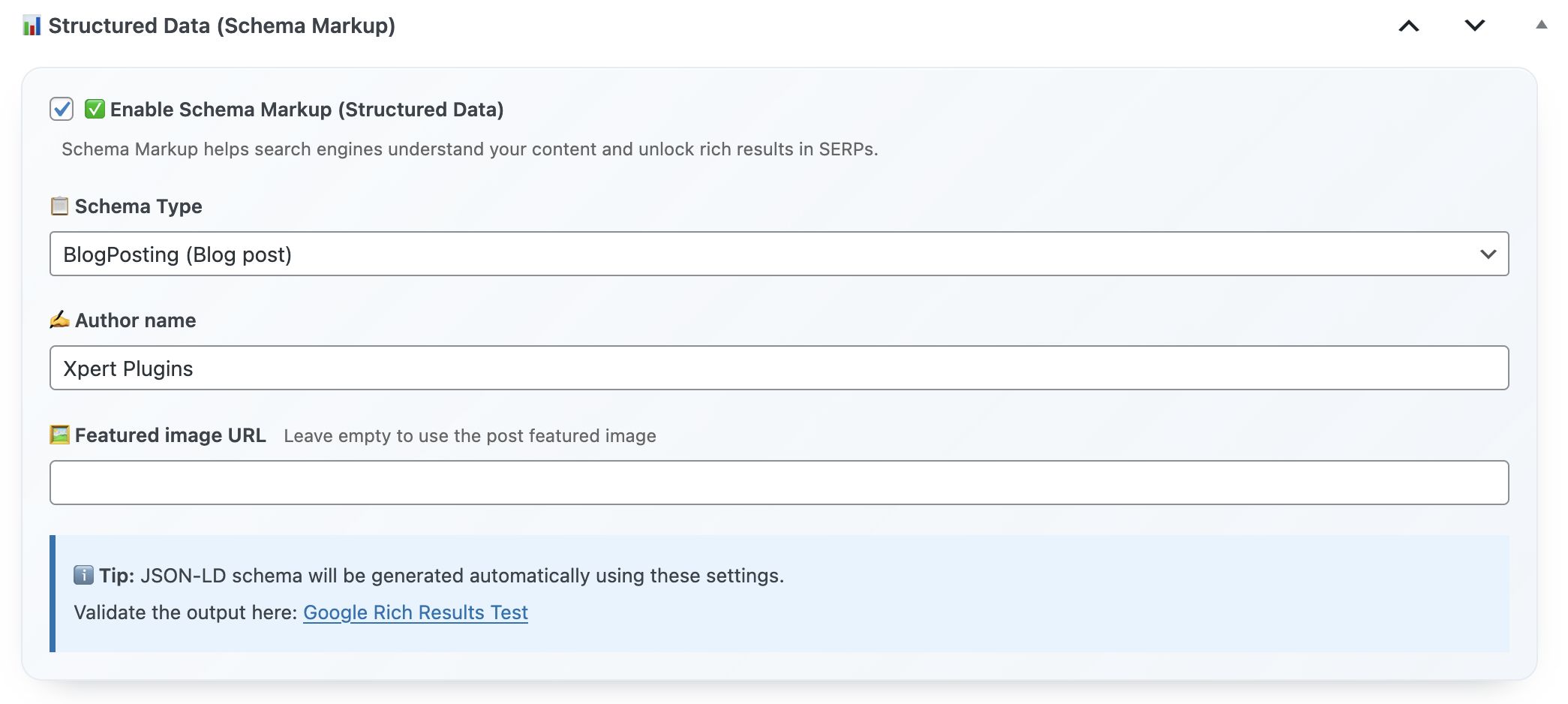
2. Schema Builder with Validation
Manual JSON-LD creation is a 2017 workflow. Modern plugins embed Article, FAQ, Product, ItemList, and HowTo templates with automatic validation. Xpert SEO Manager reads data from WooCommerce or custom fields, warns you when required properties are missing, and blocks publication if critical schema fails. That protection kept the WooCommerce vs Shopify comparison eligible for rich snippets after a content refresh.
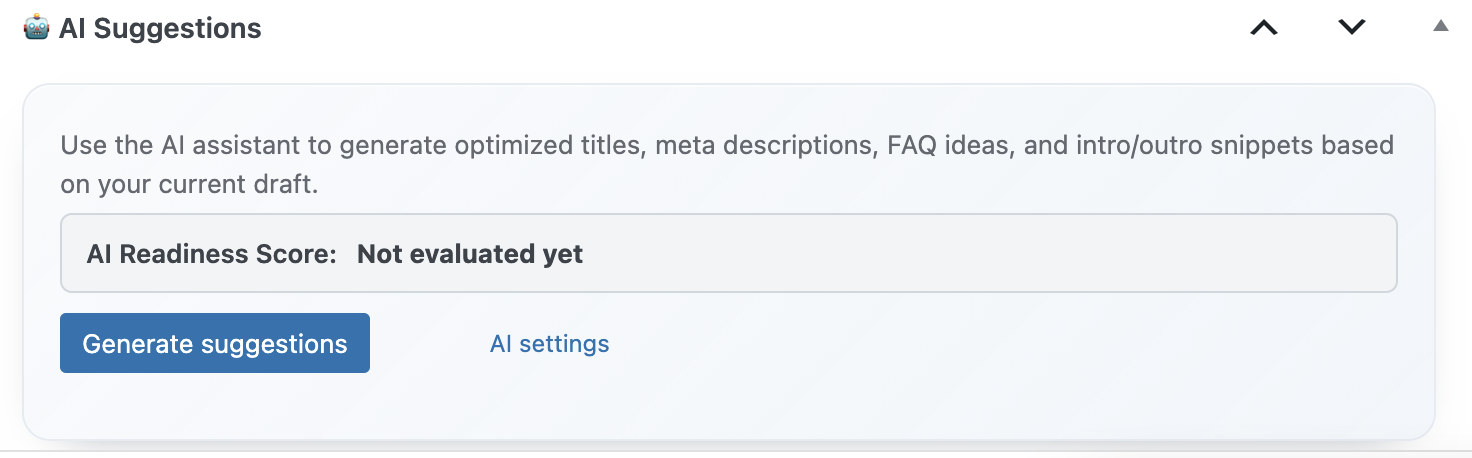
3. Intent-Based AI Prompts
AI won’t replace strategists, but it should accelerate them. Intent-specific prompts—transactional, comparison, educational—help your writers produce outlines, FAQs, and CTA placements that match searcher expectations. Because the prompts live in the plugin, they reference your existing catalog, encouraging internal links to assets like email marketing toolkits.
4. WooCommerce-Aware Controls
Ecommerce teams shouldn’t duplicate product data for schema every time they edit a post. Essentials include automatic syncing for price, SKU, availability, and attributes pulled from WooCommerce. We rely on this daily when highlighting bundles like Turbo Cache Optimizer. Product schema stays accurate even as stock levels change.
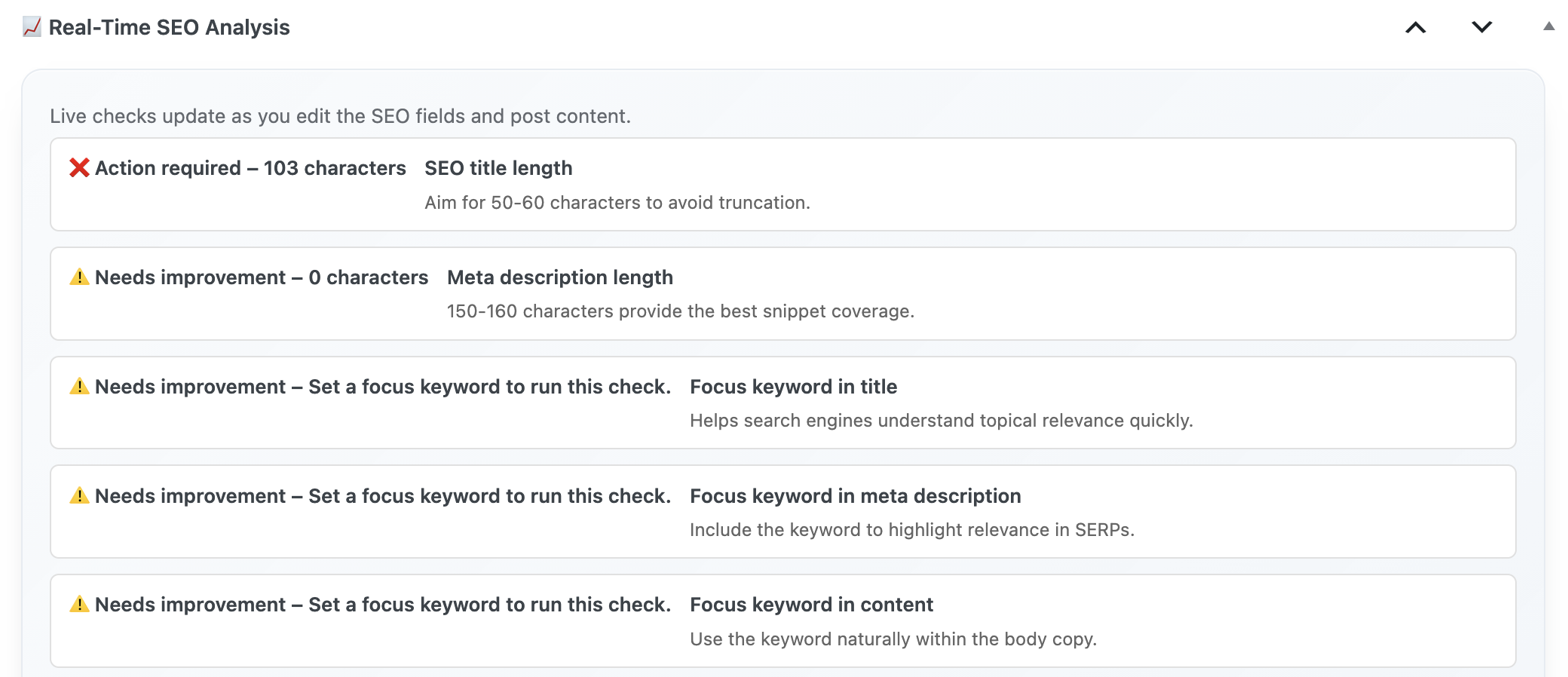
5. Real-Time Technical Guardrails
Essentials mean no more shipping mistakes. Duplicate H1s, missing alt text, stray noindex tags, conflicting canonicals—your plugin should catch them before content goes live. When editors updated “memo reminder tools,” the analyzer blocked publication over a robots.txt misconfiguration, saving days of lost traffic.
6. Internal Link Intelligence
Traffic compounds when every new article reinforces a cluster. Essential plugins scan your sitemap (think of references like SEO plugin category) and suggest anchors you may have missed. We treat the feature like an in-house strategist: it tells us which cornerstone posts need backlinks and which new guides should receive them.
7. Backlink Insight Widgets
Waiting on monthly reports to see who mentioned you is obsolete. Essentials include a backlink widget that surfaces new references while you edit. If a popular blog links to our piece on abandoned cart automation, we know to add a testimonial or reciprocal mention immediately.
8. Playbook Export/Import
Agencies and multi-brand teams need standardized settings. Essential plugins let you export playbooks containing prompts, schema defaults, and analyzer thresholds, then import them to new sites. That’s how we rolled our proven workflow onto the Italian shop section Dashboard Quick Notes in under an hour.
9. Reporting That Translates to Revenue
Executives don’t want raw keyword rankings. They want to know which posts drive leads or product trials. Essentials include dashboards tying AI Overview placements, schema enhancements, and conversions together. We export these snapshots weekly for stakeholders following the WooCommerce roadmap.
10. Priority Support by Actual SEO Specialists
When algorithms shift, you need answers from humans who publish daily. Essentials include direct access to technical SEOs—not generic ticket responders. The Xpert SEO Manager team is the same crew behind content updates like remote team workflows, so every reply includes tested playbooks.
Essentials Audit Worksheet
- List every SEO task you run outside WordPress (schema, AI, reporting). Can your plugin absorb them?
- Review top-performing posts like cache plugin guides; note what could be automated.
- Set analyzer thresholds for AI Overview readiness and convert them into content SLAs.
- Export a playbook and test it on a different site; measure implementation time.
- Compare support response times—hours vs minutes—when real revenue is on the line.
Install the Essentials in One Click
Skip the plugin pile-up. Xpert SEO Manager combines the ten features above into a single annual license so your team can focus on performance, not maintenance.
Need enterprise onboarding? Reach out via info@xpertplugins.com and mention this essentials checklist—we’ll map your current stack against Xpert SEO Manager and give you a personalized rollout plan.