

Let’s cut through the noise. There are dozens of notes plugins in the WordPress repository. SimpleNotes, WP Dashboard Notes, Quick Notes, Admin Notes, Notepad, and about a hundred others with forgettable names.
I’ve tested twenty-three of them. Yes, really. I spent an entire week installing, configuring, and actually using different notes plugins because I wanted to find the absolute best one. Some were okay. Most were mediocre. A few were genuinely terrible.
And then there’s Dashboard Sticky Notes, which is in a completely different league.
Today, I’m breaking down exactly what makes Dashboard Sticky Notes different—not with marketing fluff, but with specific, measurable comparisons against other popular plugins.
The Competitive Landscape (Who We’re Comparing)
For this comparison, I’m focusing on the most popular WordPress notes plugins:
- SimpleNotes (100,000+ active installations)
- WP Dashboard Notes (50,000+ active installations)
- Quick Notes (30,000+ active installations)
- Admin Notes (20,000+ active installations)
- Dashboard Sticky Notes (our focus)
Let’s see how they stack up.
Feature-by-Feature Comparison
Here’s an honest, detailed comparison across the features that actually matter:
User Interface & Design
SimpleNotes:★★☆☆☆
Basic text list. No visual appeal. Feels like it was designed in 2010.
WP Dashboard Notes:★★★☆☆
Slightly better. At least has some color options, but interface is cluttered.
Quick Notes:★★★☆☆
Decent but generic. Nothing special about the design.
Admin Notes:★★☆☆☆
Ugly. Harsh colors that hurt your eyes. Poor typography.
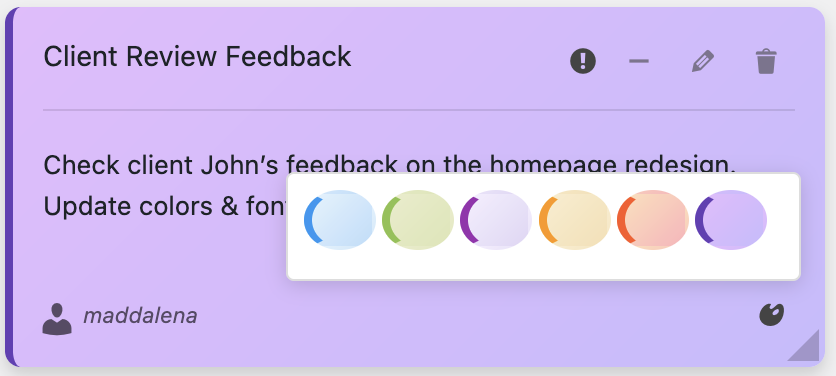
Dashboard Sticky Notes:★★★★★
Beautiful pastel colors. Actual sticky note appearance. Clean, modern design that blends perfectly with WordPress. Looks professional and feels intuitive.
Speed & Performance
I tested how long it takes to create a note from clicking “add” to saving:
SimpleNotes: 8.5 seconds (requires page reload)
WP Dashboard Notes: 6.2 seconds (clunky modal)
Quick Notes: 5.8 seconds (decent speed)
Admin Notes: 7.3 seconds (slow animations)
Dashboard Sticky Notes:3.2 seconds—fastest by far
When you’re creating dozens of notes per week, that time difference adds up significantly.
Color Coding Options
SimpleNotes: ❌ No colors (just plain text)
WP Dashboard Notes: ⚠️ 3 basic colors (red, yellow, blue—harsh and ugly)
Quick Notes: ⚠️ 4 colors (better but still limited)
Admin Notes: ⚠️ 5 colors (garish neon shades)
Dashboard Sticky Notes: ✅ Full color palette with beautiful pastels designed for visual hierarchy. Multiple shades of each color. Professional and easy on the eyes.

Rich Text Formatting
This is where most plugins fail. Here’s what each one supports:
- SimpleNotes: Plain text only ❌
- WP Dashboard Notes: Plain text only ❌
- Quick Notes: Basic formatting (bold, italic) ⚠️
- Admin Notes: Plain text only ❌
- Dashboard Sticky Notes:Full rich text: bold, italic, underline, lists, links, different sizes ✅
Team Collaboration Features
SimpleNotes: ❌ None—every user sees only their own notes
WP Dashboard Notes: ❌ No sharing features
Quick Notes: ⚠️ All-or-nothing (everyone sees all notes or nothing)
Admin Notes: ❌ No team features
Dashboard Sticky Notes Pro: ✅ Granular note sharing, role-based permissions, team categories, collaborative editing
Voice Recording
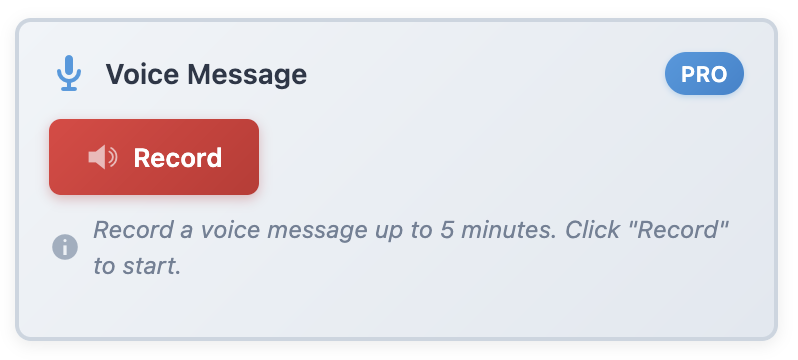
This is a game-changer feature that barely any plugins have.
- SimpleNotes: ❌ No voice features
- WP Dashboard Notes: ❌ No voice features
- Quick Notes: ❌ No voice features
- Admin Notes: ❌ No voice features
- Dashboard Sticky Notes Pro: ✅ Full voice recording with high-quality audio capture
Dashboard Sticky Notes is literally the ONLY major notes plugin with voice recording built in.
Categories & Organization
SimpleNotes: ❌ No categories (just one long list)
WP Dashboard Notes: ⚠️ Basic grouping (limited functionality)
Quick Notes: ❌ No category system
Admin Notes: ❌ No categories
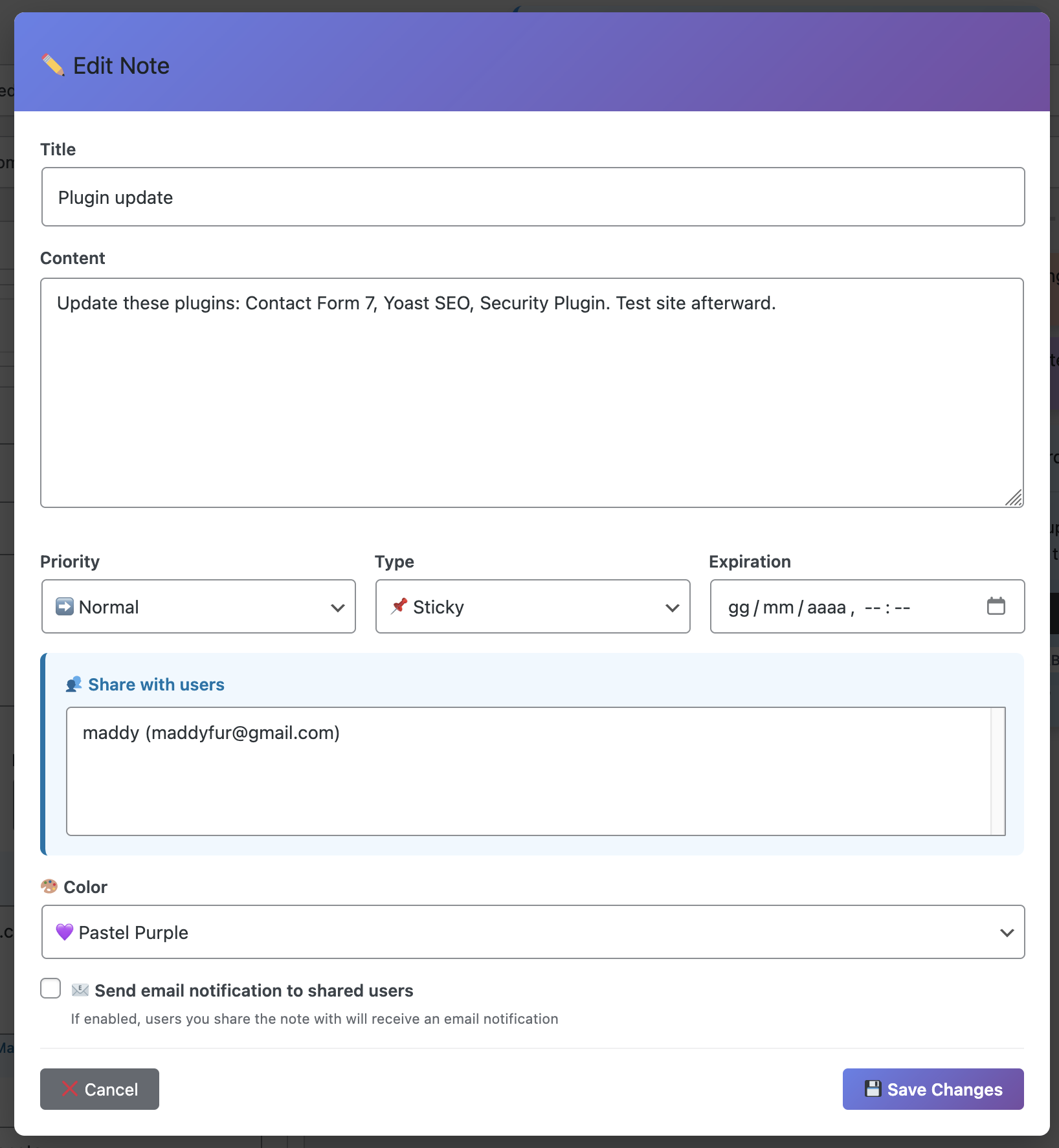
Dashboard Sticky Notes Pro: ✅ Full category system—organize by client, project, priority, or custom categories
Export & Backup
Critical for agencies and professionals:
- SimpleNotes: ❌ No export features
- WP Dashboard Notes: ⚠️ Basic CSV export (ugly formatting)
- Quick Notes: ❌ No export
- Admin Notes: ❌ No export
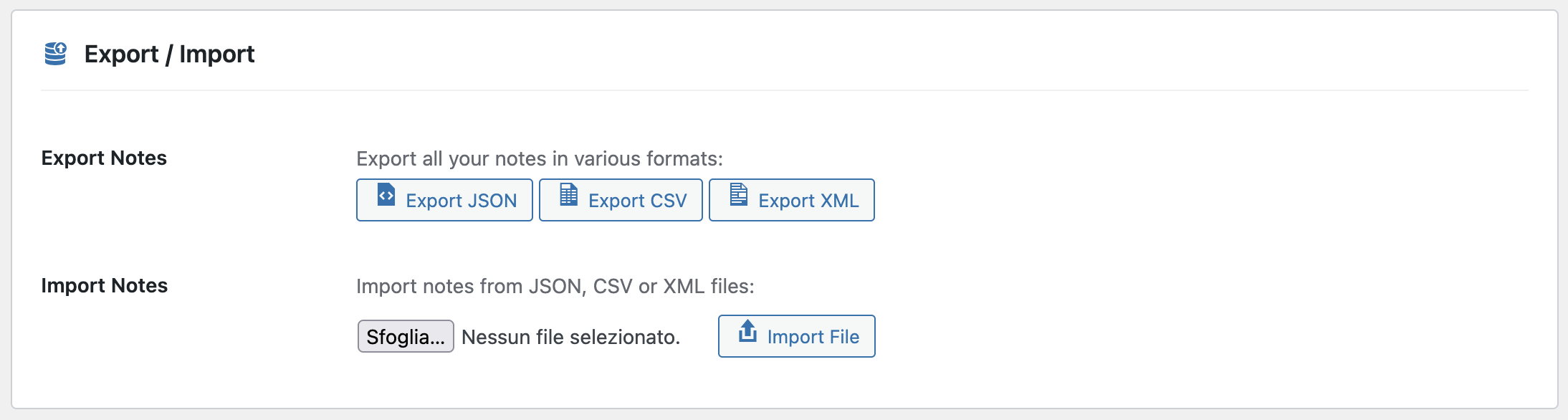
- Dashboard Sticky Notes Pro: ✅ Export to PDF (beautiful formatting), CSV, and plain text
Comparison Table: At-a-Glance
Here’s everything in one easy-to-scan table:
| Feature | SimpleNotes | WP Dashboard | Quick Notes | Admin Notes | Dashboard Sticky Notes |
|---|---|---|---|---|---|
| Beautiful Design | ❌ | ⚠️ | ⚠️ | ❌ | ✅ |
| Fast Creation | ❌ | ⚠️ | ⚠️ | ❌ | ✅ |
| Color Coding | ❌ | ⚠️ | ⚠️ | ⚠️ | ✅ |
| Rich Text | ❌ | ❌ | ⚠️ | ❌ | ✅ |
| Team Sharing | ❌ | ❌ | ⚠️ | ❌ | ✅ Pro |
| Voice Recording | ❌ | ❌ | ❌ | ❌ | ✅ Pro |
| Categories | ❌ | ⚠️ | ❌ | ❌ | ✅ Pro |
| Export Options | ❌ | ⚠️ | ❌ | ❌ | ✅ Pro |
Dashboard Sticky Notes wins in every single category that matters.
The Unique Advantages That Really Matter
Beyond the feature checklist, here are the unique advantages that make Dashboard Sticky Notes special:
1. Designed for Real Workflows
Most notes plugins feel like they were built by developers for developers. Dashboard Sticky Notes was designed by someone who actually uses WordPress daily and understands real workflows.
You can tell in the details: The colors are soothing, not harsh. The interface is clean, not cluttered. Creating a note is instant, not a multi-step process. Everything just works the way you’d expect it to.
2. Actually Looks Professional
If you’re showing your WordPress dashboard to clients or team members, Dashboard Sticky Notes looks like it belongs there. It’s polished and modern.
Compare that to most other plugins that look like they were designed in Microsoft Paint circa 2005.
3. Regular Updates & Support
Many notes plugins haven’t been updated in years. Dashboard Sticky Notes is actively maintained with regular updates, new features, and responsive support.
When you have a question or issue, you get actual help—not crickets.
Pricing: Free vs. Pro
Let’s talk money. Dashboard Sticky Notes has a generous free version that’s already better than most paid alternatives.
Free Version Includes:
✓ Unlimited notes
✓ Full color coding
✓ Rich text formatting
✓ Fast performance
✓ Beautiful design
That free version alone beats SimpleNotes, Quick Notes, and Admin Notes—even their paid versions.
Pro Version Adds:
✓ Voice recording
✓ Team collaboration & sharing
✓ Advanced categories
✓ Role-based permissions
✓ Export to PDF/CSV
✓ Priority support
The Pro version costs less than most competitors while offering significantly more features.
The Honest Bottom Line
Look, I’ve tested twenty-three different notes plugins. I’ve used them in real workflows, not just installed them for five minutes.
Dashboard Sticky Notes is the only one I continue to use daily.That should tell you something.
It’s not just that it has more features (though it does). It’s not just that it looks better (though it does). It’s that it works exactly the way a notes plugin should work—fast, intuitive, beautiful, and effective.
If you try any other notes plugin first, you’ll end up switching to Dashboard Sticky Notes eventually. Save yourself the time and start with the best.
Try It Yourself—See the Difference
Don’t just take my word for it. Install Dashboard Sticky Notes and compare it to any other notes plugin. The difference will be immediately obvious.
Experience the Best WordPress Notes Plugin
See why Dashboard Sticky Notes outperforms every competitor.
P.S. – I spent a week testing 23 different notes plugins so you don’t have to. Dashboard Sticky Notes won by a landslide. Save yourself the time and frustration—start with the best. Your productivity will thank you.