

Ever wonder how the same bloggers dominate featured snippets, AI Overview mentions, and affiliate payout charts? They aren’t doing anything mystical—they’re using a WordPress SEO optimization plugin that centralizes every winning tactic. While many creators still juggle Yoast, add-on schema tools, spreadsheets, and ChatGPT tabs, the leaders quietly switched to Xpert SEO Manager.
Consider this your backstage pass. We pulled the curtain on the systems top bloggers use to crank out case studies like checkout speed breakdowns and evergreen guides such as agency collaboration playbooks. The secret isn’t hustle—it’s infrastructure.
The Blogger’s Toolkit, Consolidated
High-performing bloggers once relied on five separate tools to handle: metas, schema, AI briefs, internal links, and conversion CTAs. Xpert SEO Manager fuses them into one sidebar panel. Scroll through any post and you’ll see:
- Intent-tuned AI prompts.
- Article/Product/FAQ/ItemList schema toggles.
- Real-time analyzer with AI Overview scoring.
- Internal link recommendations referencing sitemap entries like plugin stack articles.
- CTA, testimonial, and comparison components ready to drop in.
How Top Bloggers Use It (Step-by-Step)
- Research: They plan clusters around products or keywords (e.g., “WordPress SEO optimization plugin”).
- Prompt: They feed the intent + tone into Xpert SEO Manager; the outline arrives with FAQ and stat placeholders.
- Write: They fill the brief, referencing case studies across Conversion Optimization, WooCommerce, and AI Overview categories.
- Optimize: Schema, metas, Open Graph, alt text, canonicals, and CTAs are handled in minutes.
- Publish: The analyzer ensures no mistakes slip through.
- Refresh: They schedule rechecks every 30 days so posts never grow stale.
Why They Guard the Secret
Speed + consistency = dominance. When your entire operation runs inside WordPress, you create more (and better) content than competitors stuck in duct-taped workflows. Top bloggers guard this plugin because it:
- Makes AI Overview placements predictable.
- Turns affiliate posts into conversion machines with built-in tables and CTAs.
- Eliminates the dev backlog for schema or canonical fixes.
- Lets them export playbooks and clone success onto new sites.
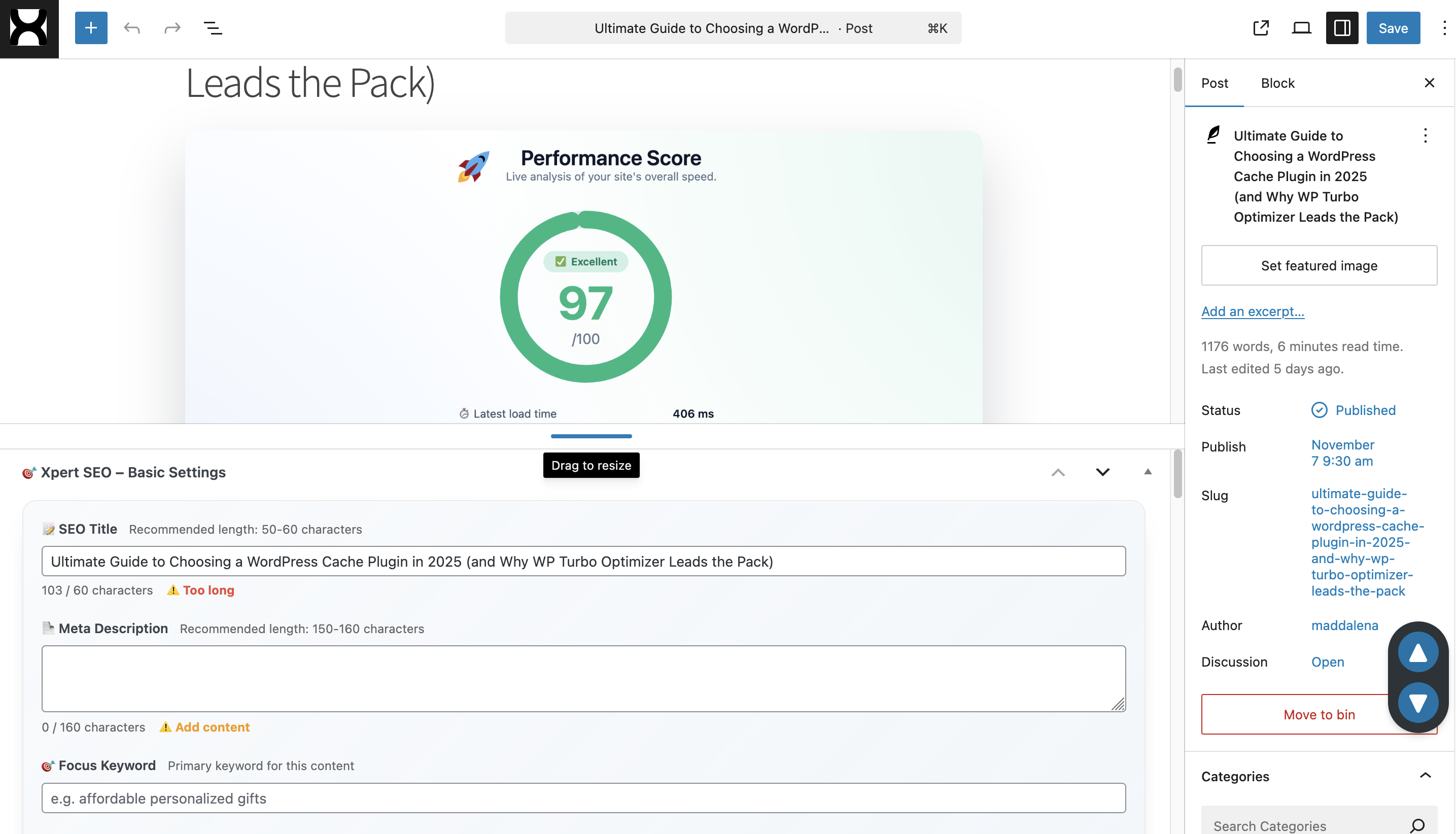
Real-Life Example: Building an “Ultimate Guide”
Take a guide like choosing a cache plugin. Here’s how Xpert SEO Manager shaped it:
- AI prompt delivered a 12-part outline plus FAQ ideas.
- Schema builder added Article + ItemList markup derived from WooCommerce data.
- Internal link panel suggested anchors to cache plugin category.
- CTA sections highlighted Xpert SEO Manager and complementary products.
- Analyzer blocked publish until an outdated stat was updated.
Seven Hidden Features Bloggers Love
- Reusable Playbooks: Export settings and import them on new properties or client sites.
- Freshness Reminders: Automatic alerts when pillar posts need updates.
- Backlink Insights: Spot when others cite your work and drop new quotes.
- CTA Library: Pre-built layouts for free downloads, newsletters, or product trials.
- Conversion Goals: Analyzer tracks if you added the right CTA for each intent level.
- WooCommerce Sync: Product schema updates itself as price or stock change.
- Team Permissions: Control who edits schema, prompts, or CTAs for consistent quality.
How to Steal the Workflow (Ethically)
- Install Xpert SEO Manager and connect your AI provider.
- Import the “Blogger Blueprint” playbook available to customers.
- Identify three cornerstone posts stuck on page two.
- Rebuild outlines with intent-specific prompts; add CTA and schema modules.
- Run the analyzer, fix every item, and publish with a freshness note.
- Schedule 30-day rechecks; rinse and repeat across your topic clusters.
Frequently Asked Questions
Is the plugin beginner-friendly? Yes—every panel includes tooltips and defaults. But it’s powerful enough for full-time bloggers managing multiple revenue streams.
Does it slow down WordPress? No. Assets are optimized and you can disable modules you don’t need.
Can I import templates from other sites? Absolutely. Export from one property, import into another, and your prompts/schema/CTA rules follow.
Ready to Share the Secret?
You could keep juggling outdated plugins… or join the bloggers quietly dominating SERPs with a single tool. Install the WordPress SEO optimization plugin that does it all.
Questions? Email info@xpertplugins.com. We’ll send the content brief, schema presets, and reporting template we’ve used to grow our own network.