

What truly sets a modern WordPress SEO optimization plugin apart? After auditing dozens of tools and running hundreds of experiments on XpertPlugins Magazine, we distilled the list to seven non-negotiable features. Unsurprisingly, each one is built into Xpert SEO Manager, the plugin engineered for AI-era ranking battles.
Feature 1: Intent-Aware AI Outlines
Generic AI prompts churn out fluff. Intent-aware prompts (informational, comparison, transactional, launch) craft outlines with question-led headers, stat blocks, and CTA cues. That’s how we scale clusters like AI Overview without briefing fatigue.
Feature 2: Real-Time Analyzer
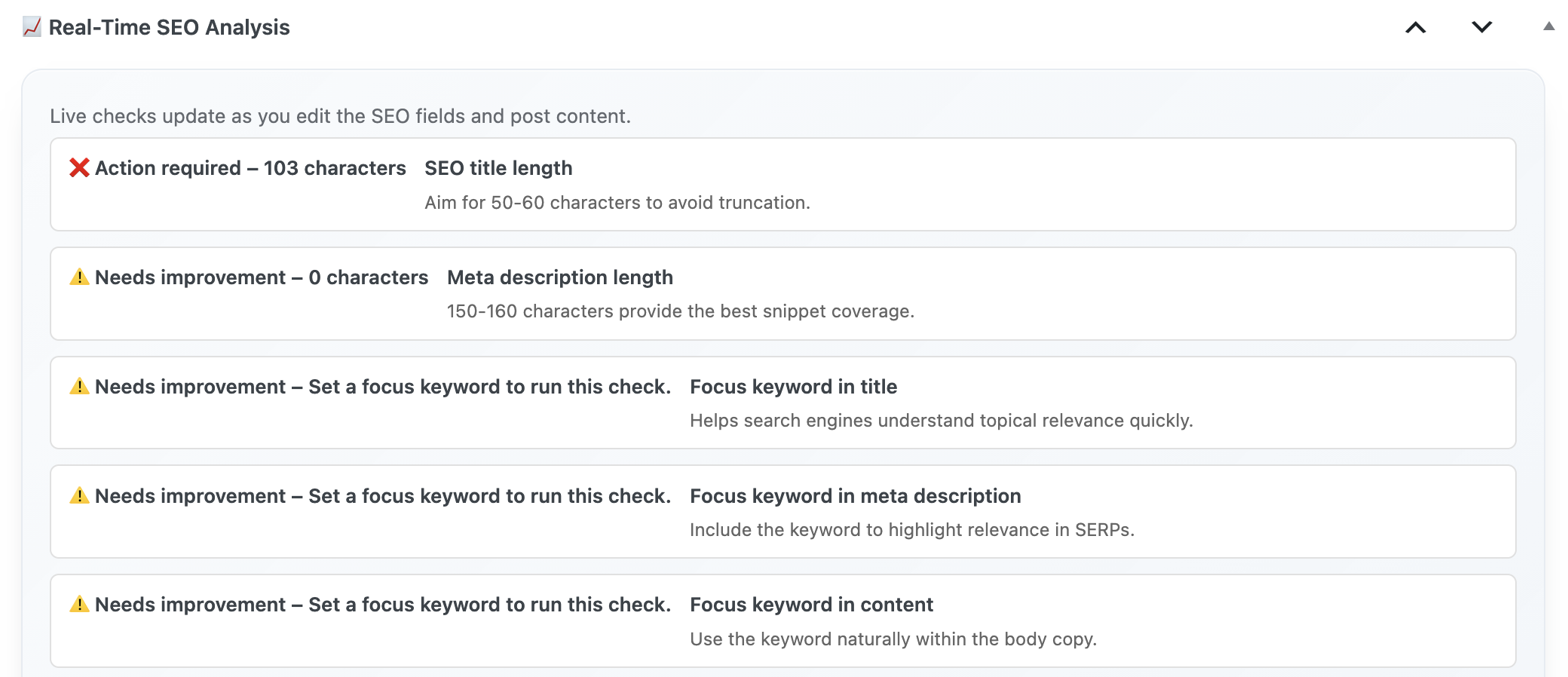
A 40-point analyzer surfaces AI readiness, schema gaps, canonical issues, internal link debt, and CTA coverage instantly. It’s why posts such as our ultimate guide rarely lose rankings—they’re constantly audited.
Feature 3: Schema Engine with WooCommerce Sync
Article, FAQ, Product, ItemList, and HowTo schema should be a click away. The plugin auto-fills fields using WooCommerce data, so product pages like WP Abandoned Cart Recovery always pass validation.
Feature 4: Internal Link Intelligence
Your plugin should scan the sitemap and suggest anchors for each new draft. That keeps clusters such as Conversion Optimization interconnected and crawl-friendly.
Feature 5: Conversion Toolkit
Traffic is half the battle. Pre-built CTA modules, testimonial sliders, and pricing cards ensure every post promotes Xpert SEO Manager’s €39/year license or complementary tools like Turbo Cache Optimizer.
Feature 6: Automation & Alerts
Schedule rechecks, freshness reminders, schema validation, and backlink summaries. That automation saved our memo reminder guide from losing its snippet after a minor update.
Feature 7: Reporting That Speaks Business
Stakeholders want proof. The plugin’s reports show AI Overview wins, schema deployment, and conversion metrics. Share them weekly to justify more budget for content sprints.
Checklist: Does Your Plugin Pass?
- AI prompts customized by intent?
- Analyzer covering AI, technical, schema, links, CTAs?
- Schema connected to WooCommerce?
- Internal link intelligence referencing entire sitemap?
- CTA widgets + conversion tracking?
- Automation for freshness and alerts?
- Stakeholder-ready reporting?
Putting the Features to Work
To see the seven features in action, open any post in your WordPress admin after installing Xpert SEO Manager. You’ll notice the content assistant referencing assets like speed case studies, schema toggles for each section, analyzer tasks, and CTA recommendations—all in one view.
That unified interface is what eliminates guesswork and powers consistent wins.
FAQ
Do I need development skills? No. Editors can manage everything from schema to CTAs.
What about multilingual setups? Prompts and schema templates support any language you configure in WordPress.
Can agencies use it? Yes—export playbooks and deploy them across client portfolios.
Install the Plugin with All 7 Features
Skip Frankensteined stacks. Get the WordPress SEO optimization plugin that combines AI, analyzer, schema, internal links, CTAs, automation, and reporting.
Need help scoring your current stack? Email info@xpertplugins.com and we’ll send a customized audit sheet.