

Every day you delay upgrading your SEO stack, visitors drift toward competitors who deliver faster, fresher, and more conversion-ready experiences. The fix is straightforward: install Xpert SEO Manager, the WordPress SEO optimization plugin that plugs the leaks causing bounce rates to skyrocket and rankings to slip.
Let’s identify where visitors disappear—and how this plugin patches each hole.
Leak #1: Thin, Unstructured Content
Readers leave when content feels generic. The plugin’s AI prompts enforce question-led headings, stat callouts, and CTA placements, so pieces like quick notes tutorials answer real user pain and retain attention.
Leak #2: Outdated Information
Stale stats erode trust. Schedule analyzer rechecks so posts such as abandoned cart guides get automatic freshness alerts. The plugin highlights which paragraphs need updates, so visitors always see the latest data.
Leak #3: Slow, Chaotic Publishing
If launching a post takes weeks, you’ll miss every trend. Xpert SEO Manager centralizes metas, schema, AI prompts, and CTAs so editors publish in a single session. That agility helped us ship multi-part features across AI Overview while competitors were still formatting tables.
Leak #4: Broken Technical Elements
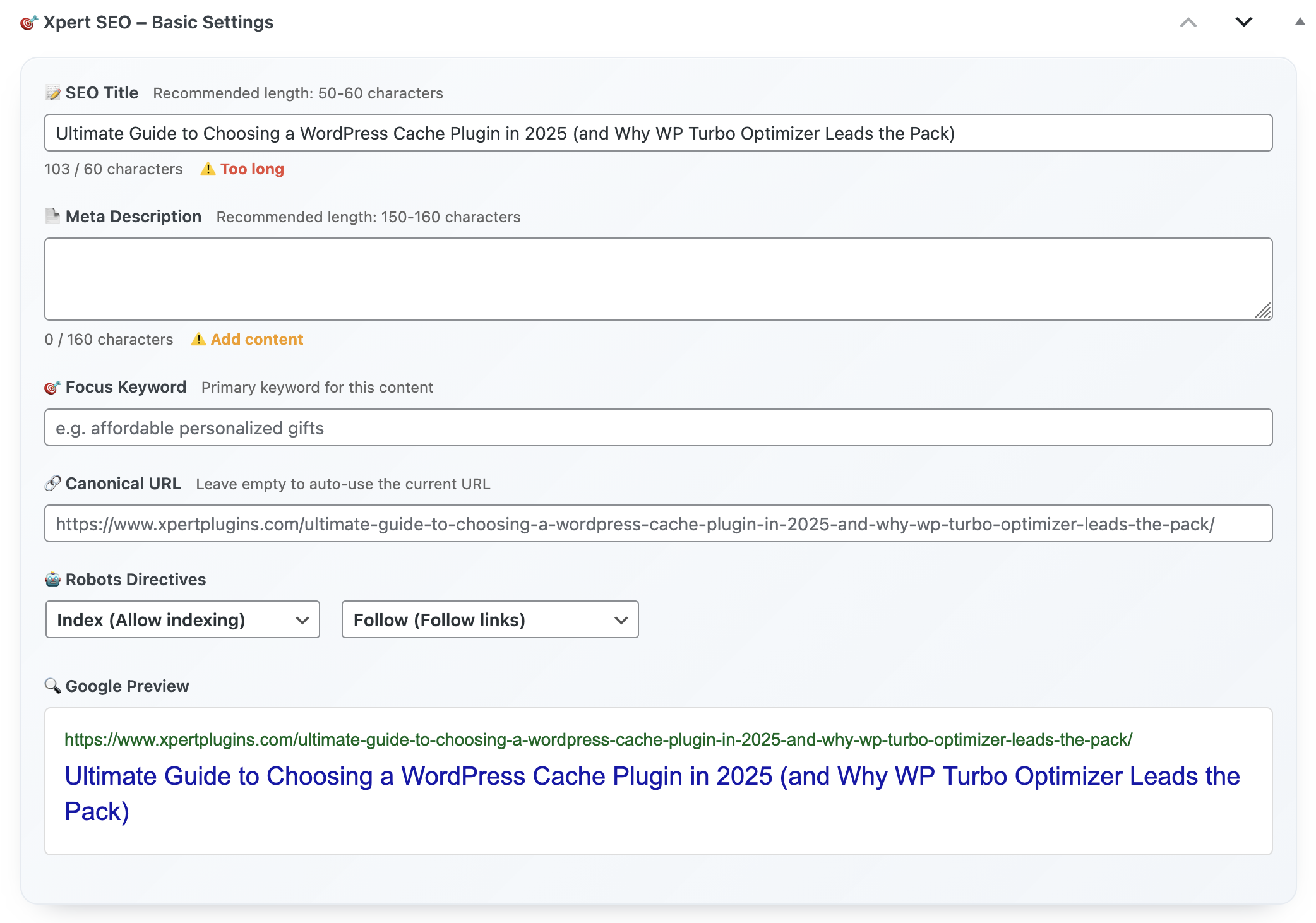
One noindex tag or misaligned canonical can wipe out a week’s worth of traffic. The plugin stops publication until critical errors—duplicate H1s, missing alt text, conflicting canonical URLs—are resolved. Posts like our ultimate guide stay bulletproof.
Leak #5: Missing Structured Data
Without schema, you forfeit rich snippets. The plugin embeds Article, FAQ, Product, and ItemList templates. When we refreshed comparison posts, ItemList schema doubled our click-through rate.
Leak #6: Weak CTAs
Visitors bounce if you don’t show them the next step. Use CTA sections, testimonial sliders, and offer bars to promote Xpert SEO Manager’s €39/year license or related plugins. The analyzer flags missing CTAs so no article ends cold.
Leak #7: Disconnected Internal Links
When posts sit in isolation, readers exit after one page. The plugin’s internal link recommender scans your sitemap (think Conversion Optimization, WooCommerce, AI Overview) and proposes anchors for each new draft. That keeps visitors moving deeper through your funnel.
Leak #8: Reporting Blind Spots
If you can’t prove results, stakeholders won’t fund more content—and traffic stagnates. The reporting hub visualizes AI readiness, schema coverage, and conversions so you can secure more resources and keep improvements rolling.
Emergency Fix Checklist
- Install Xpert SEO Manager.
- Run analyzer on your top 10 URLs.
- Apply AI prompts + schema templates.
- Add CTA + internal link recommendations.
- Schedule freshness alerts and weekly reports.
FAQ
Will it slow my site? No. Assets are optimized and you can disable modules if needed.
Can I keep existing plugins? You can, but most teams migrate entirely to avoid conflicts.
How fast will we see fewer bounces? Many users report improvements within two weeks after fixing analyzer issues.
Save Every Visitor
Plug the leaks stealing your traffic. Install the WordPress SEO optimization plugin that enforces best practices on autopilot.
Need guidance triaging the leaks? Email info@xpertplugins.com with your sitemap URL and we’ll outline the top fixes.