
Master WordPress Dashboard Organization
A cluttered WordPress dashboard is like a messy desk – it slows you down, causes mistakes, and makes even simple tasks feel overwhelming. Whether you manage one site or hundreds, keeping your WordPress admin organized is essential for productivity and sanity.
Enter Dashboard Sticky Notes – the professional solution for transforming chaotic dashboards into organized, efficient command centers. This comprehensive guide reveals 5 proven strategies to master WordPress admin organization.

Transform chaos into organized productivity
🎯 The Cost of Dashboard Chaos
❌ Disorganized Dashboard:
- 15+ minutes searching for information daily
- Important tasks forgotten or delayed
- Team members confused about priorities
- Duplicate work and miscommunication
- High stress, low productivity
✅ Organized Dashboard:
- Instant access to all critical information
- Clear priorities visible at a glance
- Team alignment and collaboration
- Streamlined workflows, zero duplication
- Low stress, high productivity
📋 Tip #1: Implement a Color-Coding System
The Strategy: Use Quick Notes PRO’s color themes to create instant visual hierarchy. Your brain processes color 60,000 times faster than text – leverage this for organization.
Recommended Color System:
Urgent / Critical
Important / Review
Completed / Success
Information / FYI
Ideas / Planning
Personal / Notes
Real-World Application:
- Agency Owner: Red for client emergencies, yellow for pending approvals, blue for team announcements
- Content Manager: Yellow for drafts needing review, green for published posts, purple for content ideas
- Developer: Red for bugs, yellow for features in progress, green for completed deployments
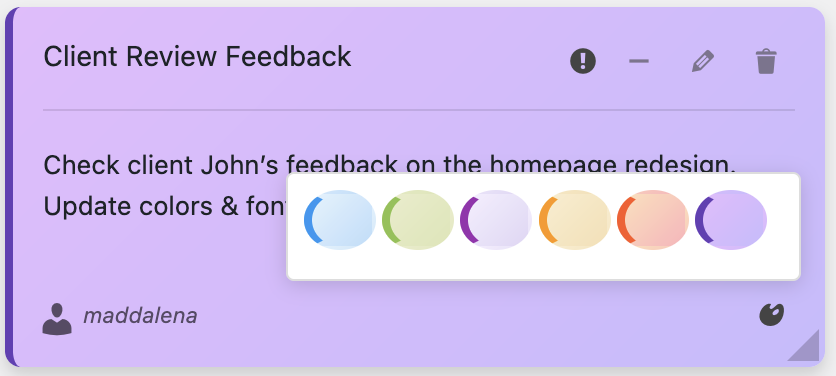
8 beautiful color themes for perfect visual organization
📁 Tip #2: Master Categories and Tags
The Strategy: Use Dashboard Sticky Notes’ built-in categories and tags to create a searchable knowledge base inside your WordPress admin.
Category Structure Examples:
For Agencies:
- 📂 Client A / Client B / Client C
- 📂 Projects / Maintenance / Support
- 📂 Development / Design / Content
For E-commerce Sites:
- 📂 Products / Orders / Shipping
- 📂 Marketing / SEO / Analytics
- 📂 Customer Service / Returns
For Content Sites:
- 📂 Editorial Calendar / Ideas / Research
- 📂 SEO / Social Media / Email
- 📂 Writers / Editors / Admin
Tag Best Practices:
- Use tags for cross-cutting concerns: @urgent, @john, @weekly-review
- Create tags for workflows: #draft, #review, #approved, #published
- Tag team members: @developer, @designer, @manager
- Tag time-sensitive items: #today, #this-week, #Q4-2025

Categories and tags make notes instantly searchable
🎙️ Tip #3: Use Voice Notes for Complex Information
The Strategy: Some information is too complex for text. Quick Notes PRO’s voice recording feature (up to 5 minutes) lets you capture nuanced ideas quickly.
Perfect Use Cases for Voice Notes:
- Technical Explanations: Explain complex code changes or architecture decisions
- Client Feedback: Capture the nuance of client requests during phone calls
- Quick Brainstorms: Record ideas while they’re fresh, transcribe later
- Walkthroughs: Provide step-by-step instructions for team members
- Meeting Summaries: Quick recap of key decisions and action items
Productivity Impact:
Time to communicate complex idea:
- ❌ Written note: 10-15 minutes typing
- ✅ Voice note: 2 minutes recording
- 📊 Time saved: 80%
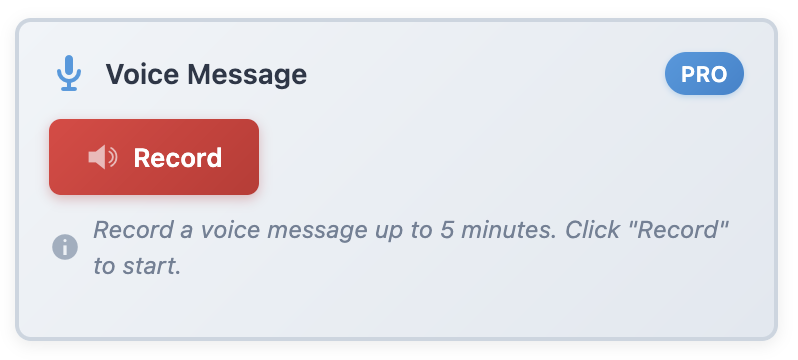
NEW: Record up to 5-minute voice memos for rich communication
📌 Tip #4: Create Template Notes for Recurring Tasks
The Strategy: Save time by creating reusable note templates for tasks you perform regularly.
Template Examples:
Weekly Review Checklist:
🗓️ Monday Review (Copy this weekly)
- ☐ Review pending comments
- ☐ Check plugin updates
- ☐ Backup database
- ☐ Review Google Analytics
- ☐ Plan content for week
- ☐ Clear out completed notes
New Client Onboarding:
👋 New Client Setup – [CLIENT NAME]
- ☐ Install security plugins
- ☐ Configure backups
- ☐ Set up Google Analytics
- ☐ Configure SEO settings
- ☐ Create training notes for client
- ☐ Schedule follow-up call
Contact: [email] | [phone]
Product Launch Checklist:
🚀 Product Launch – [PRODUCT NAME]
- ☐ Product description & images
- ☐ Pricing & inventory setup
- ☐ SEO optimization
- ☐ Related products configured
- ☐ Email campaign prepared
- ☐ Social media posts scheduled
- ☐ Test purchase flow

Dashboard organized with template notes for recurring workflows
🧹 Tip #5: Implement Regular Dashboard Maintenance
The Strategy: Schedule regular “dashboard hygiene” sessions to keep your notes system clean and effective.
Daily Maintenance (5 minutes):
- Archive completed tasks (mark green, then archive after 24 hours)
- Update priorities (move urgent items to red)
- Add tomorrow’s top 3 tasks as yellow notes
Weekly Maintenance (15 minutes):
- Review all open notes, archive irrelevant ones
- Consolidate duplicate or similar notes
- Update recurring templates
- Verify team members are using color coding correctly
- Export important notes as backup (Pro feature)
Monthly Maintenance (30 minutes):
- Analyze note categories – are they still relevant?
- Review archived notes for patterns or insights
- Update team workflows based on learnings
- Optimize color coding system if needed
- Train new team members on note system
Pro Tip:
Create a recurring note that reminds you to do maintenance – use the purple color for “system/admin” tasks.
✨ Advanced Organization Features
Quick Notes PRO includes powerful features for power users:
- 🔍 Advanced Search: Find any note instantly with full-text search
- 📤 Export/Import: Backup your organization system or transfer to new sites
- 📊 Productivity Statistics: Track note creation trends and team activity
- 📎 File Attachments: Attach PDFs, screenshots, or documents to notes
- 🎨 8 Color Themes: Beautiful pastel colors for visual organization
- 🌍 Multi-language: Full support for English and Italian
- 👥 Team Permissions: Control who can view, edit, or delete notes
- 📧 Email Notifications: Get alerted when team members add important notes
- 🎙️ Voice Recording: Up to 5-minute audio notes
- 📱 Mobile Responsive: Full functionality on phones and tablets
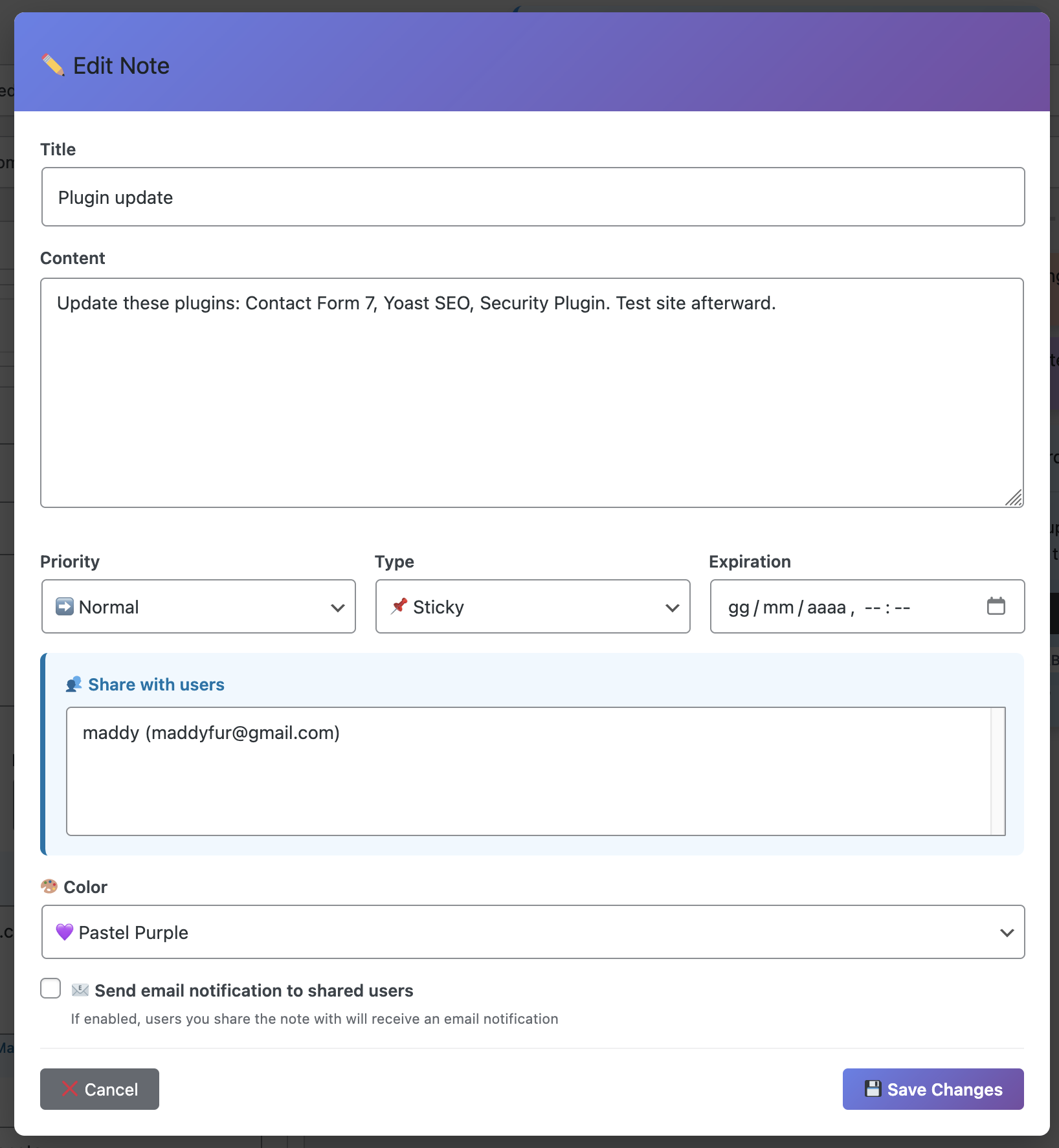
Full-featured note editor with categories, tags, colors, and attachments
📈 Real-World Organization Success Stories
Agency Dashboard Transformation:
Before: Scattered notes across email, Slack, Trello, and sticky notes on monitors
After: All client notes, tasks, and communications centralized in WordPress
- 85% reduction in time searching for information
- Zero missed client deadlines in 6 months
- Team satisfaction increased from 6/10 to 9/10
- Client communication errors decreased by 92%
E-commerce Site Optimization:
Before: Product launch checklists in Google Docs, forgotten steps common
After: Template notes for all recurring processes, color-coded by urgency
- Product launch time reduced from 2 weeks to 1 week
- Zero forgotten steps in product setup
- Team can see all active projects at a glance
- Inventory issues decreased by 78%
Content Site Editorial Workflow:
Before: Editorial calendar in spreadsheet, writer assignments via email
After: Each post has category-tagged notes for status, feedback, and SEO
- Publishing consistency increased to 98%
- Writer confusion about feedback eliminated
- SEO compliance improved to 100%
- Editorial revision rounds cut in half
🛠️ Implementation Roadmap
Phase 1: Foundation (Week 1)
- Install Quick Notes PRO
- Define your color coding system
- Create 3-5 essential categories
- Add your first 10 organizational notes
- Train team on the system (20-minute session)
Phase 2: Adoption (Weeks 2-3)
- Create template notes for recurring tasks
- Establish daily/weekly maintenance routines
- Encourage team to add notes daily
- Refine categories based on usage
- Start using voice notes for complex topics
Phase 3: Optimization (Month 2+)
- Analyze productivity statistics
- Optimize color coding and categories
- Implement advanced features (export, search, attachments)
- Document your system for new team members
- Continuous improvement based on feedback
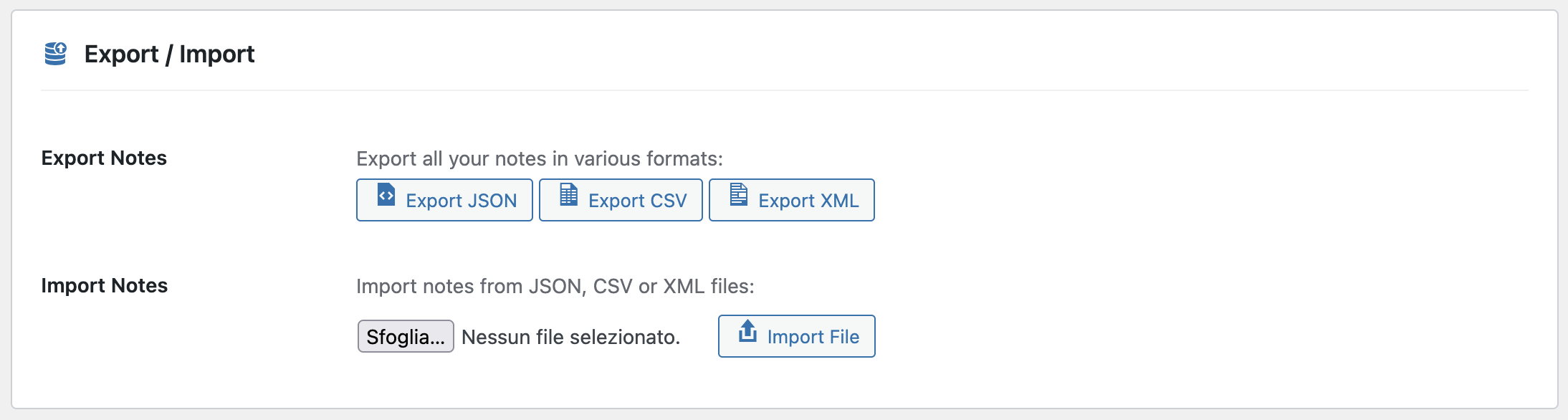
Export your organized notes for backup and knowledge transfer
💡 Pro Organization Hacks
Hack #1: The “Top 3” System
Every morning, create 3 red notes with today’s priorities. Archive when done. Simple, effective, proven.
Hack #2: The “Parking Lot”
Create a purple “Ideas & Someday” category for non-urgent ideas. Review monthly to prevent distraction.
Hack #3: The “Waiting For” System
Yellow notes tagged “#waiting-for-[person]” track delegated tasks. Review daily.
Hack #4: The “Weekly Reset”
Every Friday at 4pm, archive all green notes, review all reds, plan next week. 15 minutes = organized Monday.
Hack #5: The “Voice Journal”
End each day with a 2-minute voice note reviewing accomplishments and planning tomorrow.
Conclusion: Your Path to Dashboard Mastery
An organized WordPress dashboard isn’t just about aesthetics – it’s about reclaiming your time, reducing stress, and maximizing productivity. With Quick Notes PRO, you have all the tools needed to transform chaos into clarity.
The five tips in this guide – color coding, categories/tags, voice notes, templates, and regular maintenance – form a complete system for WordPress admin mastery. Implement them progressively, and you’ll wonder how you ever worked without this level of organization.
Ready to Organize Like a Pro?
Join 10,000+ WordPress professionals who have transformed their admin workflow.
✓ 8 color themes ✓ Categories & tags ✓ Voice recording ✓ Templates ✓ Export/Import ✓ Multi-language (EN/IT)
🎯 Key Takeaways:
- Color coding provides 60,000x faster visual processing than text
- Categories and tags create searchable knowledge bases
- Voice notes save 80% time vs. written explanations
- Template notes eliminate repetitive work
- Regular maintenance keeps system effective long-term
- Organized dashboards increase productivity by up to 85%
- €39 investment pays for itself in the first week