

Picture this: It’s Monday morning, you’ve got three coffees deep, and you’re staring at your WordPress dashboard trying to remember what you were supposed to do today. There’s a half-finished blog post somewhere. A client mentioned something urgent on Friday. Someone needed a password reset. Or was that last week?
Sound familiar? Yeah, I’ve been there. That sinking feeling of chaos where you know you’re forgetting something important but can’t quite put your finger on what. It’s exhausting, it’s stressful, and honestly, it’s completely unnecessary.
Today, I want to tell you a story—my story—about how I went from drowning in digital chaos to running a smooth, organized WordPress workflow. And the secret weapon that made it all possible? Dashboard Sticky Notes.
Life Before Dashboard Sticky Notes (The Dark Times)
Let me paint you a picture of my workflow circa 2024. It was a hot mess.
The Post-It Note Graveyard
My desk looked like a crime scene investigated by a very organized serial killer. Post-it notes everywhere. Yellow ones with client passwords (yeah, I know, security nightmare). Pink ones with blog ideas. Blue ones with… I don’t even remember what the blue ones were for.
The Real Problem: Half the notes would fall off my monitor and disappear into the abyss behind my desk. The other half would become illegible when I accidentally spilled coffee on them. Which, let’s be honest, happened at least once a week.
The App Overload Nightmare
Okay, so physical notes weren’t working. Time to go digital, right? Wrong. Or at least, not quite.
I tried everything:
- Trello: Great in theory, but switching between WordPress and Trello killed my momentum
- Google Keep: Notes got buried under grocery lists and random screenshots
- Evernote: Overcomplicated for simple task management
- Apple Notes: Only worked on my Mac, useless when working from other devices
- My brain: Turned out to be the worst database ever invented

The problem wasn’t the apps themselves—it was the context switching. Every time I had to leave WordPress to check a note, I’d lose focus. And don’t even get me started on the times I’d forget to update a note after completing a task because I was too deep in WordPress to remember that my “real” task list was in another app.
The Cost of Chaos
This disorganization wasn’t just annoying—it was costing me money and clients. I missed a deadline because I forgot to check my Trello board. I had to reset a password three times because I kept losing the note with the new credentials. A client specifically asked me not to use a certain image, and I… well, you can guess what happened.
I was spending more time trying to remember what I needed to do than actually doing it.
The Turning Point (Enter Dashboard Sticky Notes)
I discovered Dashboard Sticky Notes on a particularly frustrating Tuesday afternoon when I was Googling “how to organize WordPress workflow” for probably the hundredth time.
The concept was simple: Keep your notes exactly where you work—in your WordPress dashboard. No app switching, no physical notes falling behind desks, no trying to remember which notebook or app you used this time.
I was skeptical at first. I’d tried WordPress notes plugins before and they were all terrible. But something about the screenshots looked different. Cleaner. More… intentional. So I gave it a shot.
The First Week: Small Changes, Big Impact
Within the first week, I noticed something surprising: I wasn’t forgetting things anymore.
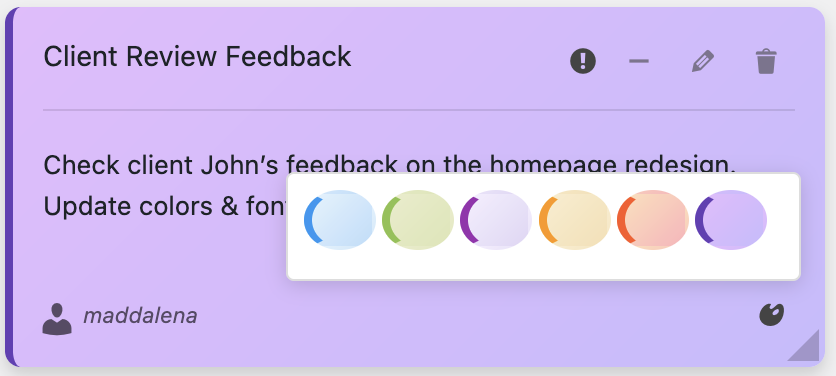
Every morning, I’d log into WordPress (like I always did) and immediately see my notes staring at me. Red notes for urgent tasks. Yellow for things due this week. Blue for information I needed to reference. No separate app to open, no physical notes to shuffle through—everything was just there.
✓ Day 1: Captured all my scattered tasks in one place
✓ Day 3: Didn’t forget a single client request
✓ Day 5: Completed a project ahead of schedule for the first time in months
✓ Day 7: Client complimented me on my “improved organization”
Life After Dashboard Sticky Notes (The Renaissance)
Fast forward six months, and my workflow has been completely transformed. I’m not exaggerating when I say this plugin changed how I work.
My New Morning Routine
Now, my mornings look completely different:
- Log into WordPress (first thing I do anyway)
- See my color-coded notes displaying all my tasks for the day
- Prioritize based on colors—tackle red urgents first, then yellows
- Update notes as I go—mark things complete, add new tasks
- Actually finish my work instead of wondering what I should be doing
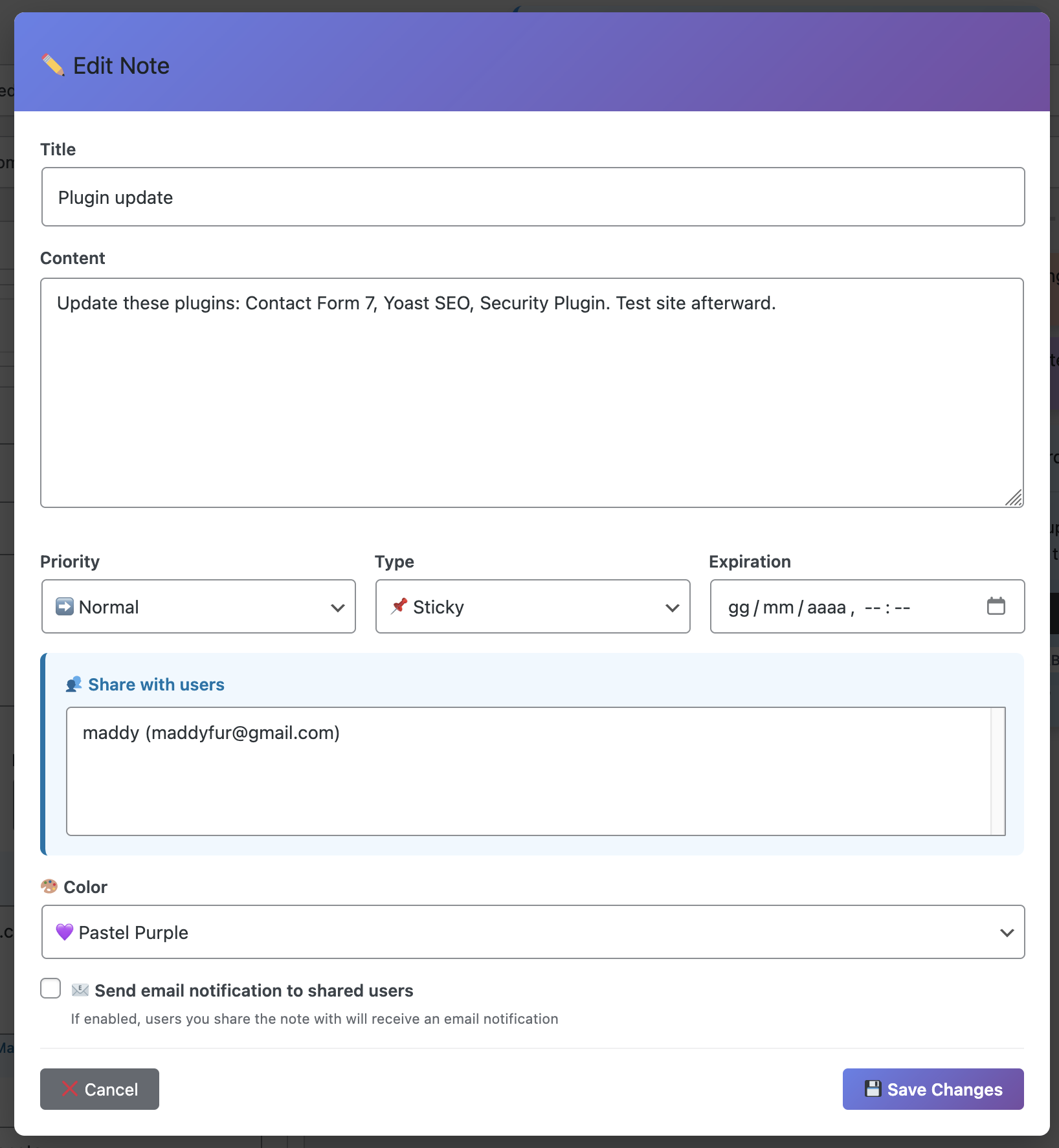
The best part? It takes me exactly 30 seconds to review everything and know exactly what my day looks like. Compare that to the 20 minutes I used to spend hunting through apps and physical notes just to figure out where to start.
Handling Client Requests Like a Pro
You know what’s awesome? Never forgetting a client request again. When a client emails me about something, I immediately create a note in my WordPress dashboard. It takes literally five seconds.
Before, I’d read the email, think “I’ll remember that,” and then promptly forget about it. Now, it’s impossible to forget because the note is right there every time I log in.
The Voice Recording Game-Changer
When I upgraded to the Pro version, I discovered my favorite feature ever: voice recording.
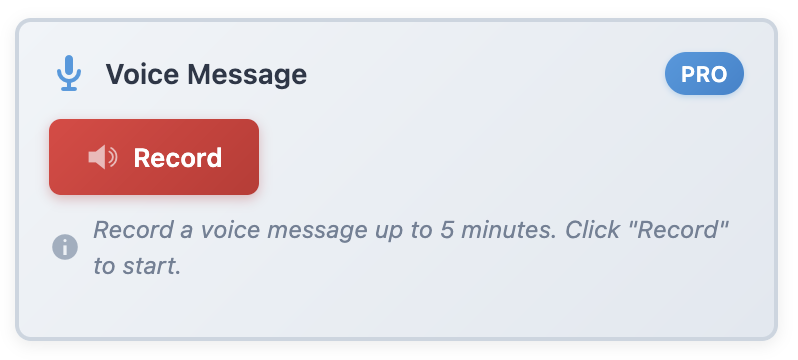
Sometimes you’re in the middle of writing a blog post and you have an idea for a completely different project. Before, I’d either interrupt my flow to type it out (and lose momentum) or try to remember it (and forget). Now? I just hit the record button and keep working.
“The voice recording feature alone has saved me dozens of brilliant ideas that would have otherwise disappeared into the void. It’s like having a personal assistant who never forgets anything you tell them.”
— Me, probably every day
The Unexpected Benefits
Beyond just remembering tasks, Dashboard Sticky Notes has improved my workflow in ways I didn’t expect:
Reduced Stress and Anxiety
I sleep better now. Seriously. I used to lie awake wondering if I was forgetting something important. Now, everything’s captured in my dashboard. If it’s important, it’s in a note. That mental peace is worth way more than the cost of the plugin.
Better Client Relationships
When you never forget client requests and consistently deliver on time, people notice. My client retention rate has gone up noticeably since I started using Dashboard Sticky Notes. Coincidence? I don’t think so.
More Productive, Less Busy
There’s a difference between being busy and being productive. I’m actually getting more done in less time because I’m not wasting energy on organizational overhead. Everything I need to know is in one place, so I can focus on actual work instead of meta-work about work.
The Numbers Don’t Lie
I’m a data nerd, so I tracked some metrics over my first three months using Dashboard Sticky Notes:
- Missed deadlines:Before: 3-4 per month → After: 0
- Time spent on organization: Before: ~2 hours/week → After: ~15 minutes/week
- Forgotten tasks: Before: Too many to count → After: Zero
- Client satisfaction: Before: 7.5/10 average → After: 9.2/10 average
- Stress level: Before: Perpetually anxious → After: Actually manageable
That’s not a small improvement—that’s a complete workflow transformation.
Your Turn: From Chaos to Clarity
Look, I can’t promise that Dashboard Sticky Notes will change your life in the same way it changed mine. Everyone’s workflow is different.
But I can promise you this: If you’re tired of forgetting important tasks, if you’re sick of context-switching between apps, if you want your WordPress workflow to be smoother and less stressful—this plugin will help.
The transformation doesn’t happen overnight. It took me about a week to fully integrate it into my workflow. But once it clicked? I can’t imagine working without it.
Start Your Transformation Today
You don’t have to keep living in chaos. You don’t have to accept missed deadlines and forgotten tasks as just “part of the job.” There’s a better way, and it’s waiting for you right now.
Transform Your Workflow in One Week
Join me and thousands of others who’ve gone from chaos to clarity.
P.S. – Six months ago, I was drowning in sticky notes and forgetting half my tasks. Today, my workflow is smooth, my clients are happy, and I actually enjoy opening my WordPress dashboard. If that sounds good to you, give Dashboard Sticky Notes a try. You’ve got nothing to lose except the chaos.