
Ever find yourself staring at a blank WordPress editor wondering “What should I write about today?” You’re not alone. Poor editorial planning is one of the biggest productivity killers for content creators. I know because I’ve been there—publishing inconsistently, missing opportunities, and feeling perpetually behind.
Then I discovered something game-changing: my best editorial planning tool was hiding in plain sight. My WordPress dashboard could become my editorial command center, keeping content ideas, schedules, and planning notes exactly where I need them—where I actually create content.
Today I’m going to show you how to transform your dashboard into a content planning powerhouse that’ll keep you publishing consistently, strategically, and stress-free.
Why Dashboard-Based Editorial Planning Works
Let’s address the obvious question: Why not use dedicated editorial calendar tools? I’ve tried them all—Trello boards, CoSchedule, spreadsheets, project management apps. They all have the same fatal flaw: they’re not where you write.
Think about your content creation workflow. You plan in Tool A, then switch to WordPress to write. You check your calendar in Tool B, then switch to WordPress to publish. All that context switching kills momentum and wastes mental energy.
The Dashboard Advantage: When your editorial planning lives in your dashboard, there’s zero friction between planning and execution. You see what needs to be written, and the “publish” button is right there. That’s powerful.
Setting Up Your Editorial System
I’m going to walk you through the exact editorial planning system I use with Dashboard Quick Notes. This system has helped me go from sporadic publishing to consistent, high-quality content that actually gets results.

Create Your Content Pipeline Notes
The foundation of good editorial planning is a clear content pipeline. I organize mine into four color-coded notes representing different stages:
📝 Content Pipeline Stages:
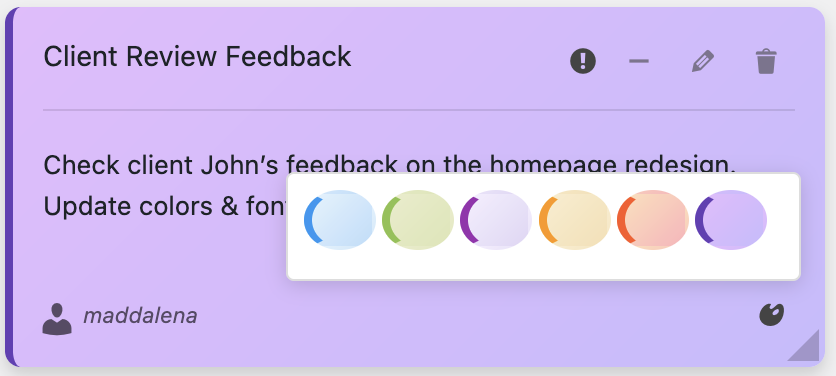
Purple – Ideas Bank: Raw content ideas (no pressure, just possibilities)
Blue – Research Phase: Ideas being developed (gathering info, outlining)
Yellow – Active Writing: Currently being written or edited
Green – Scheduled/Ready: Finished content ready to publish
Every piece of content moves through these stages. This visual progression is incredibly motivating—you can literally see your content moving through the pipeline.
The Ideas Bank: Never Run Out of Content
Writer’s block often comes from not having ideas when you need them. Solution? Capture ideas continuously, so you always have something to write about.
My purple “Ideas Bank” note looks like this:
💡 Content Ideas Bank
• WordPress security best practices (trending in forums)
• How to speed up WooCommerce checkout (client question)
• Common Gutenberg mistakes beginners make
• Accessibility checklist for WordPress (important!)
• Behind-the-scenes: How I organize client projects
• Case study: Client site that tripled traffic (great story)
Whenever inspiration strikes—during a client call, while reading industry news, or just randomly—I add it to the Ideas Bank. It takes 10 seconds and ensures I never have that “what do I write?” panic.
Monthly Content Planning Sessions
Every month, I spend one hour planning the next month’s content. One focused hour saves countless hours of scrambling. Here’s my process:
- Review analytics – what performed well last month?
- Check the Ideas Bank – what resonates with current needs?
- Consider seasonality – any timely topics or events?
- Balance content types – how-tos, case studies, opinions, etc.
- Create assignment notes – specific titles with target publish dates
After this session, I have a blue “October Content Plan” note that looks like:
📅 October Content Plan
Week 1 (Oct 1-7): “WordPress Security Essentials” (1500 words)
Week 2 (Oct 8-14): “Speeding Up WooCommerce” (2000 words, include video)
Week 3 (Oct 15-21): “Gutenberg Mistakes to Avoid” (1500 words)
Week 4 (Oct 22-28): “Client Success Story” (1000 words + images)
Buffer article: Accessibility checklist (in case we need extra content)
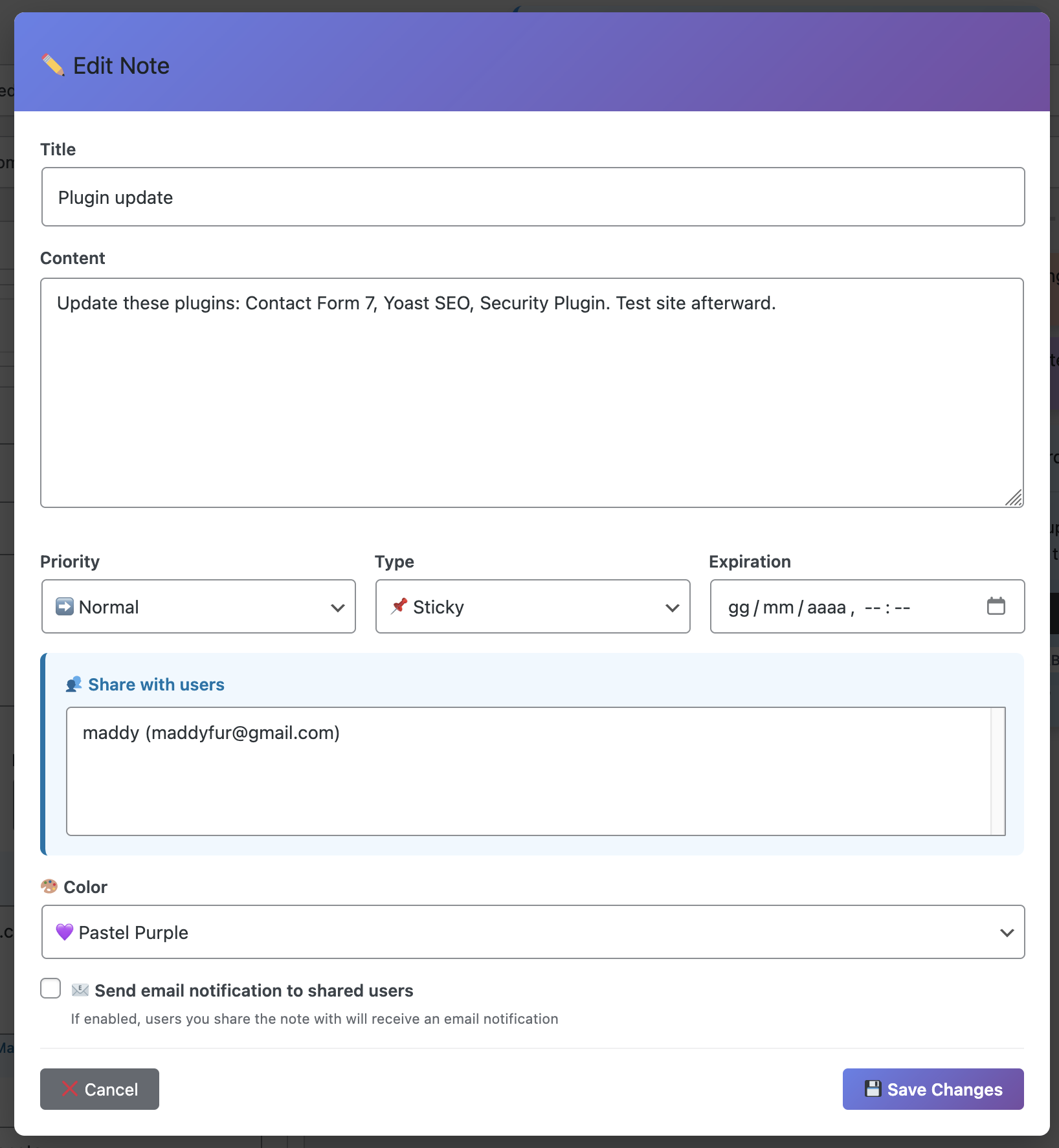
Having this plan visible in my dashboard eliminates decision fatigue. I always know what I’m writing next.
Individual Article Planning Notes
When I’m ready to write a specific piece, I create a yellow “In Progress” note with all the details I need. This becomes my roadmap for that article.
Here’s a typical in-progress note:
✍️ IN PROGRESS: “WordPress Security Essentials”
Target: 1500 words | Publish: Oct 5 | SEO: wordpress security, site security
Outline:
• Why security matters (intro, scary stats)
• Essential security plugins
• Password best practices
• Regular updates importance
Resources: Wordfence report, Sucuri stats, client case study
Images needed: 3-4 screenshots, featured image
Internal links: plugin update article, backup guide
With this note visible, I can write efficiently without stopping to remember what I was planning to include. Everything’s right there.
Managing Multiple Authors
If you work with multiple writers (or manage a team), dashboard notes become even more valuable for editorial coordination.
I create role-specific notes using Dashboard Quick Notes‘ role visibility features:
- Editors see: All content pipeline notes + assignment tracking
- Authors see: Their specific assignments + style guidelines
- Contributors see: Submission guidelines + feedback
This prevents information overload while keeping everyone informed about what matters to their role.

Content Guidelines and Standards
Consistency is crucial for quality content. I maintain a permanent blue “Editorial Guidelines” note that stays pinned at the top for all content creators:
📚 Editorial Guidelines
Voice & Tone: Conversational, helpful, no jargon unless explained
Structure: H2/H3 headers, short paragraphs, bullet points, images every 300 words
SEO: Focus keyword in title, first paragraph, at least one H2. Natural use only.
Links: 2-3 internal links, 1-2 external authoritative sources
Before publishing: Spell check, link check, mobile preview, meta description
Having this always visible means writers don’t have to dig through documentation—standards are right there where they work.
Tracking Performance and Iteration
Editorial planning isn’t just about creating content—it’s about learning what works and doing more of that.
I maintain a green “Top Performers” note tracking which content gets the best results:
- “WordPress Speed Optimization” – 5,234 views, 3:45 avg time
- “Plugin Security Guide” – 3,892 views, shared 127 times
- “Beginner’s Gutenberg” – 3,456 views, high engagement
This informs future planning. If security content performs well, I plan more security content.Data-driven editorial decisions beat gut feelings every time.
Voice Notes for Quick Captures
Ideas don’t arrive on schedule. They hit you while you’re doing something else. Voice recording makes capture effortless.
When an idea strikes while I’m editing or managing comments, I just hit record and say: “Content idea: Common mistakes people make with WordPress permissions. Could be a listicle with real examples from client sites. Include how to fix each one.”
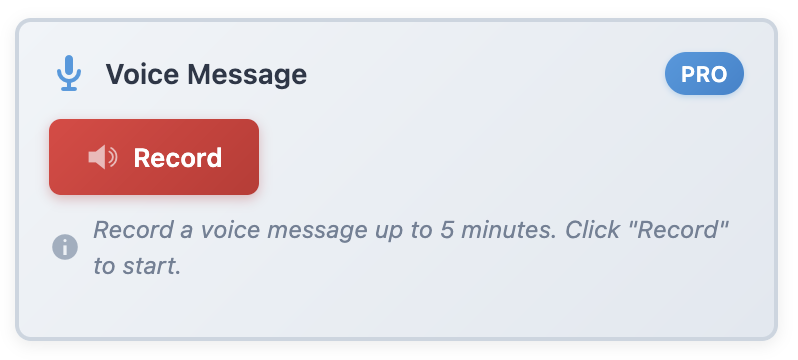
Later, during my planning session, I review these voice notes and develop the promising ones. I capture way more ideas now because the friction is near zero.
Seasonal and Trending Content Planning
Some content is time-sensitive. Dashboard notes help you plan ahead for seasonal topics without missing opportunities.
I maintain a purple “Seasonal Content Queue” note:
🗓️ Seasonal Content Queue
Q4 2025:
• Black Friday prep for WooCommerce (publish early Nov)
• Year-end WordPress maintenance checklist (mid-Dec)
Q1 2026:
• New year site audit guide (early Jan)
• Tax season tips for ecommerce (Feb)
Planning seasonal content months ahead means you’re never scrambling at the last minute.
Content Repurposing Tracker
Good content deserves multiple lives. I track repurposing opportunities in a green note:
- “Security Essentials” → Turn into downloadable checklist
- “Speed Optimization” → Create video tutorial version
- “Gutenberg Guide” → Break into 5-part email course
This ensures you’re maximizing the value of every piece you create, not just writing and forgetting.
Weekly Editorial Review
Every Friday, I spend 15 minutes reviewing the week’s editorial progress:
- What got published? (Celebrate wins!)
- What’s still in progress?
- Do any plans need adjusting?
- What surprised me this week?
- What should I prioritize next week?
This review keeps me agile and responsive instead of rigidly following a plan that might not be working.
The Publishing Confidence It Creates
Here’s what changed for me after implementing dashboard-based editorial planning: I went from anxious and inconsistent to confident and reliable.
I always know:
- What I’m writing today
- What’s coming up next week
- Where ideas are in the pipeline
- That I’ll never run out of content
- My content strategy is working (or needs adjustment)
That confidence translates into better content and more consistent publishing.
Start Planning Like a Pro
Look, content creation is hard enough without the added stress of poor planning. You deserve a system that supports your creativity instead of hindering it.
With Dashboard Quick Notes, your editorial planning lives exactly where you create—no context switching, no forgotten plans, no wasted mental energy.
Stop flying by the seat of your pants. Stop stressing about what to write. Start planning strategically, publishing consistently, and creating content that actually achieves your goals.
Transform Your Editorial Planning Today
Create content confidently with dashboard-based editorial planning.
P.S. – The difference between bloggers who publish consistently and those who don’t usually isn’t talent or time—it’s planning. Give yourself the gift of a solid editorial system. Your content (and your sanity) will thank you!