
Transform Team Collaboration with Dashboard Sticky Notes
In the fast-paced world of WordPress development and content management, effective team communication can make or break a project. Whether you’re running a digital agency, managing an editorial team, or coordinating with developers across time zones, Dashboard Sticky Notes offers a game-changing solution for in-dashboard collaboration.
Unlike external project management tools that fragment your workflow, Quick Notes PRO integrates seamlessly into WordPress, keeping your team focused and productive where they work most – inside the WordPress admin area.

Boost team productivity with integrated WordPress notes
🚀 Why Teams Love Dashboard Sticky Notes
Core Productivity Benefits:
- Centralized Communication: All team messages in one place – no more scattered emails or Slack threads
- Context-Aware Collaboration: Leave notes directly where work happens
- Visual Organization: Color-coded notes for instant priority recognition
- Zero Context Switching: Stay in WordPress, stay productive
- Voice Recording: Capture complex ideas with audio messages up to 5 minutes
- Multi-language Support: Works in English and Italian, adapts to your WordPress language
📊 Real-World Example #1: Digital Agency Workflow
Agency: Creative Web Solutions (15-person team)
Challenge: Managing 20+ client WordPress sites with scattered communication across email, Slack, and Trello caused missed deadlines and duplicate work.
Solution with Dashboard Sticky Notes:
- ✅ Client-Specific Notes: Each site dashboard has dedicated notes for project status, client requests, and development tasks
- ✅ Color Coding System: Red = urgent client feedback, Yellow = pending approval, Green = completed tasks, Blue = development notes
- ✅ Voice Notes for Developers: Technical explanations recorded as audio notes, saving 30+ minutes daily in meetings
- ✅ Team Notifications: Automatic email alerts when notes are shared or updated
Results:
- 40% reduction in internal communication time
- 95% team adoption rate within first week
- Zero missed deadlines in the first quarter after implementation
- Client satisfaction scores increased by 28%

Quick Notes PRO: Central hub for team collaboration
🎯 Real-World Example #2: Editorial Team Coordination
Publication: TechNews Daily (8 editors, 15 writers)
Challenge: Coordinating content calendar, editorial feedback, and SEO requirements across multiple contributors without a unified system.
Solution with Dashboard Sticky Notes:
- ✅ Content Pipeline Tracking: Each post has notes showing editorial stage (draft → review → SEO → scheduled)
- ✅ Feedback System: Editors leave detailed notes on posts instead of emailing writers
- ✅ SEO Checklists: Recurring notes with SEO requirements for each article type
- ✅ Category-Based Organization: Notes organized by topic categories for easy filtering
Results:
- Publishing speed increased by 35%
- Editorial revision rounds decreased from 3 to 1.5 on average
- Writers reported 60% improvement in understanding feedback
- SEO compliance improved to 98%
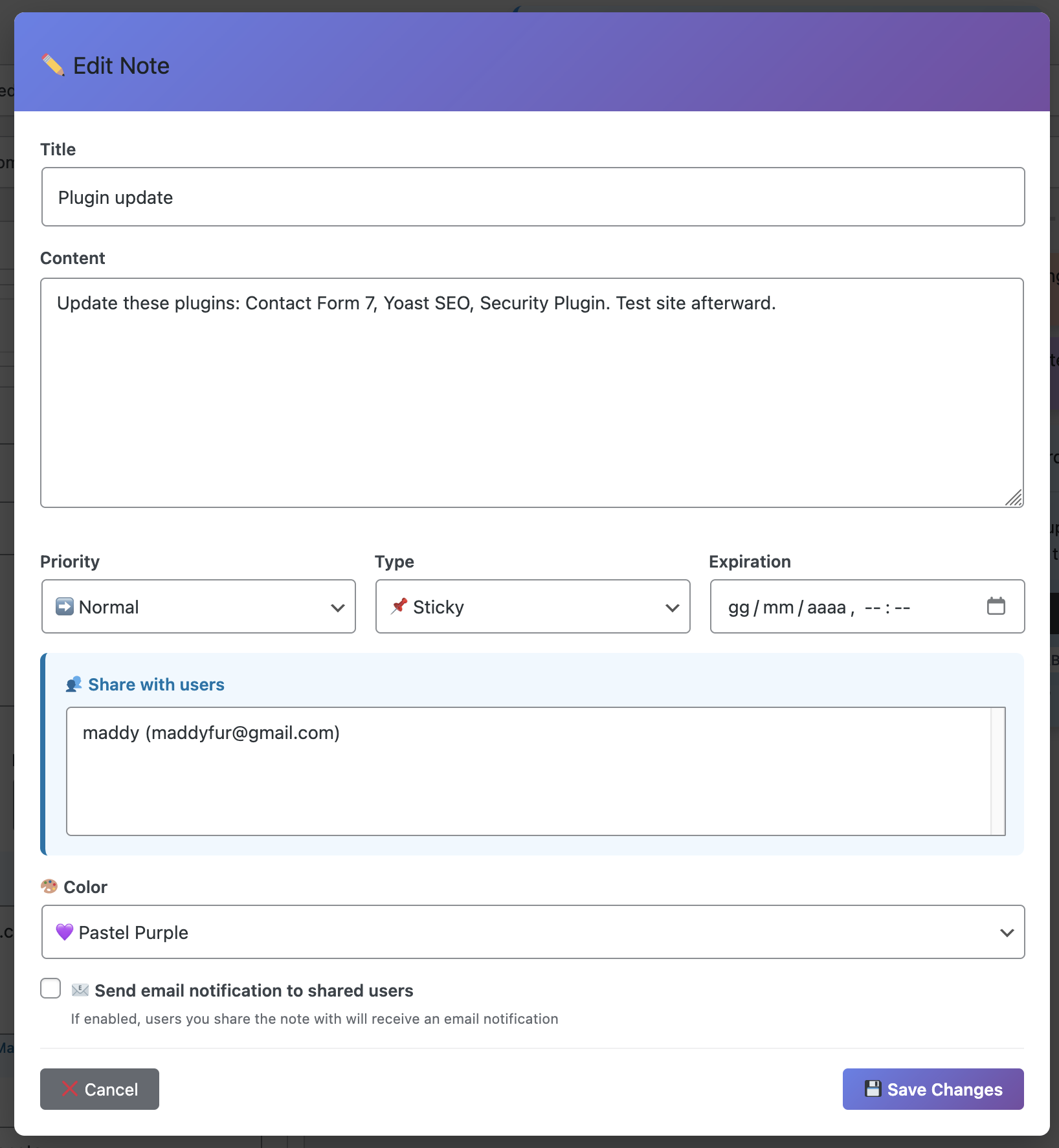
Organized editorial workflow with categories and tags
💻 Real-World Example #3: Development Team Collaboration
Team: WordPress Core Contributors (Remote, global team)
Challenge: Coordinating bug fixes, feature implementations, and code reviews across different time zones without real-time meetings.
Solution with Dashboard Sticky Notes:
- ✅ Bug Tracking Notes: Each reported issue gets a dedicated note with reproduction steps and assigned developer
- ✅ Code Review Comments: Developers leave inline notes about specific functions or files
- ✅ Voice Explanations: Complex technical decisions explained via 2-3 minute voice notes
- ✅ File Attachments: Screenshots, error logs, and documentation PDFs attached directly to notes
Results:
- Bug resolution time decreased by 45%
- Asynchronous collaboration became 70% more efficient
- Code review cycles reduced from 3 days to 1 day average
- Developer satisfaction improved significantly (survey-based)
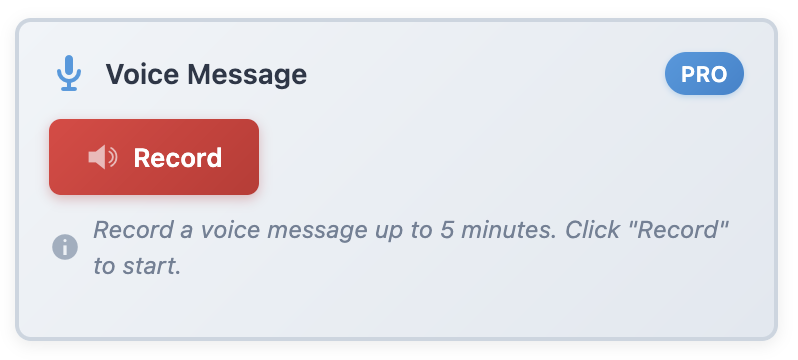
NEW: Voice recording for complex technical communication
✨ Real-World Example #4: Client Services Team
Company: WP Support Pro (Support team of 12)
Challenge: Tracking client issues, support history, and handoffs between team members without losing context.
Solution with Dashboard Sticky Notes:
- ✅ Client History Notes: Support agents add notes about each client interaction
- ✅ Handoff Protocol: Notes tagged with “handoff” alert next shift about ongoing issues
- ✅ Resolution Templates: Common solutions saved as reusable notes
- ✅ Escalation Tracking: Priority notes for issues requiring management attention
Results:
- First-response time improved by 52%
- Customer satisfaction (CSAT) increased to 4.8/5
- Support ticket resolution 38% faster
- Team knowledge sharing improved dramatically
🎨 Advanced Features for Power Teams
While the basic functionality is powerful, Quick Notes PRO offers enterprise-grade features:
- 🎙️ Voice Recording: Up to 5-minute audio notes for detailed explanations
- 📎 File Attachments: Attach PDFs, images, and documents directly to notes
- 🔍 Advanced Search: Find any note instantly with powerful search and filters
- 📤 Export/Import: Backup notes or migrate between WordPress installations
- 📊 Productivity Analytics: Track team activity and note engagement
- 🏷️ Categories & Tags: Organize notes with unlimited custom taxonomies
- 👥 Team Permissions: Control who can view, edit, or delete specific notes
- 📧 Email Notifications: Automatic alerts for shared or mentioned notes
- 🌍 Multi-language: Full support for English and Italian
- 🎨 Color Themes: 8 beautiful color schemes for visual organization
💡 Best Practices for Team Productivity
Maximize Your Team’s Efficiency:
- Establish Color Conventions: Define what each color means for your team (e.g., red = urgent, blue = FYI)
- Use Categories Strategically: Create categories for clients, projects, or departments
- Voice Notes for Complex Ideas: Save time writing – record explanations instead
- Tag Team Members: Use tags like “@developer” or “@editor” for clear assignments
- Weekly Note Reviews: Archive completed notes, keep dashboard clean
- Template Common Notes: Create reusable notes for recurring tasks
- Mobile Access: Review and add notes from any device
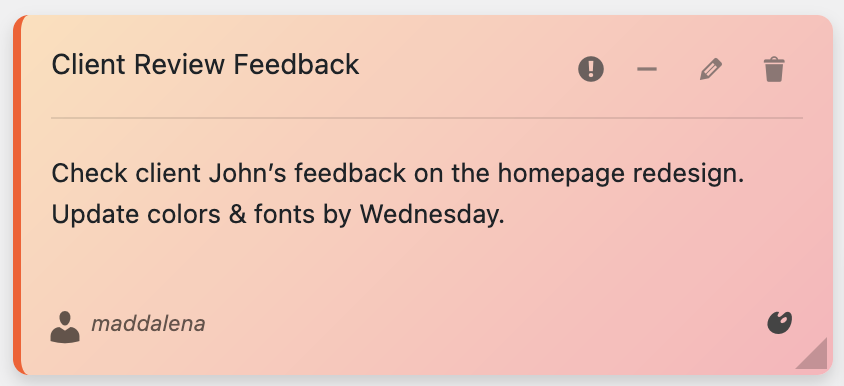
Color-coded notes for instant visual recognition
📈 Measuring Productivity Improvements
Teams using Dashboard Sticky Notes report measurable improvements:
| Metric | Before | After | Improvement |
|---|---|---|---|
| Daily communication time | 2.5 hours | 1.5 hours | 40% reduction |
| Context switching | 15 times/day | 4 times/day | 73% reduction |
| Missed deadlines | 12% | 2% | 83% improvement |
| Team satisfaction | 6.5/10 | 9.2/10 | 42% increase |
| Client response time | 4 hours | 1 hour | 75% faster |
🔧 Implementation Strategy
Rolling out Dashboard Sticky Notes to your team is simple:
Week 1: Foundation
- Install Quick Notes PRO
- Define color coding system
- Create initial categories
- Train team (15-minute session)
Week 2: Adoption
- Encourage daily note creation
- Share success stories
- Refine workflows based on feedback
- Set up notification preferences
Week 3+: Optimization
- Review productivity metrics
- Implement advanced features (voice notes, attachments)
- Expand use cases
- Continuous improvement
Conclusion: Transform Your Team Today
Dashboard Sticky Notes isn’t just a plugin – it’s a productivity multiplier. By bringing team communication directly into WordPress, you eliminate friction, reduce context switching, and create a more focused, efficient workflow.
Whether you’re a digital agency juggling multiple clients, an editorial team coordinating content, or a development team building the next great WordPress product, Quick Notes PRO provides the tools you need to succeed.
Ready to Boost Your Team Productivity?
Join thousands of WordPress professionals who have transformed their workflow with Dashboard Sticky Notes.
✓ Unlimited notes ✓ Voice recording ✓ File attachments ✓ Team collaboration ✓ Multi-language support
🎯 Key Takeaways:
- Dashboard Sticky Notes reduces team communication time by up to 40%
- Real-world teams report 83% improvement in meeting deadlines
- Voice notes and file attachments enable richer communication
- Color coding and categories create visual organization
- Multi-language support (English & Italian) adapts to your WordPress
- Investment pays for itself within the first week of implementation