

Want to know a secret? The most productive WordPress admins I know all have one thing in common—and it’s not what you’d expect.
It’s not some complicated project management system. It’s not an expensive time-tracking app. It’s not even a fancy code editor with seventeen plugins. It’s something way simpler, way more elegant, and honestly, way more effective.
It’s a notes plugin that lives right in your WordPress dashboard. Specifically, Dashboard Sticky Notes. And today, I’m going to show you exactly why this simple tool is the productivity secret weapon you didn’t know you needed.
Why Simple Tools Win Every Time
Here’s something I’ve learned after fifteen years in the WordPress world: complexity is the enemy of productivity.
Every time you add a new tool to your workflow, you’re adding mental overhead. Another login to remember. Another interface to learn. Another app to switch to. Each one of these creates friction, and friction kills momentum.
The Productivity Paradox: The more productivity tools you have, the less productive you become. Each tool requires maintenance, attention, and context-switching. Before you know it, you’re spending more time managing your tools than doing actual work.
That’s why Dashboard Sticky Notes is so powerful. It lives exactly where you already work. No new app. No new login. No new interface to learn. You just log into WordPress, and there it is.

The Five-Second Rule
I have a personal productivity rule: If capturing a thought takes more than five seconds, I won’t do it consistently.
Think about it. When inspiration strikes or you remember something important, you have about a five-second window before:
- You get distracted by something else
- You think “I’ll remember that” (spoiler: you won’t)
- You decide it’s not worth the effort to document
Dashboard Sticky Notes passes the five-second test with flying colors. Click the add button, type your note, done. That’s it. No selecting a notebook, choosing a category, formatting templates, or any of that nonsense.
Contrast This With:
Trello: Switch tabs → Find the right board → Find the right list → Click “Add card” → Type → Add due date → Click save. Time: 20-30 seconds
Evernote: Open app → Wait for sync → Find/create notebook → Create new note → Type → Wait for save. Time: 15-25 seconds
Dashboard Sticky Notes: Click → Type → Done. Time: 3-5 seconds
Speed matters. When capturing a thought is effortless, you capture more thoughts. When it’s a hassle, you let good ideas slip away.
The Power of Visual Clarity
Here’s something most productivity apps get wrong: they make you think too much.
With traditional to-do lists, you have to read everything to understand what’s important. Text buried in text. No visual hierarchy. Your brain has to work to parse what matters.
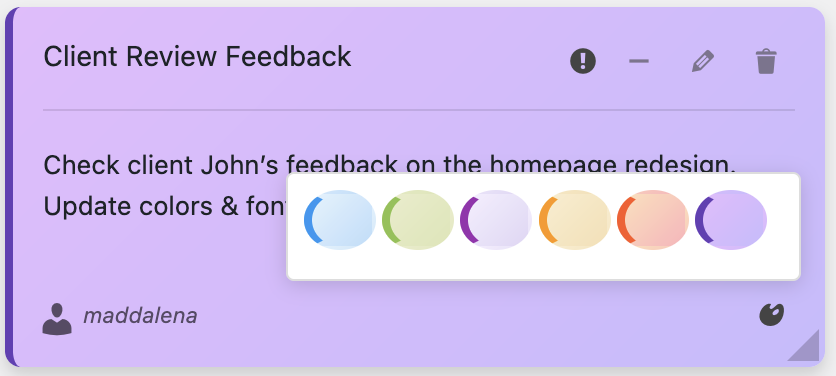
Dashboard Sticky Notes uses color as a first-class feature, not an afterthought. Your eyes immediately gravitate to what matters:
- Red notes = urgent → Your brain processes this instantly
- Yellow notes = important → Second priority, clear visual hierarchy
- Blue notes = informational → Reference material, no urgency
You don’t have to think—you just know. That’s the difference between good design and great design.
Real WordPress Admin Workflows
Let me show you how productive WordPress admins actually use Dashboard Sticky Notes in their daily work.
Workflow 1: The Morning Review
Sarah manages five client WordPress sites. Every morning, this is what she does:
- Opens WordPress dashboard (she always starts here anyway)
- Sees her color-coded notes immediately
- Tackles red (urgent) notes first
- Works through yellow notes when time allows
- Refers to blue notes as needed throughout the day
Total planning time: 30 seconds. Compare that to the 15 minutes she used to spend reviewing multiple apps and email threads just to figure out what to do.
“I don’t have to think about what to work on anymore. I log in, I see what’s urgent, and I get to work. It sounds simple, but it’s changed everything about how I start my day.”
— Sarah M., WordPress Freelancer
Workflow 2: The Context Switch
Mike is a developer who works on multiple projects in a single day. Context switching used to kill his productivity—he’d forget where he left off or lose track of next steps.
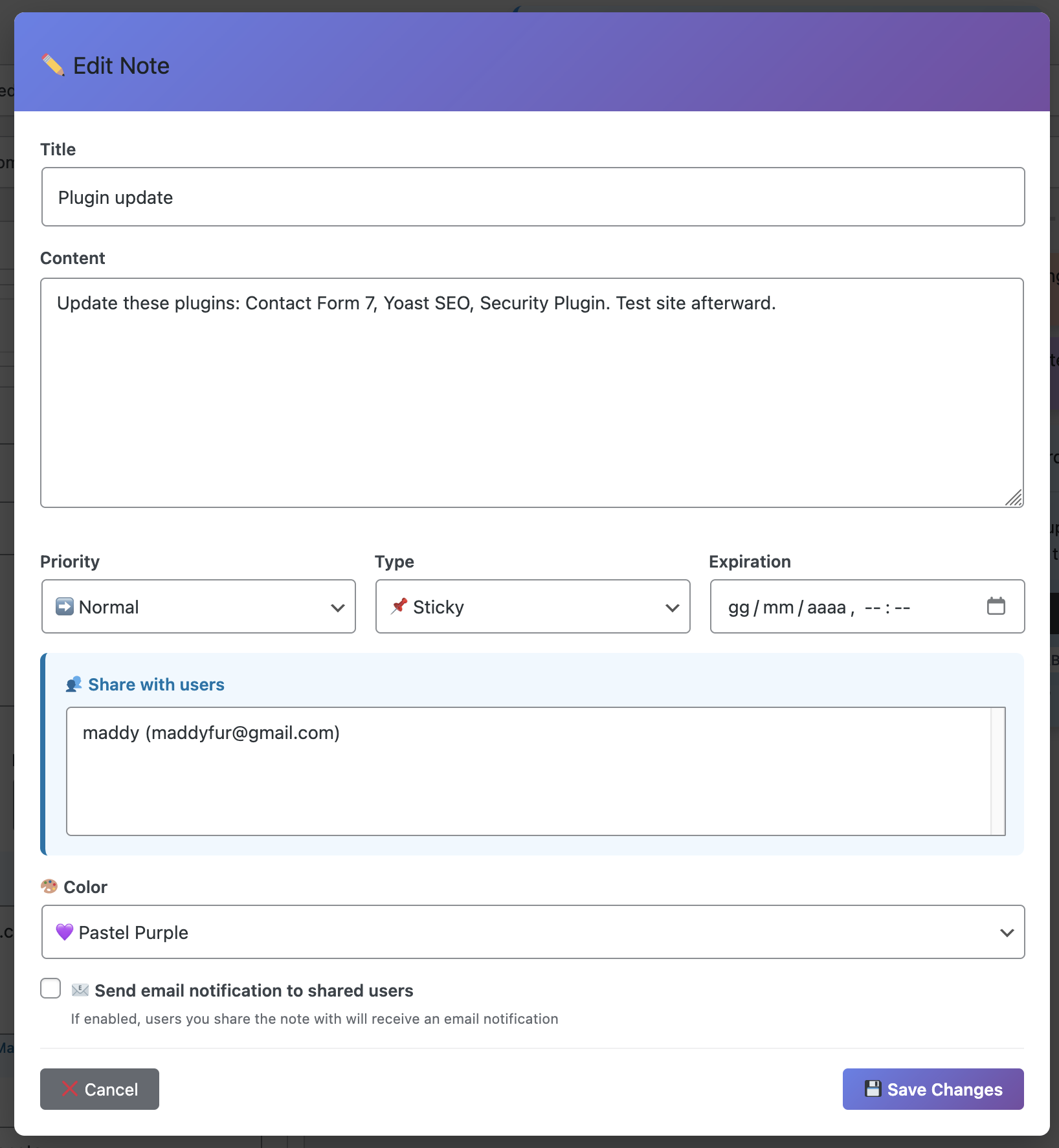
Now, whenever he switches between client sites, he:
- Leaves a note on the current project: “Next: Fix responsive menu on mobile”
- Switches to the new site
- Sees his notes from last time: “Where I left off: Testing checkout flow”
- Picks up exactly where he left off with zero mental friction
His productivity increased by an estimated 25% just from eliminating “what was I doing?” moments.
Workflow 3: The Voice Capture
Lisa is a content strategist who often has ideas while she’s in the middle of writing. She uses the voice recording feature obsessively.
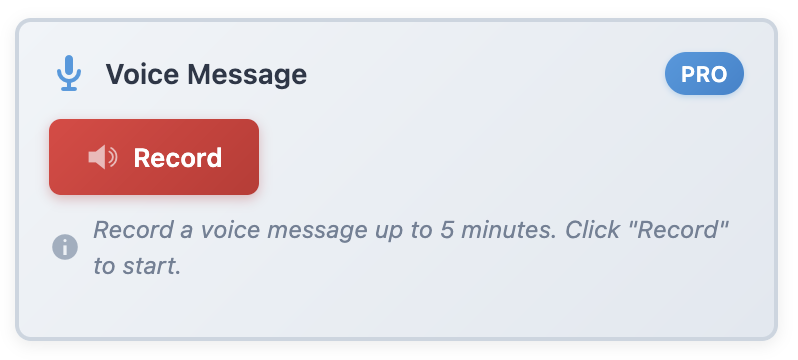
Mid-paragraph, an idea strikes for a completely different post. Instead of losing her flow or losing the idea, she hits record:
“New blog idea: ‘Five Common WordPress Security Mistakes’ – angle it toward beginners, use that case study from the bakery client, include screenshots of security plugins…”
Ten seconds later, she’s back to writing. The idea is captured with all its context and enthusiasm. Later, she can turn that voice note into a full blog outline.
What Makes This a “Secret” Weapon?
The funny thing about Dashboard Sticky Notes is that most WordPress users have no idea how much more productive they could be with it.
They’re using elaborate external systems—Trello boards with seventeen lists, Notion databases that require a degree to navigate, elaborate Google Docs templates—when the solution they need is simpler, faster, and already integrated into their workflow.
💡 The Secret Sauce: The best productivity tool is the one you actually use. Dashboard Sticky Notes has zero friction, zero learning curve, and zero excuses. You either use it or you don’t—and if you do, you’re automatically more organized than 90% of WordPress users.
The Compound Effect
Here’s what happens when you start using Dashboard Sticky Notes consistently:
Week 1:You stop forgetting small tasks. That alone is valuable.
Week 2: You notice you’re getting more done because you’re not wasting time figuring out what to work on.
Week 3: You’ve captured ideas that would have been lost forever. Some of them turn into actual projects.
Month 2: You realize you haven’t missed a single deadline in weeks. Clients have noticed you’re more reliable.
Month 3:You’ve saved dozens of hours that you used to spend on organizational overhead. You’re doing more meaningful work in less time.
This is the compound effect of using the right tool. Small improvements every single day add up to massive productivity gains over time.
Why Most People Never Find This
The irony is that most WordPress admins are searching for complicated solutions to simple problems.
They think: “I need better productivity, so I need a powerful project management system!” Then they spend three weeks setting up Asana, creating templates, organizing projects, and… they never actually use it because it’s too complicated.
Meanwhile, the productive admins who seem to effortlessly juggle multiple projects? They’re using dead-simple tools like Dashboard Sticky Notes that just… work. No fuss, no complexity, no overhead.
Your Productivity Breakthrough Starts Today
Look, I can’t promise that Dashboard Sticky Notes will magically make you 10x more productive. No tool can do that.
But I can promise you this: It will eliminate the friction between having a thought and capturing it. It will give you clarity every time you log into WordPress. It will save you from forgetting important tasks. And it will do all of this without adding complexity to your life.
That’s not a small thing—that’s everything.
The secret weapon isn’t complex systems or expensive software. It’s simplicity, immediacy, and integration with where you already work. Dashboard Sticky Notes nails all three.
Discover Your Productivity Secret Weapon
Save time every day by keeping your ideas where you work.
P.S. – The most productive people I know aren’t the ones with the most sophisticated systems. They’re the ones who’ve mastered the basics so well that everything else becomes easy. Start with the basics. Start with Dashboard Sticky Notes.