
Transform Your WordPress Dashboard with Sticky Notes
As a WordPress administrator, you know how challenging it can be to keep track of important information, reminders, and team communications. The default WordPress dashboard, while functional, doesn’t provide an intuitive way to leave notes or organize information visually.
Enter Dashboard Sticky Notes – a revolutionary plugin that brings the convenience of physical sticky notes directly to your WordPress admin area. Whether you’re managing a solo project or coordinating with a large team, this powerful tool can transform how you organize and communicate within WordPress.

Quick Notes PRO Dashboard – The ultimate WordPress sticky notes solution
Why WordPress Dashboard Sticky Notes Matter
Traditional project management tools often require you to switch between multiple platforms, leading to fragmented communication and missed deadlines. Dashboard Sticky Notes solves this by integrating directly into your WordPress workflow, ensuring that important information is always visible when you need it most.
🎯 Key Benefits for WordPress Users:
- Centralized Communication: Keep all team communications within WordPress
- Visual Organization: Color-coded notes for instant recognition
- Real-time Collaboration: Share notes instantly with team members
- Mobile Accessibility: Access notes from any device
- Zero Learning Curve: Intuitive interface that anyone can use
- Voice Recording: Record audio notes up to 5 minutes (NEW!)
Getting Started: Installation and Setup
Installing Dashboard Sticky Notes is straightforward, even for WordPress beginners. Follow these simple steps to get started:
📥 Step 1: Plugin Installation
- Navigate to your WordPress admin dashboard
- Go to Plugins → Add New
- Search for “Dashboard Sticky Notes” or “Quick Notes PRO”
- Click Install Now and then Activate
⚙️ Step 2: Initial Configuration
Once activated, you’ll immediately see the sticky notes interface in your dashboard. The plugin integrates seamlessly with your existing WordPress admin area, requiring no additional configuration.
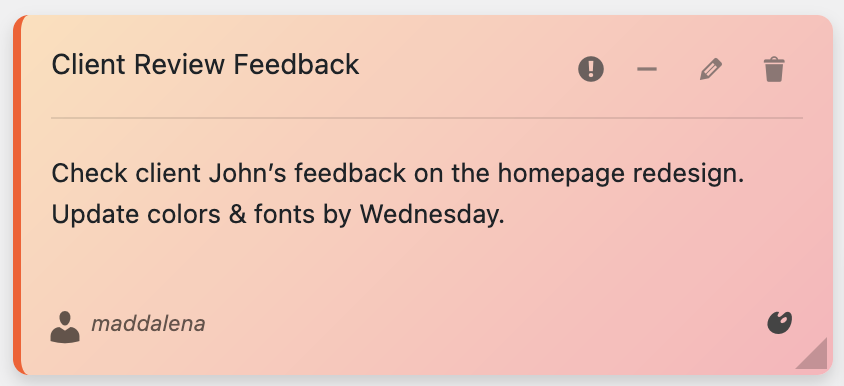
Creating and customizing sticky notes with Quick Notes PRO
Creating Your First Sticky Note
Creating a sticky note is as simple as clicking and typing:
- Click the “Add Note” button in your dashboard
- Choose your preferred color from the 6 beautiful pastel options
- Type your message – reminders, instructions, or team updates
- Set categories and tags for better organization
- Click “Save” and your note appears instantly
🎙️ Advanced Features: Voice Recording (NEW!)
One of the most exciting features of Quick Notes PRO is the ability to record voice memos directly in your browser. This revolutionary feature is perfect for:
- 🎤 Capturing ideas when typing isn’t convenient
- 📝 Leaving detailed instructions for team members
- 🗣️ Recording meeting notes or brainstorming sessions
- ⏰ Creating audio reminders that play automatically
- 📱 Mobile productivity on the go
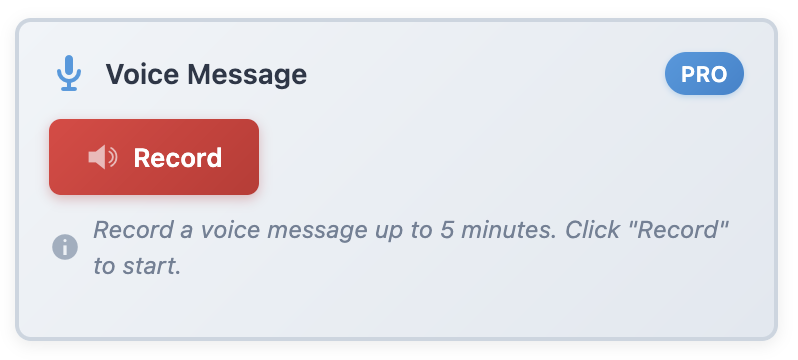
Voice recording interface – Record up to 5 minutes of audio per note
Team Collaboration Features
For agencies and multi-user WordPress sites, the collaboration features are game-changing:
- 👥 User Sharing: Share specific notes with individual team members
- 📧 Email Notifications: Automatic alerts when notes are shared or updated
- ⚡ Real-time Updates: Changes appear instantly for all team members
- 🔒 Permission Control: Manage who can view and edit specific notes
- 📁 File Attachments: Attach PDFs, images, and documents to notes
Best Practices for Dashboard Organization
🎨 1. Use Color Coding Strategically
With 6 beautiful pastel colors available, establish a consistent color-coding system:
- Red/Pink: Urgent tasks and deadlines
- Blue: General information and updates
- Green: Completed tasks and achievements
- Yellow: Ideas and brainstorming
- Purple: Client communication
- Orange: Technical notes and procedures
🏷️ 2. Leverage Categories and Tags
Organize your notes with unlimited categories and tags:
- Create categories for different projects or clients
- Use tags for cross-referencing related information
- Implement a consistent naming convention
- Regularly review and clean up outdated notes
Real-World Use Cases
🏢 For WordPress Agencies
Dashboard Sticky Notes revolutionizes how agencies manage client projects:
- Client Onboarding: Leave step-by-step instructions for new clients
- Project Updates: Share progress reports and next steps
- Technical Notes: Document custom code and configuration details
- Team Coordination: Assign tasks and track completion
✍️ For Content Creators
Bloggers and content creators benefit from organized note-taking:
- Content Planning: Brainstorm article ideas and track publication schedules
- Editorial Calendar: Plan content weeks or months in advance
- Research Notes: Save important information for future articles
- Collaboration: Work with editors and guest writers seamlessly
Advanced Features Worth the Upgrade
While the basic functionality is impressive, Quick Notes PRO offers advanced features that justify the upgrade:
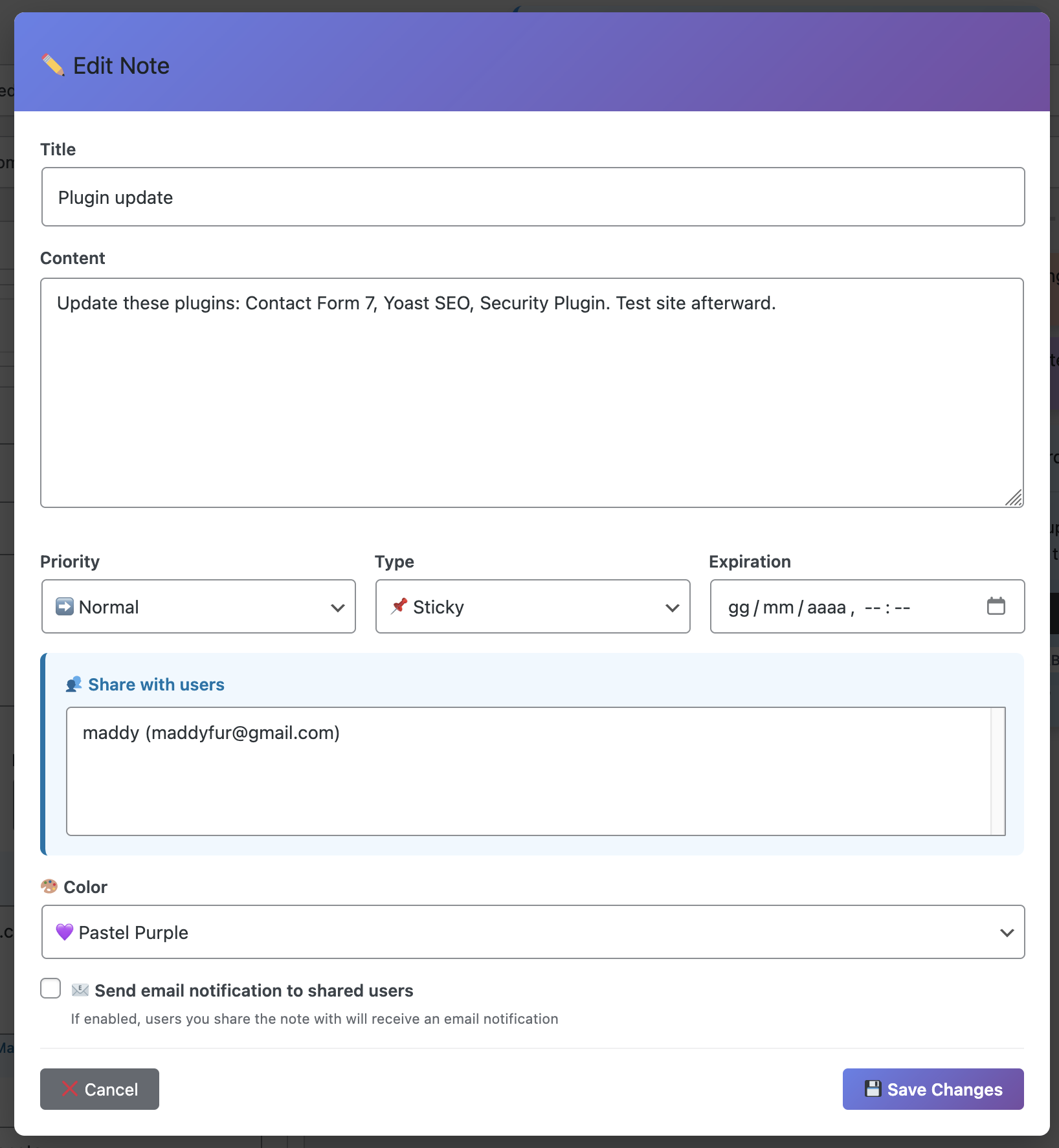
Advanced editing modal with categories, tags, and team collaboration
- 🎙️ Voice Recording: Record audio notes up to 5 minutes
- 📎 File Attachments: Attach PDFs, images, and documents to notes
- 🔍 Advanced Search: Find any note instantly with powerful filtering
- 📤 Export/Import: Backup and transfer notes between sites
- 📊 Productivity Statistics: Track your note-taking habits and improvements
- 🌍 Multi-language Support: Available in English and Italian
- 👥 Team Collaboration: Share notes with specific users
- 📧 Email Notifications: Automatic alerts for shared notes
Integration with WordPress Workflow
Dashboard Sticky Notes doesn’t just add functionality – it enhances your existing WordPress workflow:
- Seamless Integration: Works with any WordPress theme or plugin
- Performance Optimized: Lightweight code that doesn’t slow down your site
- Mobile Responsive: Full functionality on tablets and smartphones
- Multi-language Support: Automatically adapts to your WordPress language
- WordPress 6.7+ Compatible: Always up-to-date with the latest WordPress version
Conclusion: Transform Your WordPress Experience
Dashboard Sticky Notes isn’t just another WordPress plugin – it’s a productivity revolution. By bringing the familiar concept of sticky notes into your digital workspace, it eliminates the need for external tools and keeps your team focused on what matters most: creating great content and managing successful WordPress sites.
Whether you’re a solo blogger looking to stay organized or an agency managing dozens of client sites, Quick Notes PRO provides the tools you need to communicate effectively and stay productive.
Ready to Transform Your WordPress Dashboard?
Get started today and discover why thousands of WordPress users have already made the switch to organized, efficient note-taking.
📋 Key Takeaways:
- Dashboard Sticky Notes integrates seamlessly with WordPress
- Color coding and categorization improve organization
- Voice recording and collaboration features enhance productivity
- Perfect for agencies, content creators, and solo users
- Advanced features justify the PRO upgrade
- Multi-language support for international teams